
Free Material
Find hereMore than 150 Articles about Microsoft Technologies on Modern Workplace
Official Site
Microsoft Most Valuable Professional M365 Apps & Services
Microsoft Most Valuable Professional Business Applications
Consultant & Sr Cloud Solution Architect Modern Wokrplace
Find hereMore than 150 Articles about Microsoft Technologies on Modern Workplace
02 September 2024
In today's article, we will mainly focus on the sharing feature from the SharePoint admin center.
First, from the active subscription to M365, we log in to the home page and then from the left side pop-up column, we select admin. There, we have to select SharePoint again from the left column. As I have mentioned in other articles in the past, in order for all this to be visible to us, we will need to have SharePoint administrator privileges.
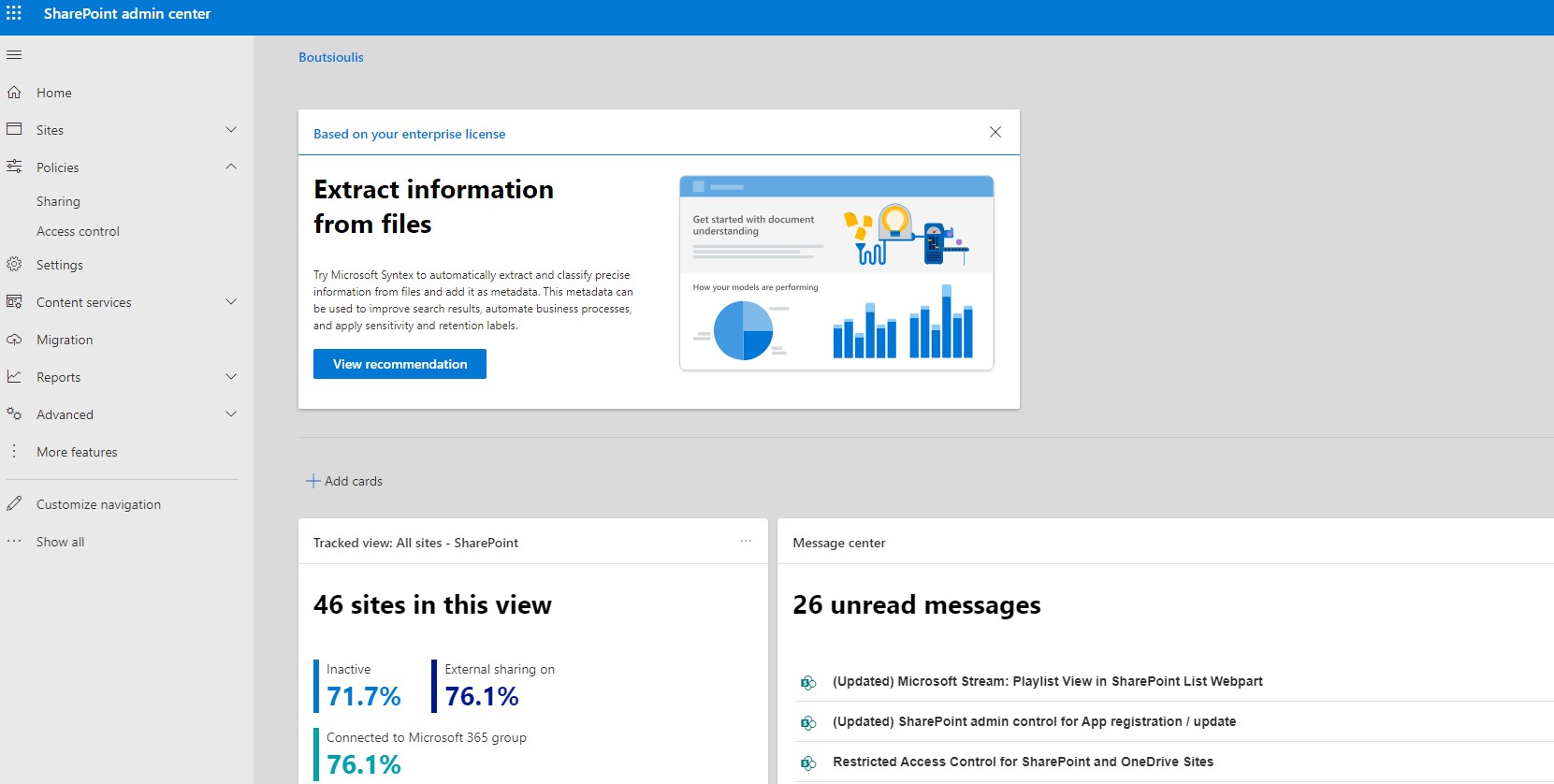
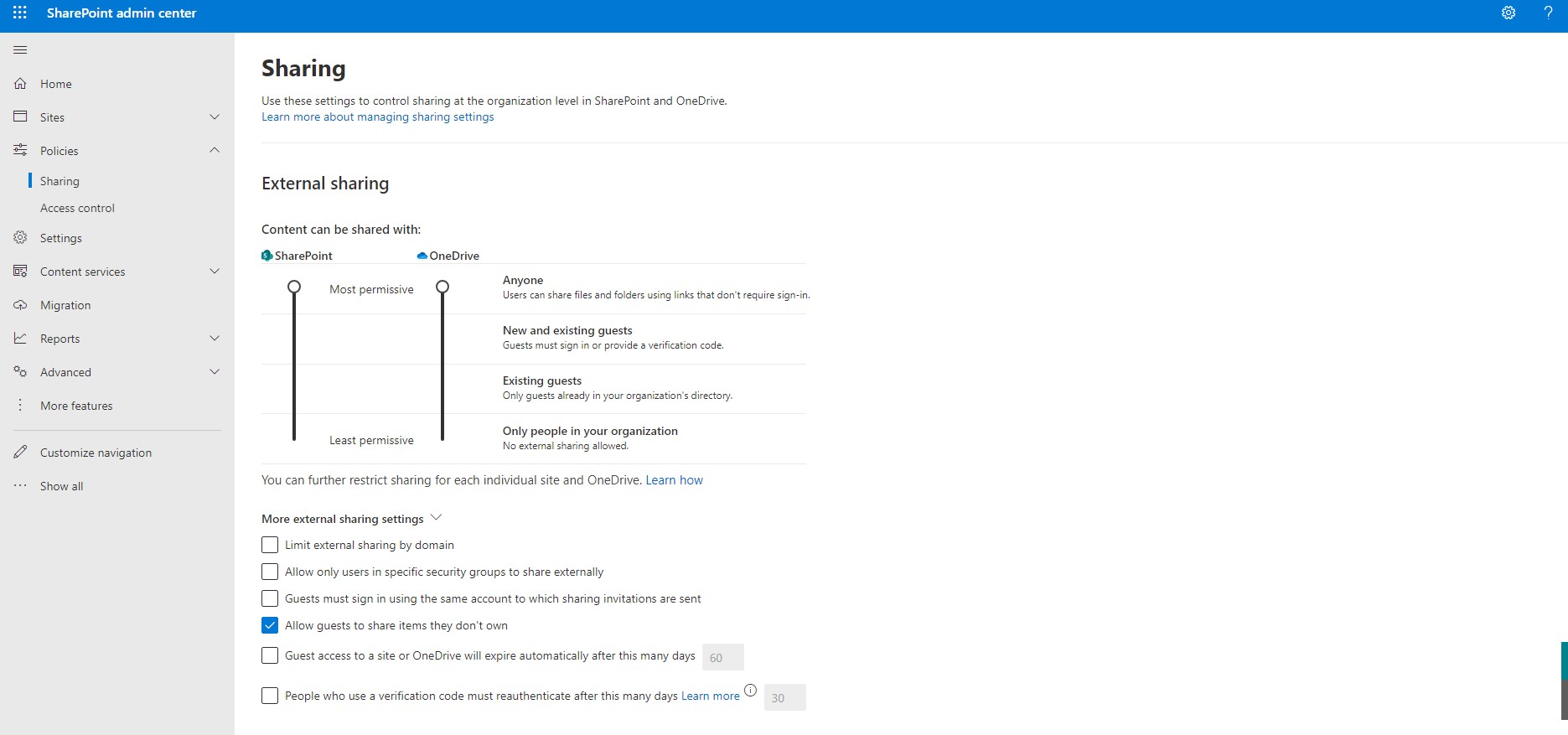
There in the left column, we locate policies as the second option and below that as a sub-option, we have Sharing. When you go to the page that has all the properties and features of sharing, as the first module, the module of external Sharing appears.
Here, you can see that you have the ability to enable or disable external sharing in your organization, as well as there are a number of choices that also define properties of external sharing. These features are for defining external sharing by domain, as well as whether you allow specific users or groups of users to do external sharing in your organization. You can also find the ability to allow your guests to share records that do not belong to them, as well as a set of retention policies with an expiration date on guest access.
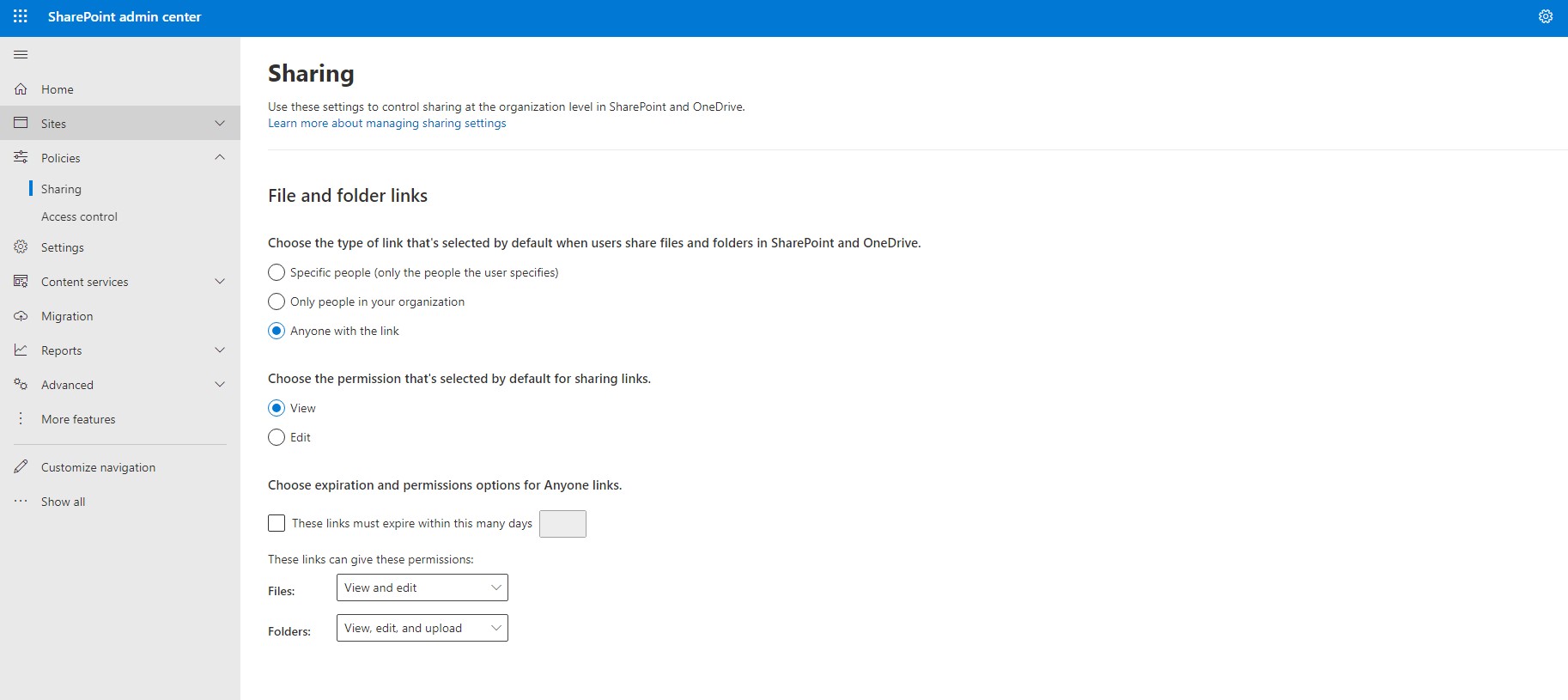
In the next group of options, you have the possibility to specify who can access OneDrive or SharePoint and with which permission they can access the files with view or edit, as well as if there is an expiration date in this interaction.
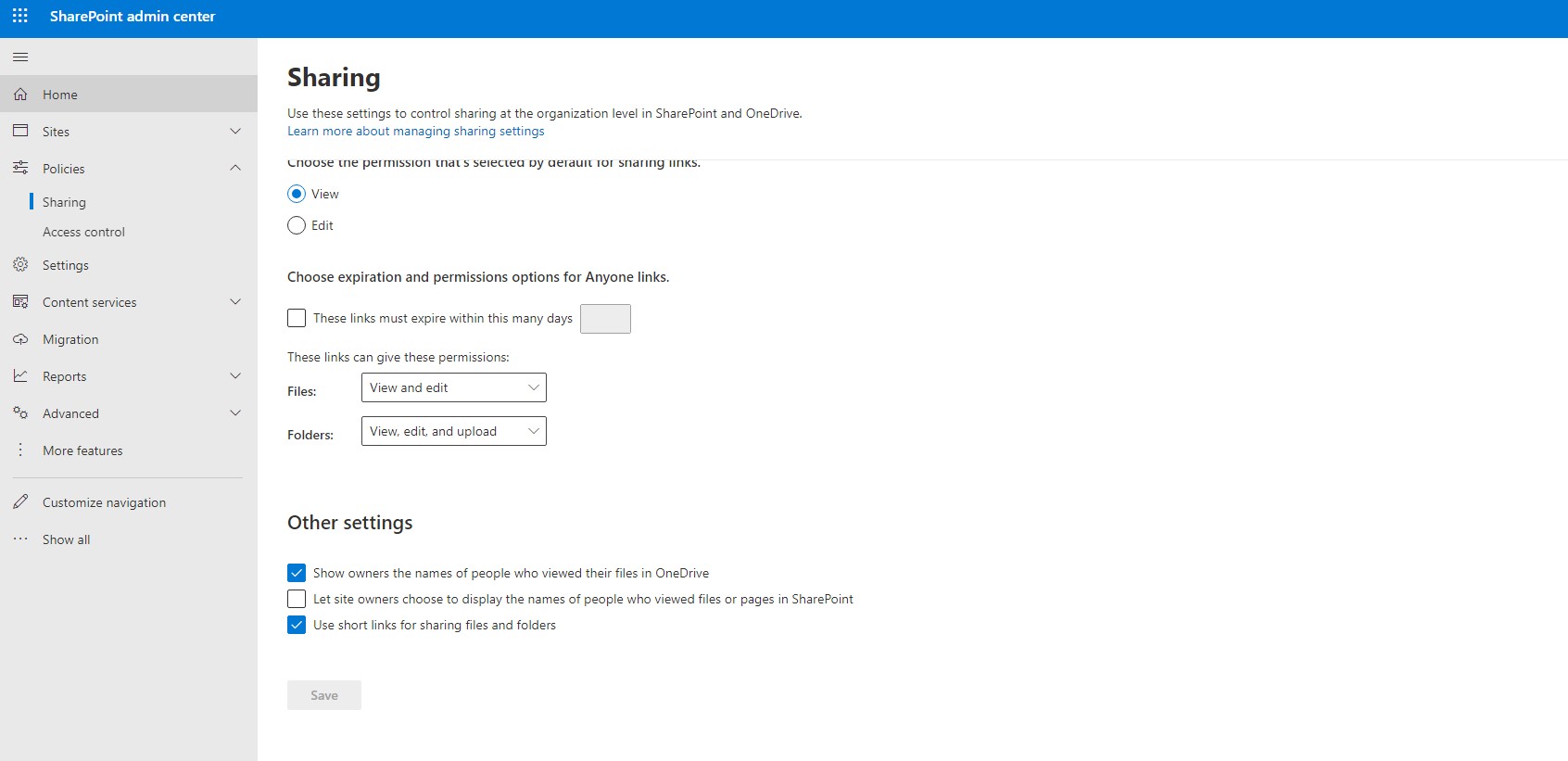
In the last group of options, there are 3 options which are related to informing the owner about who has viewed the archives, whether we allow site owners to monitor the visibility of the archives in SharePoint, and whether we allow the use of short URLs when sharing the archive.
 #ModerWork
#M365_Apps_Services
#BusinessApps
#SharePoint
#PowerAutomate
#technology
#microsoft
#digitaltransformation
#cloud
#mvpbuzz
#m365
#ModerWork
#M365_Apps_Services
#BusinessApps
#SharePoint
#PowerAutomate
#technology
#microsoft
#digitaltransformation
#cloud
#mvpbuzz
#m365
Visit Archives below to find more articles about Microsoft technologies on Modern Workplace