
Free Material
Find hereMore than 150 Articles about Microsoft Technologies on Modern Workplace
Official Site
Microsoft Most Valuable Professional M365 Apps & Services
Microsoft Most Valuable Professional Business Applications
Consultant & Sr Cloud Solution Architect Modern Wokrplace
Find hereMore than 150 Articles about Microsoft Technologies on Modern Workplace
20 September 2024
In today's article, I will show you how we can receive a notification in Teams every time someone fills out a form in Forms using Power Automate.
First, we need to have an active M365 subscription and from the home page, we select Power Automate from the apps. On the Power Automate home page, we select Templates from the left menu.
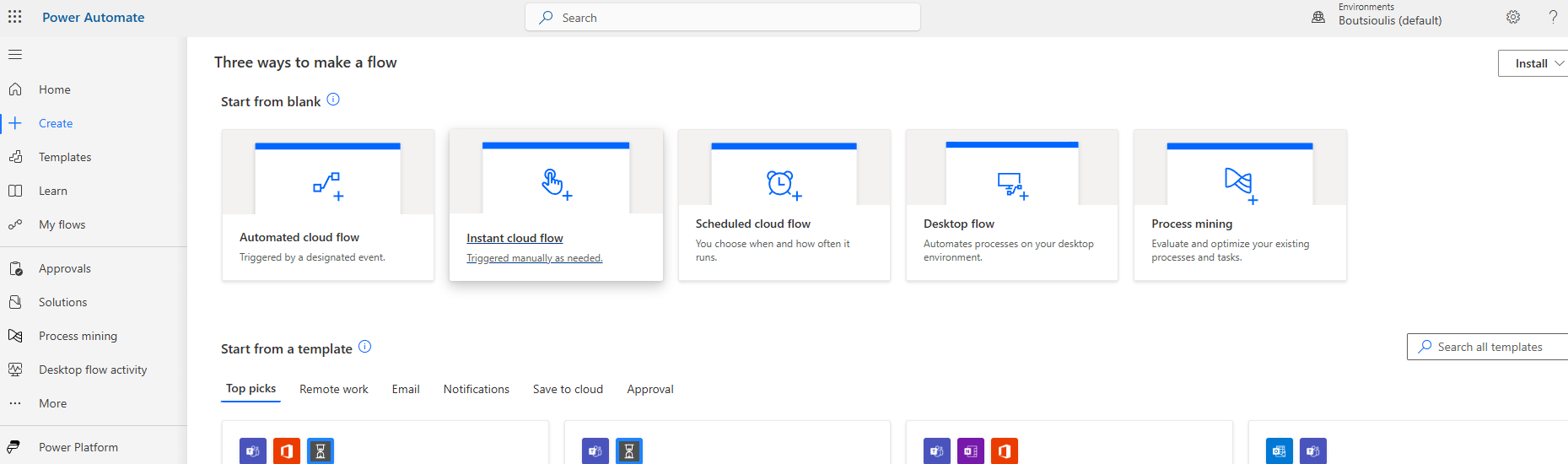
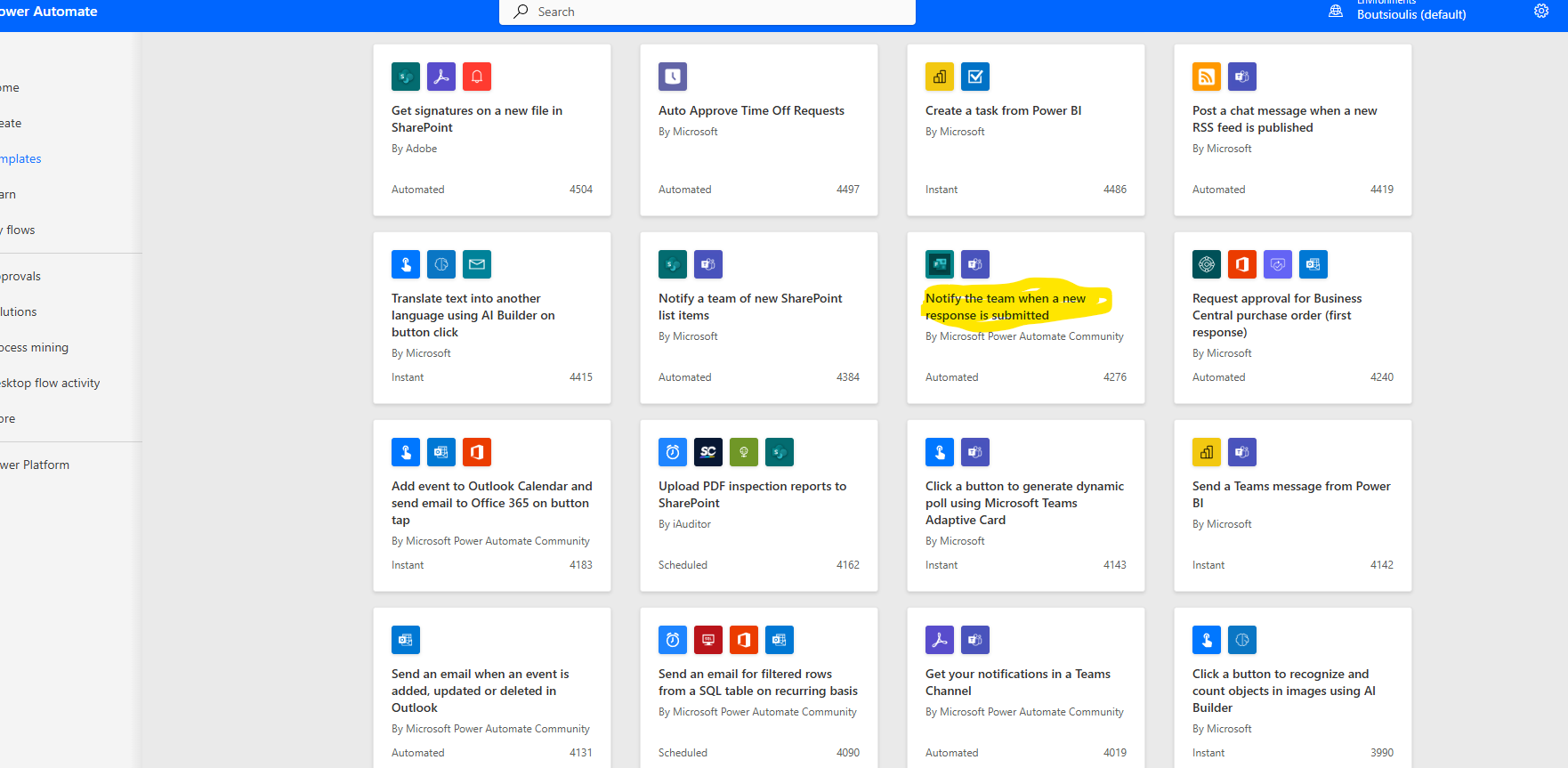
We locate the available template named "Notify the Team when a new response is submitted."
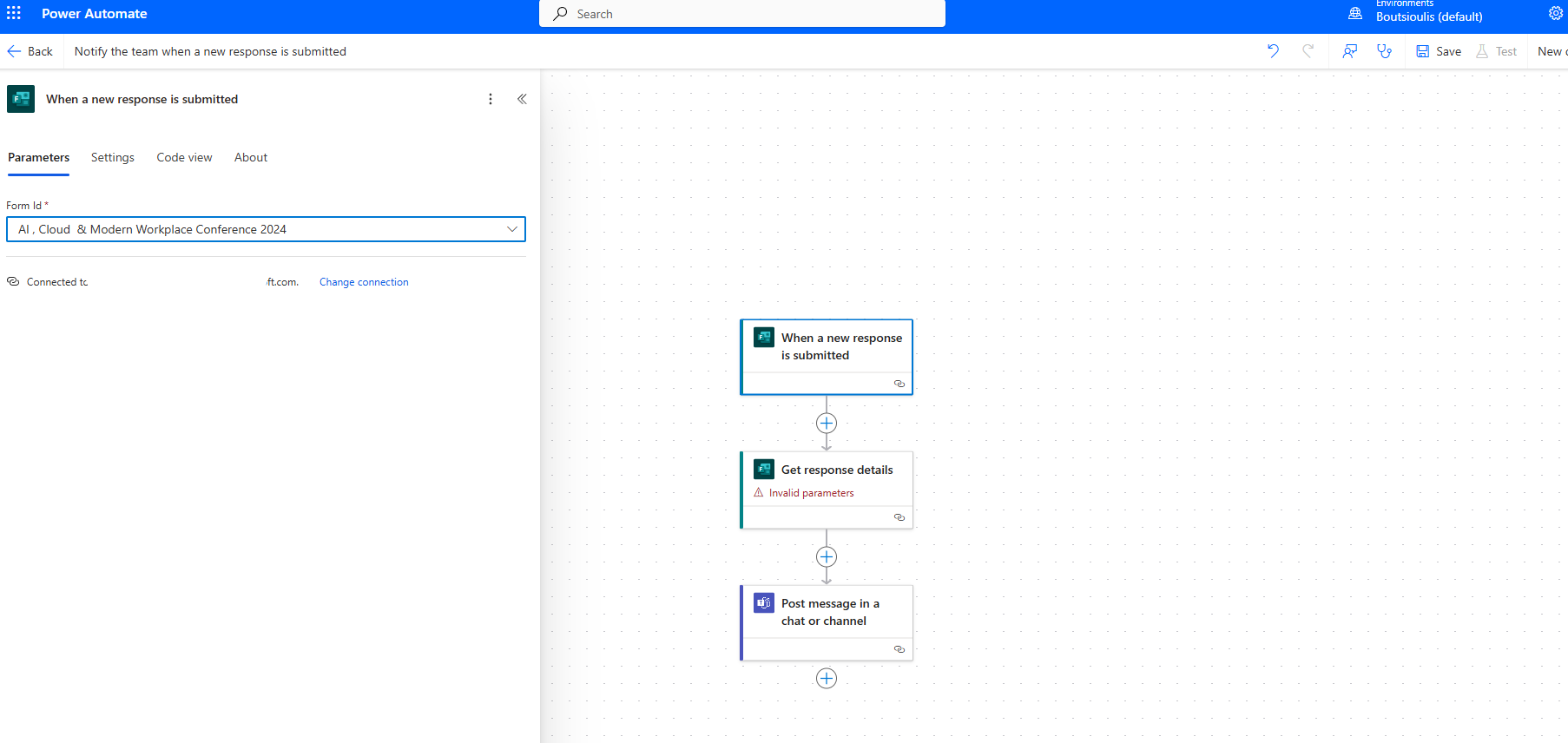
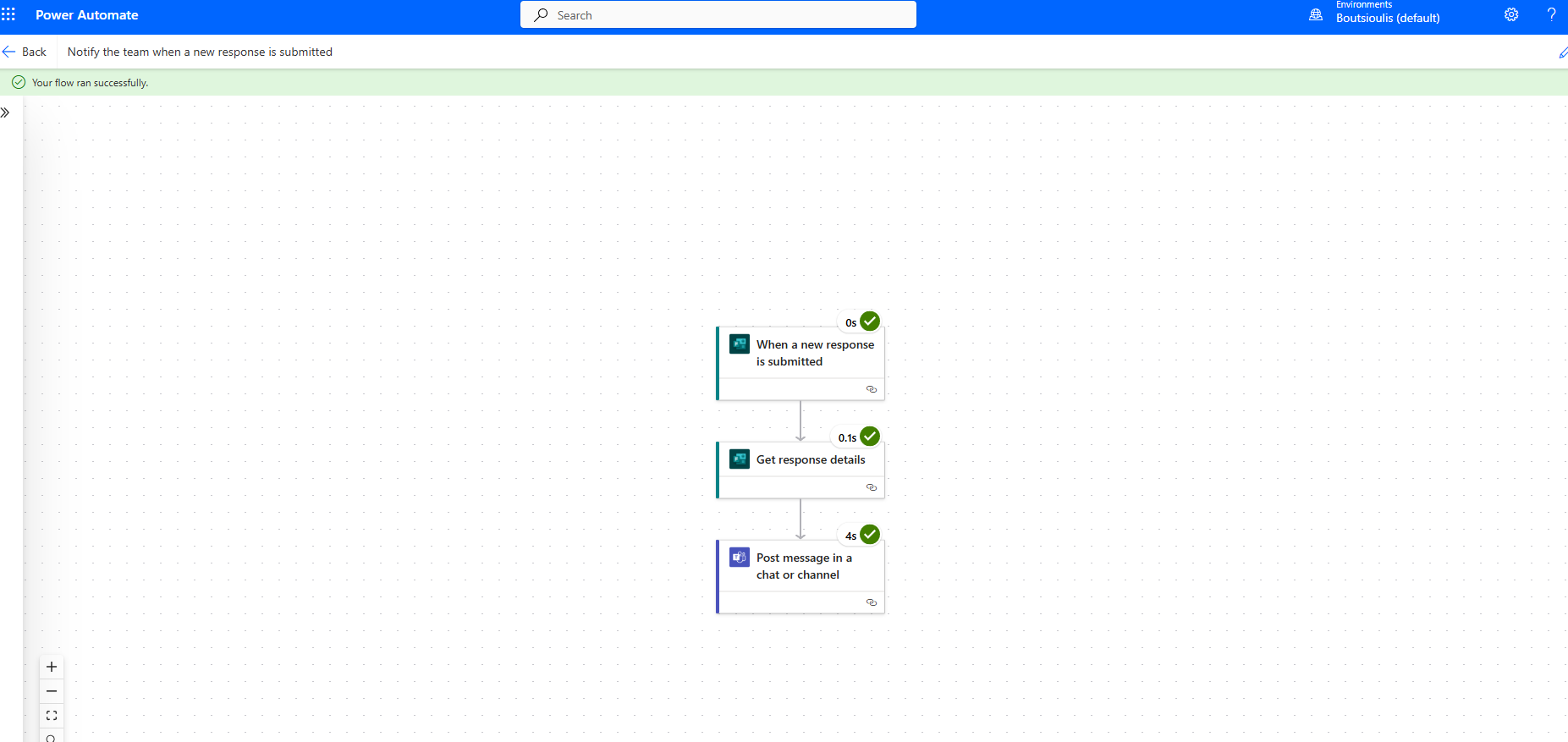
Next, we go to our automate and in the first trigger action, we have an action type "when a new response is submitted" where we specify the form we want to be notified about every time someone submits a response.
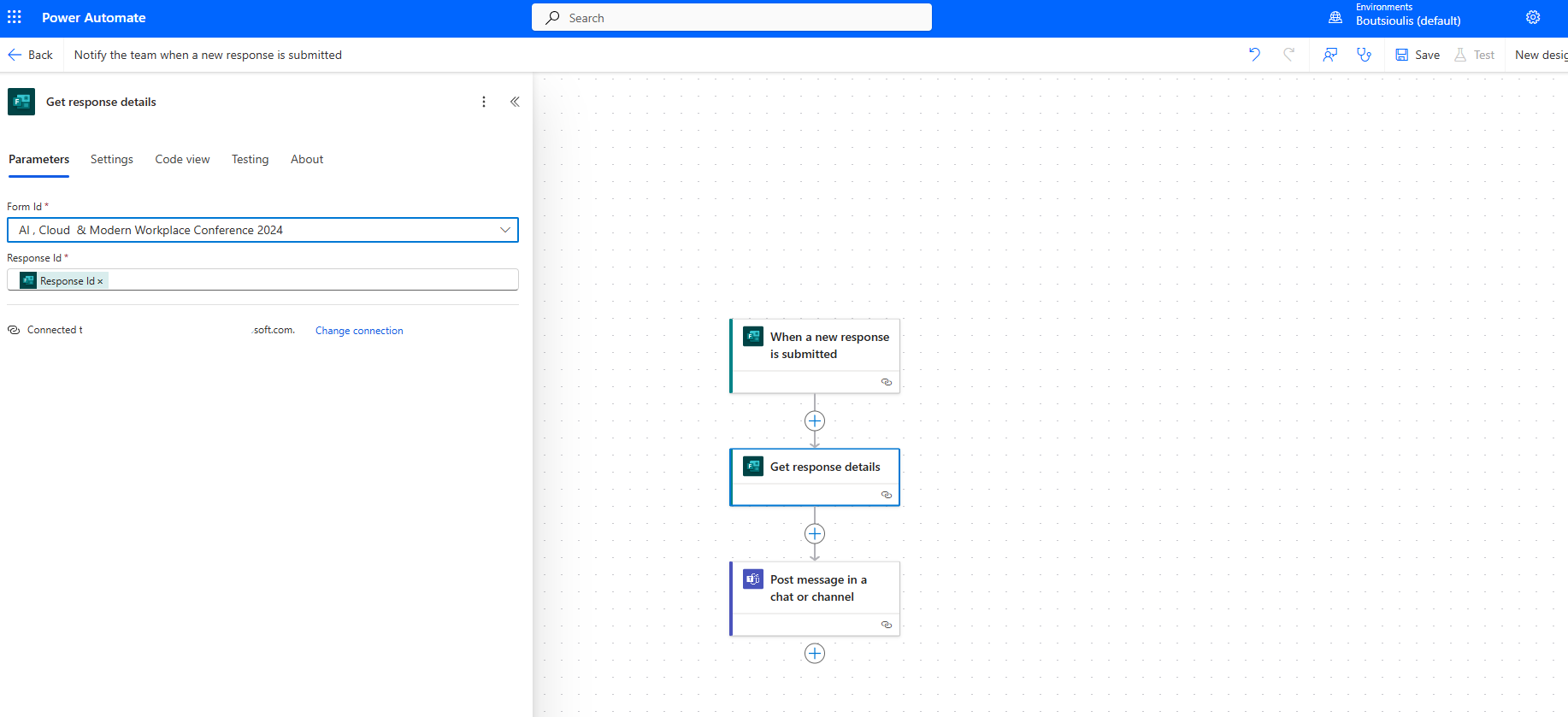
The next action we select is an action type "get response details" where we also select the form and the response ID from the Properties of the dynamic content.
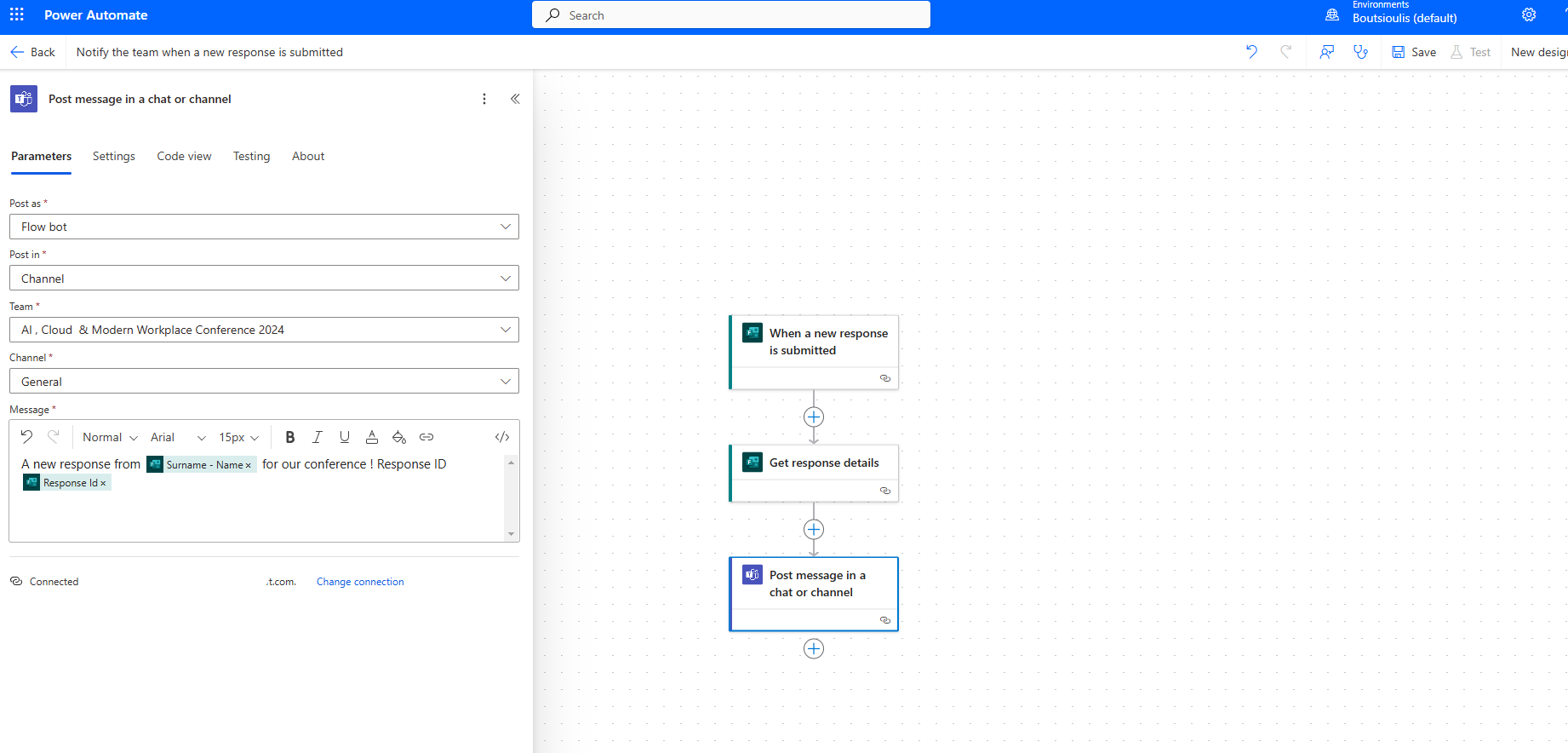
The next and final action is of type "post message in a chat or channel," where we select flow bot in Post as and channel in Post in. Then we select the team we want the post to be made in as well as the corresponding channel in that team. Finally, we enter the message we want using some of the details from the submitted form as seen in the image.
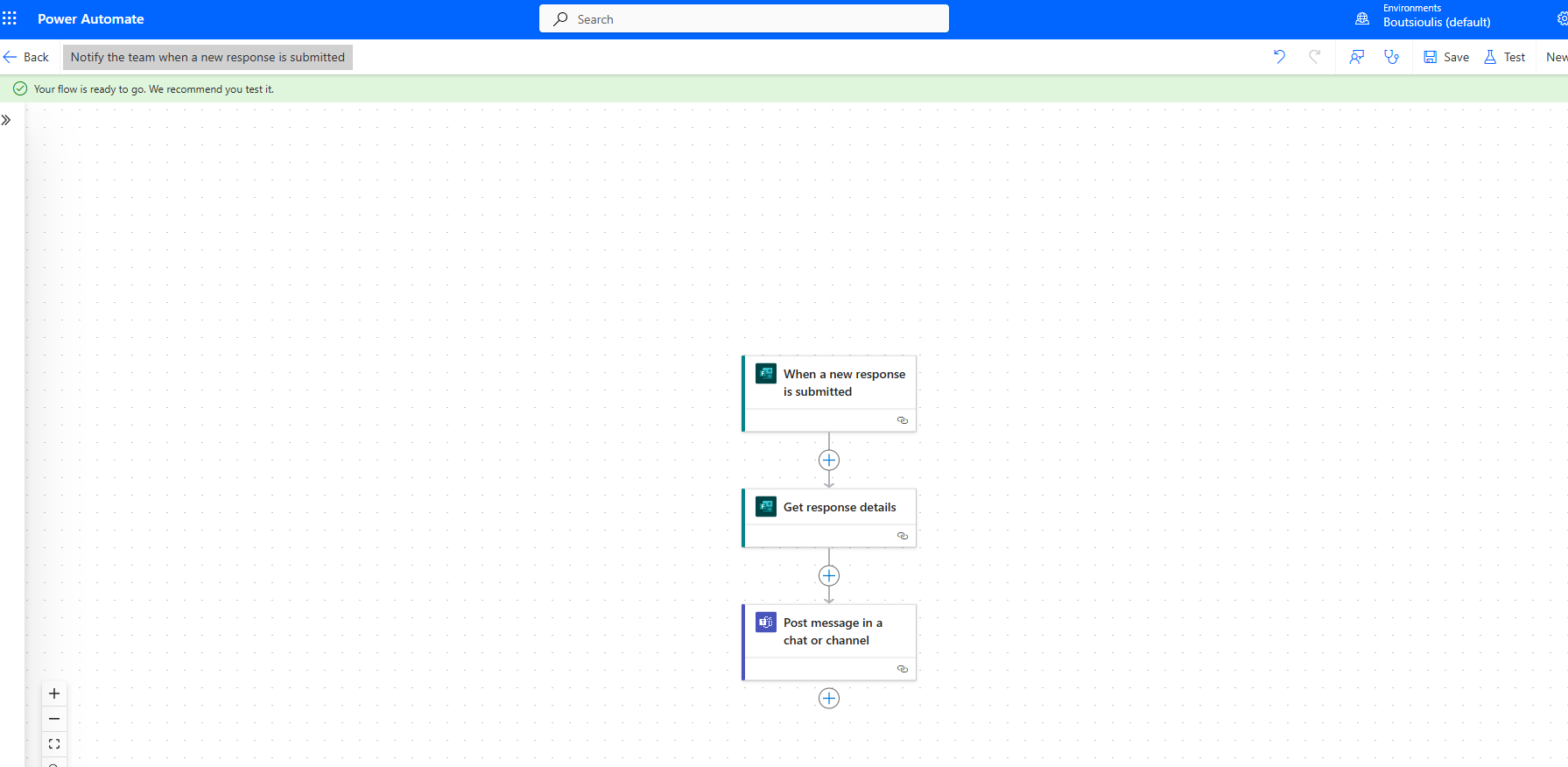
The next step is to save our automate.
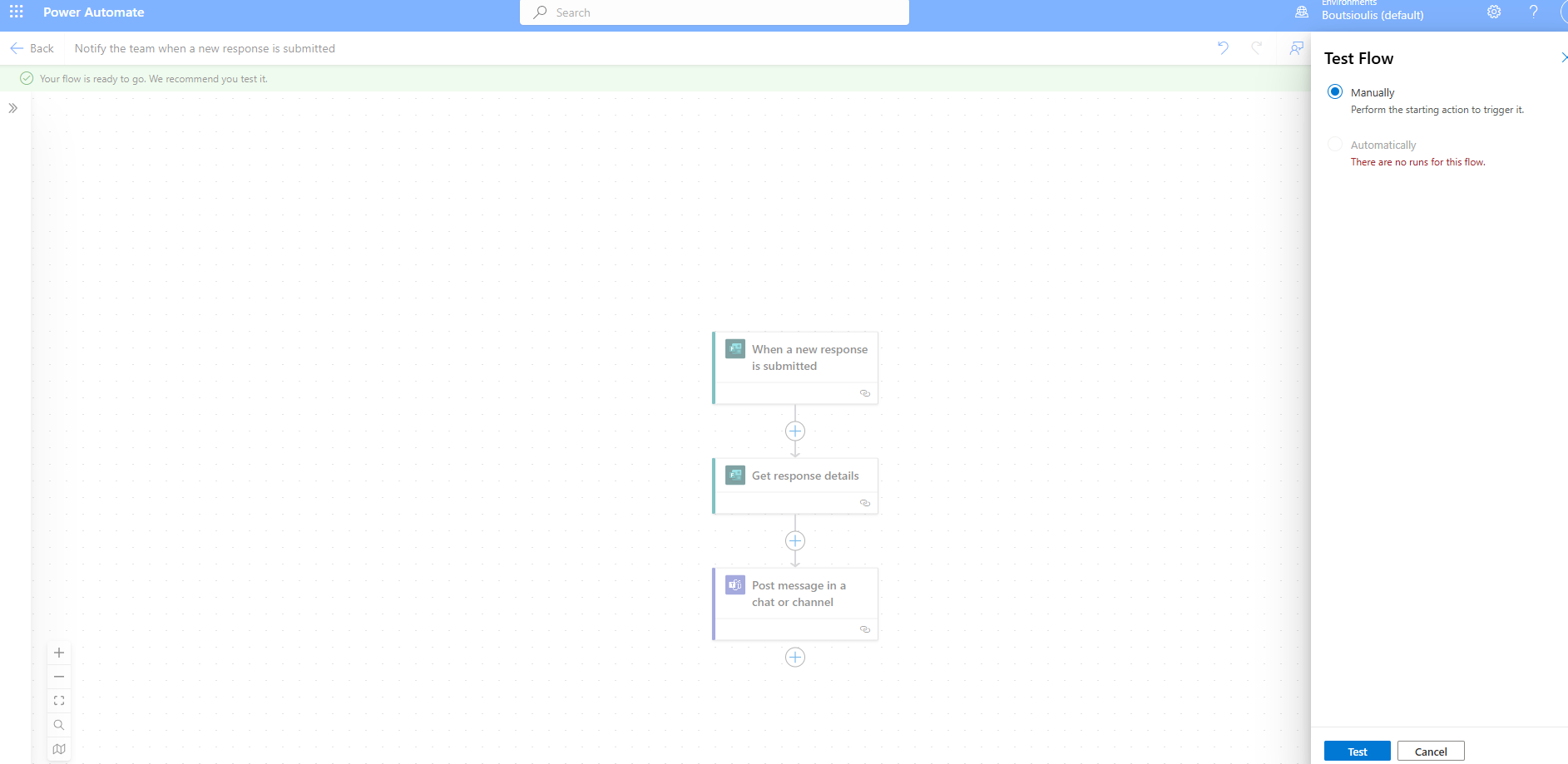
And of course, we need to perform a Manually test flow.
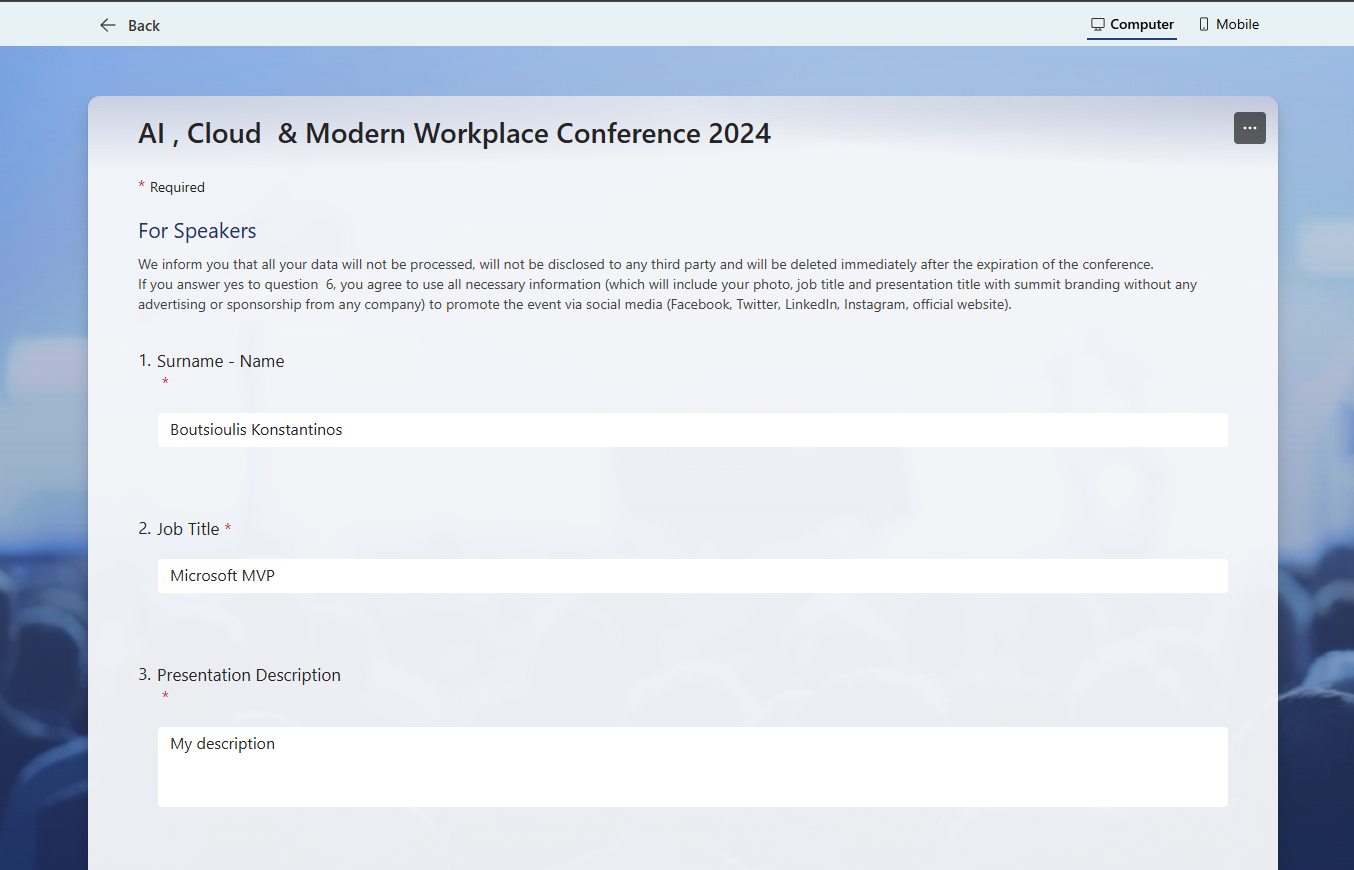
The next step is to fill out the form we entered.
Our automate executes successfully.
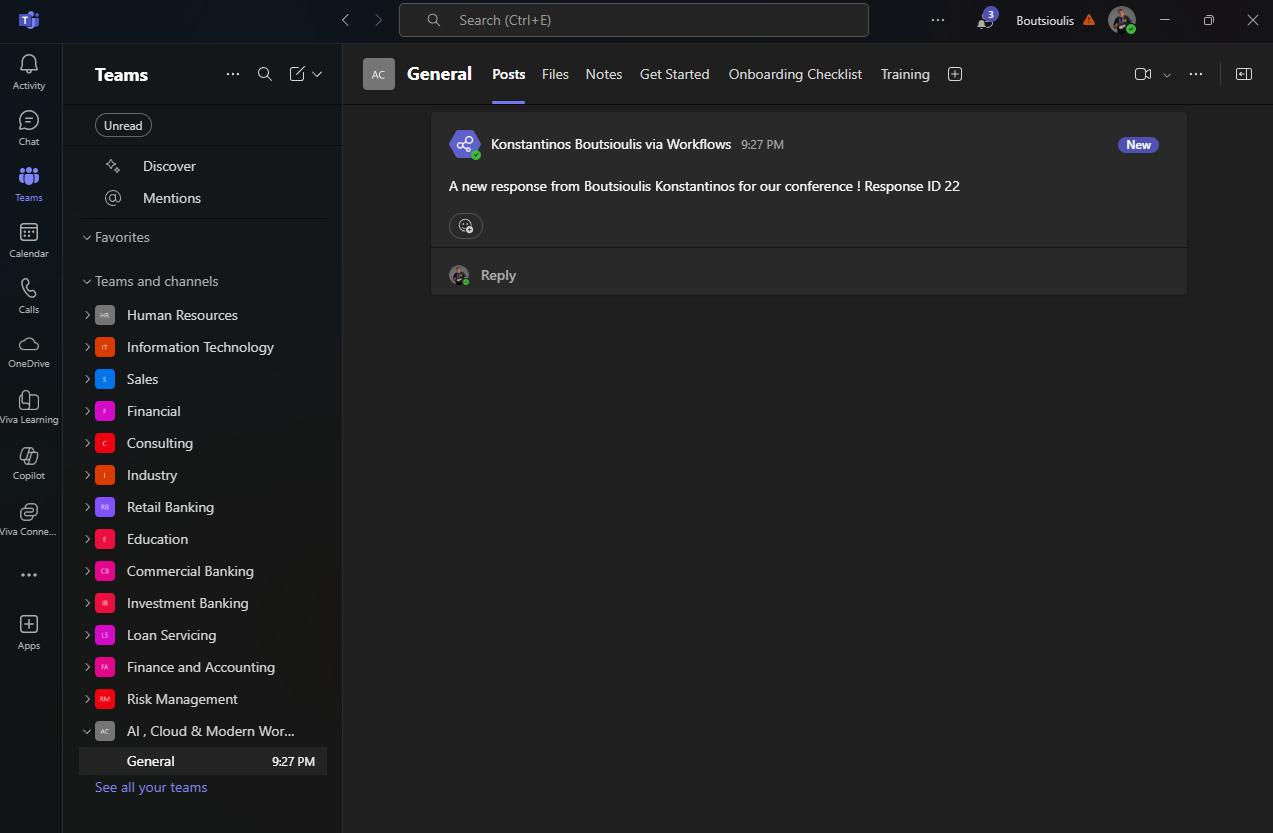
And finally, as you can see, it has sent a message to the channel with the submission details of the form as we specified in our automate.
 #ModerWork
#M365_Apps_Services
#BusinessApps
#SharePoint
#PowerAutomate
#technology
#microsoft
#digitaltransformation
#cloud
#mvpbuzz
#m365
#ModerWork
#M365_Apps_Services
#BusinessApps
#SharePoint
#PowerAutomate
#technology
#microsoft
#digitaltransformation
#cloud
#mvpbuzz
#m365
Visit Archives below to find more articles about Microsoft technologies on Modern Workplace