
Free Material
Find hereMore than 150 Articles about Microsoft Technologies on Modern Workplace
Official Site
Microsoft Most Valuable Professional M365 Apps & Services
Microsoft Most Valuable Professional Business Applications
Consultant & Sr Cloud Solution Architect Modern Wokrplace
Find hereMore than 150 Articles about Microsoft Technologies on Modern Workplace
28 September 2023
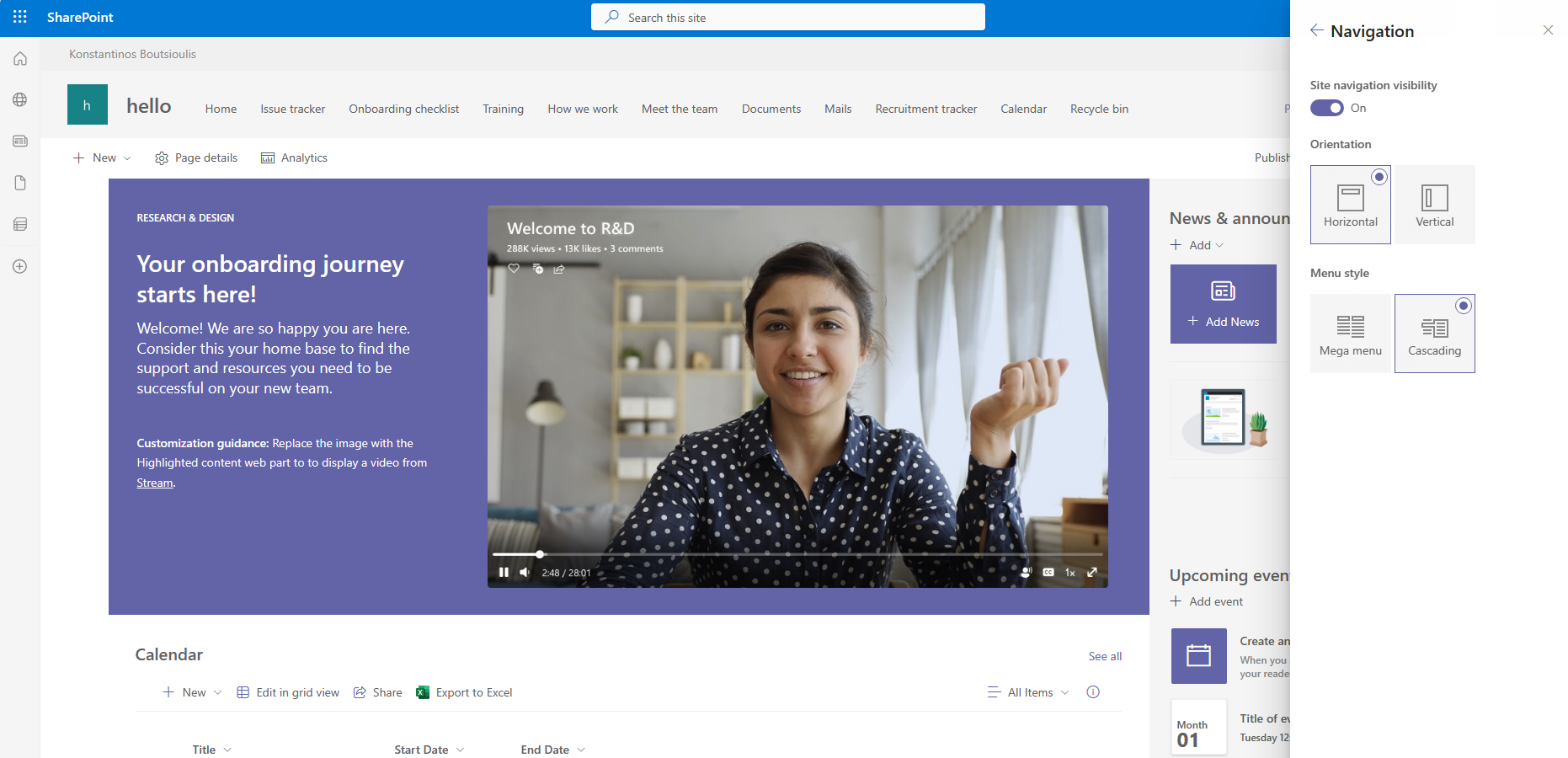
In this article we will see how we can enable the mega menu in a new experience site in SharePoint.The process can be done in 2 ways either from front end with a few clicks or using powershell. To activate it through the site you need to initially click on the gear and then select change the look Then select Navigation Then select Mega menu and press save
It could alternatively be done via PowerShell using SharePoint Online Management Shell with Administrator Privilleges
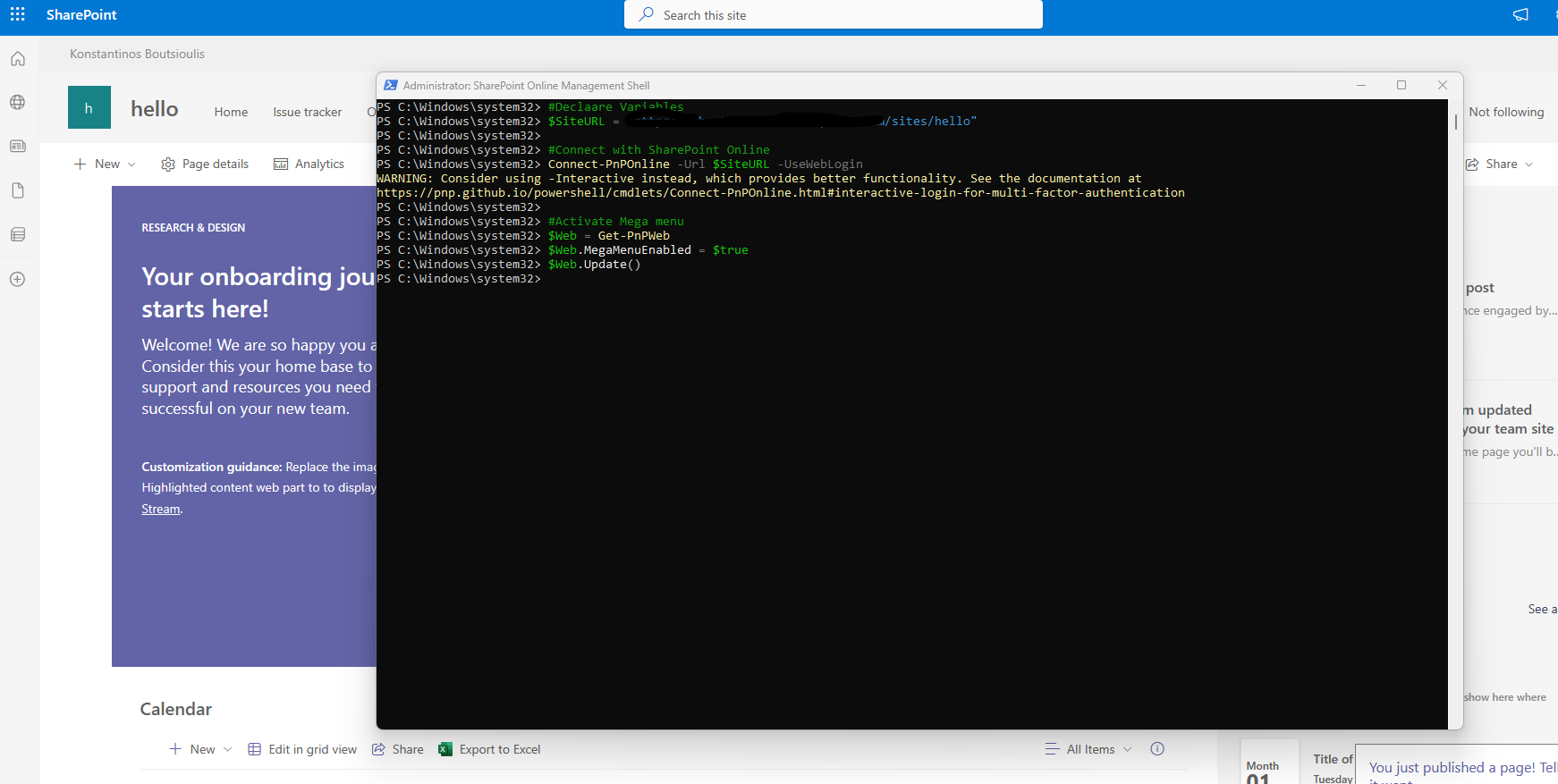
# Declare Variables
$SiteURL = "https://mytenant.sharepoint.com/sites/hello"
#Connect with SharePoint Online
Connect-PnPOnline -Url $SiteURL -UseWebLogin
#Enable Mega menu
$Web = Get-PnPWeb
$Web.MegaMenuEnabled = true
$Web.Update()
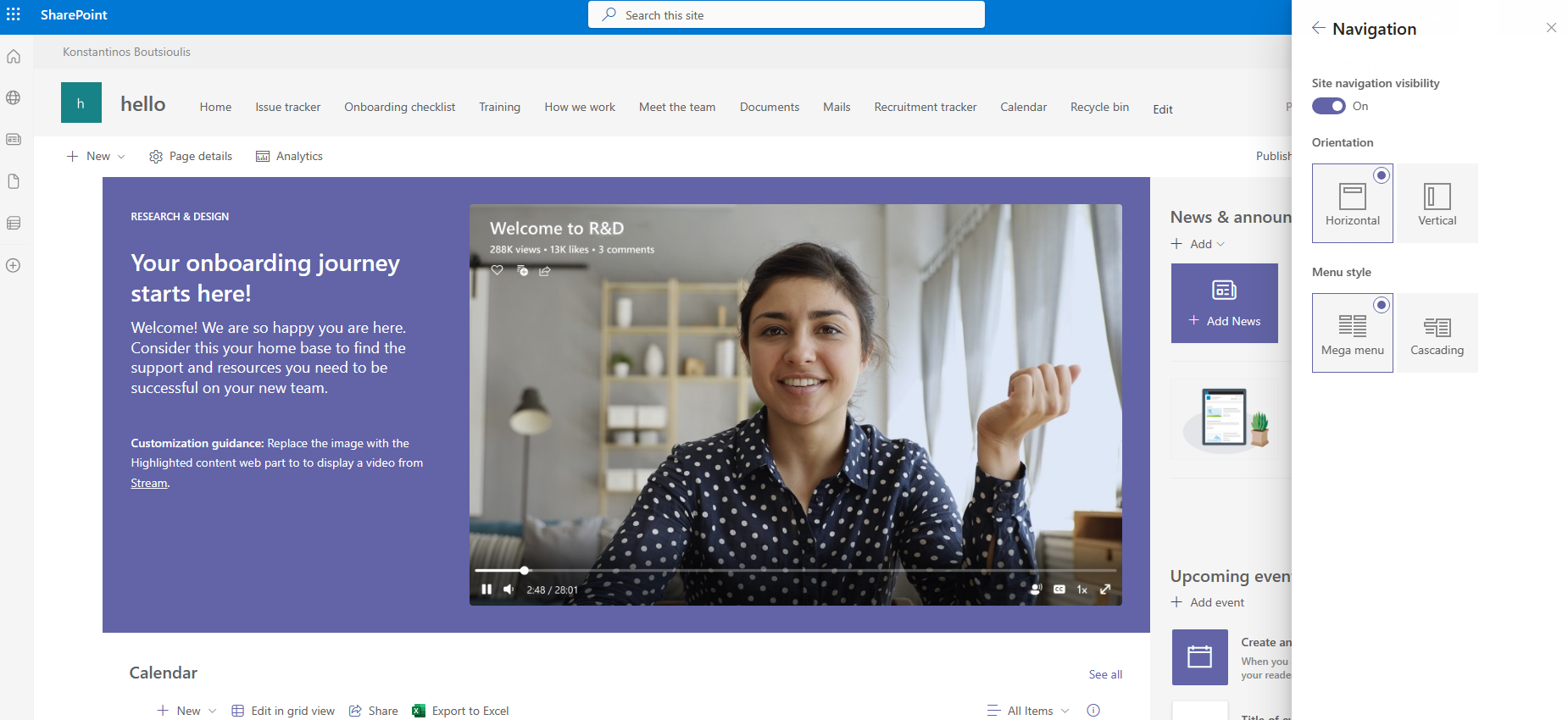
And finally as you can see we have now activated mega menus in our SharePoint Site
 #SharePoint
#technology
#microsoft
#PowerShell
#PnP
#digitaltransformation
#cloud
#mvpbuzz
#m365
#SharePoint
#technology
#microsoft
#PowerShell
#PnP
#digitaltransformation
#cloud
#mvpbuzz
#m365
Visit Archives below to find more articles about Microsoft technologies on Modern Workplace