
Free Material
Find hereMore than 150 Articles about Microsoft Technologies on Modern Workplace
Official Site
Microsoft Most Valuable Professional M365 Apps & Services
Microsoft Most Valuable Professional Business Applications
Consultant & Sr Cloud Solution Architect Modern Wokrplace
Find hereMore than 150 Articles about Microsoft Technologies on Modern Workplace
10 October 2023
In today's article we will see a tool that is indispensable for people involved in communication within the organization. This Microsoft product is Viva Amplify and as you can understand it comes with the Viva suite. It is an excellent tool that gives its users the possibility to create campaigns of messages and to communicate them to the organization and to partners, to plan the distribution through channels and of course what is very important is to analyze the impact of this promotional activity. To use Viva Amplify as I mentioned before, in addition to the active M365 subscription there should be an active Viva suite subscription so that it can be integrated with SharePoint I have read enough to understand what exactly Amplify wants to offer and apart from what I have mentioned above in terms of messaging campaigns and their impact, I have found that Microsoft essentially provides a tool through which communications within an organization can be optimized I should note that having the integrate with SharePoint and M365 retains some of the properties of SharePoint such as file sharing and messaging and calls which it inherits from the integration with Microsoft Teams Amplify provides an opportunity for managers to have a clear picture of their employees' progress what we used to call employee engagement It also gives employees the opportunity to express their views and suggest new solutions to everyday tasks as well as helping employees to easily discover all existing processes in an organization But in order to use Amplify we first need to do some configuration on the Administrator level in M365 First we go to the M365 Home page
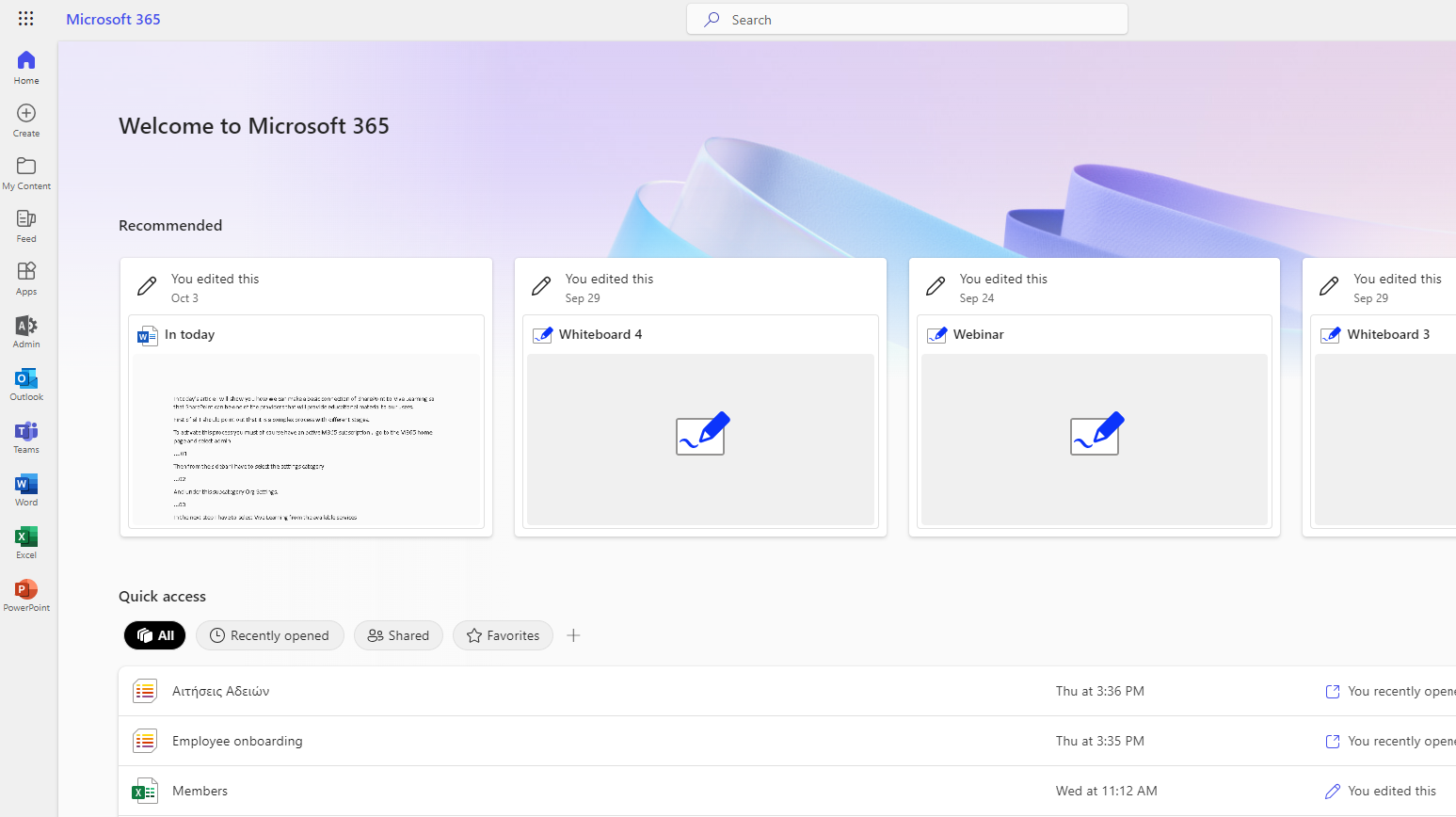
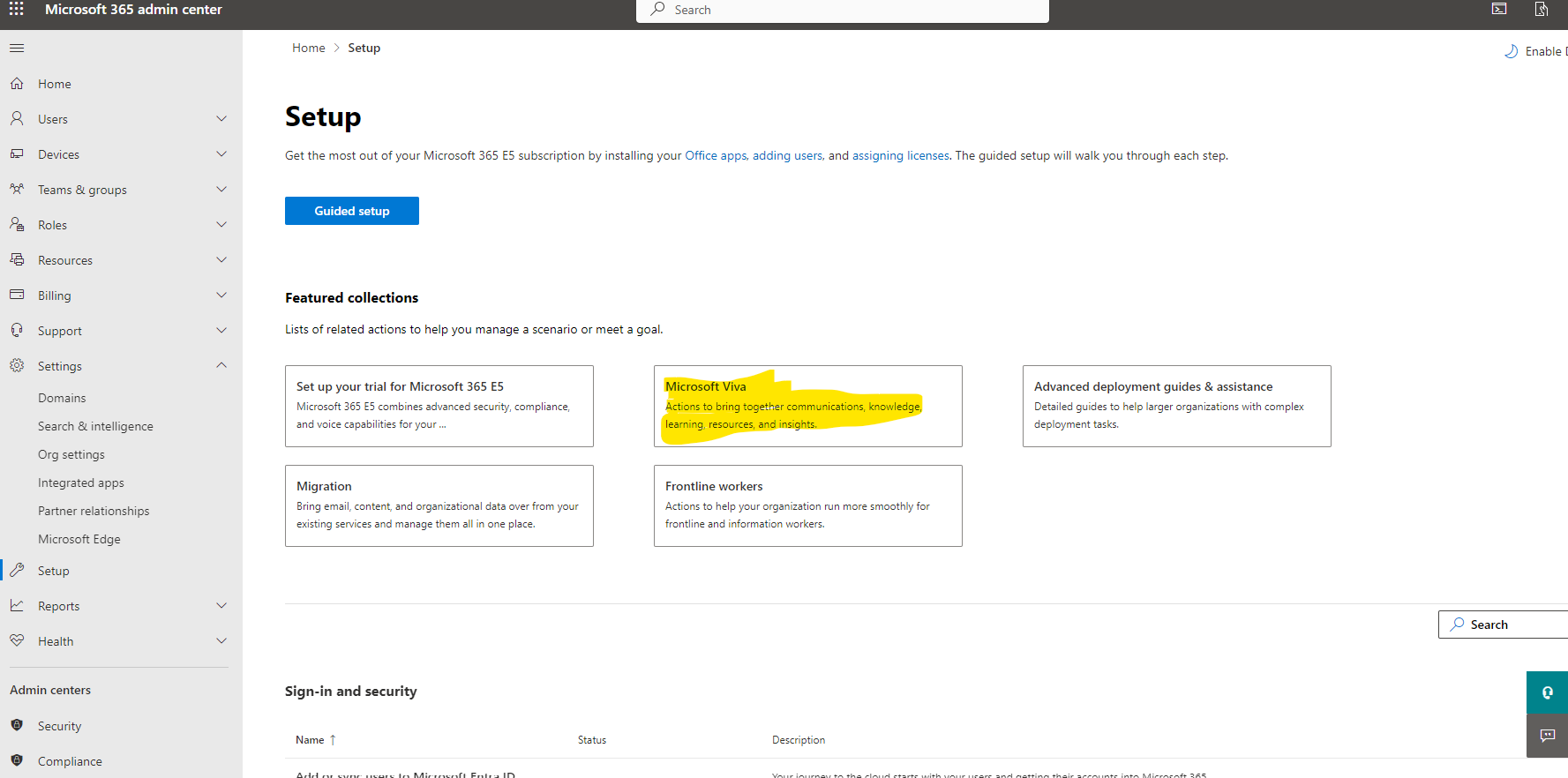
And then select setup . Here you see the icon of Microsoft Viva which we select
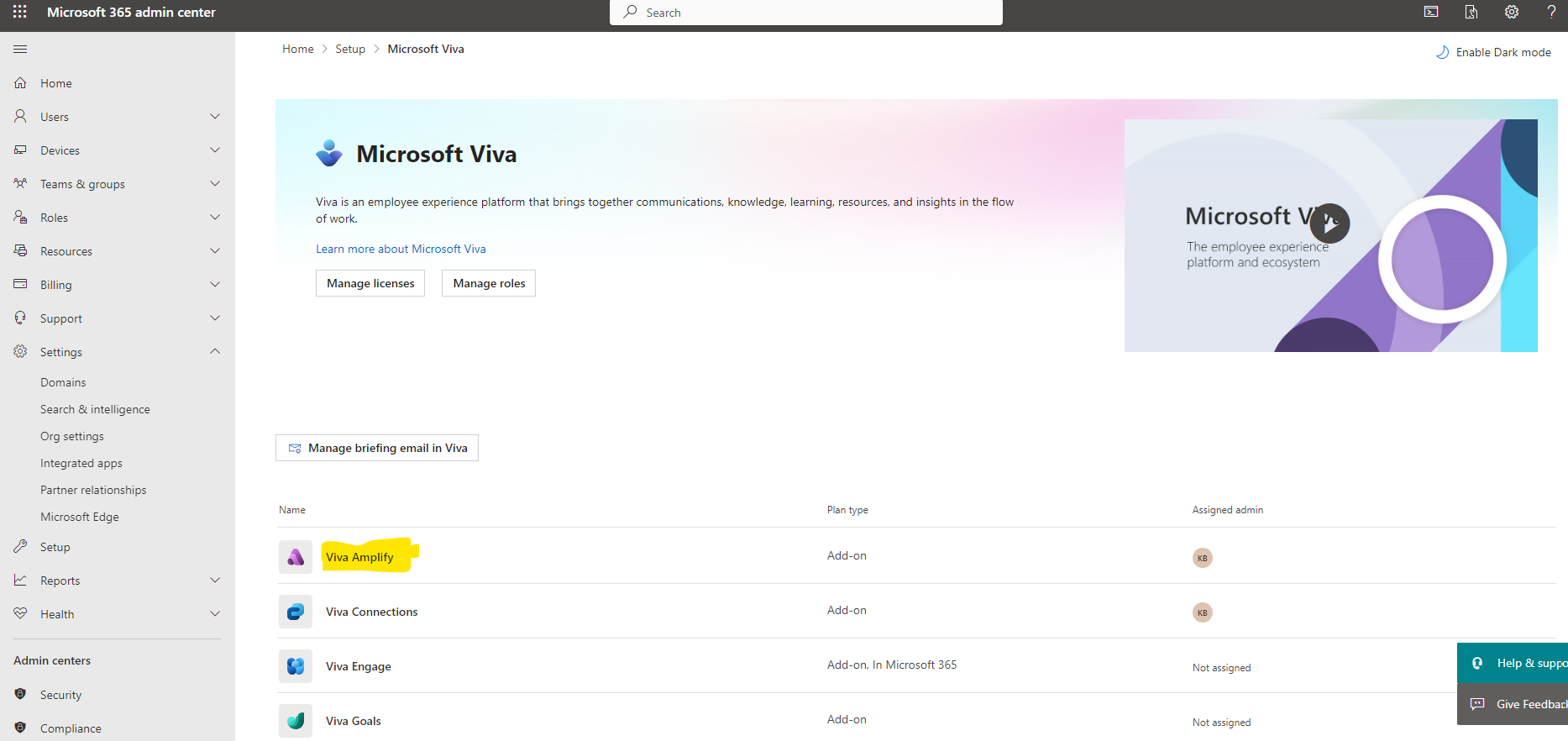
We are now on the page with all Viva Suite products and we select Viva Amplify
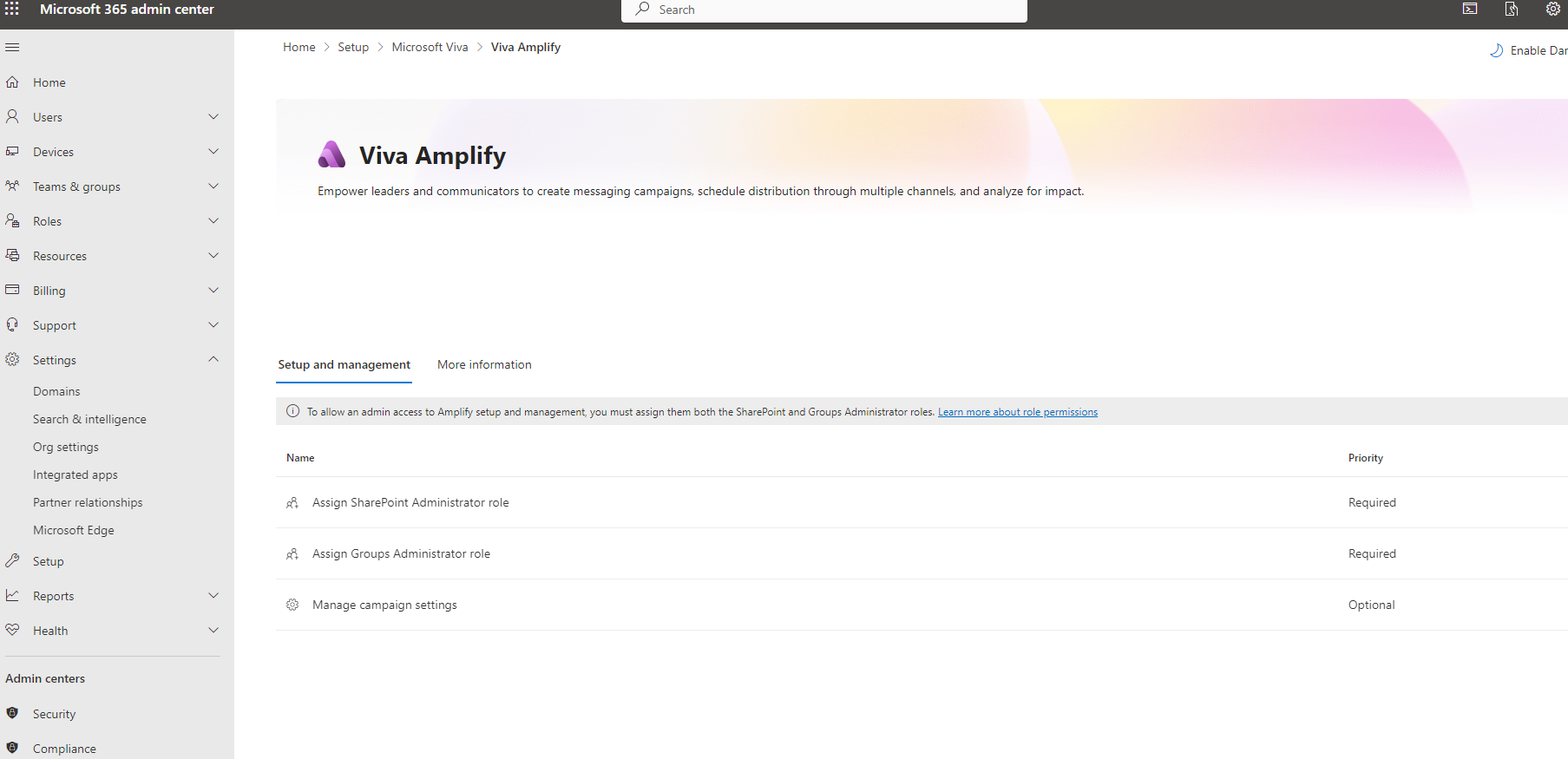
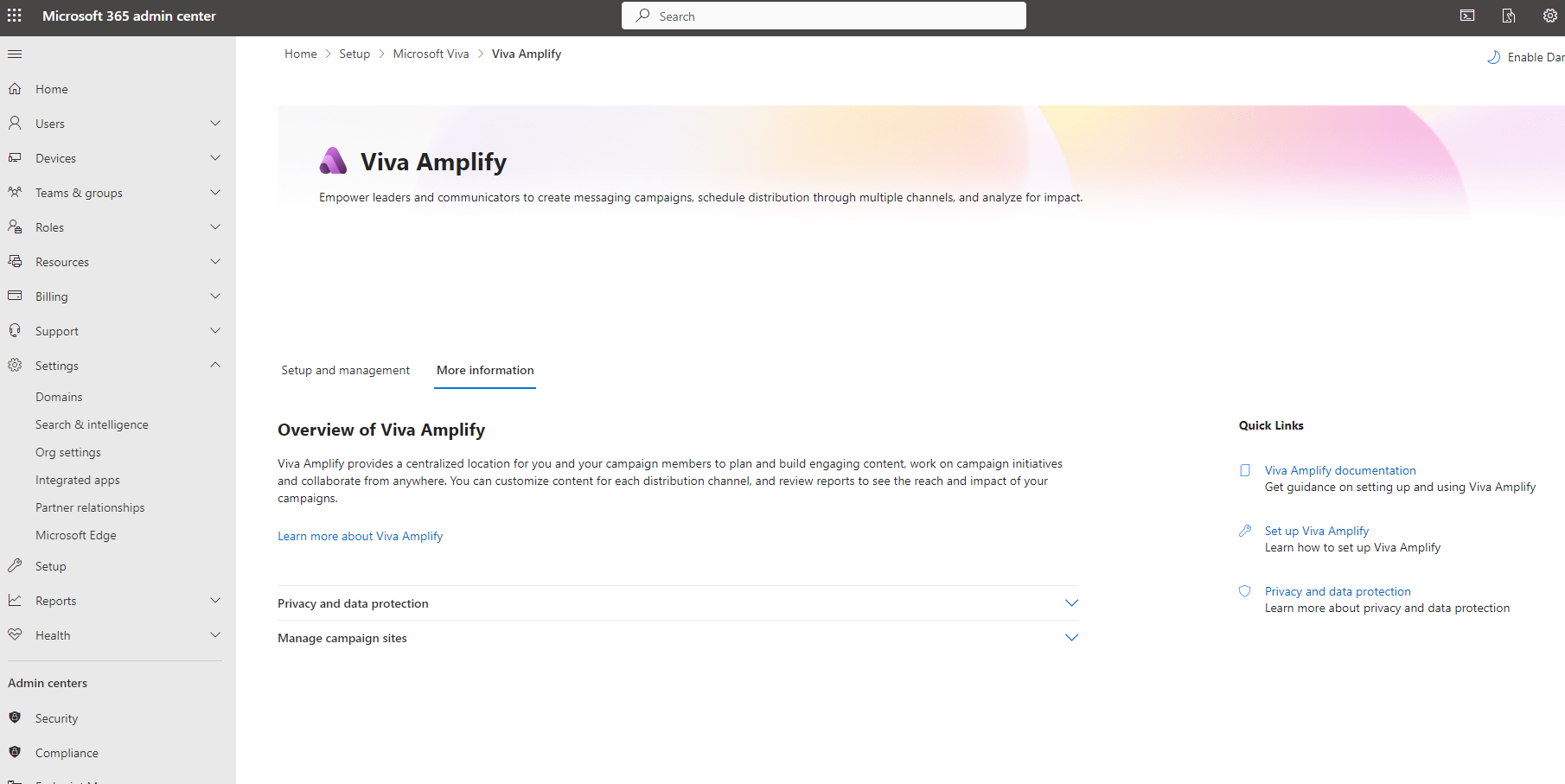
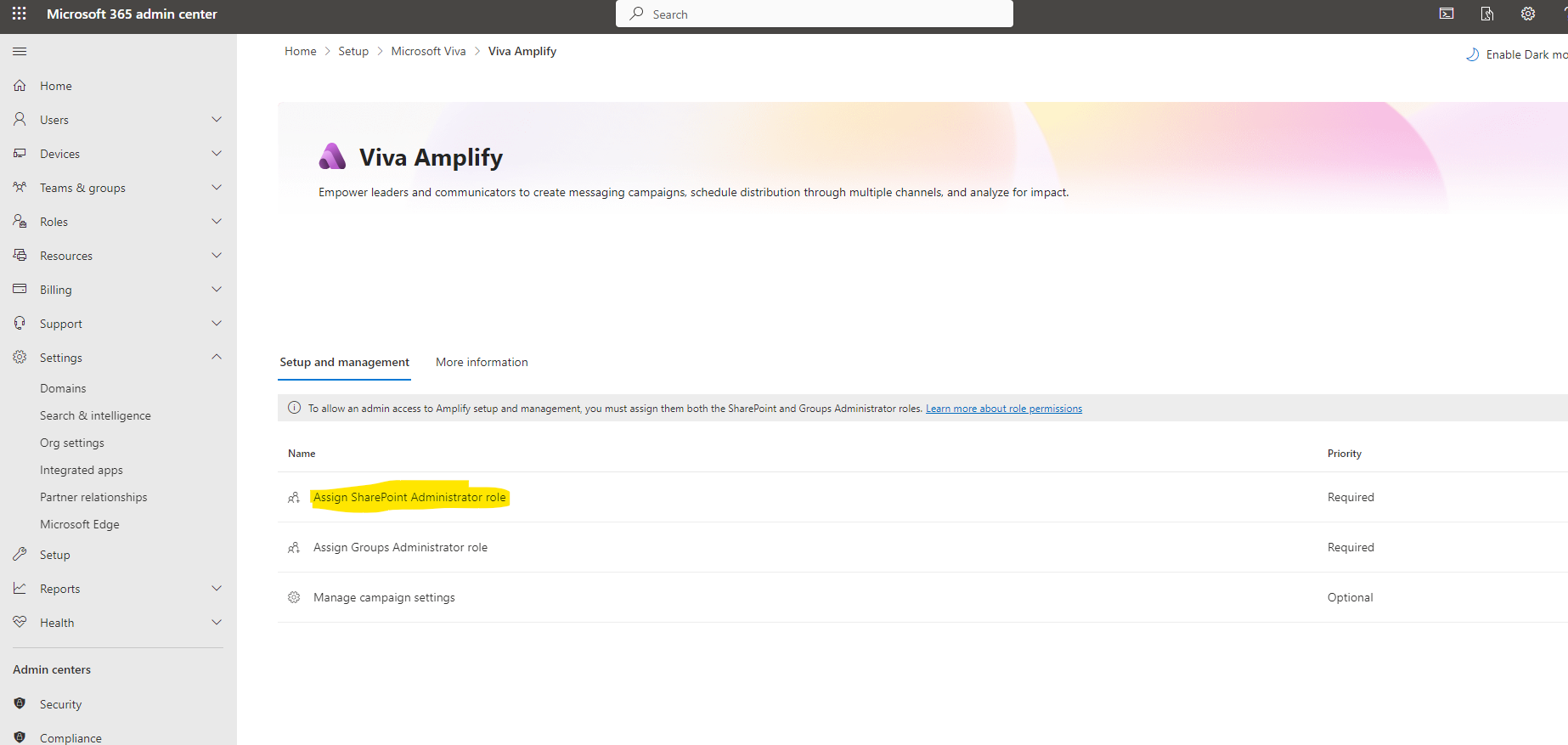
In the set up management tab we see the 3 basic settings that need to be made for the management of Amplify
In the more information tab you can find detailed links and instructions for this product and all references to the official Microsoft site at Learn
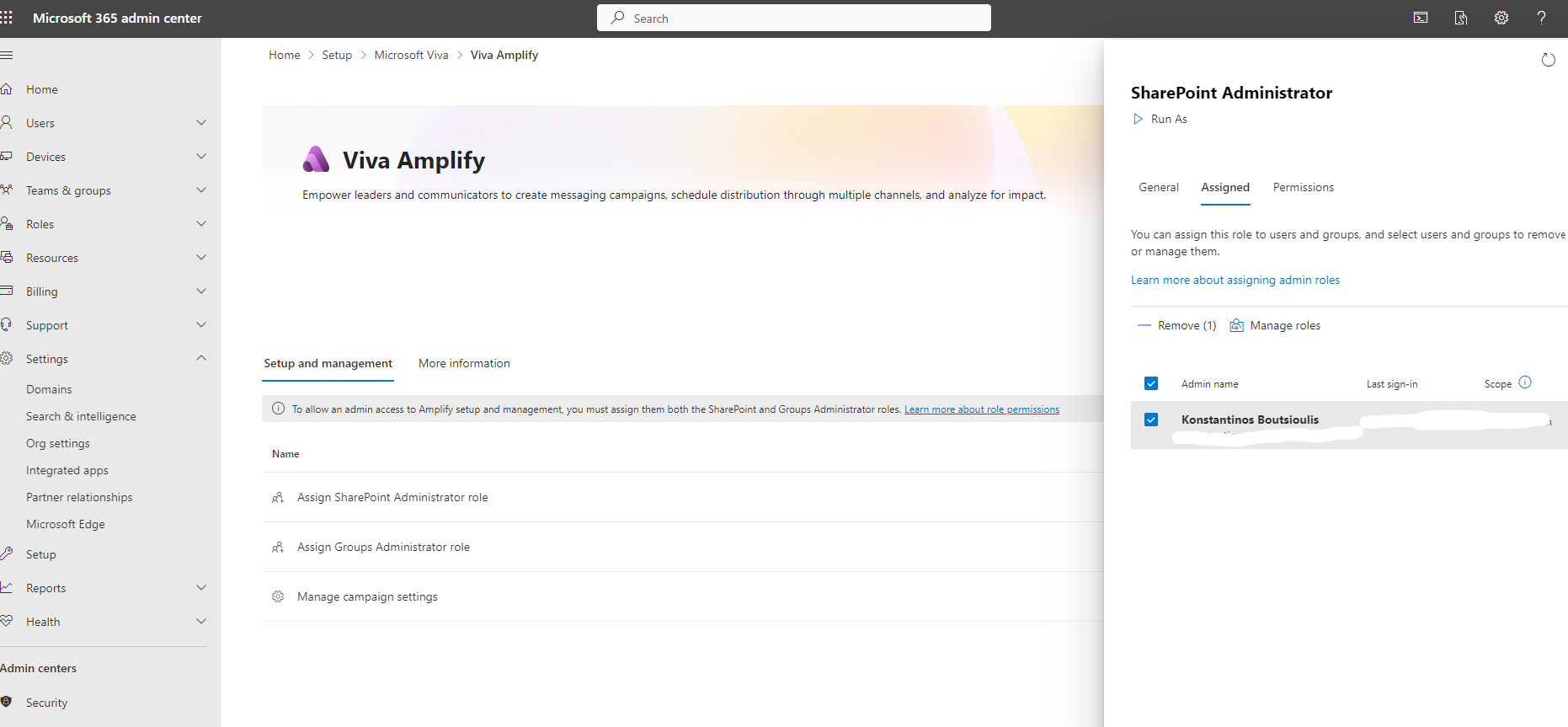
We continue with the first option which is to assign SharePoint Administrator role to one of our users who will eventually be Amplify administrators
In our case I am already an administrator in my tenant and the one who will also play the role of manager who will create the message campaigns later
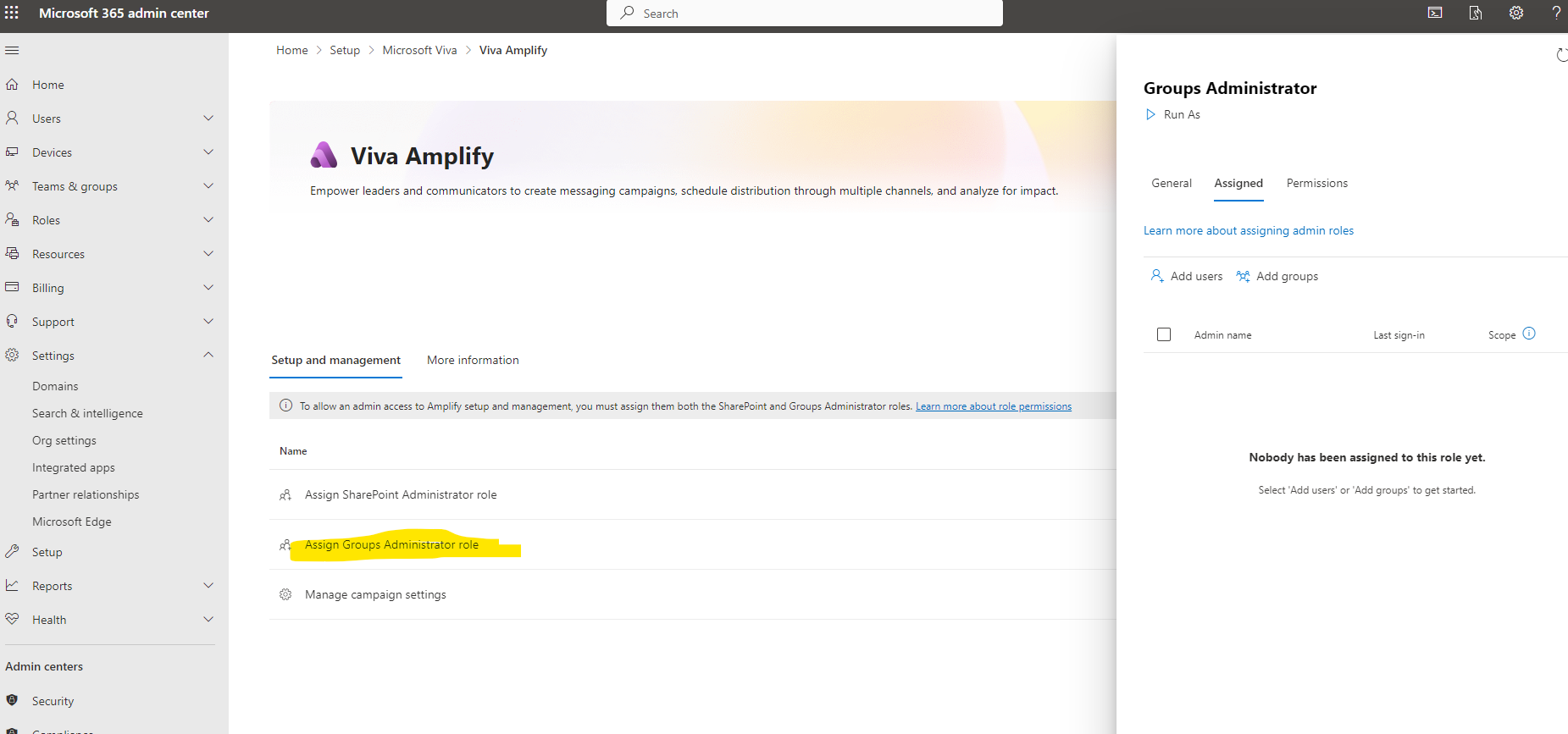
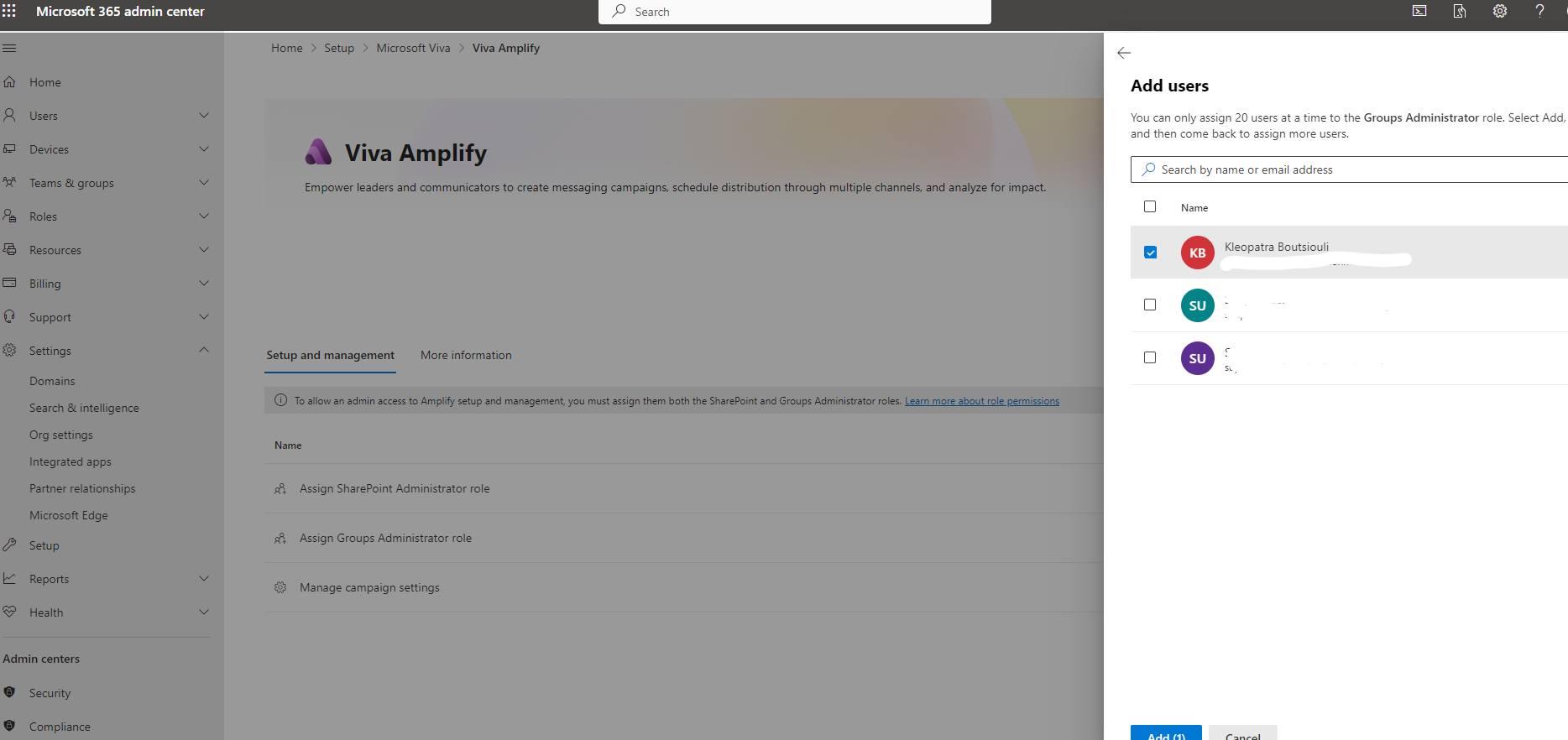
In the next step we need to assign group administrator role either to a group of users (e.g. managers) or to a specific individual in our organization
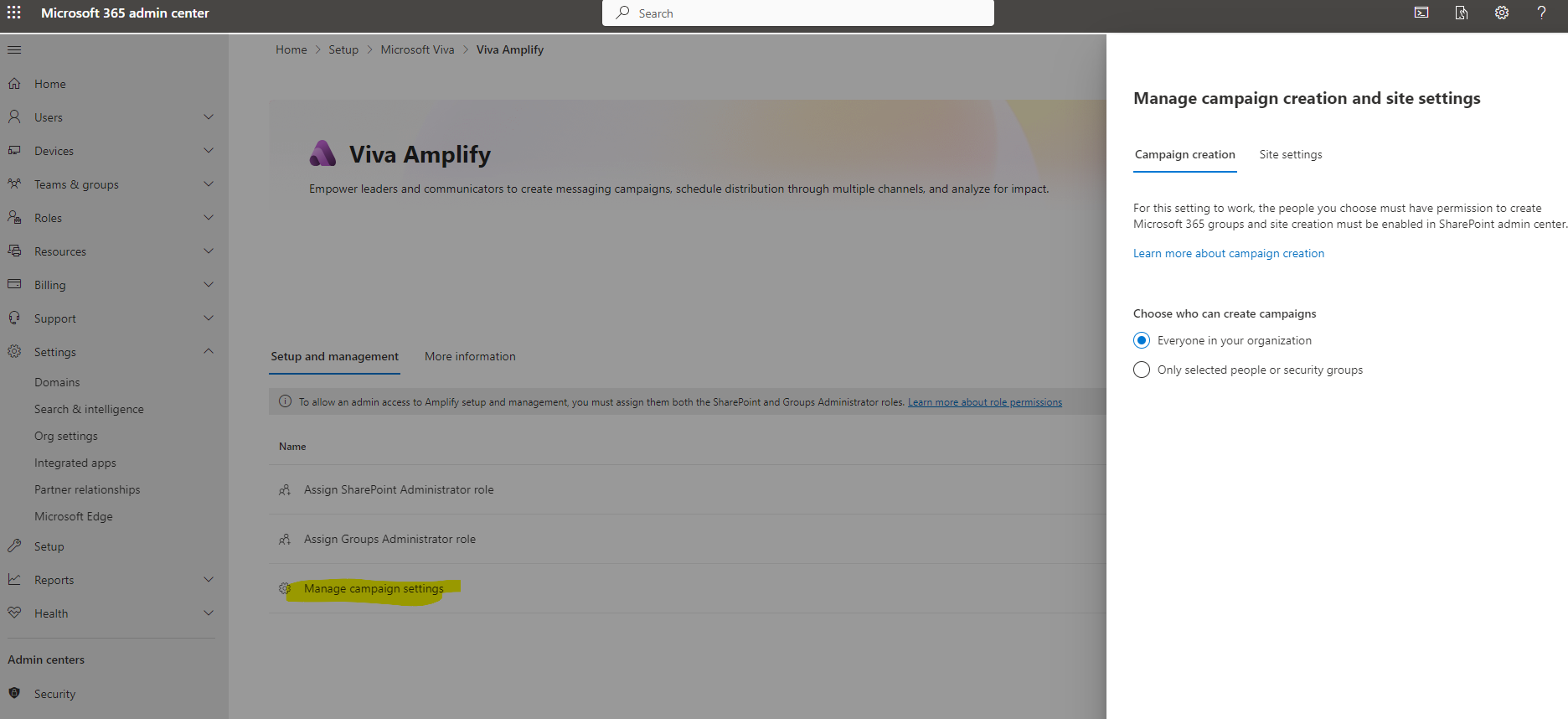
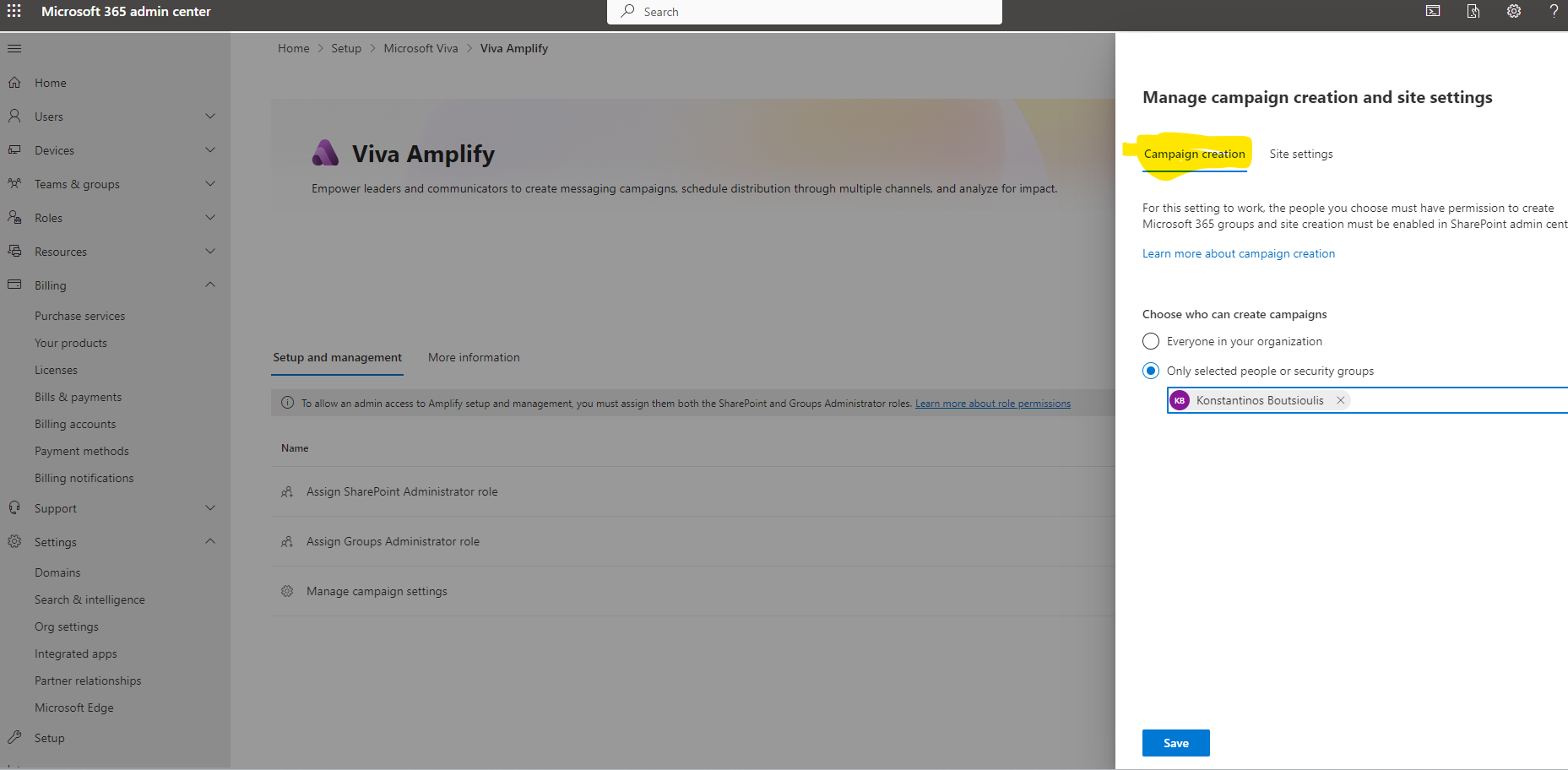
And the last step for the initial setup of Amplify is in manage campaigns to choose between 2 tabs who can create campaigns within the organization if we want all users or some specific users
In the second tab in site settings it gives us some instructions on how we can manage the settings in SharePoint admin center and what management capabilities we have from this environment which is sensitivity , view and edit campaigns or restore a campaign
This is the basic set up for Amplify and in the next articles we will see in detail how we can create these types of message campaigns and how finally through this product employee engagement scenarios are implemented
#Viva #VivaAmplify #SharePoint #technology #microsoft #Onedrive #digitaltransformation #cloud #mvpbuzz #m365Visit Archives below to find more articles about Microsoft technologies on Modern Workplace