
Free Material
Find hereMore than 150 Articles about Microsoft Technologies on Modern Workplace
Official Site
Microsoft Most Valuable Professional M365 Apps & Services
Microsoft Most Valuable Professional Business Applications
Consultant & Sr Cloud Solution Architect Modern Wokrplace
Find hereMore than 150 Articles about Microsoft Technologies on Modern Workplace
22 October 2023
In today's post I will show you how with a very simple procedure we can get the tenant id of our subscription using PowerShell All we have to do is run the following powershell with admin permissions
# Declare Variables
$Site = "https://mytenat.sharepoint.com/"
#Connect with SharePoint Online
Connect-PnPOnline -Url $Site -UseWebLogin
#Find Tenant ID
Get-PnPAuthenticationRealm
For obvious reasons the tenant id has been hidden .Be careful with your tenant id which is a very sensitive information .
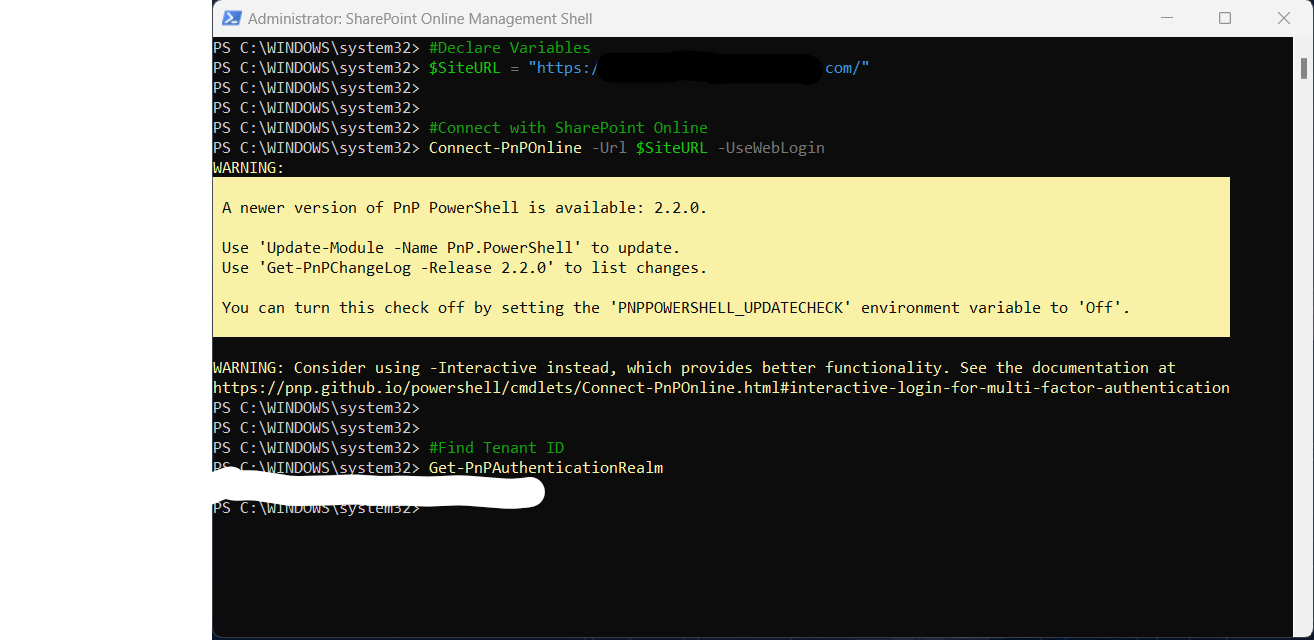
this is a procedure that as you can see is very simple and only 3 lines of code but the tenant id is a piece of information that is also available in Microsoft Entra
#SharePoint #technology #microsoft #PowerShell #PnP #digitaltransformation #cloud #mvpbuzz #m365Visit Archives below to find more articles about Microsoft technologies on Modern Workplace