
Free Material
Find hereMore than 150 Articles about Microsoft Technologies on Modern Workplace
Official Site
Microsoft Most Valuable Professional M365 Apps & Services
Microsoft Most Valuable Professional Business Applications
Consultant & Sr Cloud Solution Architect Modern Wokrplace
Find hereMore than 150 Articles about Microsoft Technologies on Modern Workplace
24 October 2023
In this article we will see how via PowerShell I can get a list of all the lists and libraries I have on a SharePoint Online page. Also by running the following PowerShell I can also get the id of the list or library that I want as well as with a small change I can find out which of the lists or libraries are hidden
# Declare Variables
$Site = "https://mytenant.sharepoint.com/sites/humanresources"
#Connect with SharePoint Online
Connect-PnPOnline -Url $Site -UseWebLogin
#Return a list with names of list and libraries
Get-PnPList | Where { $_.Hidden -eq $false}
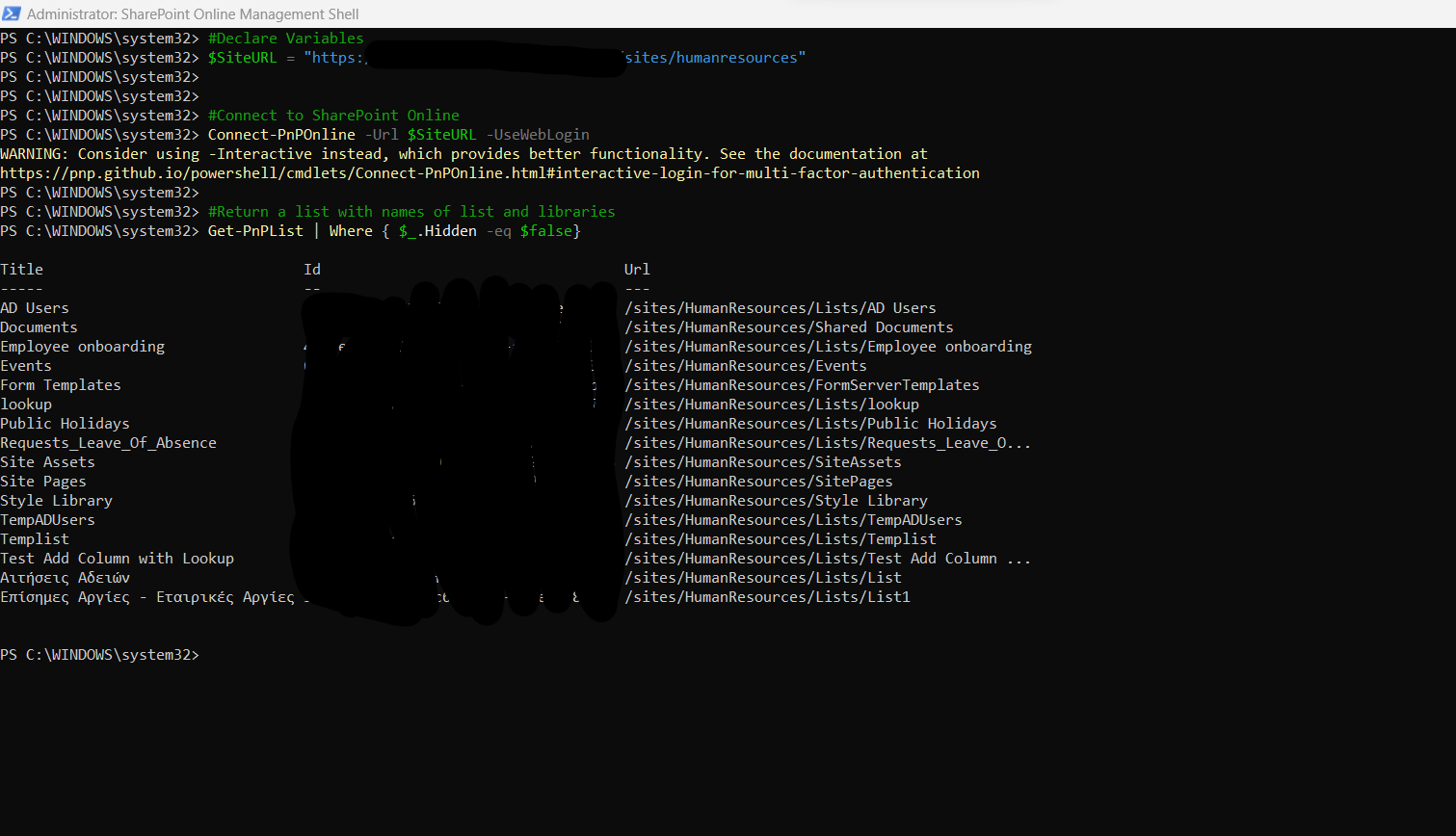
If I change the last line from false to true then I have the list of hidden lists and libraries To do this process using the web interface I would have to go to the site contents and from there see what lists and libraries I have created. As for the id of the lists I would have to open with f12 and inspect the object and from there I would be able to locate the id of each list So also in this case using PowerShell simplifies things a lot
#SharePoint #technology #microsoft #PowerShell #PnP #digitaltransformation #cloud #mvpbuzz #m365Visit Archives below to find more articles about Microsoft technologies on Modern Workplace