
Free Material
Find hereMore than 150 Articles about Microsoft Technologies on Modern Workplace
Official Site
Microsoft Most Valuable Professional M365 Apps & Services
Microsoft Most Valuable Professional Business Applications
Consultant & Sr Cloud Solution Architect Modern Wokrplace
Find hereMore than 150 Articles about Microsoft Technologies on Modern Workplace
27 October 2023
In today's article we will see how we can locate sites in SharePoint Online that are linked to a team in Microsoft Teams.Practically these sites have been created when a team was created in Microsoft Teams or they existed before and have been linked to a team in Teams after its creation. From the SharePoint admin center As you can see in the Teams column where the Teams icon appears then this site is also connected to a team in Microsoft Teams . Additionally we can change the filters and show only the sites that are connected to Teams Enabling us to locate sites using the following PowerShell via SharePoint Online Management Shell
#Connect with SharePoint Online
Connect-SPOService -Url "https://mytenant-admin.sharepoint.com"
#Find all sites that are connected with Teams in Microsoft Teams
Get-SPOSite -Limit All | Where {$_.IsTeamsConnected -eq $True}
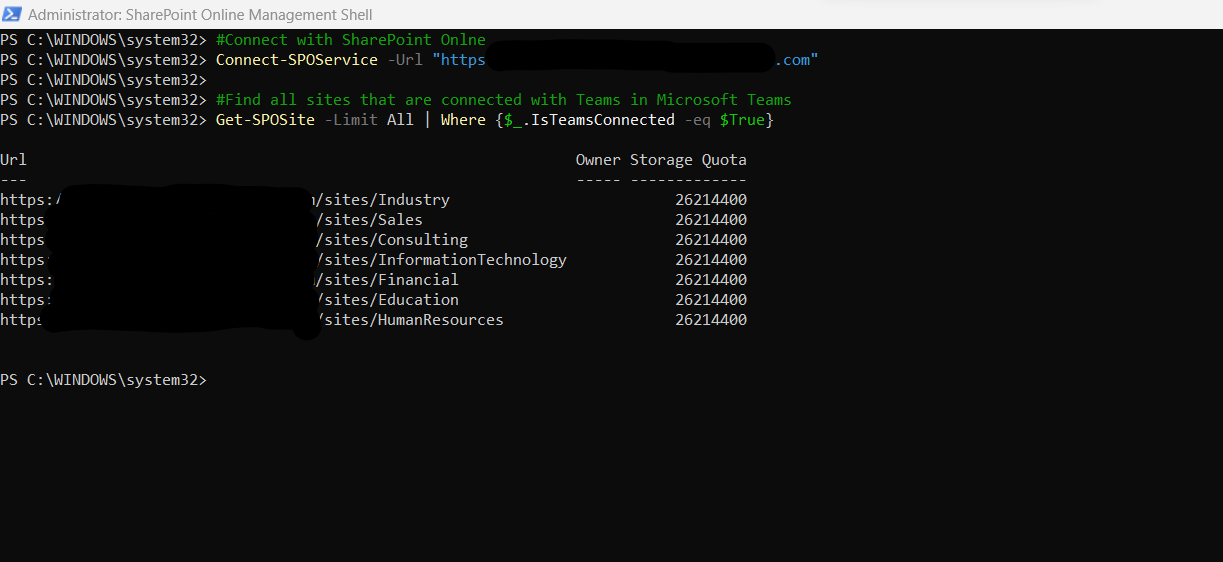
For this command there must be a version of the Management Shell Microsoft.Online.SharePoint.PowerShell 16.0.21411.12000 which is installed with the following command Install-Module -Name Microsoft.Online.SharePoint.PowerShell -RequiredVersion 16.0.21411.12000
#SharePoint #technology #microsoft #PowerShell #PnP #digitaltransformation #cloud #mvpbuzz #m365Visit Archives below to find more articles about Microsoft technologies on Modern Workplace