
Free Material
Find hereMore than 150 Articles about Microsoft Technologies on Modern Workplace
Official Site
Microsoft Most Valuable Professional M365 Apps & Services
Microsoft Most Valuable Professional Business Applications
Consultant & Sr Cloud Solution Architect Modern Wokrplace
Find hereMore than 150 Articles about Microsoft Technologies on Modern Workplace
05 May 2024
In today's article we will see how we can manage the versioning settings in a SharePoint List As you know in SharePoint, we have the ability either in files or in items to have versioning which by default we can have active in SharePoint list and libraries. Note that for files there are 500 versions and for lists 50 versions by default enabled. Versioning is a very important feature because in this way we have at our disposal the evolutionary history of an item, or a record and the changes made on it during its life in SharePoint. Select the site hosting the list
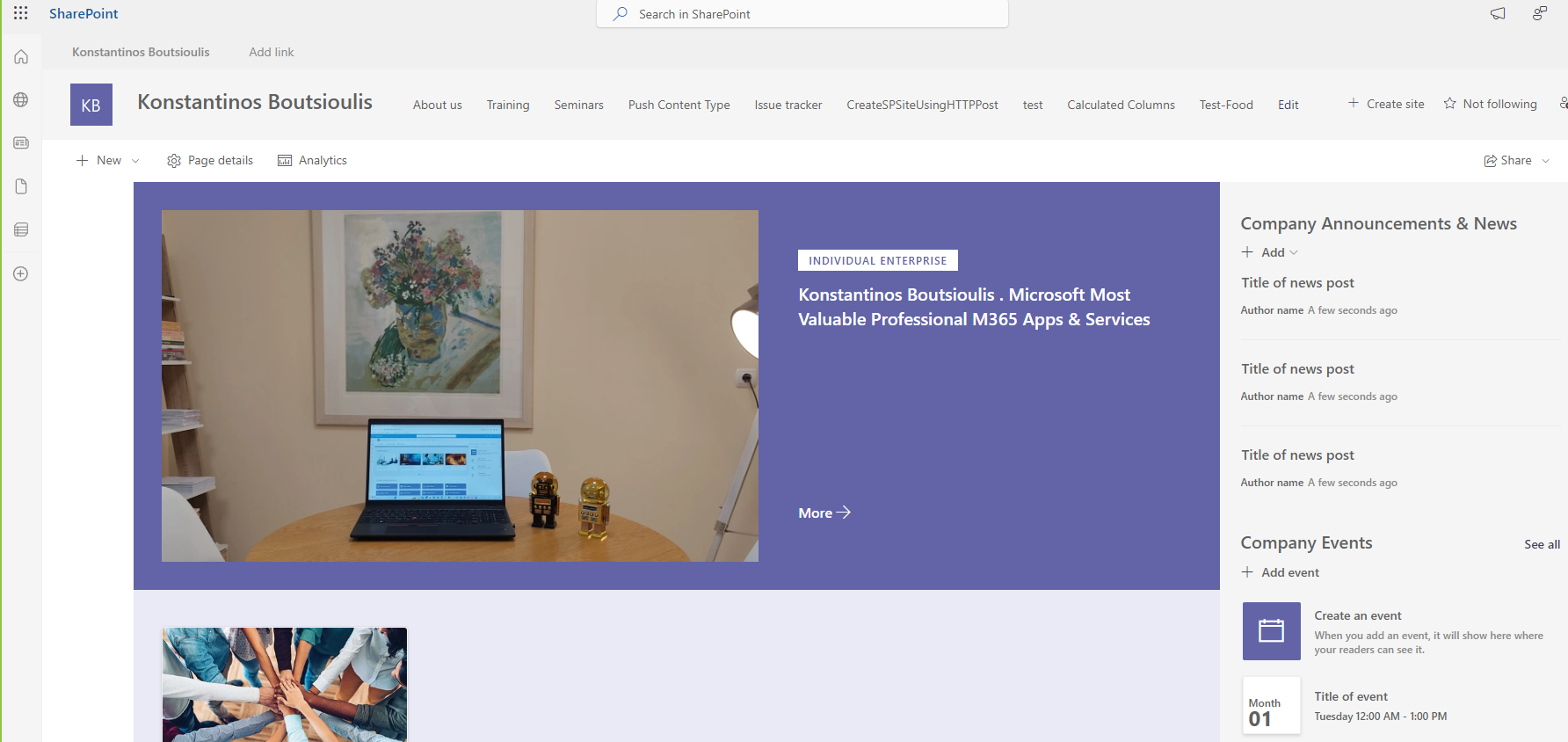
Then from the top right gear select from the Site Contents drop down menu
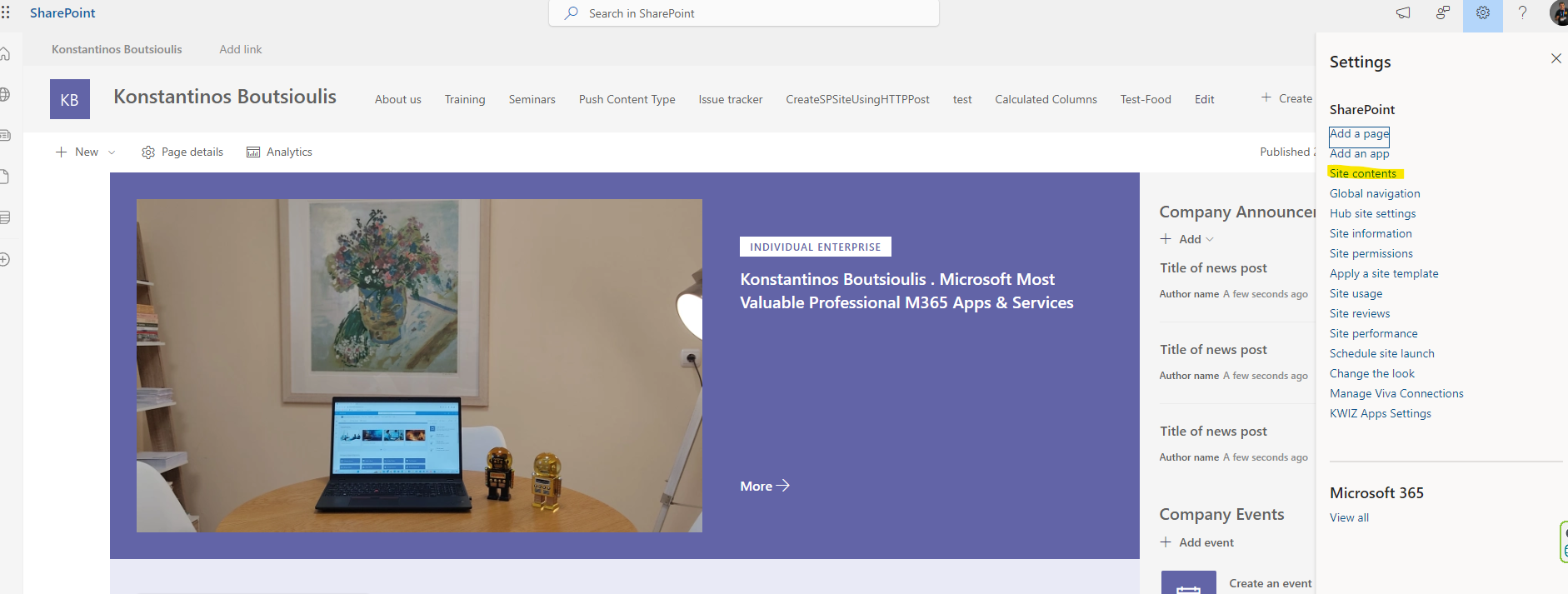
Then select the list and click on it to enter the list
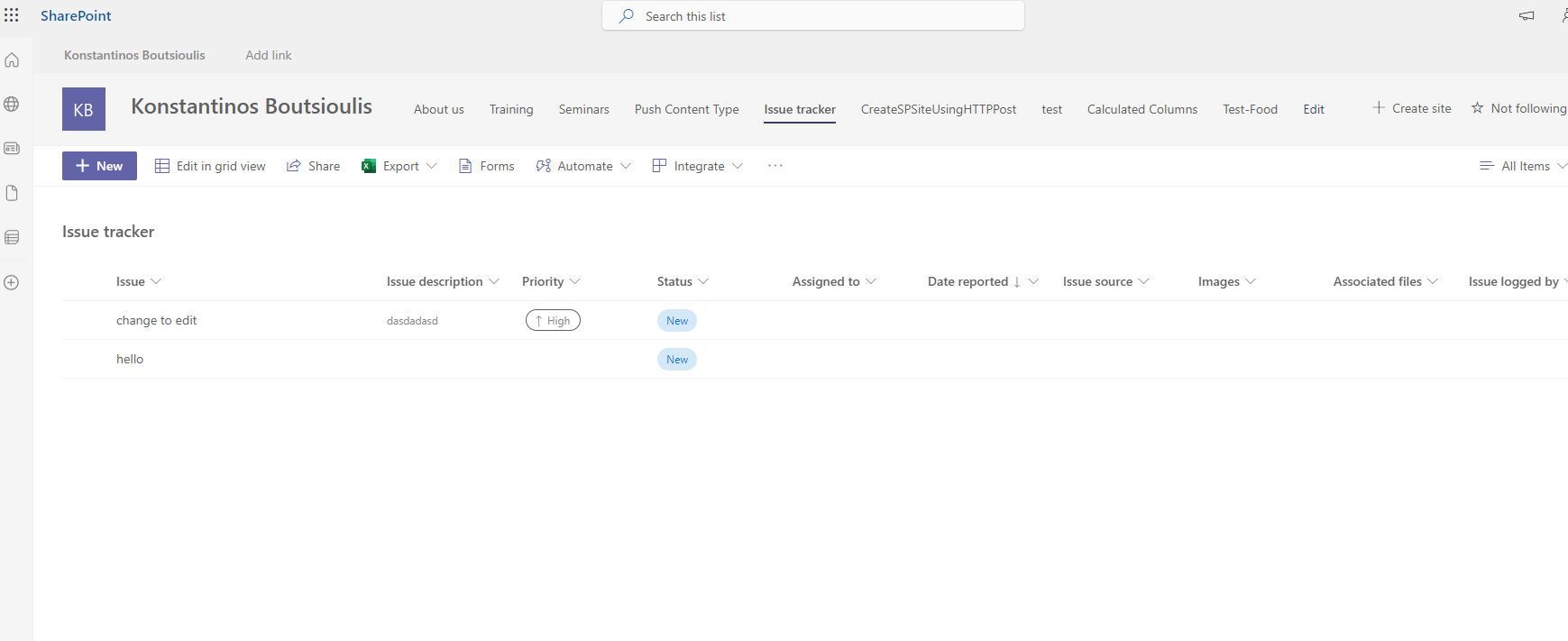
And again, we have to select in the gear up and right and then from the pop-up menu and again we select List Settings
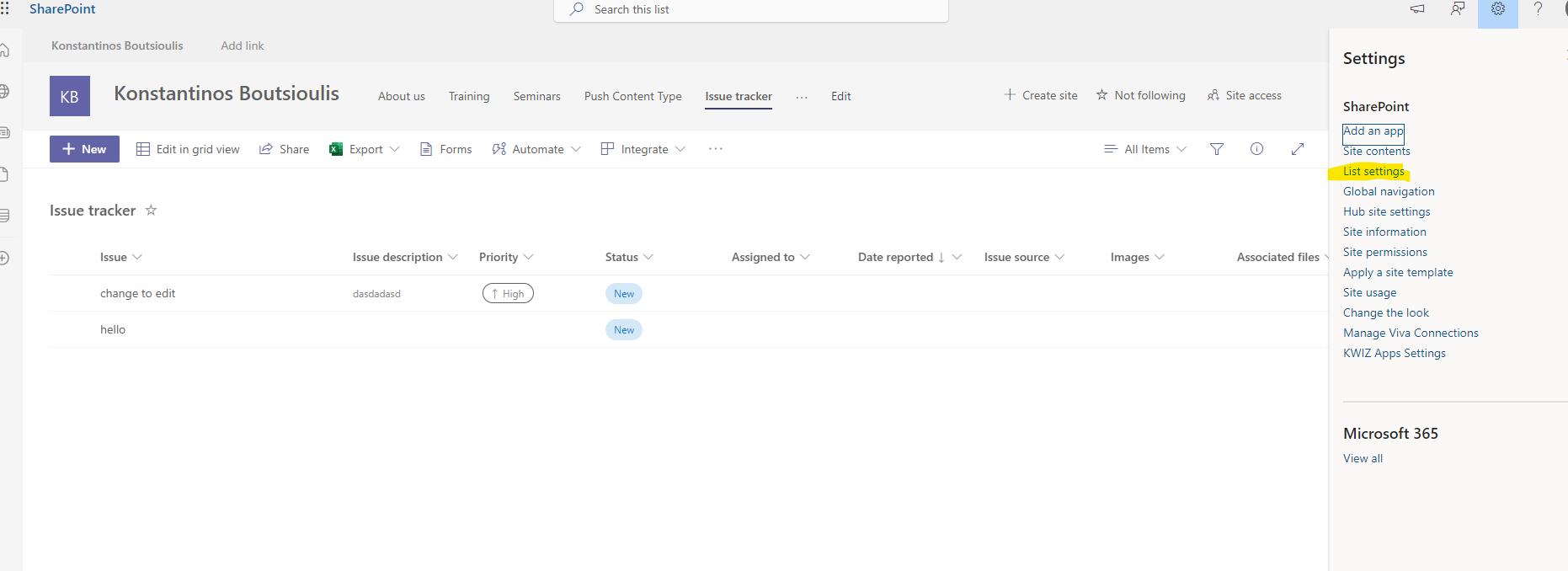
This will take us to the list settings management page . There in the first column we select the second option List Versioning Settings
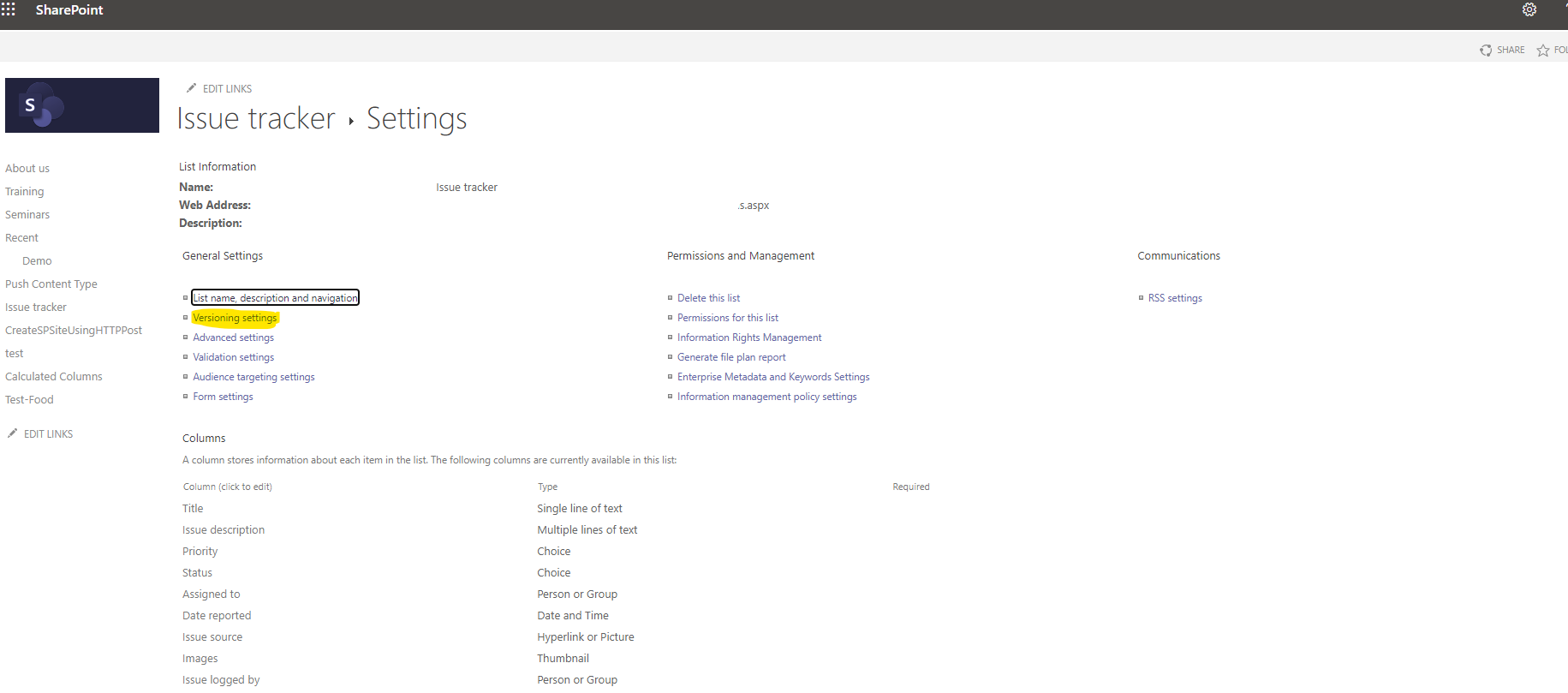
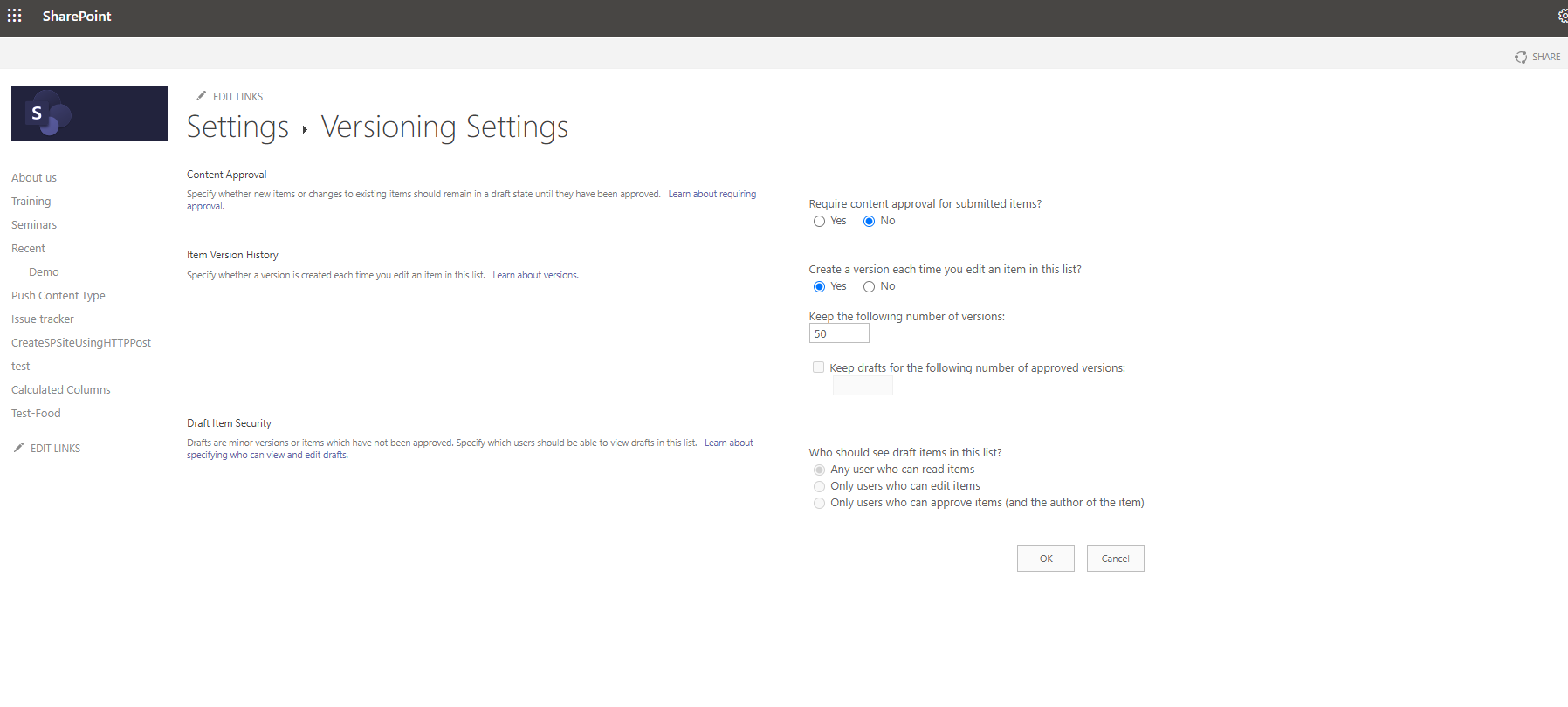
On the next screen we have 3 options for the versioning settings First we have to specify if we want to have approval from one of the administrators when submitting a new item . By default it is unchecked but if we activate this option then the third option for who can see a draft item in the list is activated. We have 3 options if everyone can see it, if it can only be seen by those who have edit rights or only by those who can approve the items
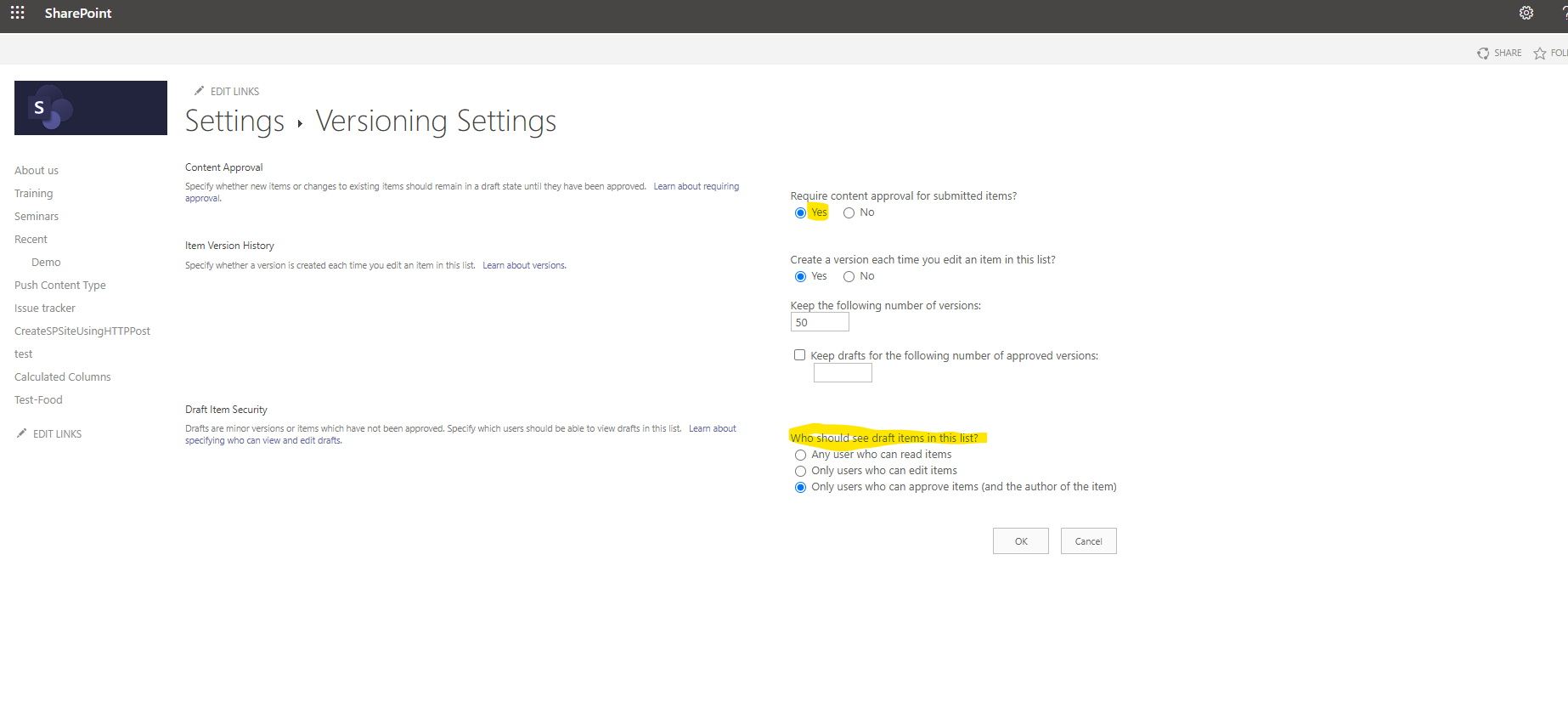
The second most important option is whether we want Versioning to be enabled and if so how many versions SharePoint should keep in memory . As I have mentioned above for the lists is by default 50 .Finally there is the possibility to have a draft for the number of approved items
 #ModerWork
#M365_Apps_Services
#BusinessApps
#SharePoint
#technology
#microsoft
#digitaltransformation
#cloud
#mvpbuzz
#m365
#ModerWork
#M365_Apps_Services
#BusinessApps
#SharePoint
#technology
#microsoft
#digitaltransformation
#cloud
#mvpbuzz
#m365
Visit Archives below to find more articles about Microsoft technologies on Modern Workplace