
Free Material
Find hereMore than 150 Articles about Microsoft Technologies on Modern Workplace
Official Site
Microsoft Most Valuable Professional M365 Apps & Services
Microsoft Most Valuable Professional Business Applications
Consultant & Sr Cloud Solution Architect Modern Wokrplace
Find hereMore than 150 Articles about Microsoft Technologies on Modern Workplace
09 May 2024
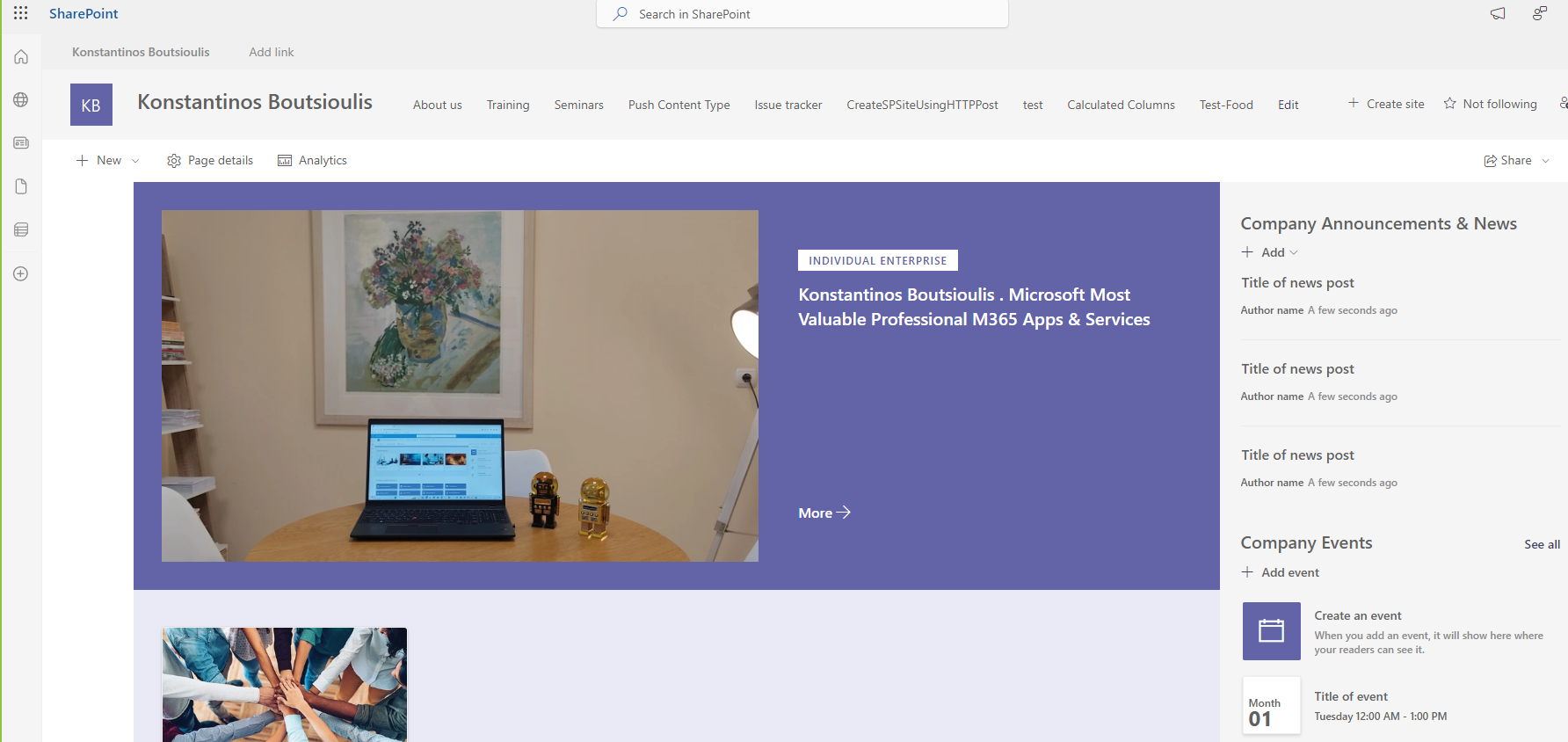
In today's article we will see how we can implement SharePoint IRM and retention policy in a list in SharePoint. First we select the site where our list is hosted
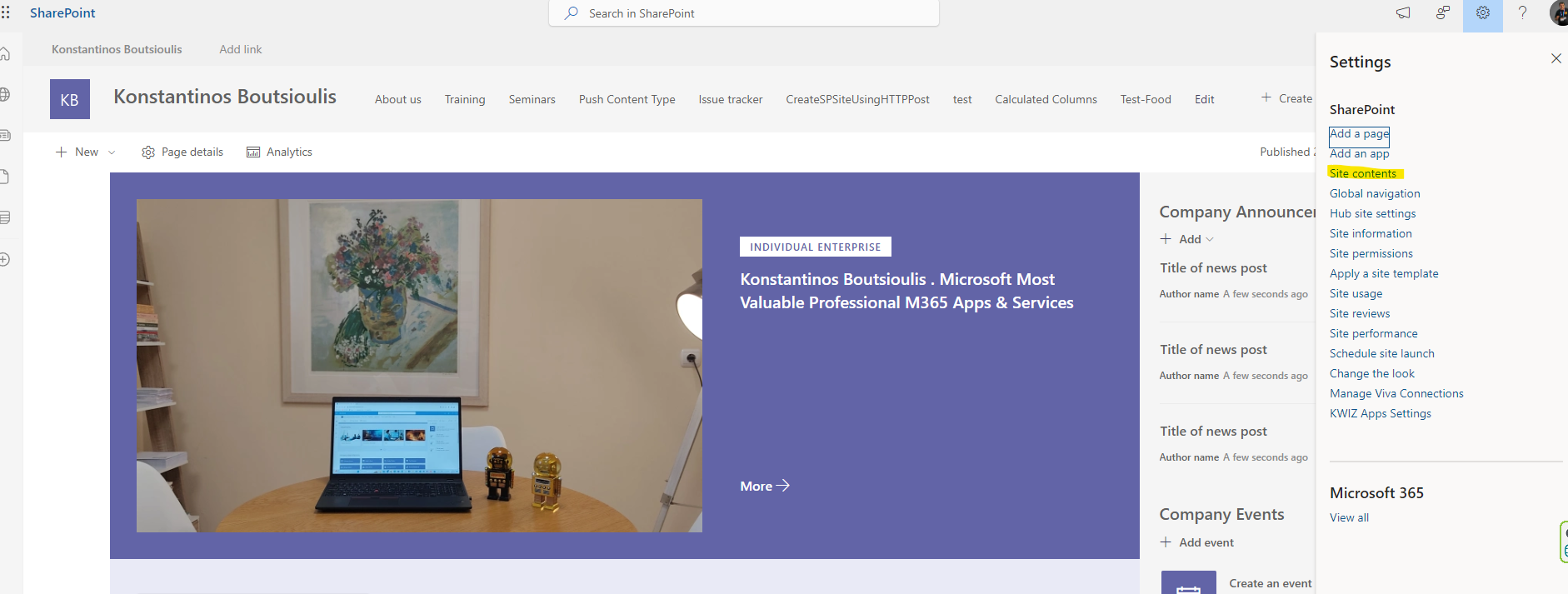
Then from the top right gear we select from the drop down menu the site contents
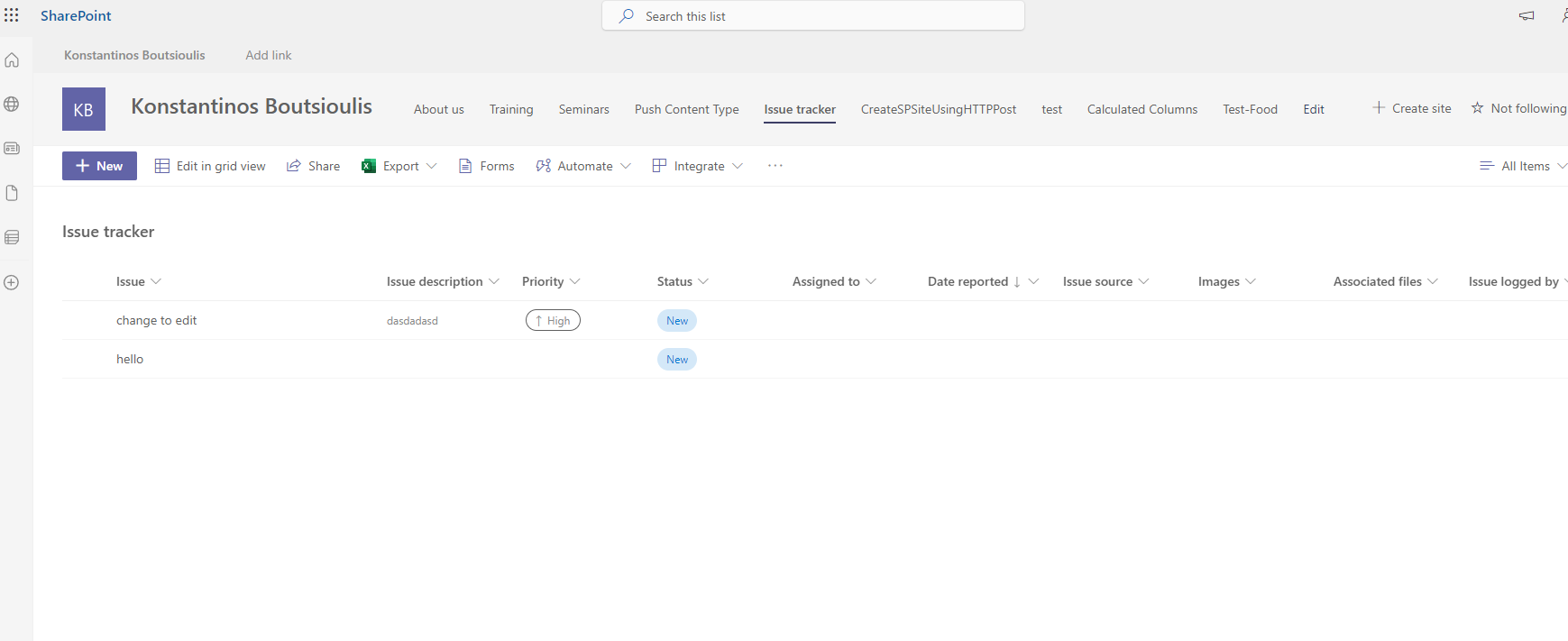
In the next step from the available lists and showcases we select the one of our choice and click on its name to enter it
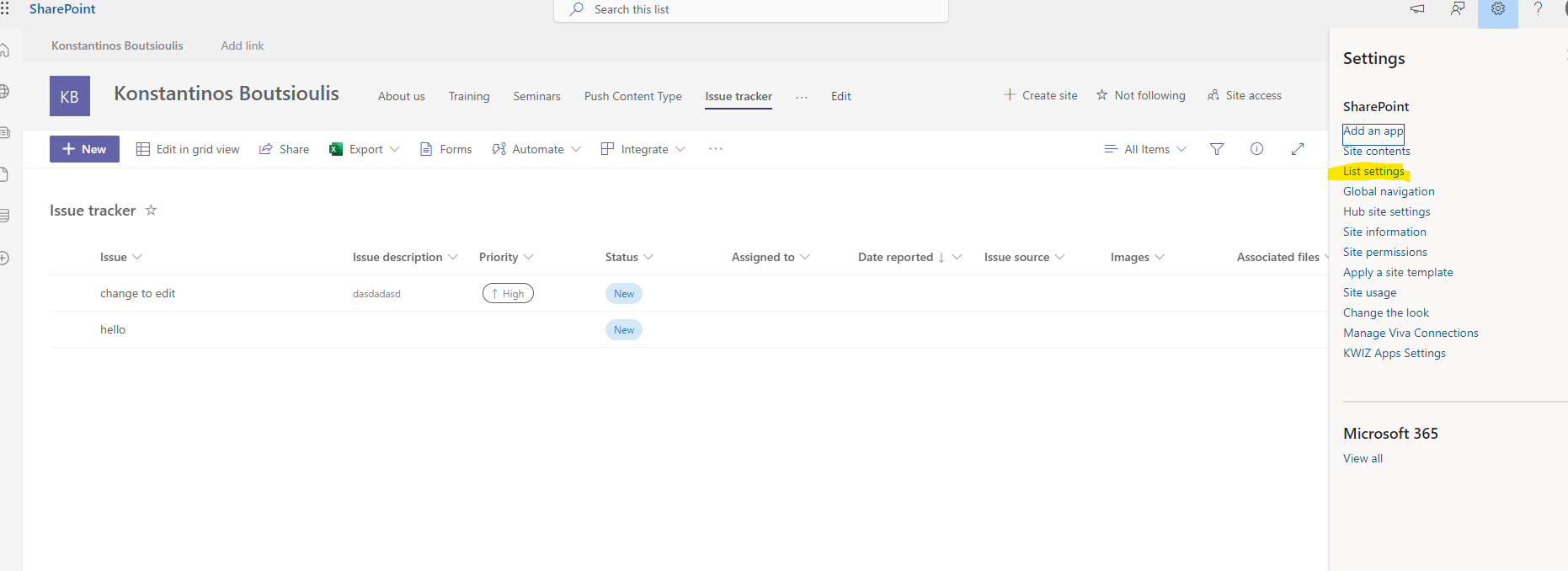
Then we select the gear on the top right and in the pop-up menu select List settings
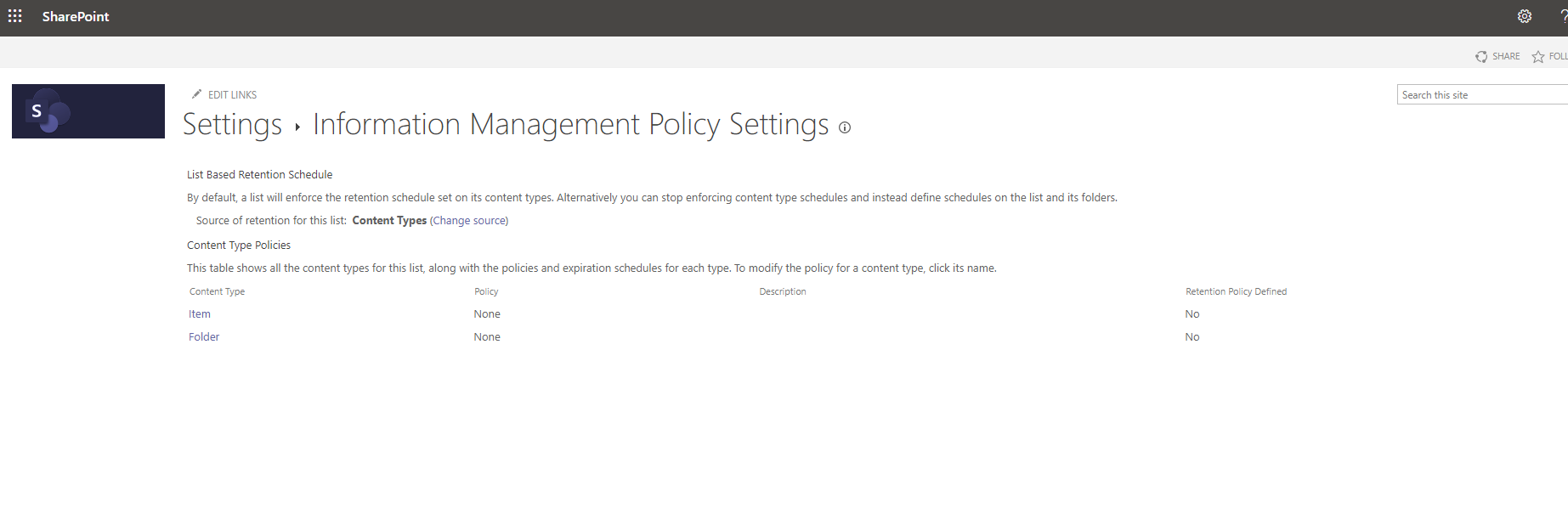
In the second column select Information management policy settings
In this way we go to the IRM page .Here we select item (Note that here one can see if there is a new policy and if there is a retention policy on the item or folder)
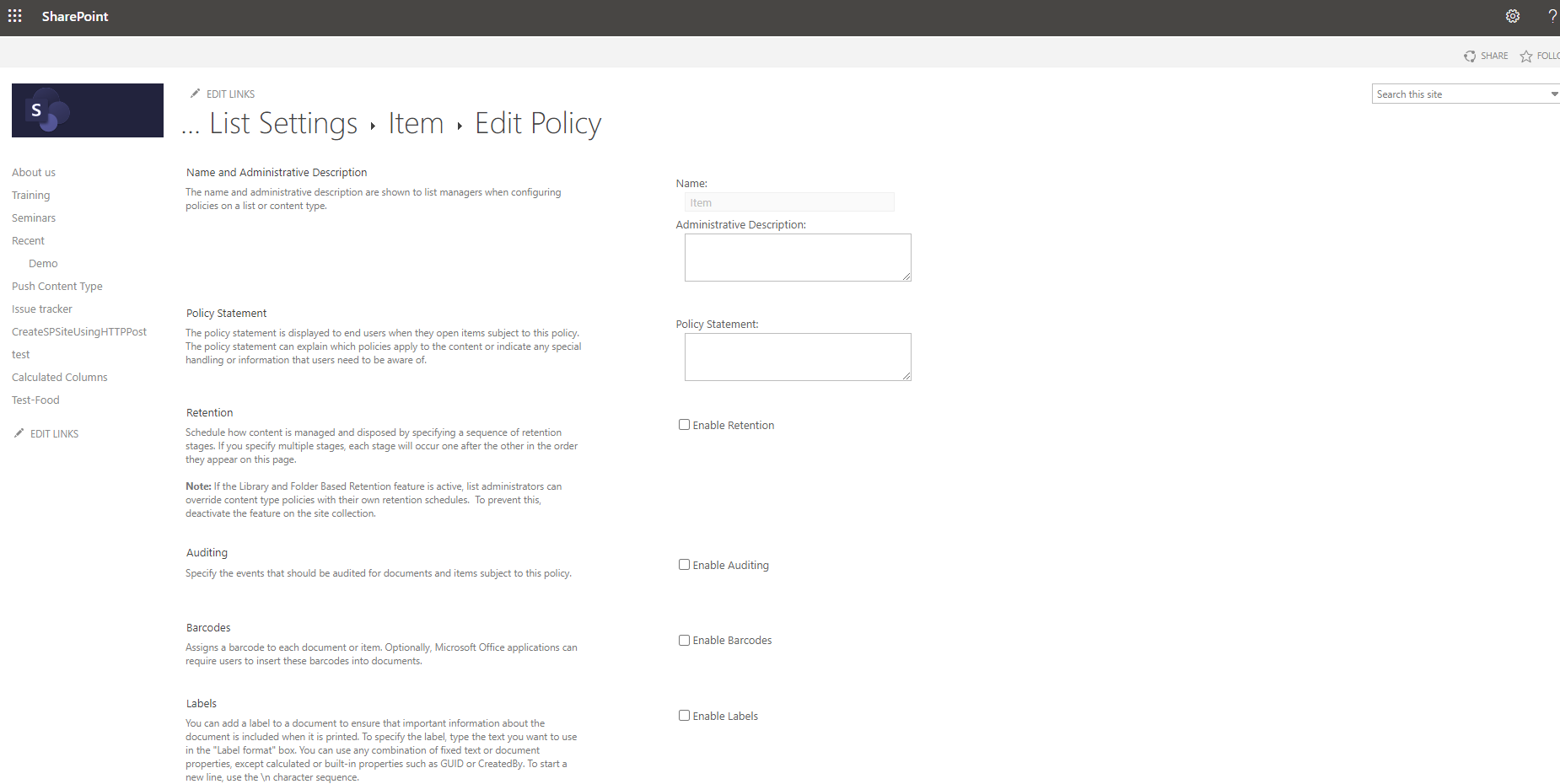
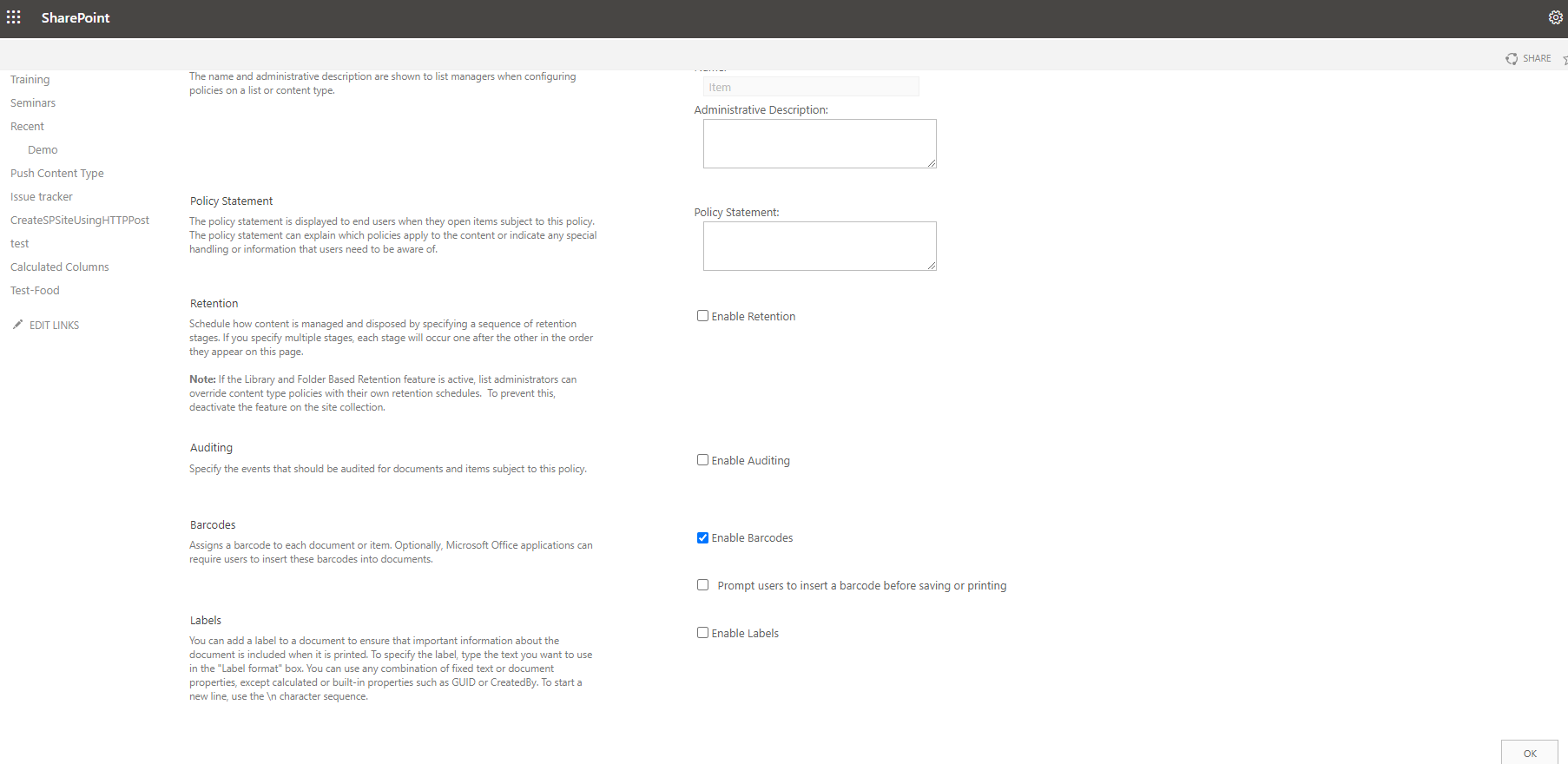
By selecting the Item we go to the IRM settings page and there we have the possibility to add an administrator description as well as a Policy statement .
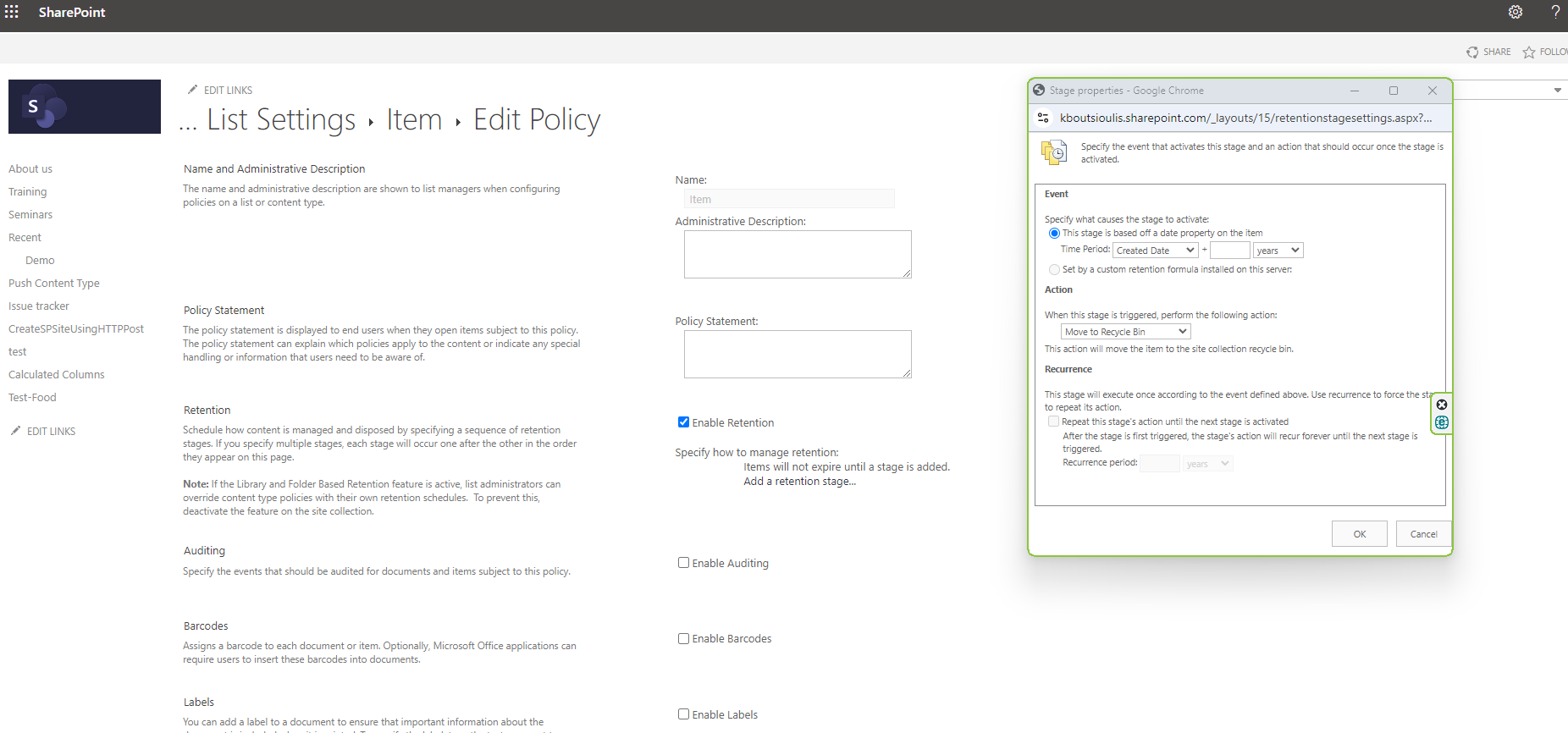
If we select enable retention, the add a retention stage is activated and thus opens a new window which gives us the possibility to specify the period that the retention policy will be in force and the possible action to be taken after the retention period (e.g. delete).Here we can also activate the Recurrence for these actions.
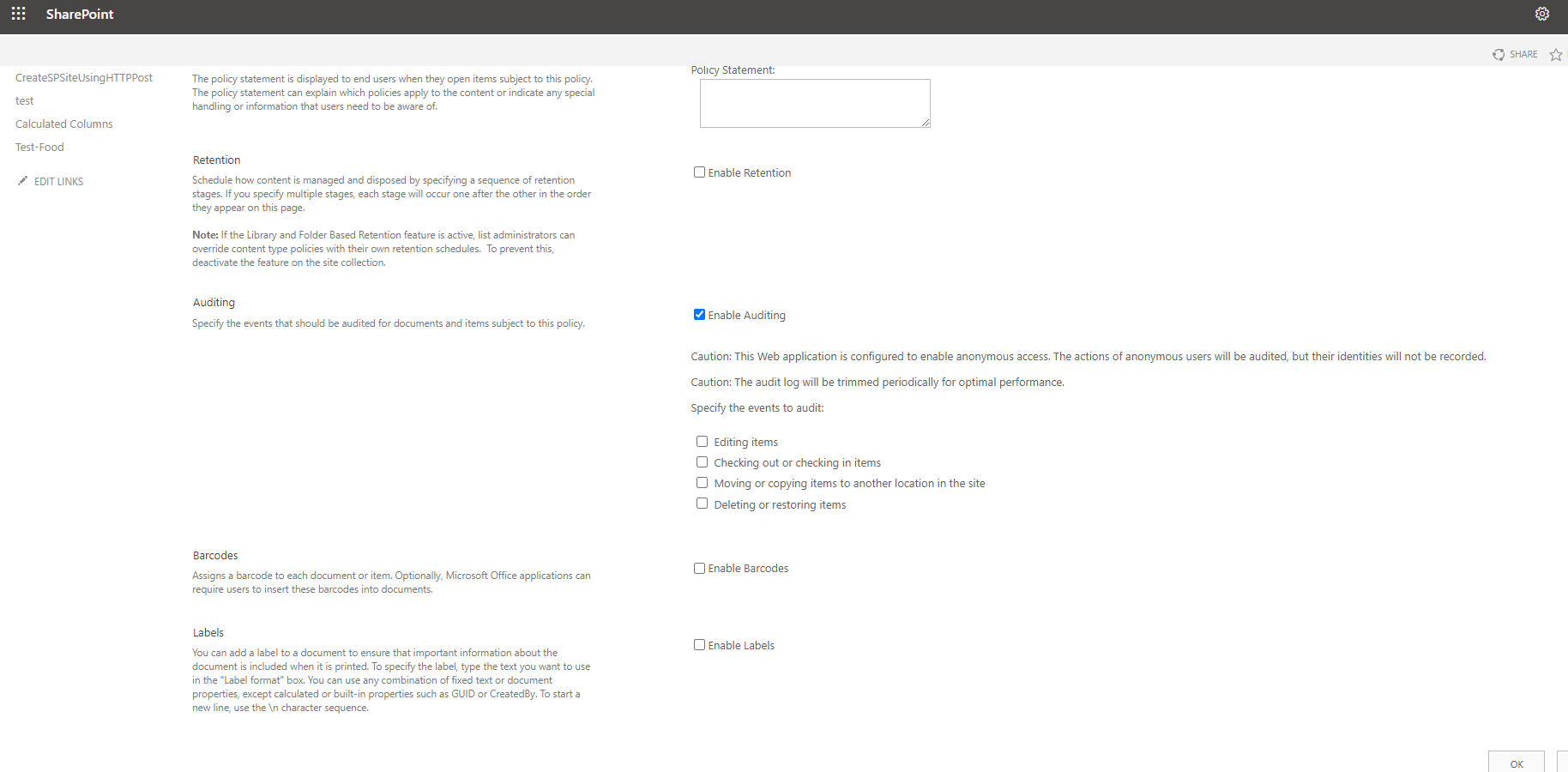
If we select enable auditing a number of options are activated which will be able to export report and even for specific actions such as editing items , checking out items , moving items , deleting items
In the next option we can enable barcodes where we can enable the prompt for the user to enter barcodes before saving or printing the item
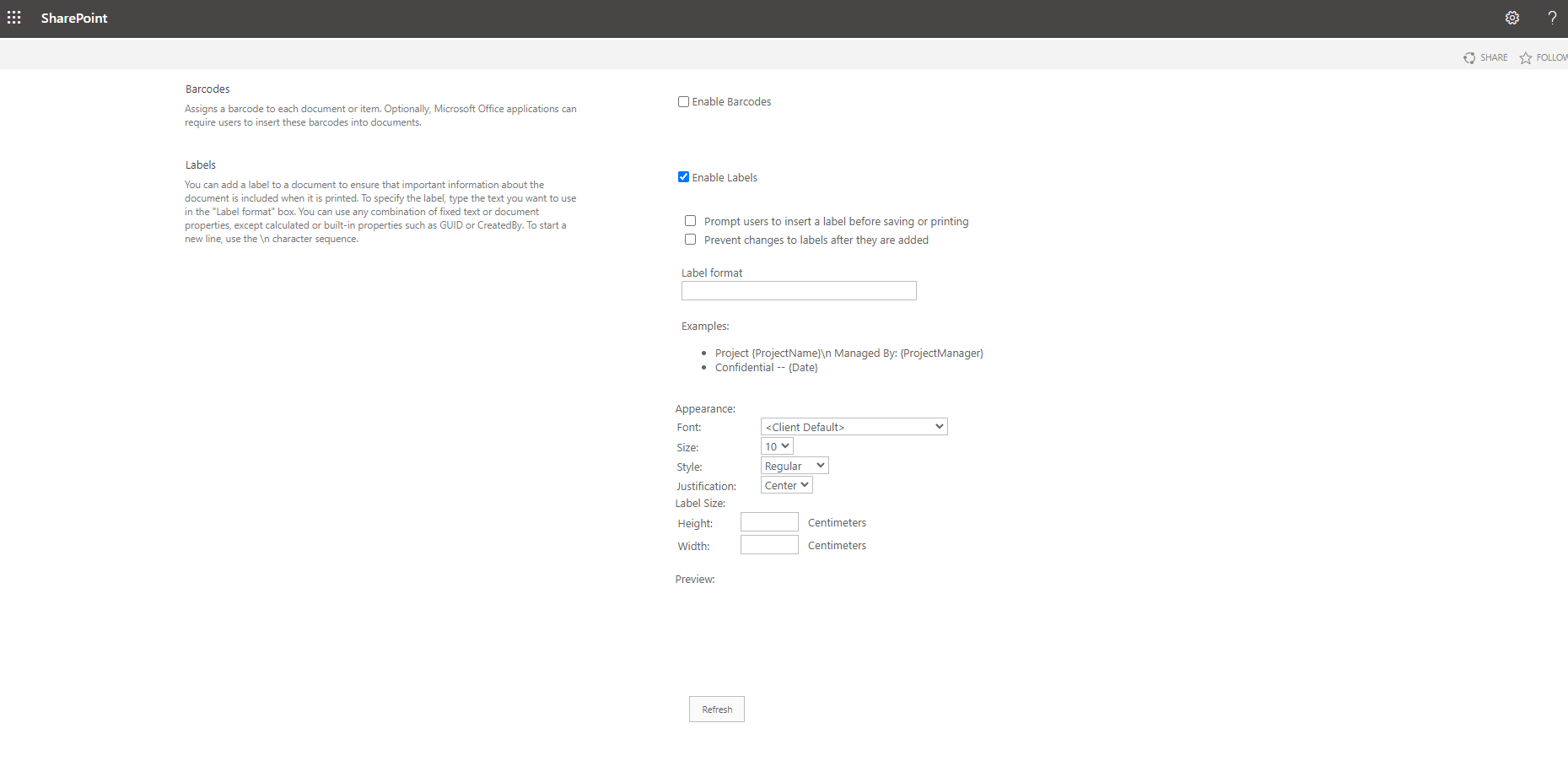
In the last option if we select enable labels it opens another set of options regarding labels whether the user should be required to enter a label during creation as well as whether we allow the user to change the label after adding an Item There are also a number of display options such as font, size, style and other such options.
 #ModerWork
#M365_Apps_Services
#BusinessApps
#SharePoint
#technology
#microsoft
#digitaltransformation
#cloud
#mvpbuzz
#m365
#ModerWork
#M365_Apps_Services
#BusinessApps
#SharePoint
#technology
#microsoft
#digitaltransformation
#cloud
#mvpbuzz
#m365
Visit Archives below to find more articles about Microsoft technologies on Modern Workplace