
Free Material
Find hereMore than 150 Articles about Microsoft Technologies on Modern Workplace
Official Site
Microsoft Most Valuable Professional M365 Apps & Services
Microsoft Most Valuable Professional Business Applications
Consultant & Sr Cloud Solution Architect Modern Wokrplace
Find hereMore than 150 Articles about Microsoft Technologies on Modern Workplace
12 May 2023
In today's article I will show you how we can create a custom list to which we will apply search filters First we select the site where we will create the list
Then from the site contents select New and then list
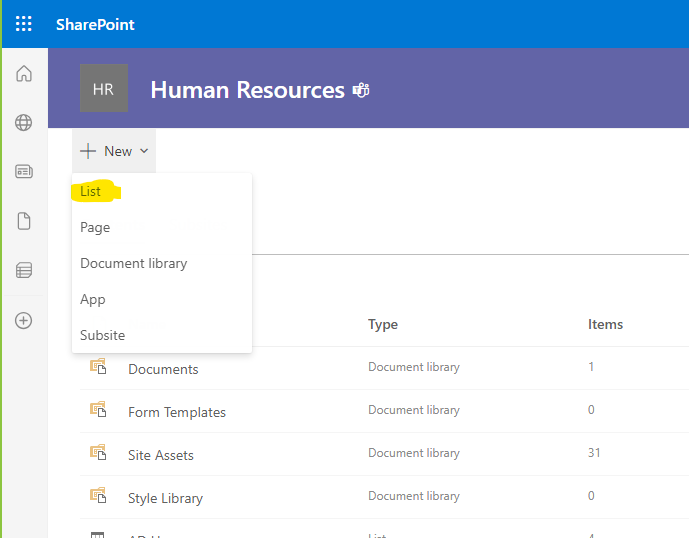
From the available options we can either use one of the list templates or create a blank list and customize it as we wish
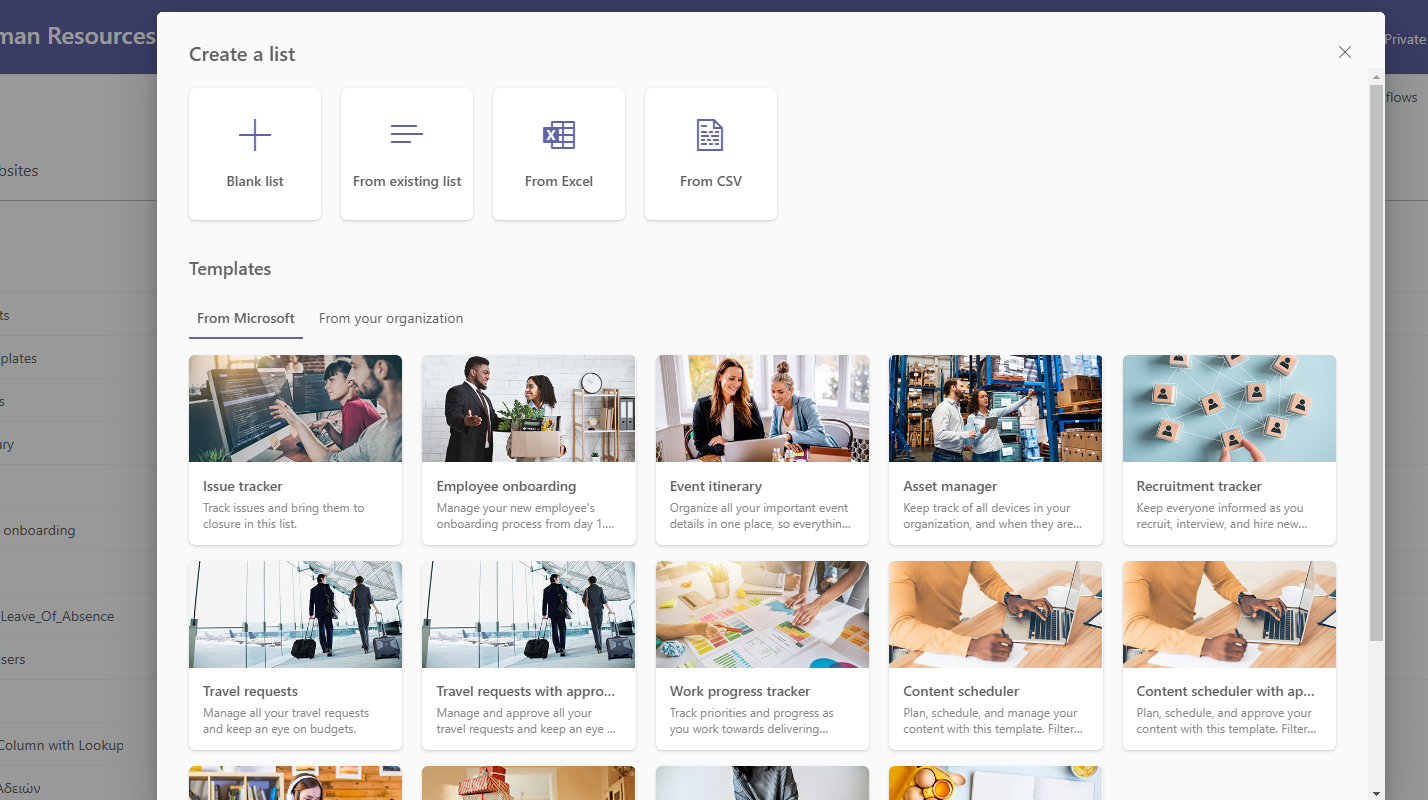
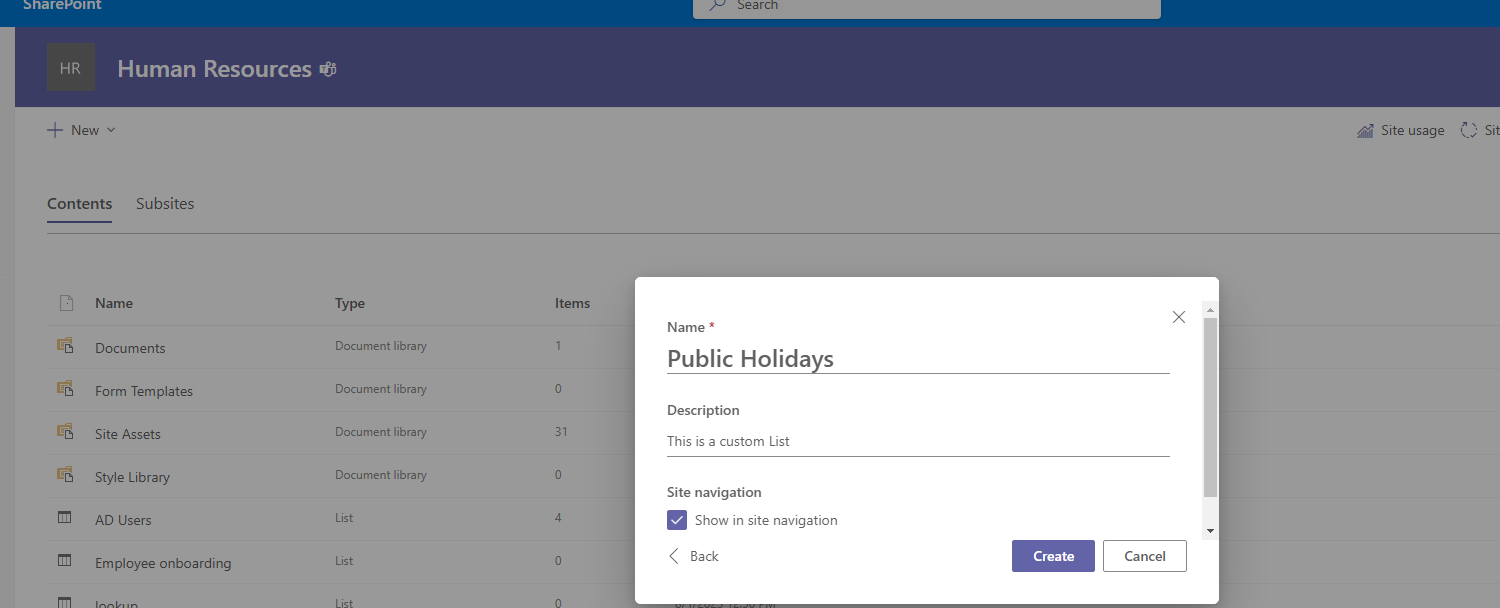
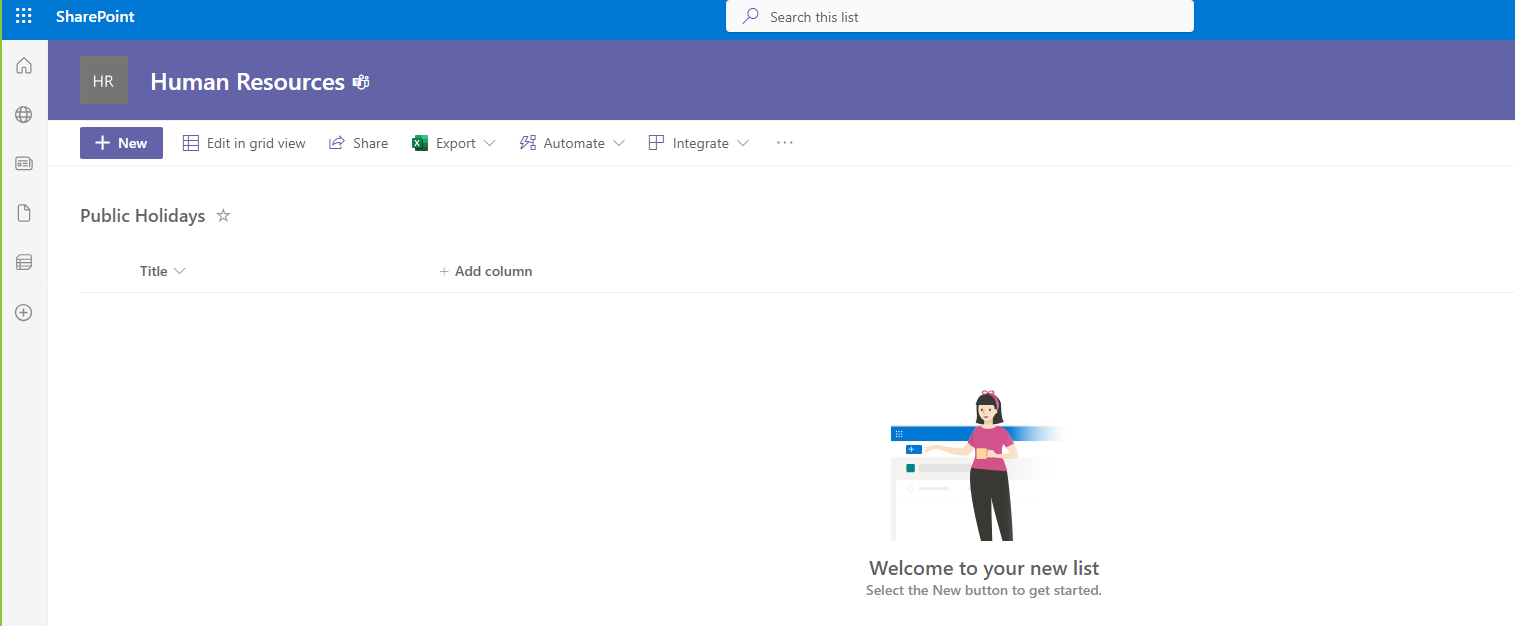
We will create a custom blank list that will have all the public holidays
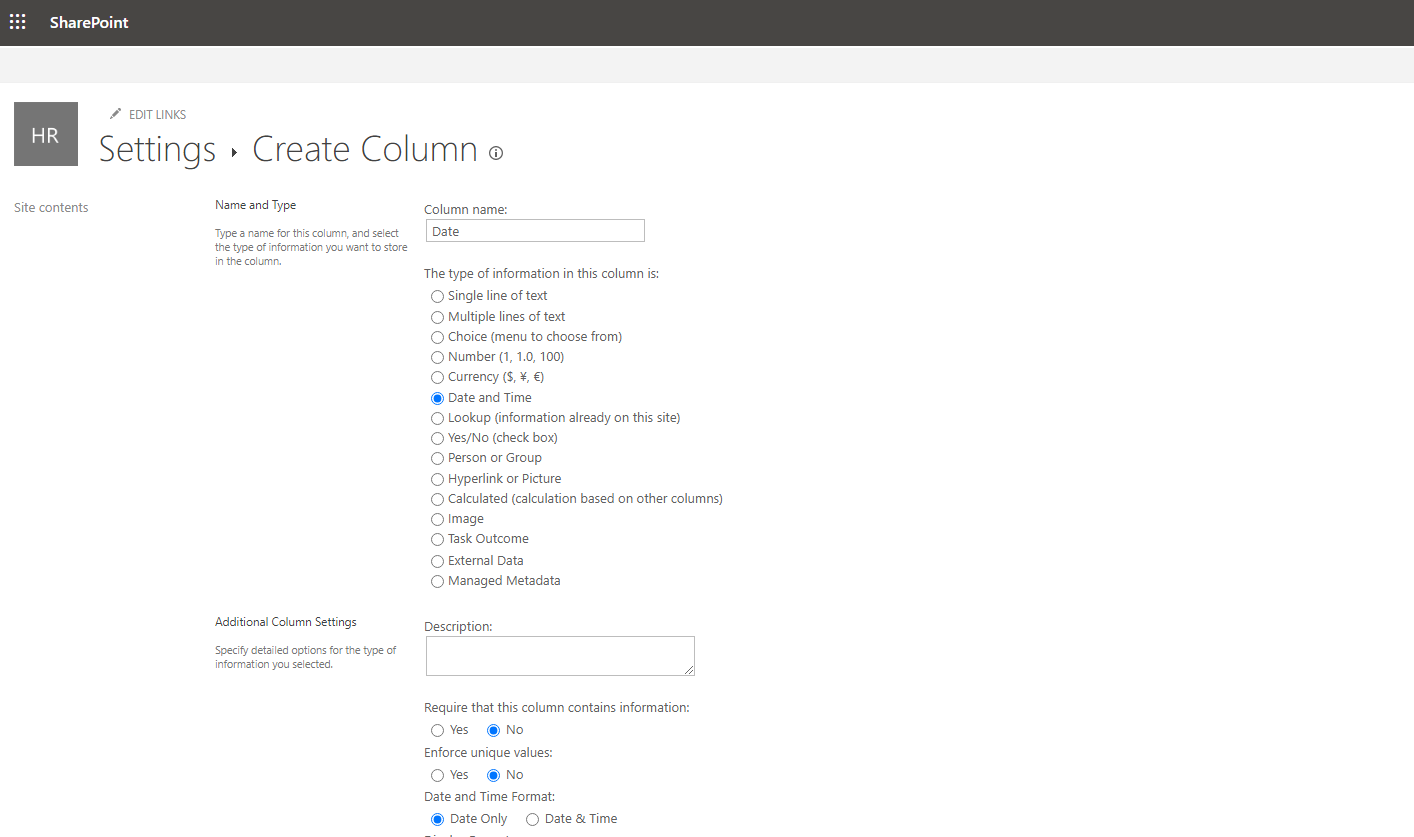
then we will create another column which will be data type date and the first column will be the name of the public holiday and the second column will have the date of the public holiday
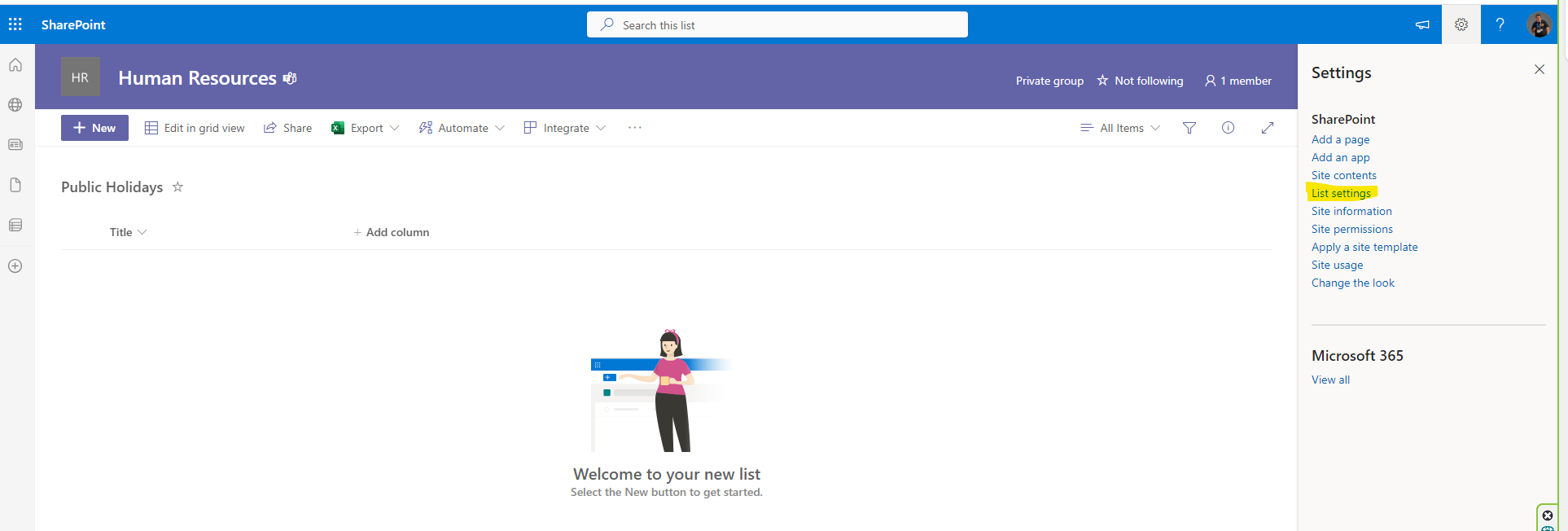
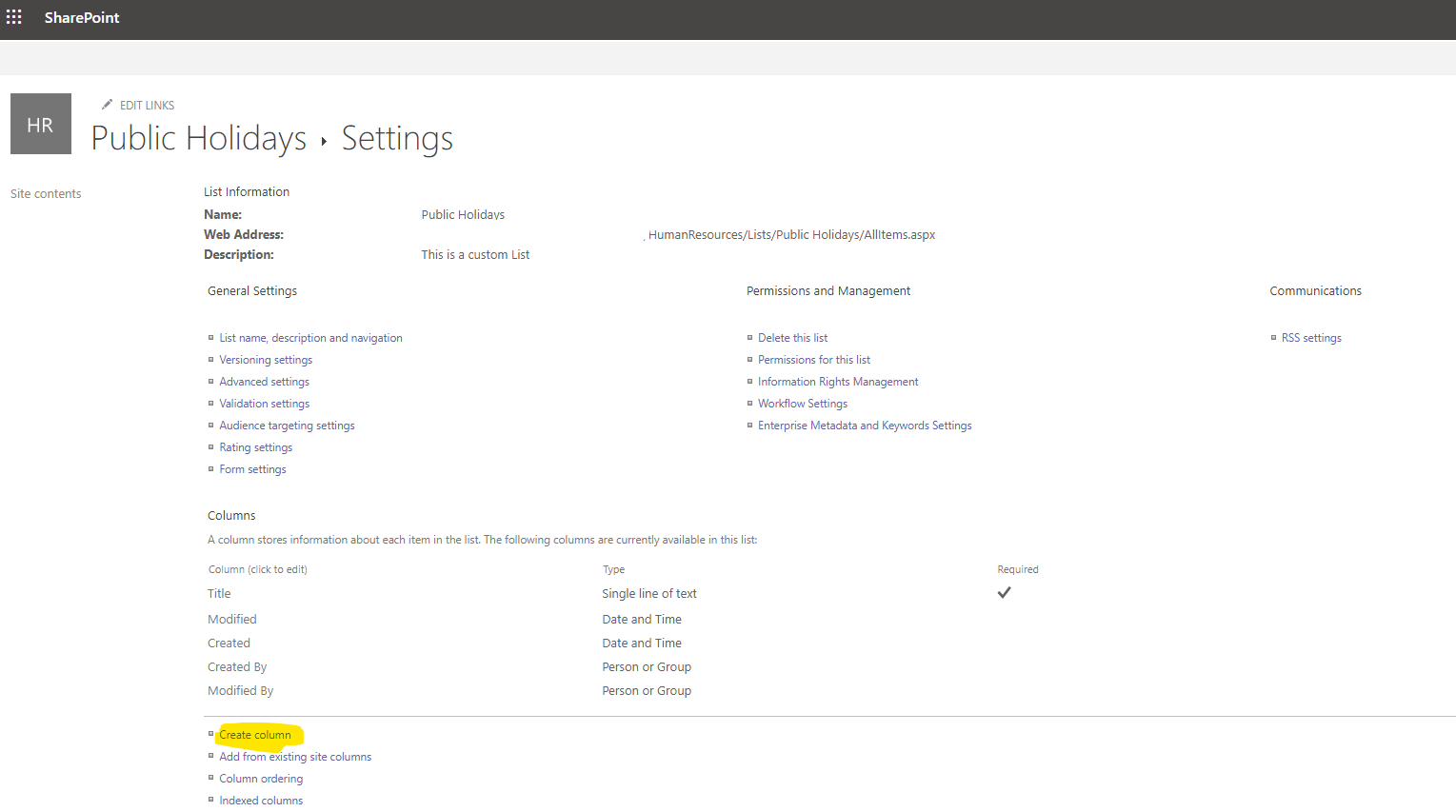
From List settings we need to add a new custom column
And in the next step name your custom column and choose the data type of this column
Once we complete the process we will need to enter the data into our list as shown below
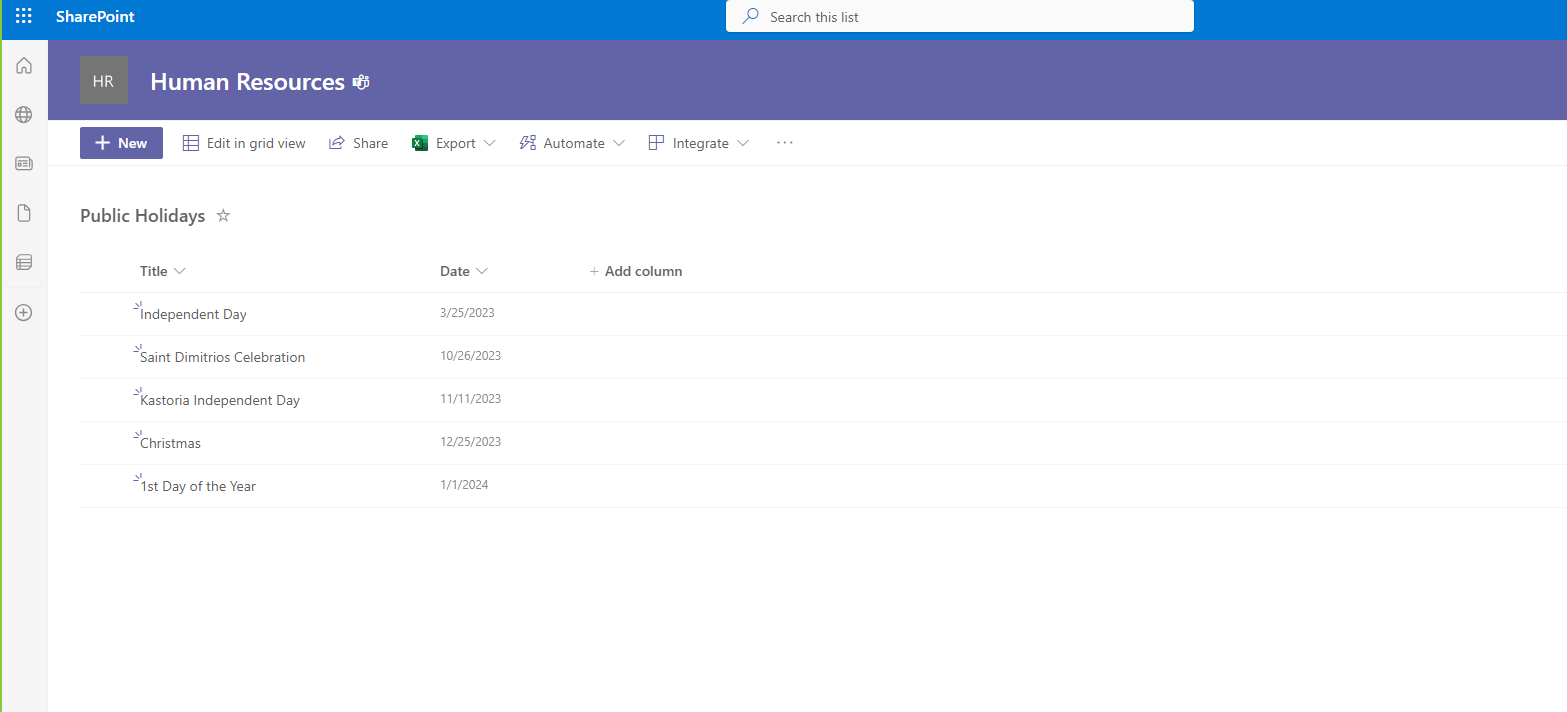
In the next step we will have to from the arrow next to the column and the drop down menu select pin to filters pane
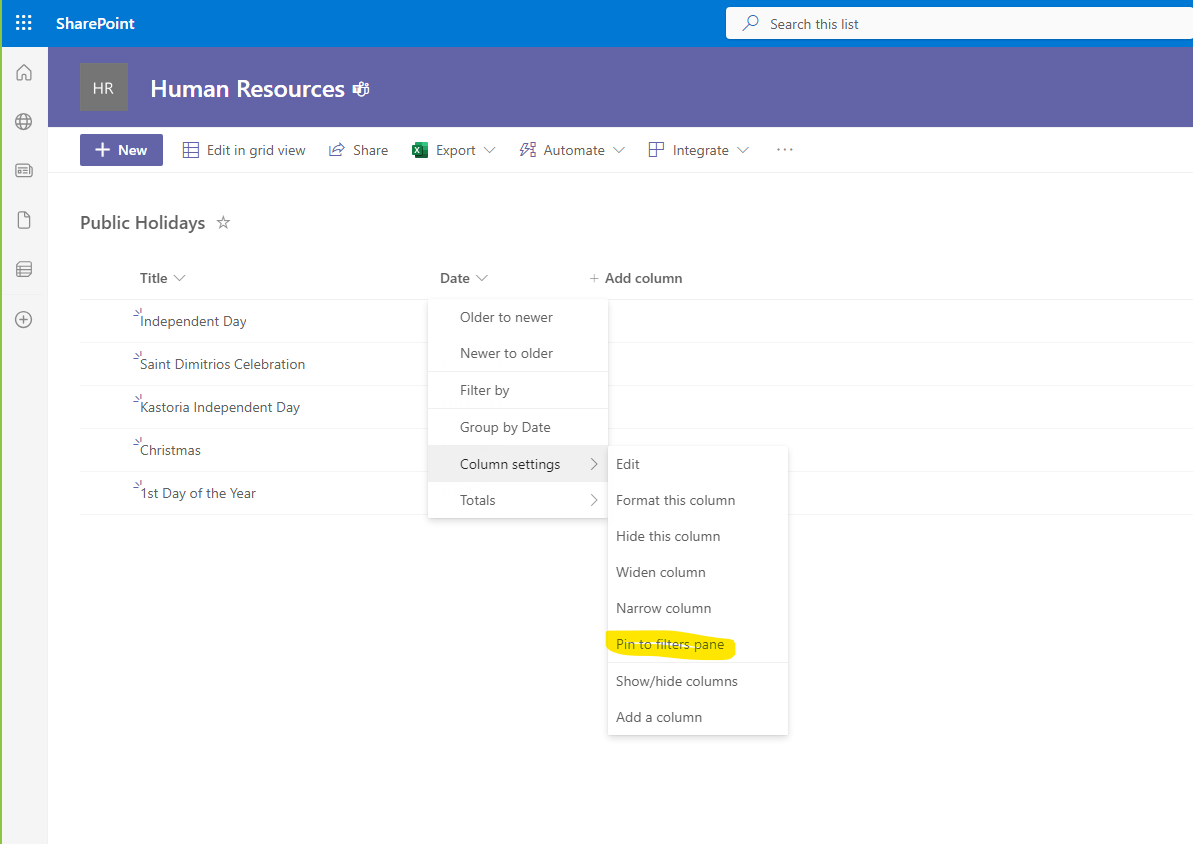
In this way we select the date to be put into the search filters as seen on the right side of the page
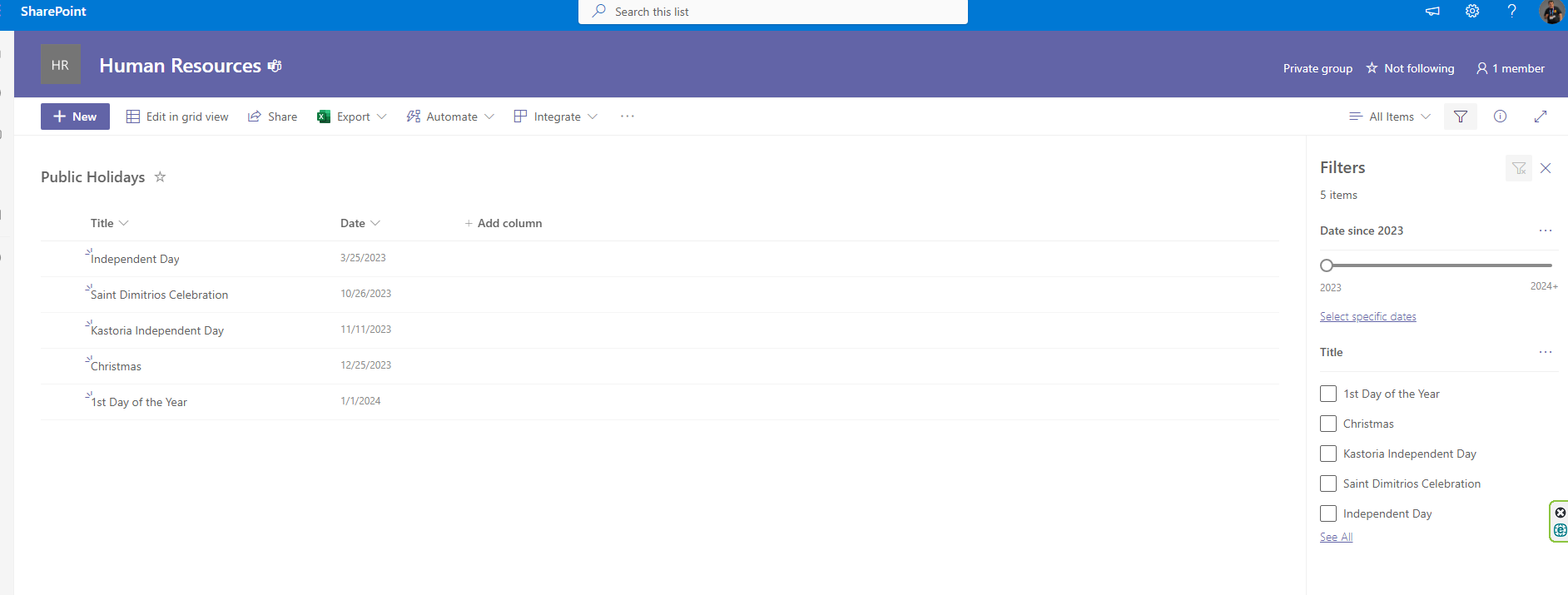
So we can then choose to filter the entries by date or if we select by name we will have to type e.g. Christmas to find the corresponding public holiday
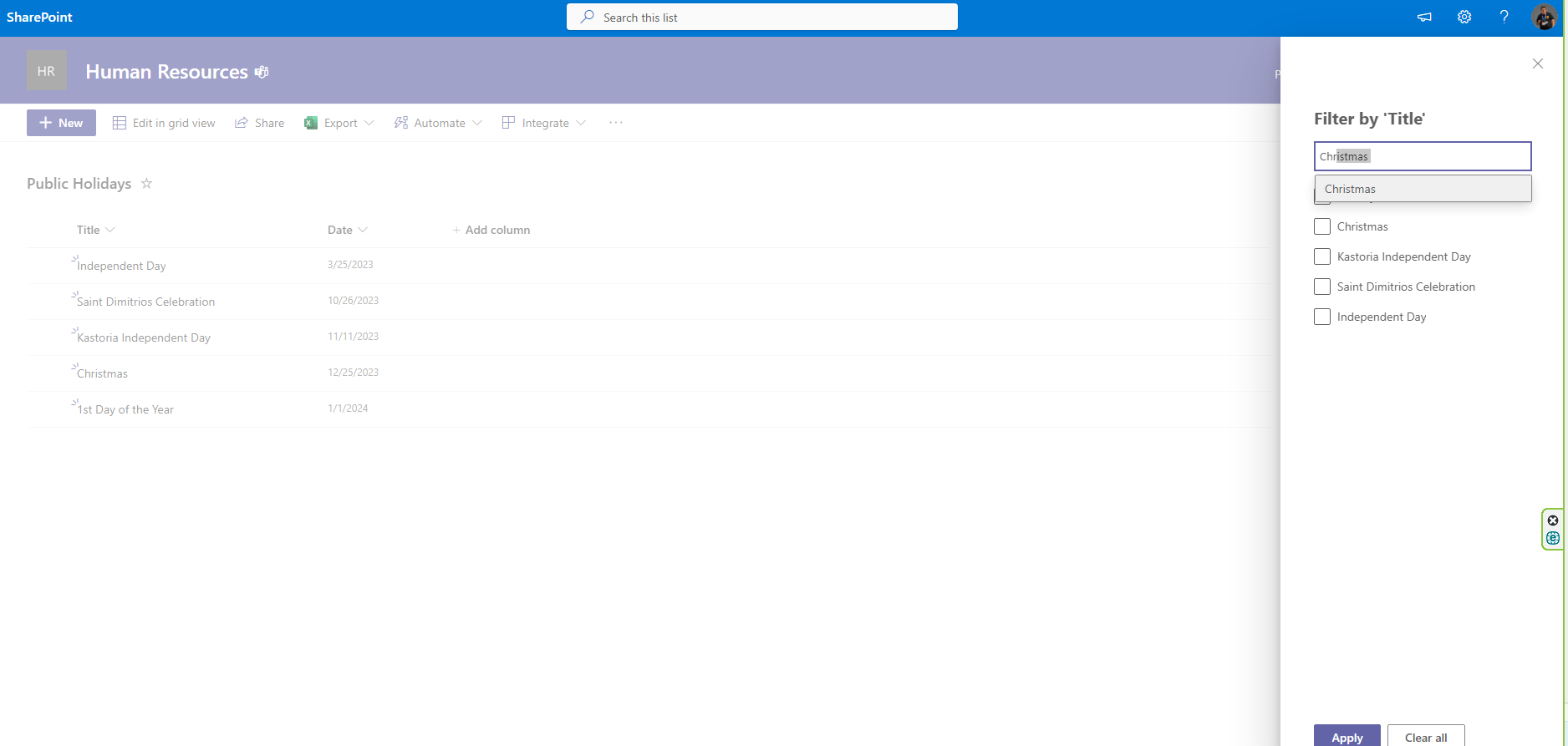
In this way we can form lists with several columns on top of which the main columns will play the role of filters for immediate search results
Note that when the list has more than 5.000 items a new view will have to be created as default with a combination of columns that will give a result of less than 5000.
The philosophy is the same as in databases where in relational databases to easily identify an entry in one of the tables you may need a primary key consisting of 2 columns
#SharePoint #technology #microsoft #digital #work #digitaltransformation #cloud #mvpbuzz #m365Visit Archives below to find more articles about Microsoft technologies on Modern Workplace