
Free Material
Find hereMore than 150 Articles about Microsoft Technologies on Modern Workplace
Official Site
Microsoft Most Valuable Professional M365 Apps & Services
Microsoft Most Valuable Professional Business Applications
Consultant & Sr Cloud Solution Architect Modern Wokrplace
Find hereMore than 150 Articles about Microsoft Technologies on Modern Workplace
09 May 2023
In today's article I will show you how we can create templates in SharePoint libraries First we need to have our templates ready in a format that is acceptable by SharePoint (docx,xlsx,pptx etc) In our case we will upload a CV which will be a template for our library We create a new library on the site of our choice
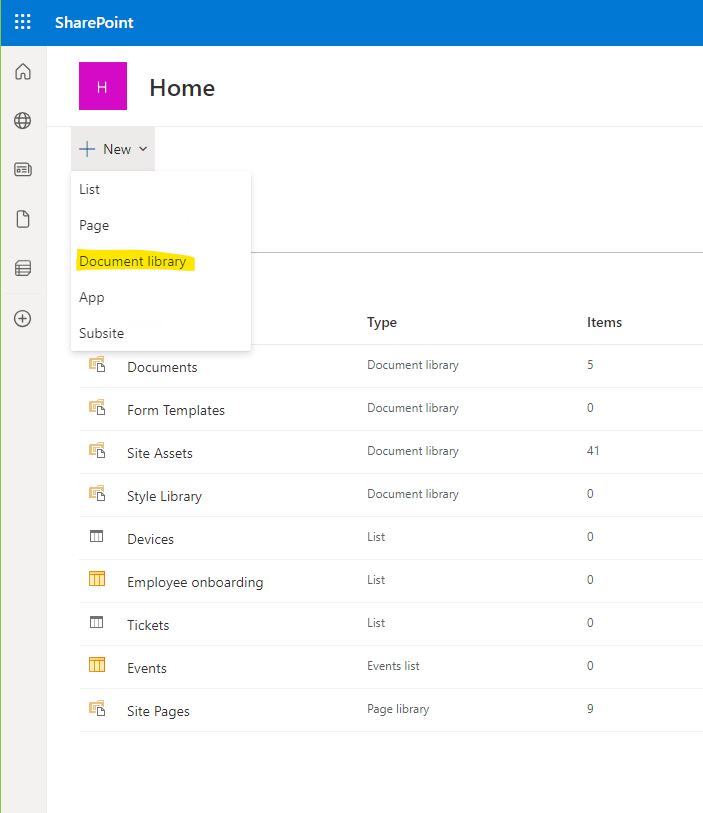
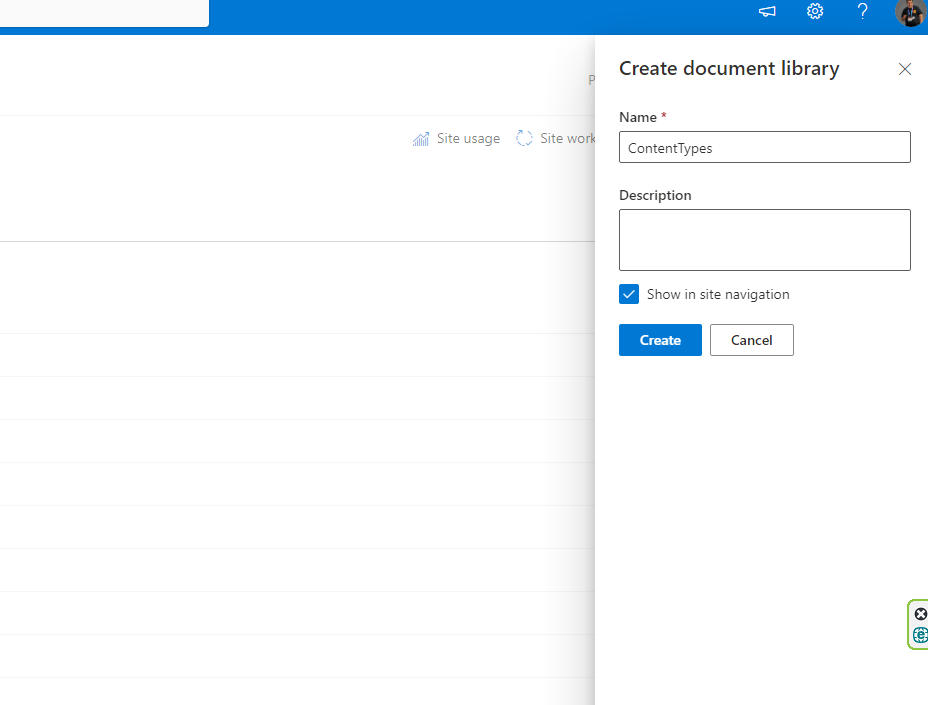
We should give a name to our library .I chose to name it content types like the SharePoint service we will use
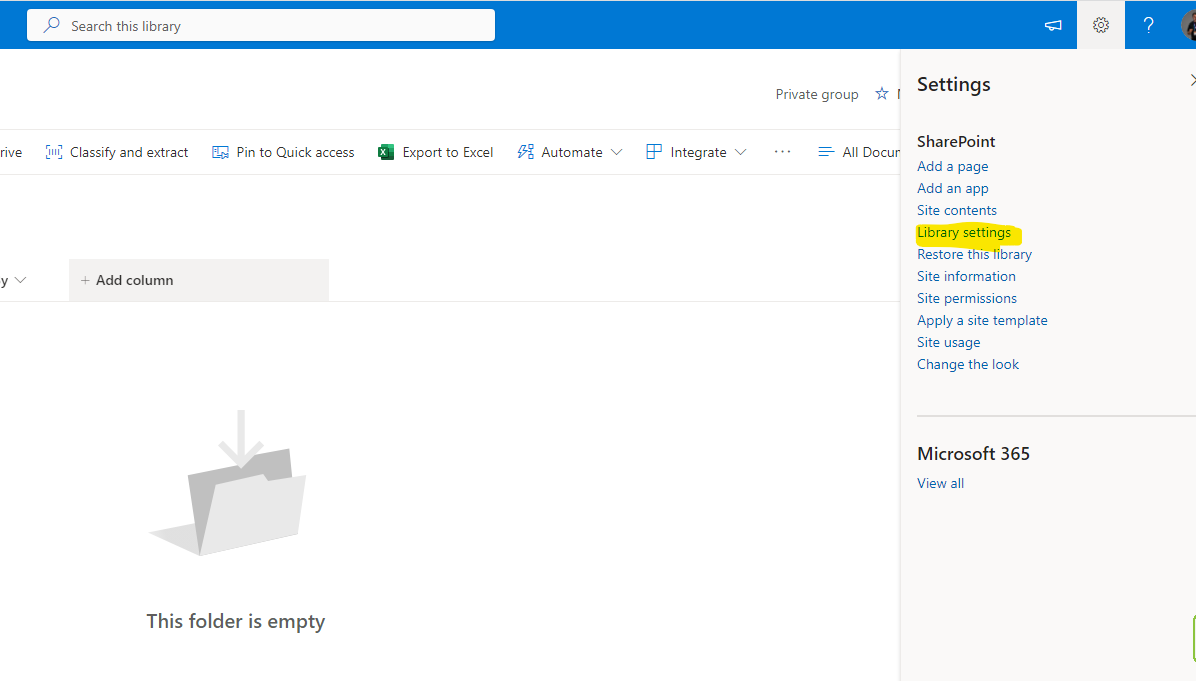
We select library settings from the top right gear to set the content types.
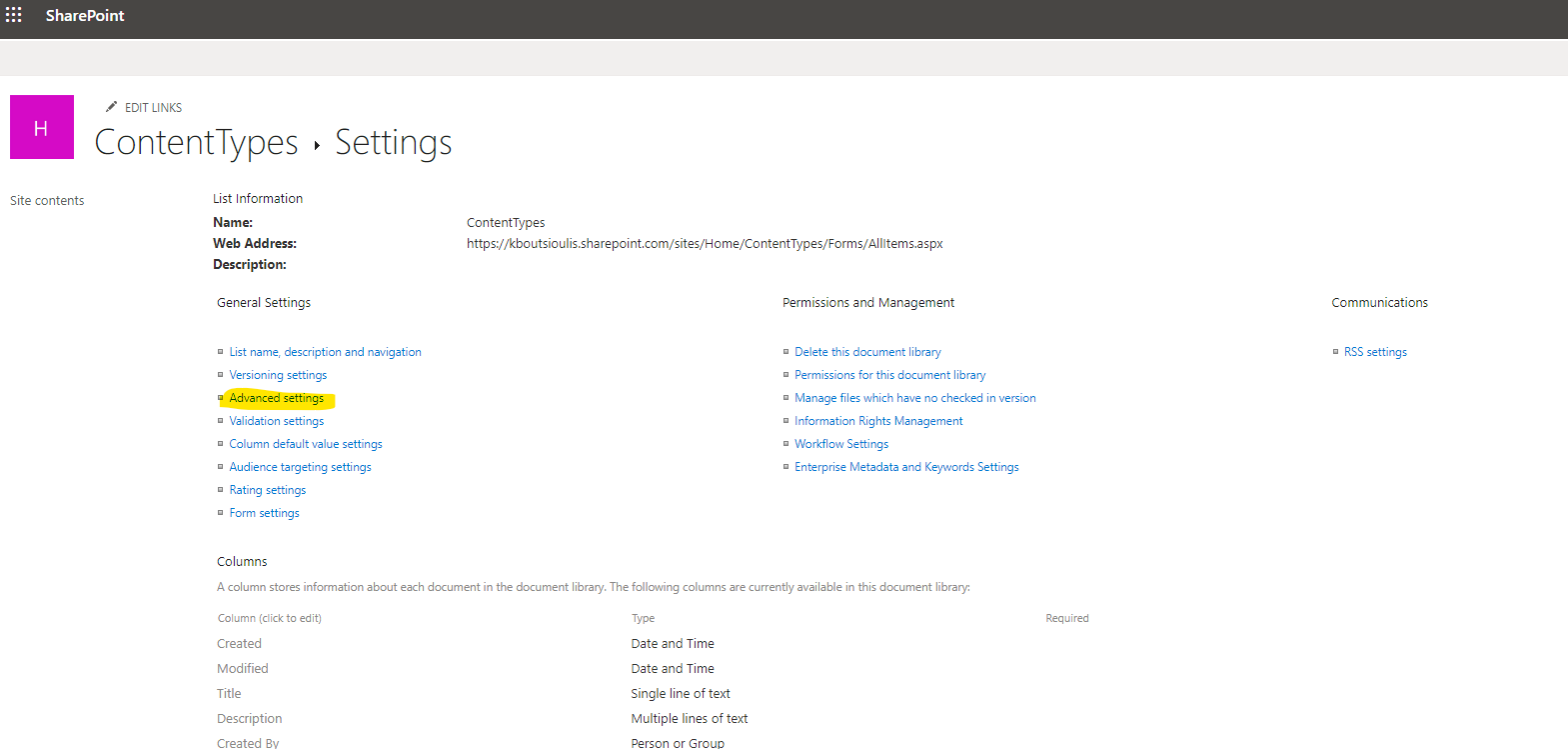
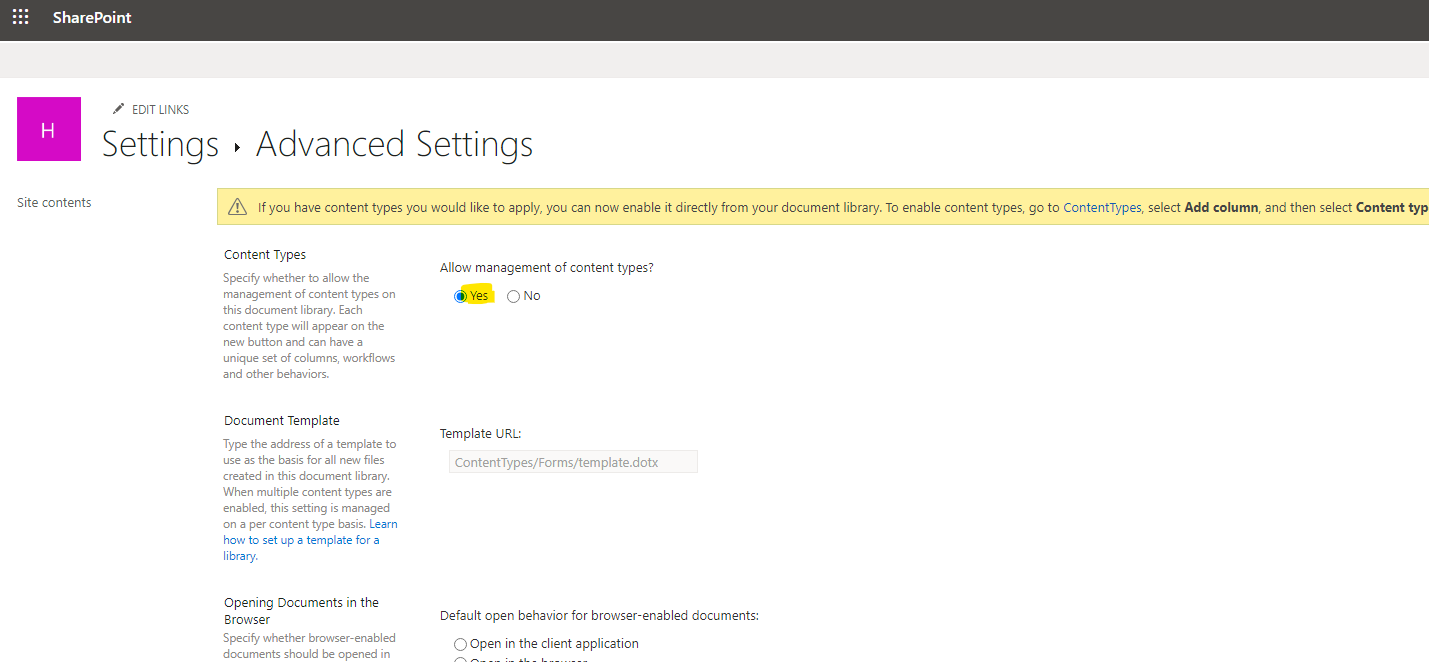
Select advanced settings
And change the option to allow the use of content types
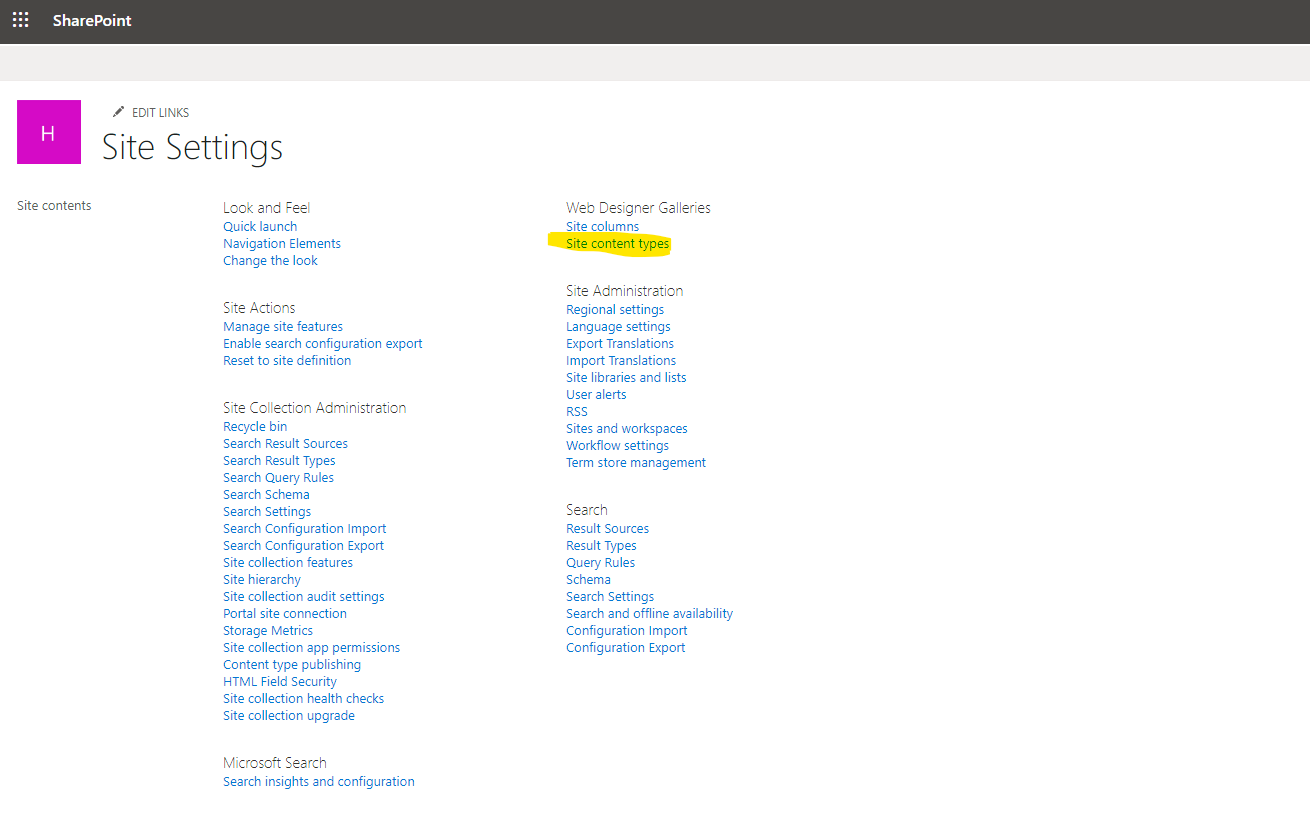
In the next step we have to create the content type, so we select the option site content types from the site settings
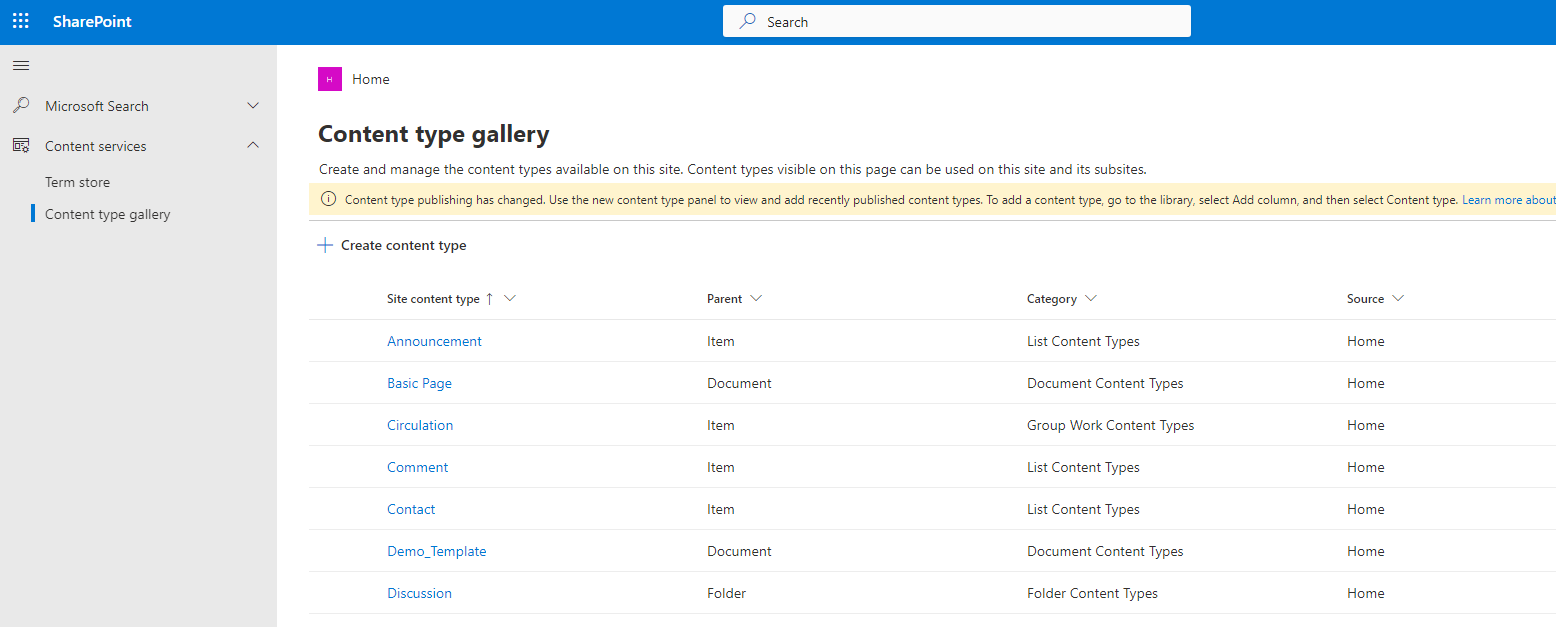
This way we have switched to the content type gallery
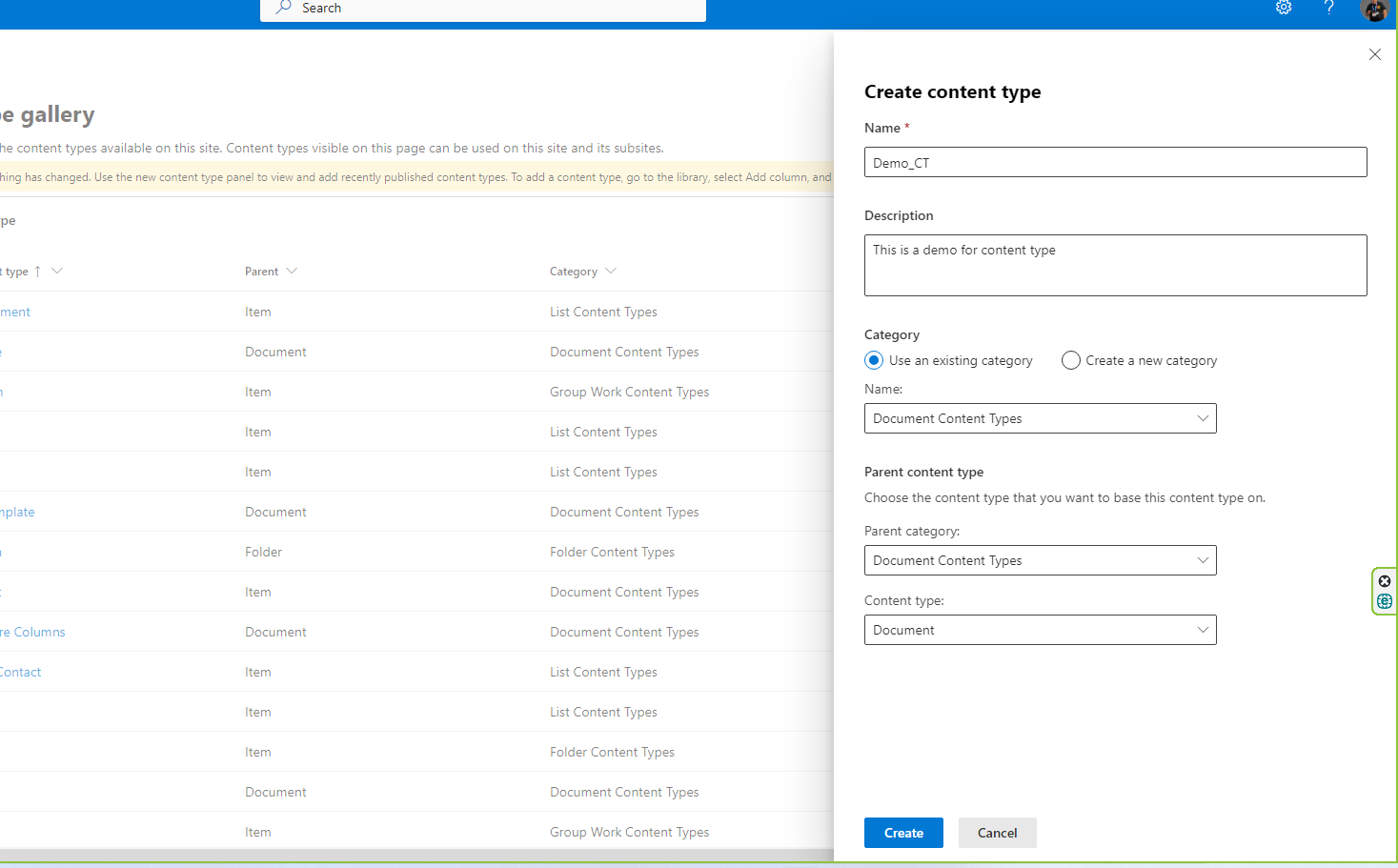
And in the next step we create the new content type where we have to enter the name of the new content type and the category it belongs to as well as the type of the content type. In our case because it is a document it belongs to the category Document Content Types and its type is Document
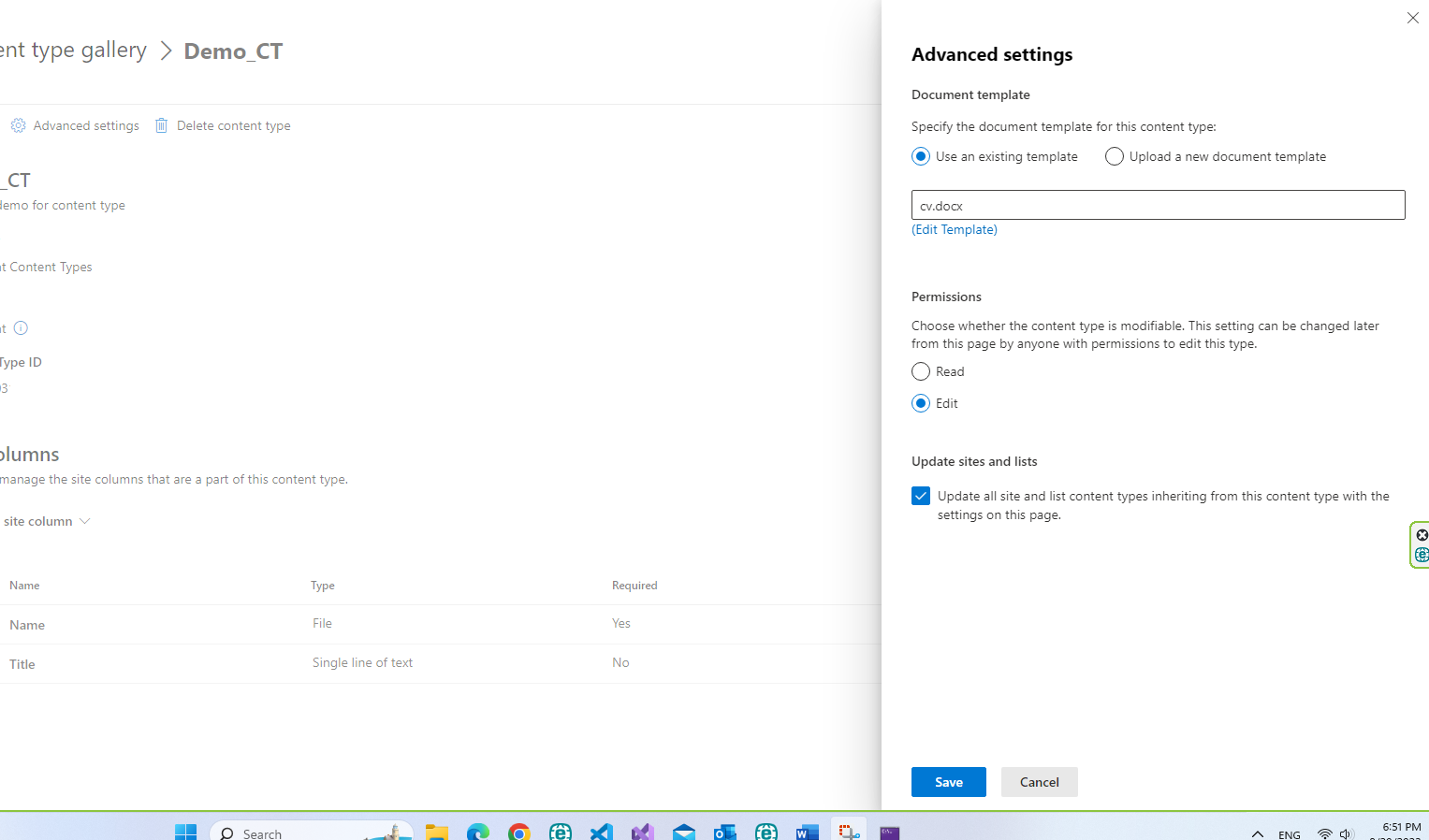
After creating it we need to upload the template so that every time we create a new record it will be based on this template Select advanced settings and upload the template
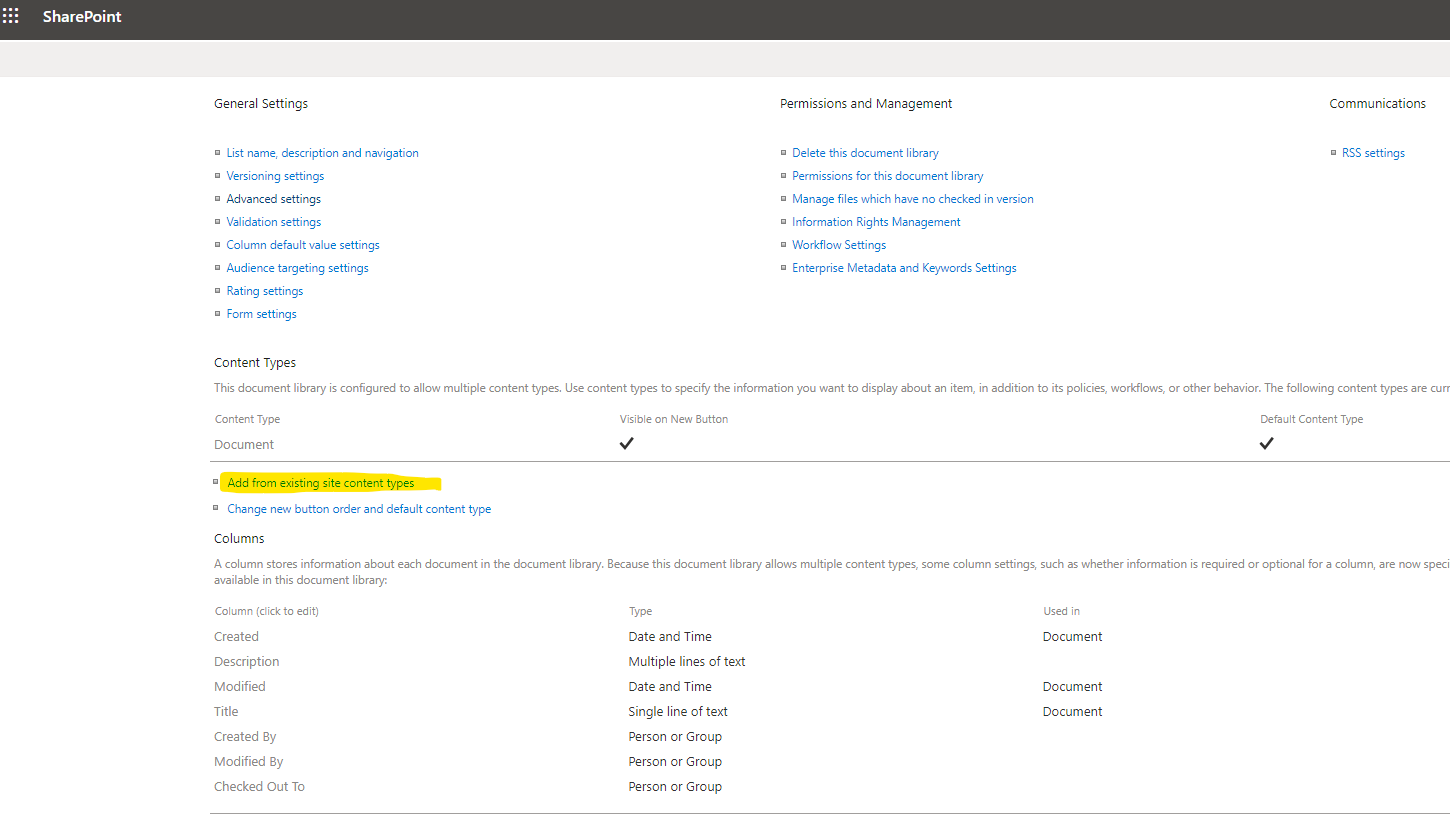
Then we go to the library and from there back to the library settings and there we select add from existing content types
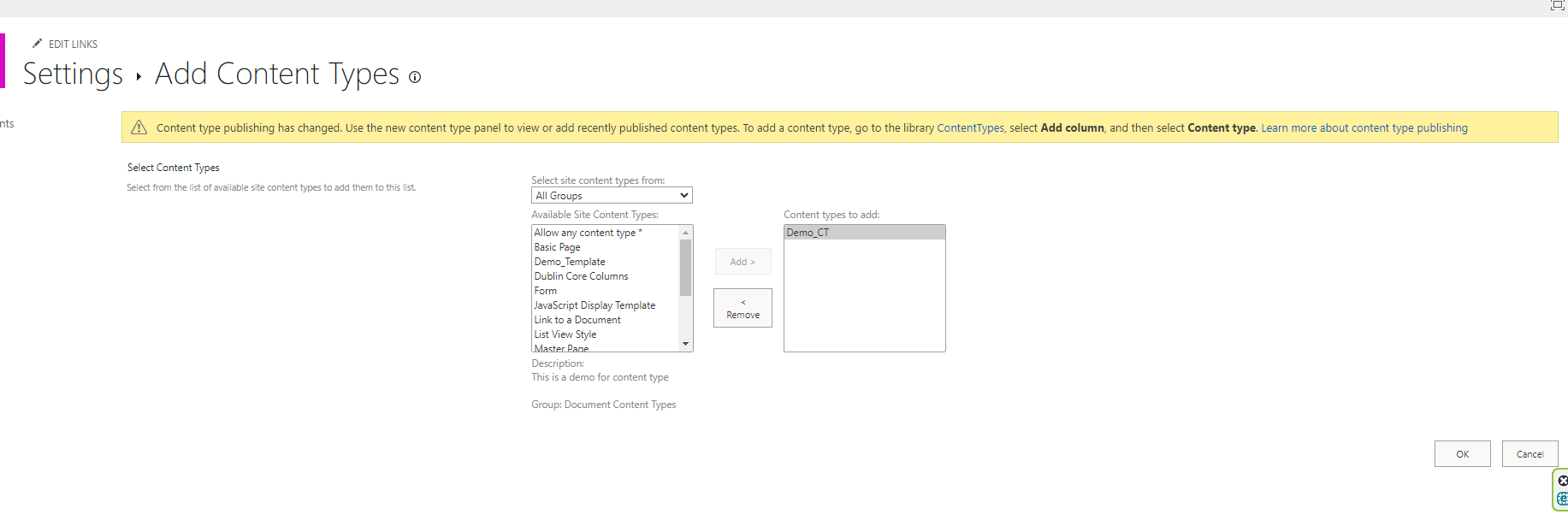
I select the new content type and insert it
After all this every time we press new our template appears and if we select it we are given the option to edit it
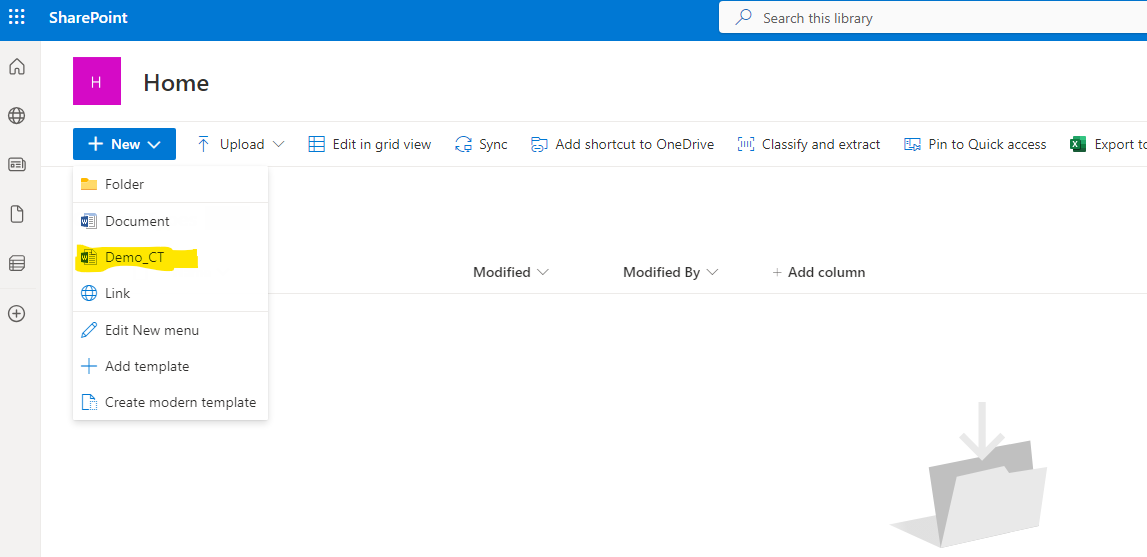
We select new and it opens the new content type and we edit it
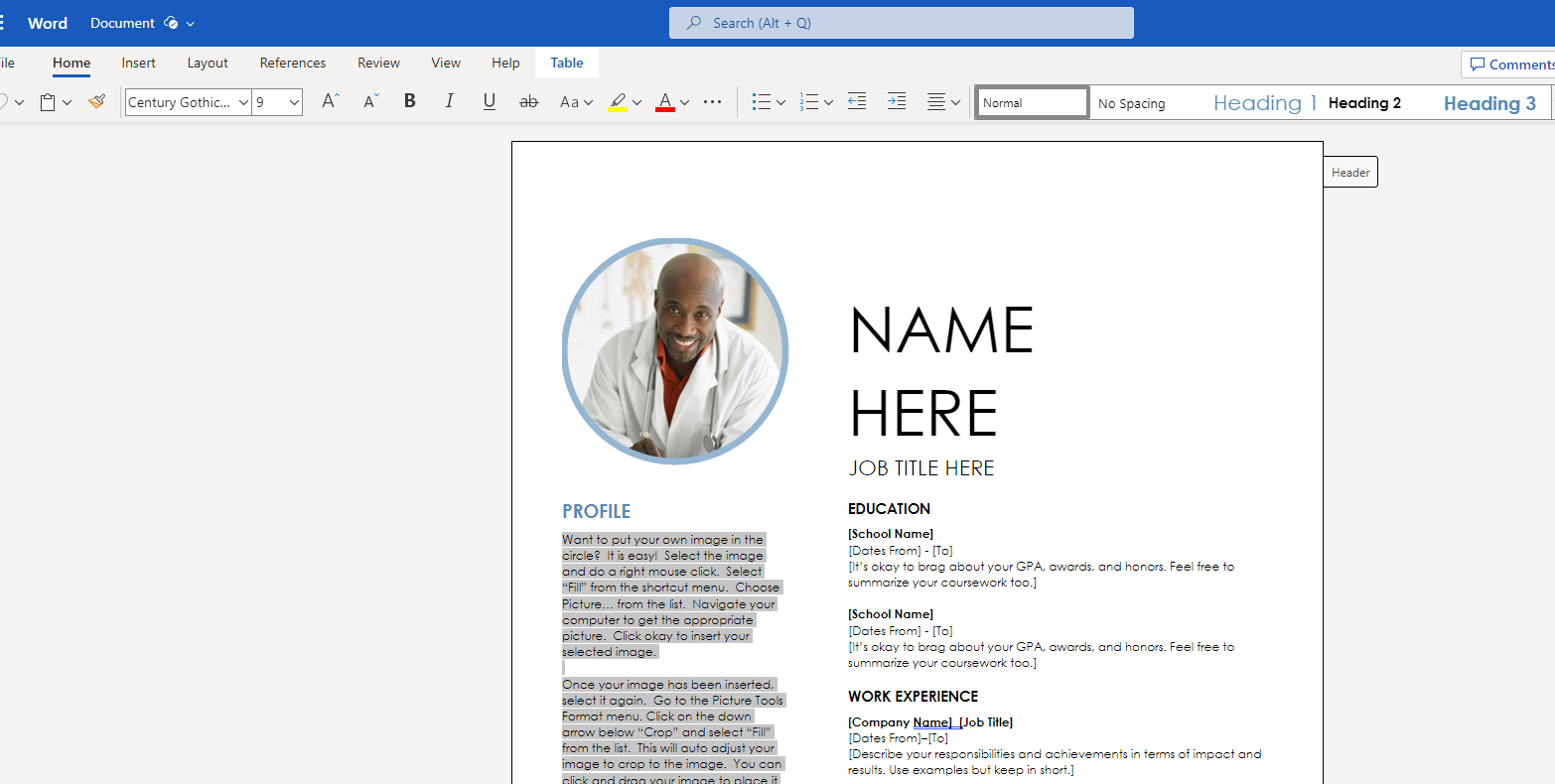
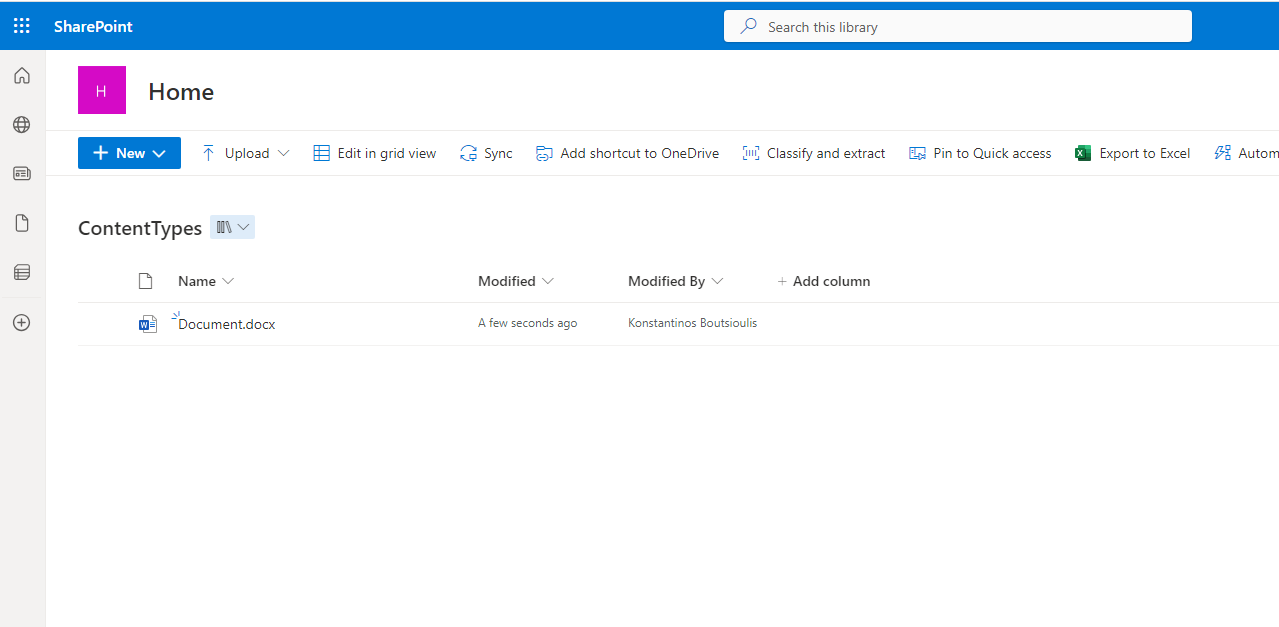
And finally as you can see I don't have to save the archive because it is autosaved and gets the name document in ascending order every time we create a new content type
 #SharePoint
#technology
#microsoft
#digital
#work
#digitaltransformation
#cloud
#mvpbuzz
#m365
#SharePoint
#technology
#microsoft
#digital
#work
#digitaltransformation
#cloud
#mvpbuzz
#m365
Visit Archives below to find more articles about Microsoft technologies on Modern Workplace