
Free Material
Find hereMore than 150 Articles about Microsoft Technologies on Modern Workplace
Official Site
Microsoft Most Valuable Professional M365 Apps & Services
Microsoft Most Valuable Professional Business Applications
Consultant & Sr Cloud Solution Architect Modern Wokrplace
Find hereMore than 150 Articles about Microsoft Technologies on Modern Workplace
08 March 2024
In today's article we will see how we can find an older version of an archive that we have stored in SharePoint As it is known in SharePoint we have the possibility of versioning and with this way we can have available the different versions of a record during its lifetime.
We can thus detect changes in the text or update to newer versions of the document until it reaches the final form that we have configured. Note that SharePoint by default keeps 500 major versions of the record however we can change this number. Note that for lists there are 50 versions when versioning is enabled First we select the site
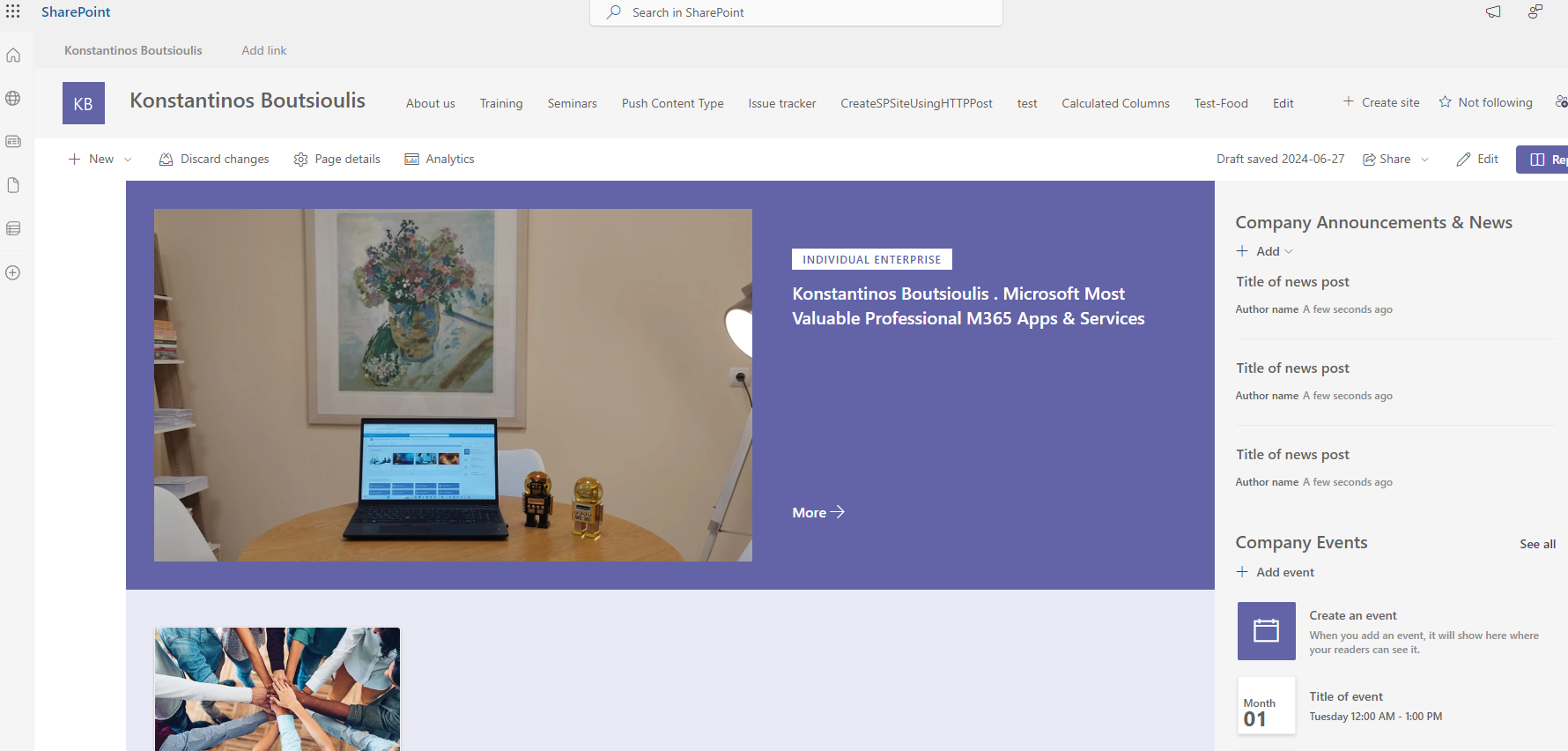
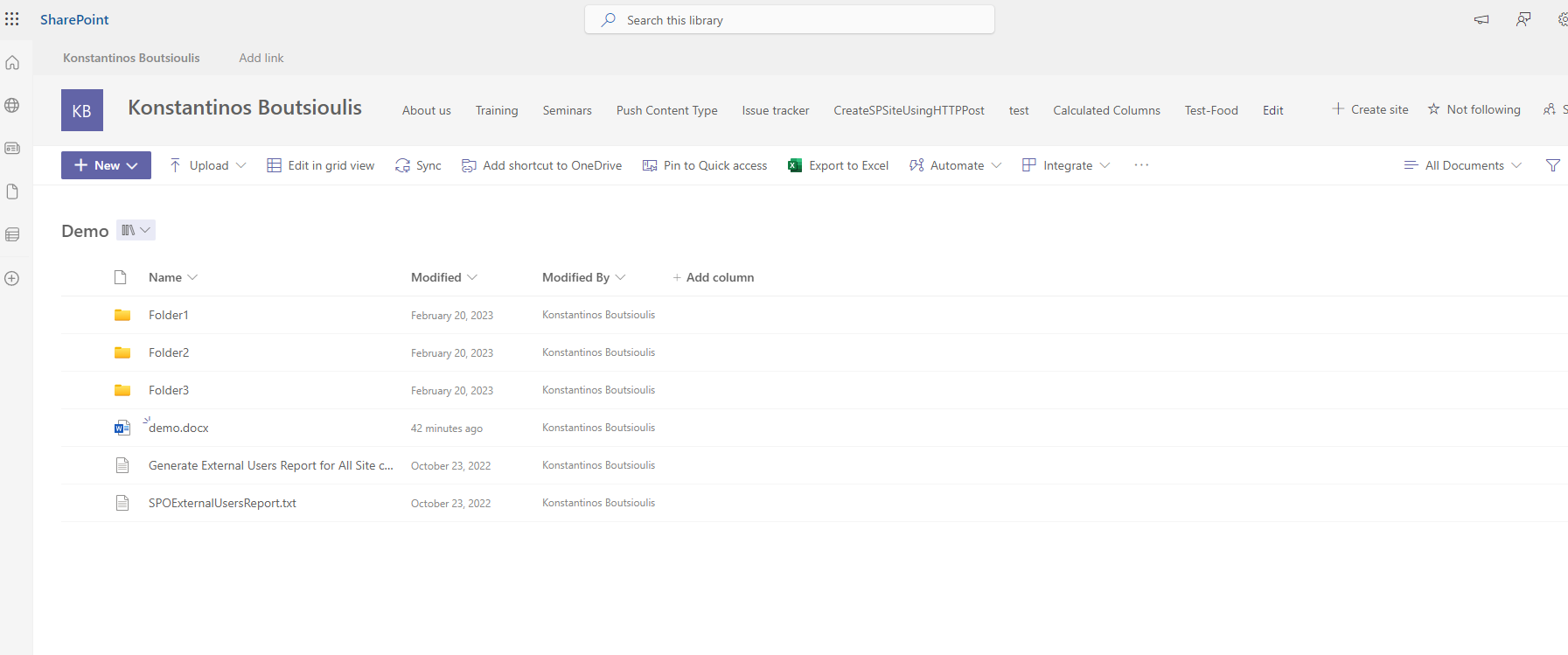
We go to the library we want and then select the record
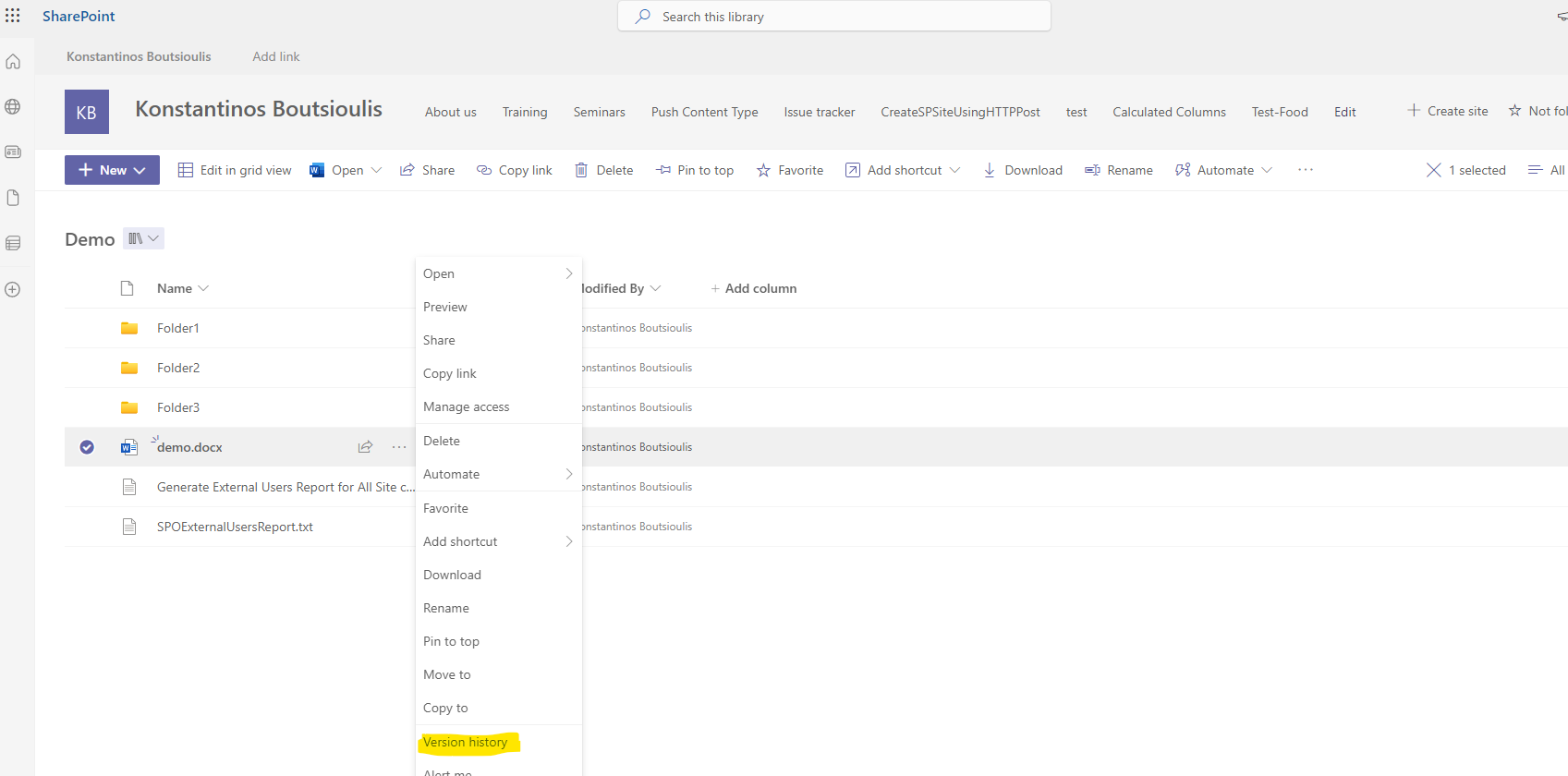
On the right we select the 3 dots and there in the pop-up menu we select Versioning History
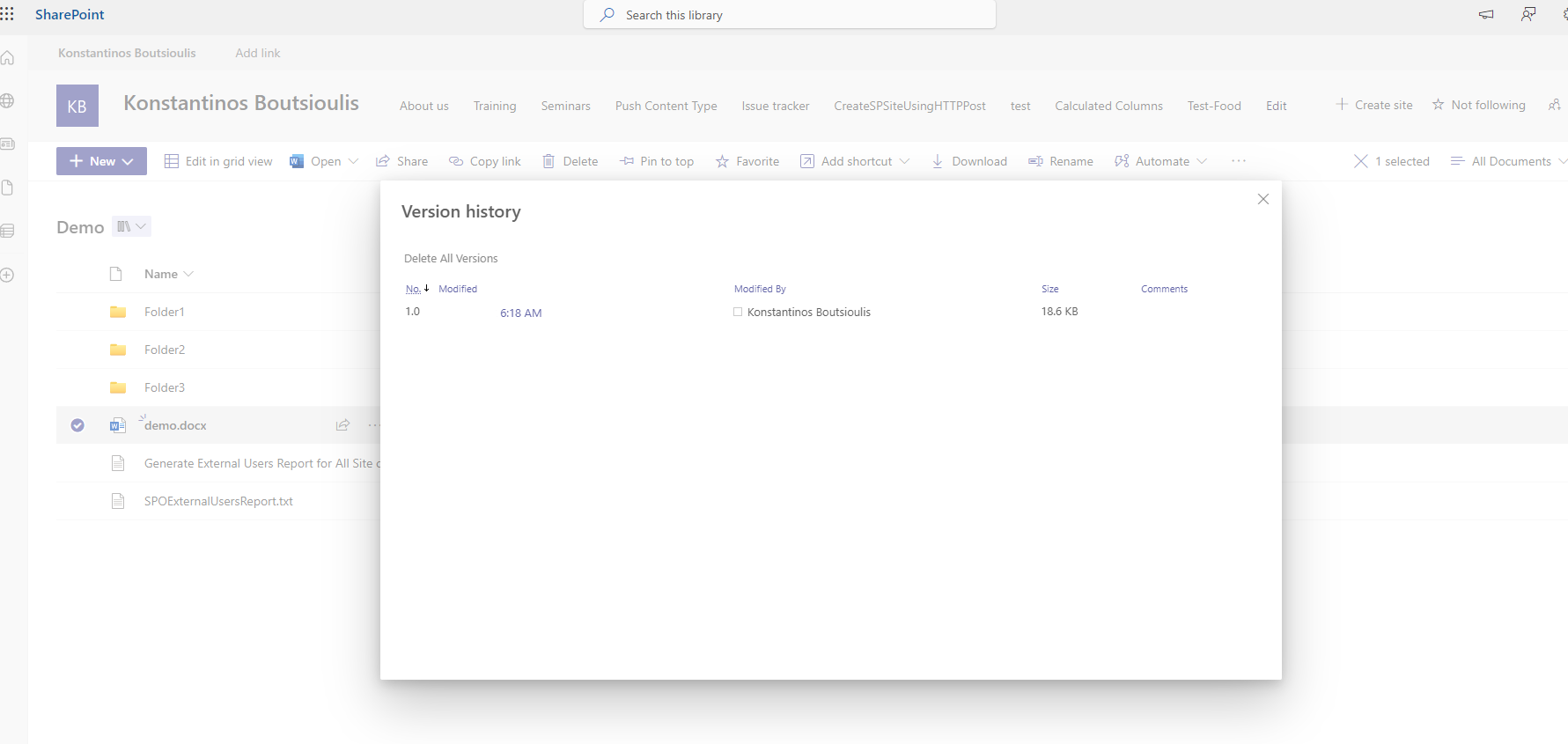
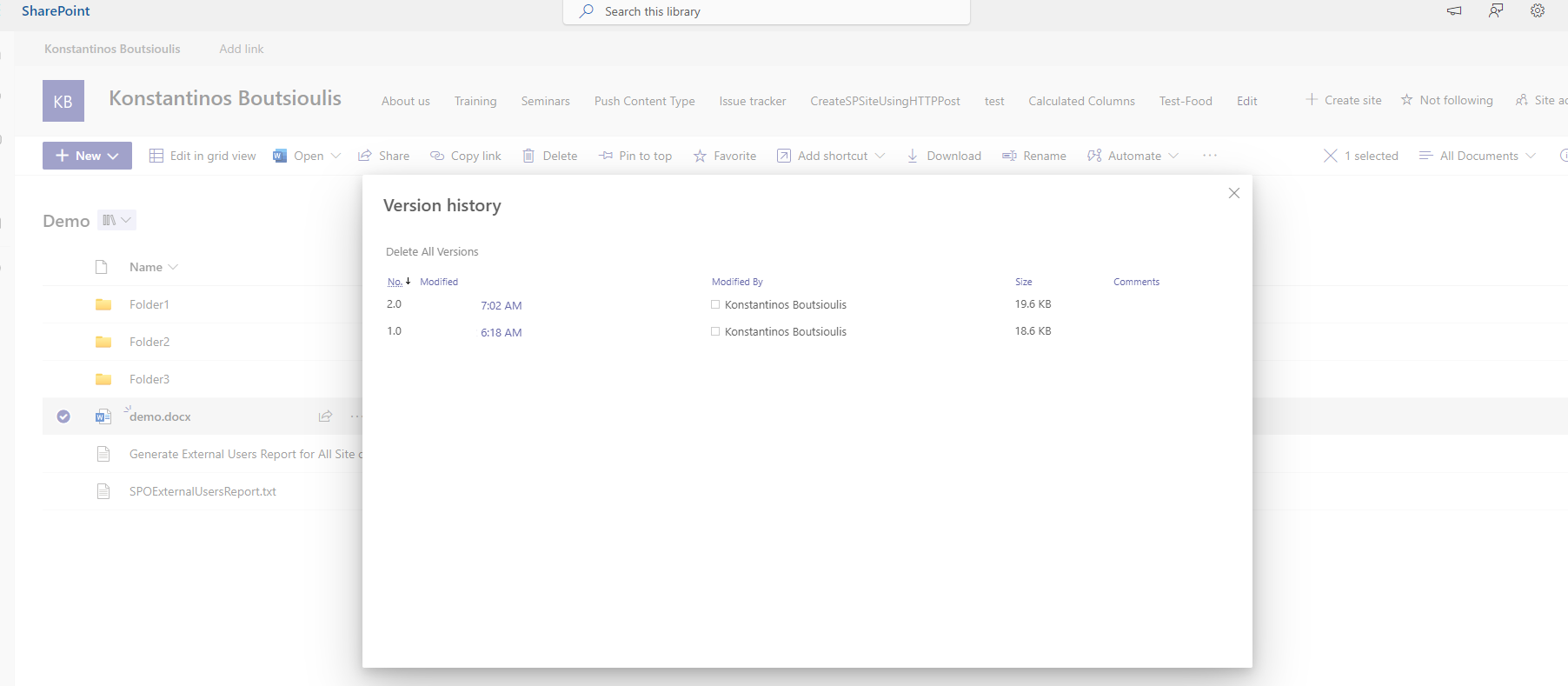
In the popup window we can see all the versions of the record during its lifetime in SharePoint
Let's make a change to the record to see how another version will be added
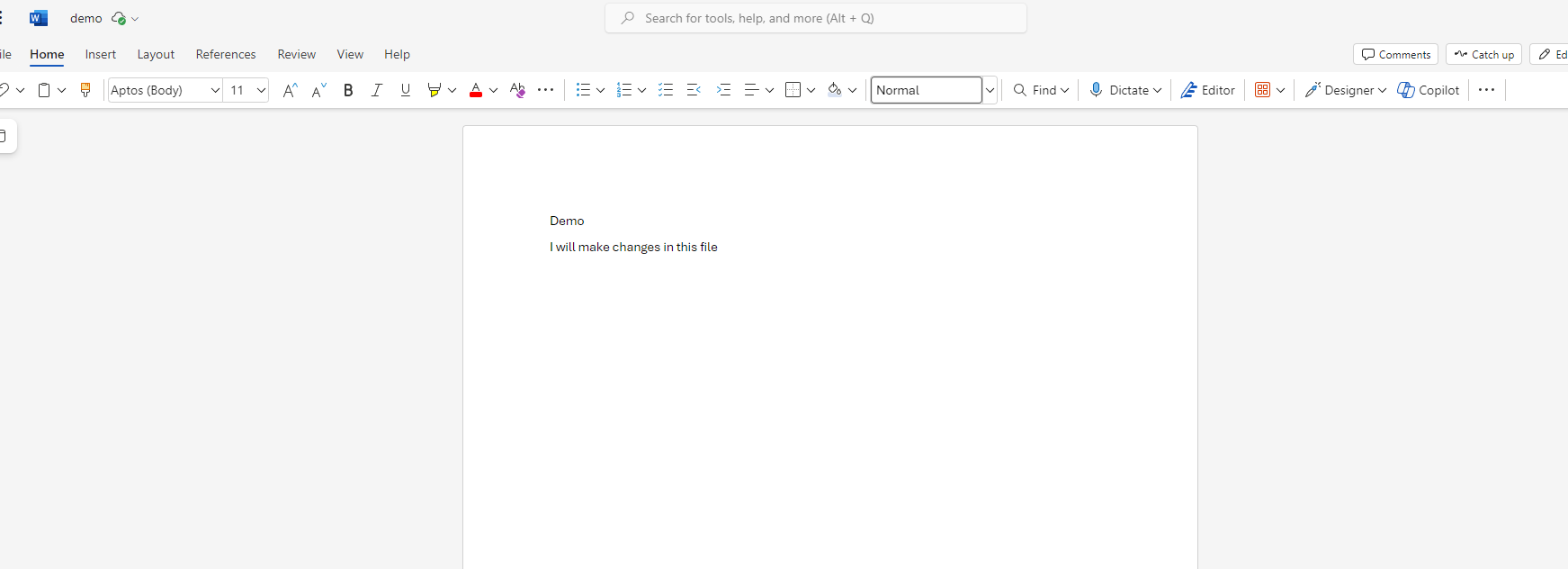
As you can see we have finally added another version of our record
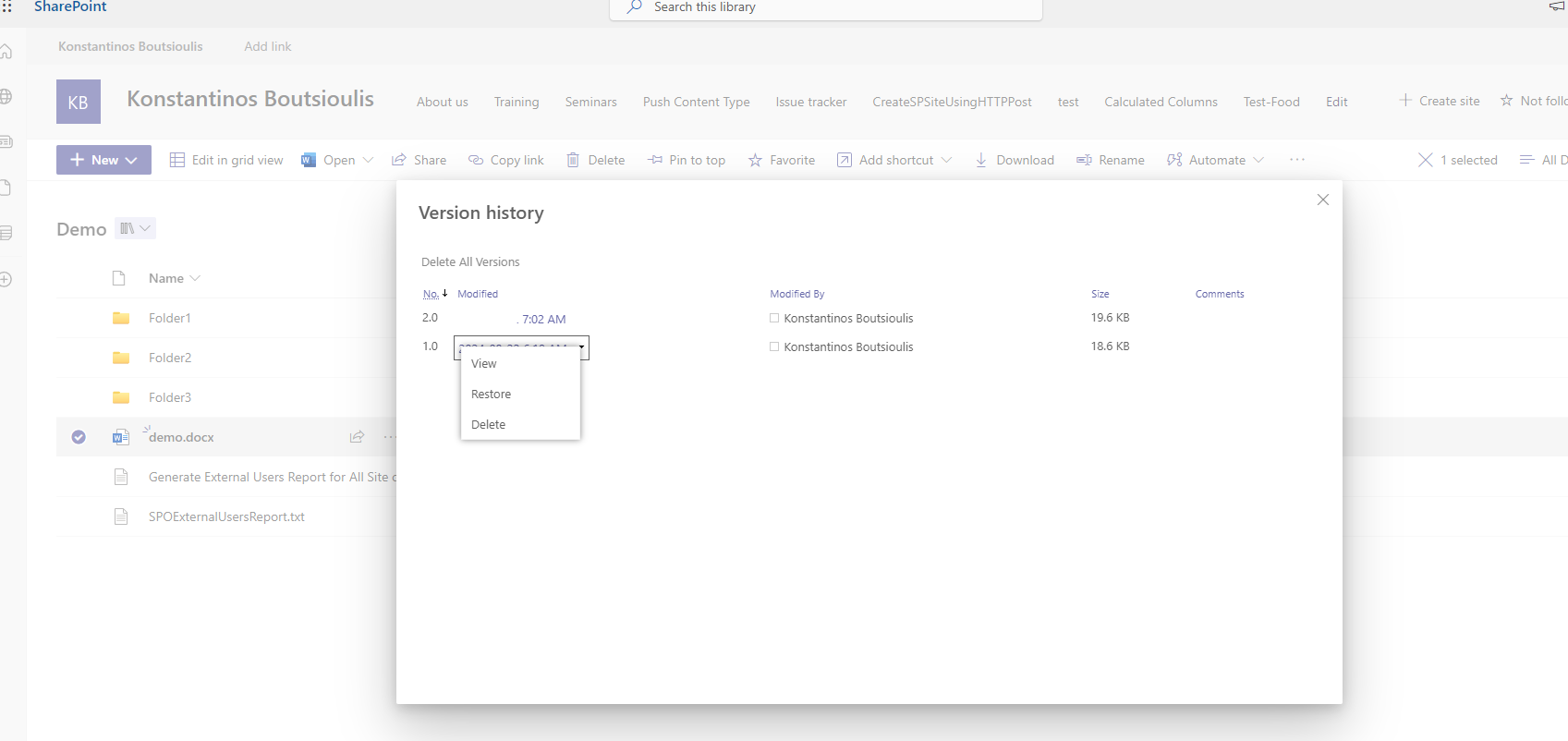
If I select a previous version and click on the arrow, I am given the option to view the older version, delete it or restore that version
 #ModerWork
#M365_Apps_Services
#BusinessApps
#SharePoint
#technology
#microsoft
#digitaltransformation
#cloud
#mvpbuzz
#m365
#ModerWork
#M365_Apps_Services
#BusinessApps
#SharePoint
#technology
#microsoft
#digitaltransformation
#cloud
#mvpbuzz
#m365
Visit Archives below to find more articles about Microsoft technologies on Modern Workplace