
Free Material
Find hereMore than 150 Articles about Microsoft Technologies on Modern Workplace
Official Site
Microsoft Most Valuable Professional M365 Apps & Services
Microsoft Most Valuable Professional Business Applications
Consultant & Sr Cloud Solution Architect Modern Wokrplace
Find hereMore than 150 Articles about Microsoft Technologies on Modern Workplace
10 July 2024
In today's article we will see how we can identify per user which alerts exist and how we can delete these alerts First we select the site that hosts library pages or lists on which we want to see the alerts
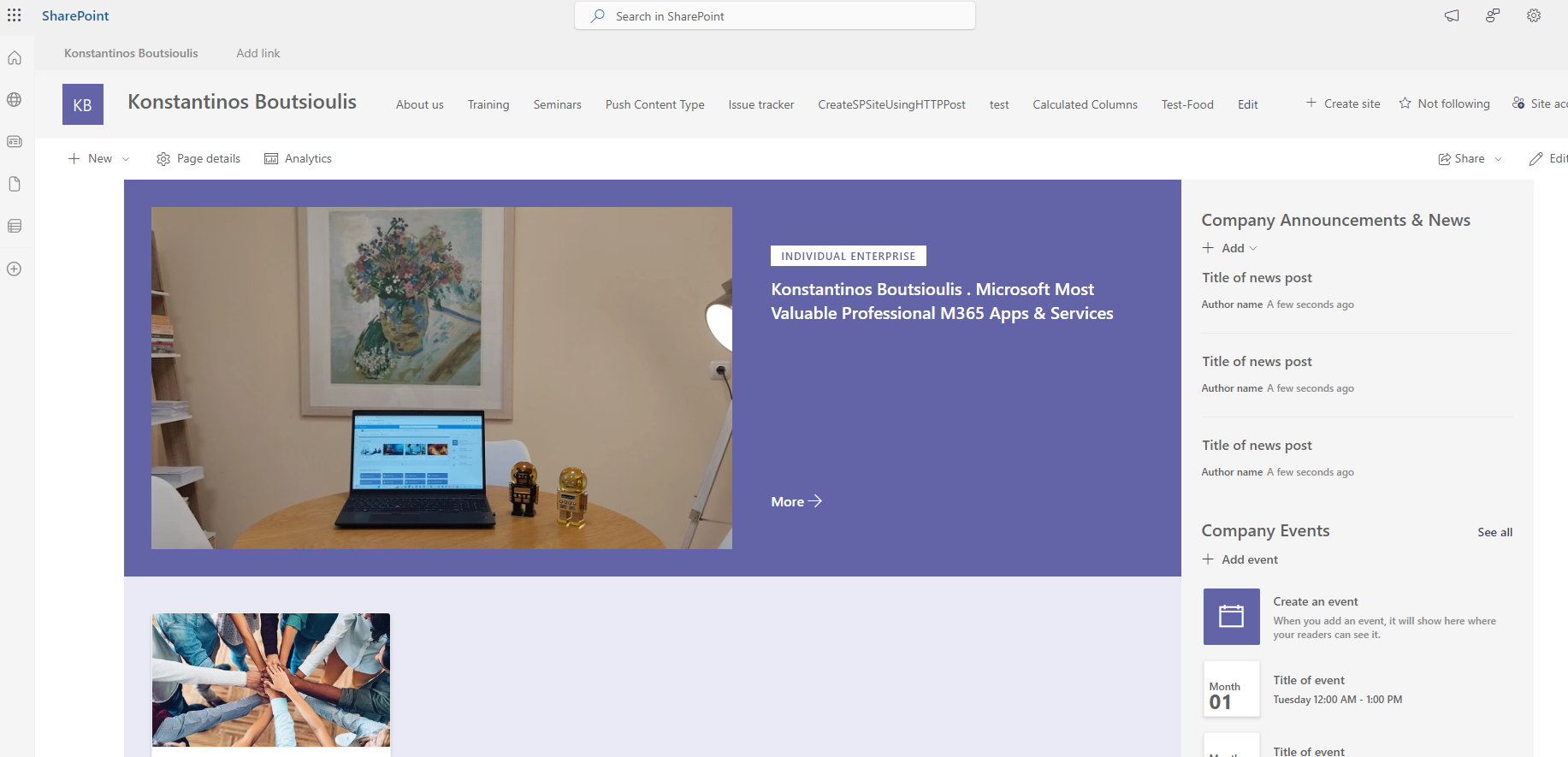
We select the gear in the upper right and then in the pop-up menu we select site information
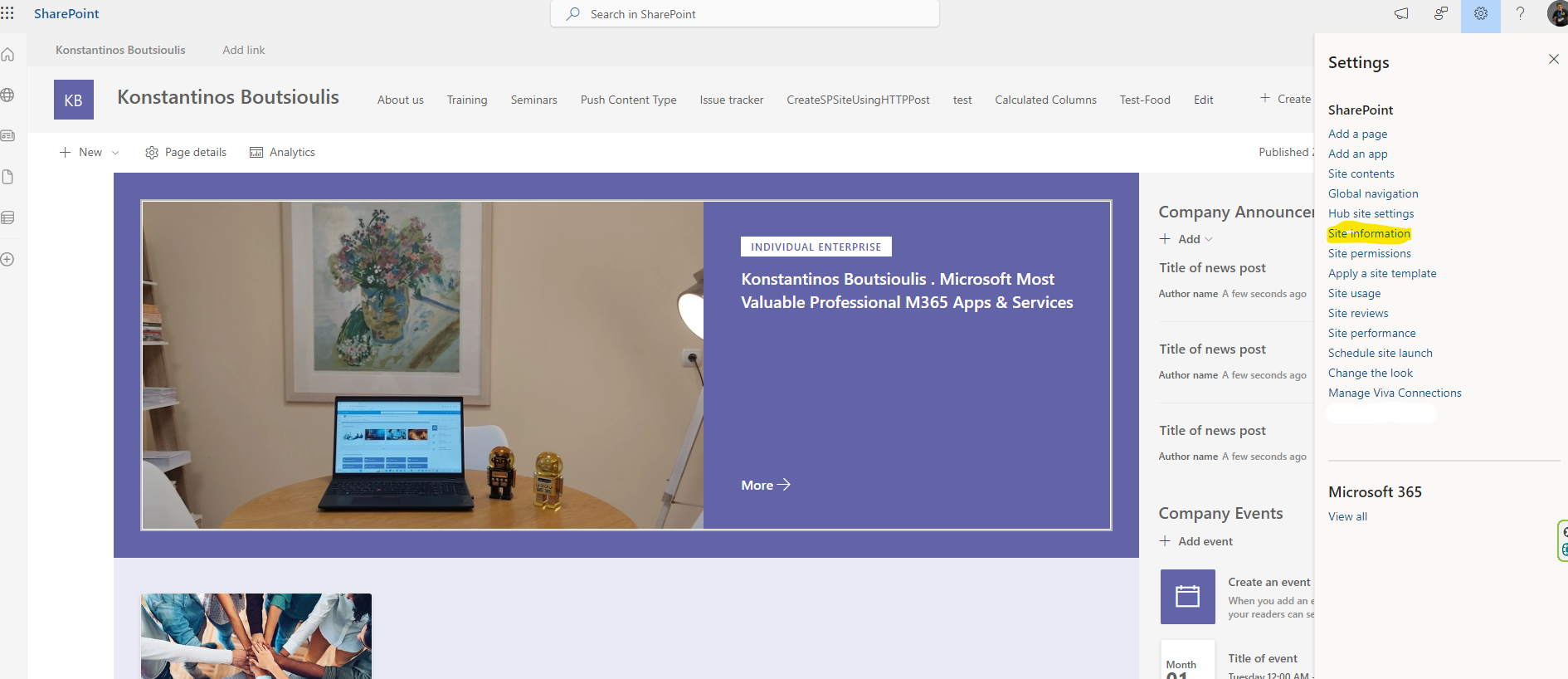
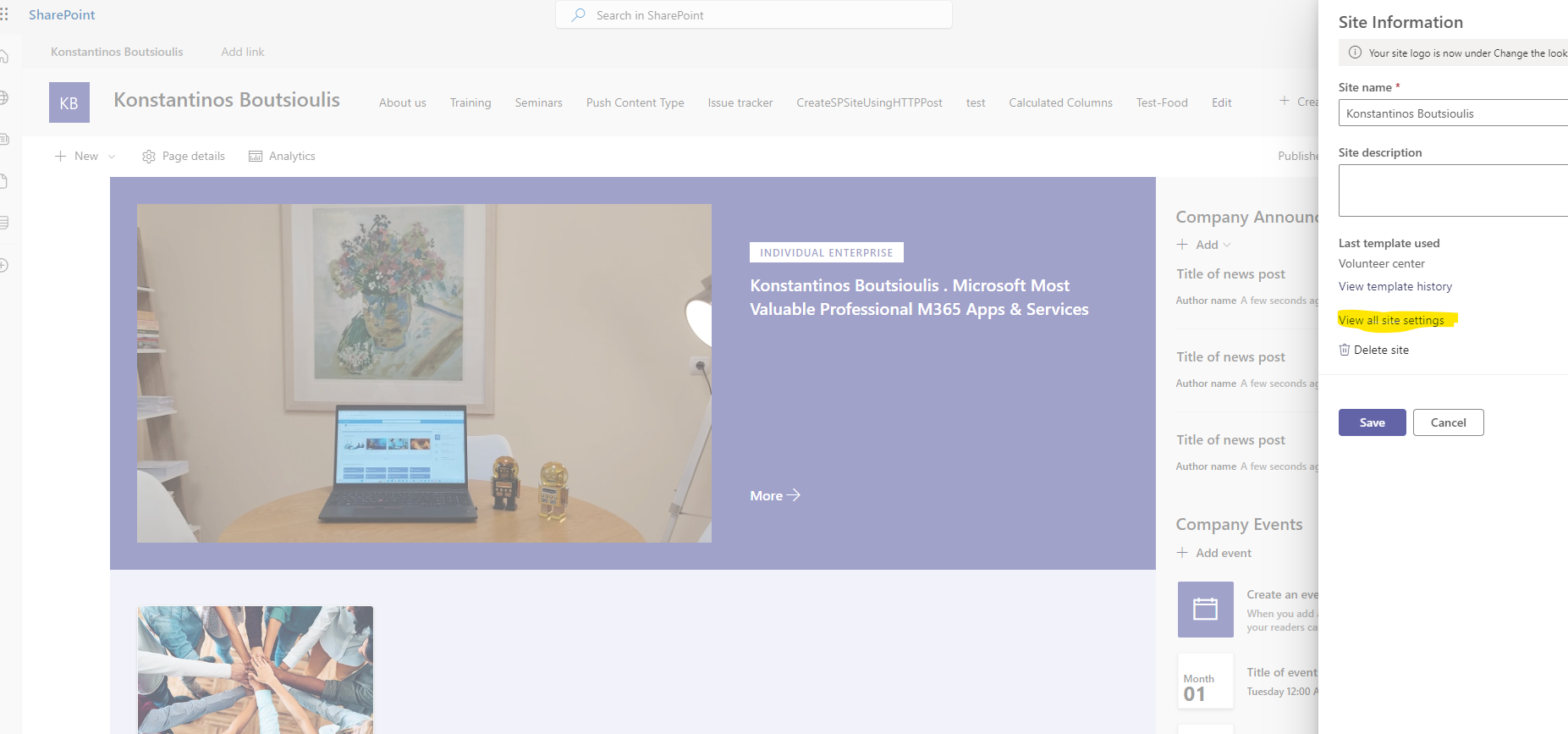
In the next step in the new popup menu we select view all site settings
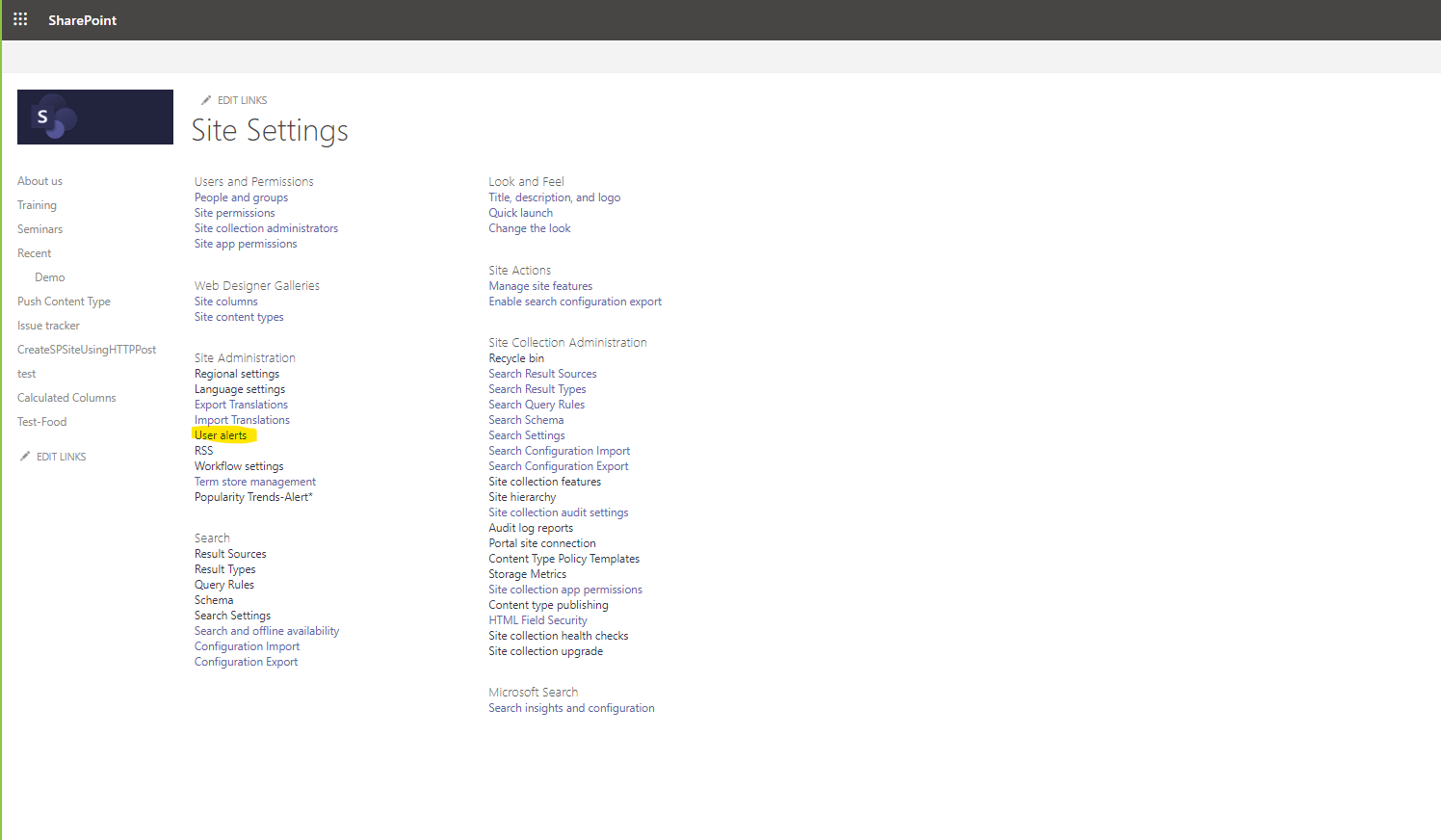
And in this way we have gone to the page managing all the page settings . There in the first column we have to select user alerts
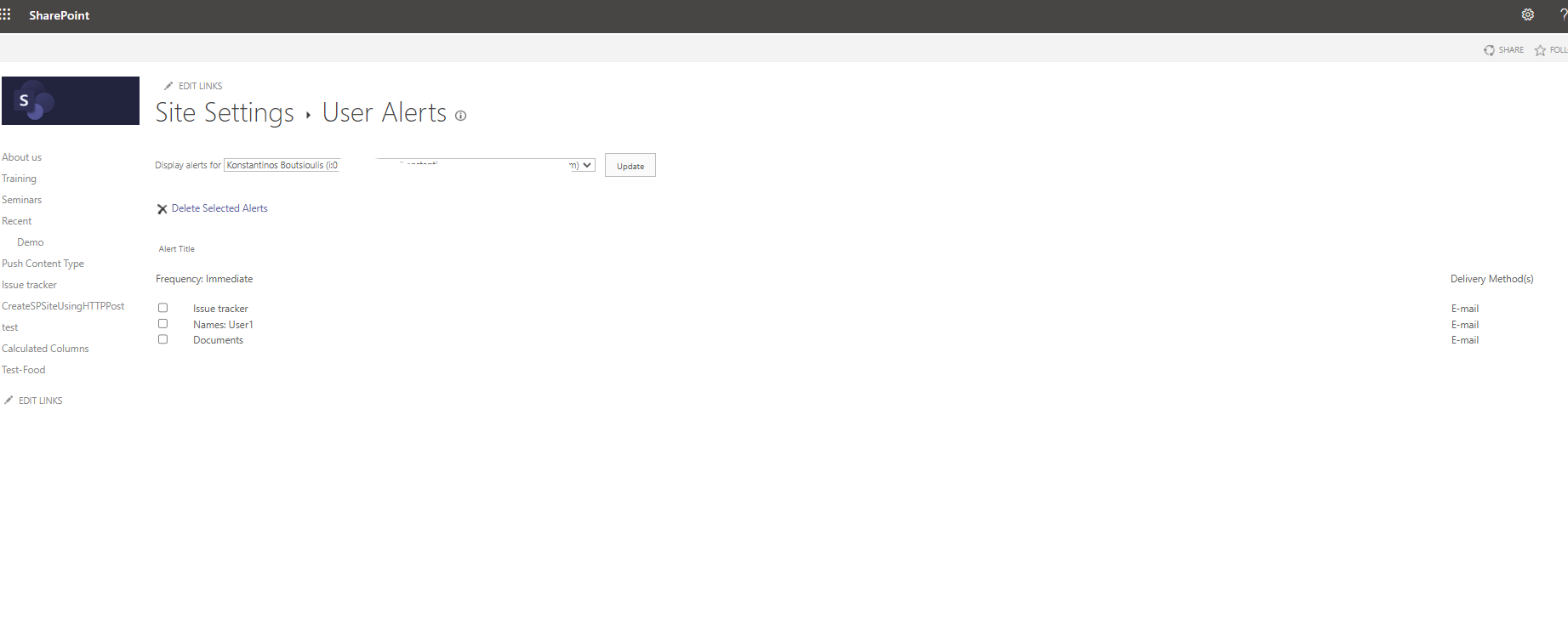
And so with this modification we have gone to the page for managing alerts. At the top of the page we have to select the user whose alerts we want to display on the page. As you can see on the page 3 alerts are displayed one from the Documents library, one from the issue tracker list and one from a list of names .On the right side of each alert the delivery method used is noted and is the email
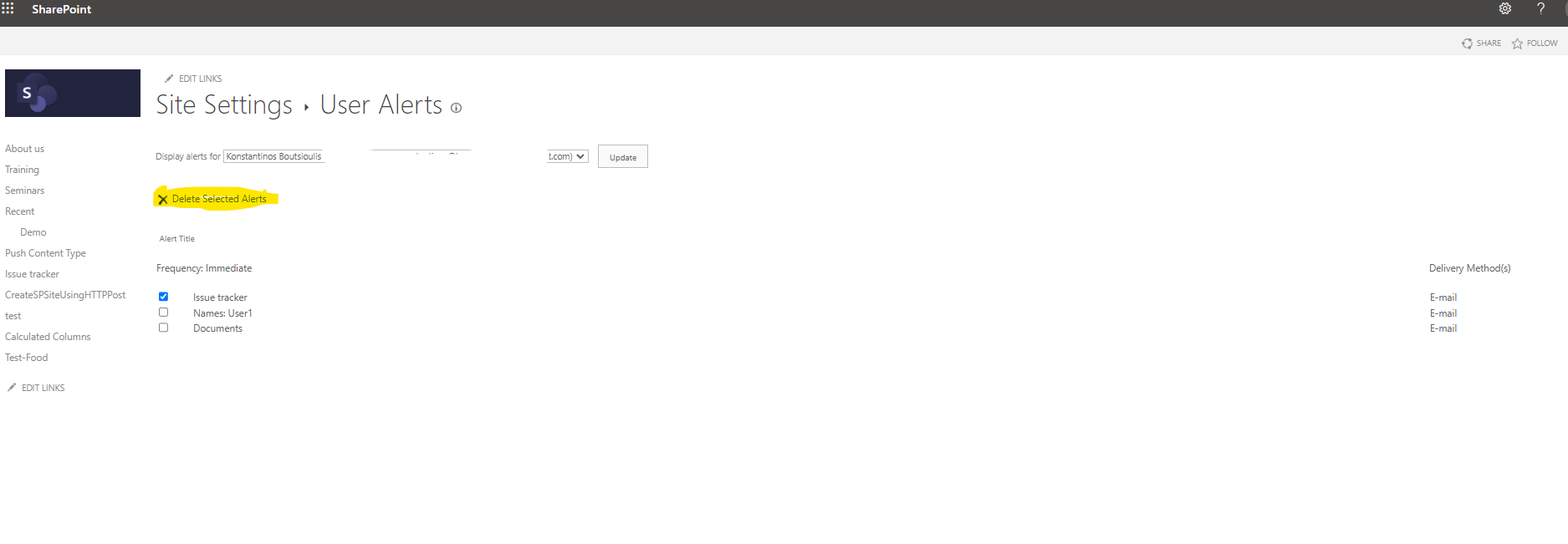
If I wish to delete any of the alerts I select it and then select delete selected alerts
 #ModerWork
#M365_Apps_Services
#BusinessApps
#SharePoint
#technology
#microsoft
#digitaltransformation
#cloud
#mvpbuzz
#m365
#ModerWork
#M365_Apps_Services
#BusinessApps
#SharePoint
#technology
#microsoft
#digitaltransformation
#cloud
#mvpbuzz
#m365
Visit Archives below to find more articles about Microsoft technologies on Modern Workplace