
Free Material
Find hereMore than 150 Articles about Microsoft Technologies on Modern Workplace
Official Site
Microsoft Most Valuable Professional M365 Apps & Services
Microsoft Most Valuable Professional Business Applications
Consultant & Sr Cloud Solution Architect Modern Wokrplace
Find hereMore than 150 Articles about Microsoft Technologies on Modern Workplace
04 July 2024
In today's article we will see together how to manage the Regional Settings of a SharePoint Site First we select the site we want to manage the regional settings
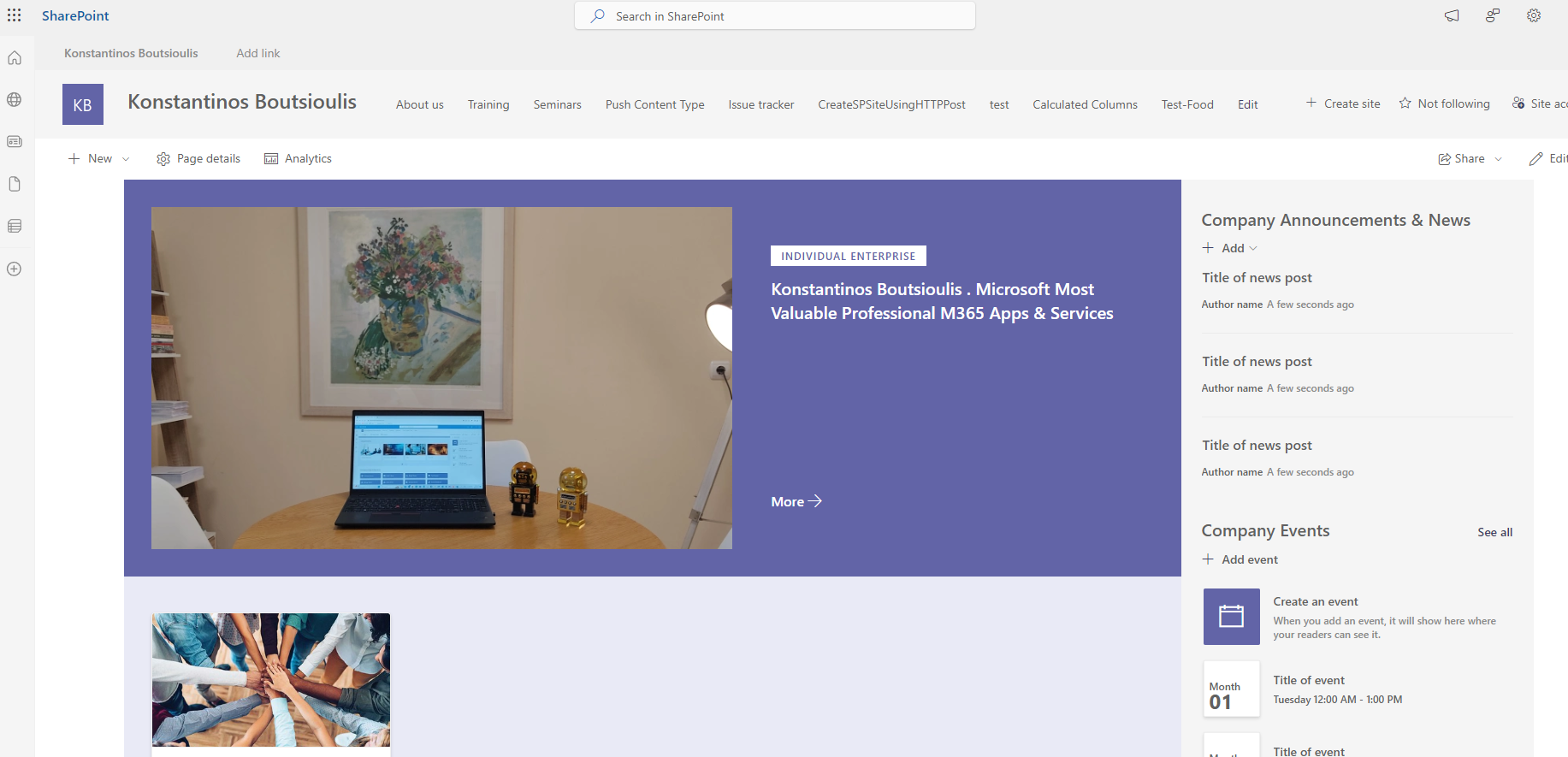
We select the top right cog and then in the side menu that pops up we select Site Information
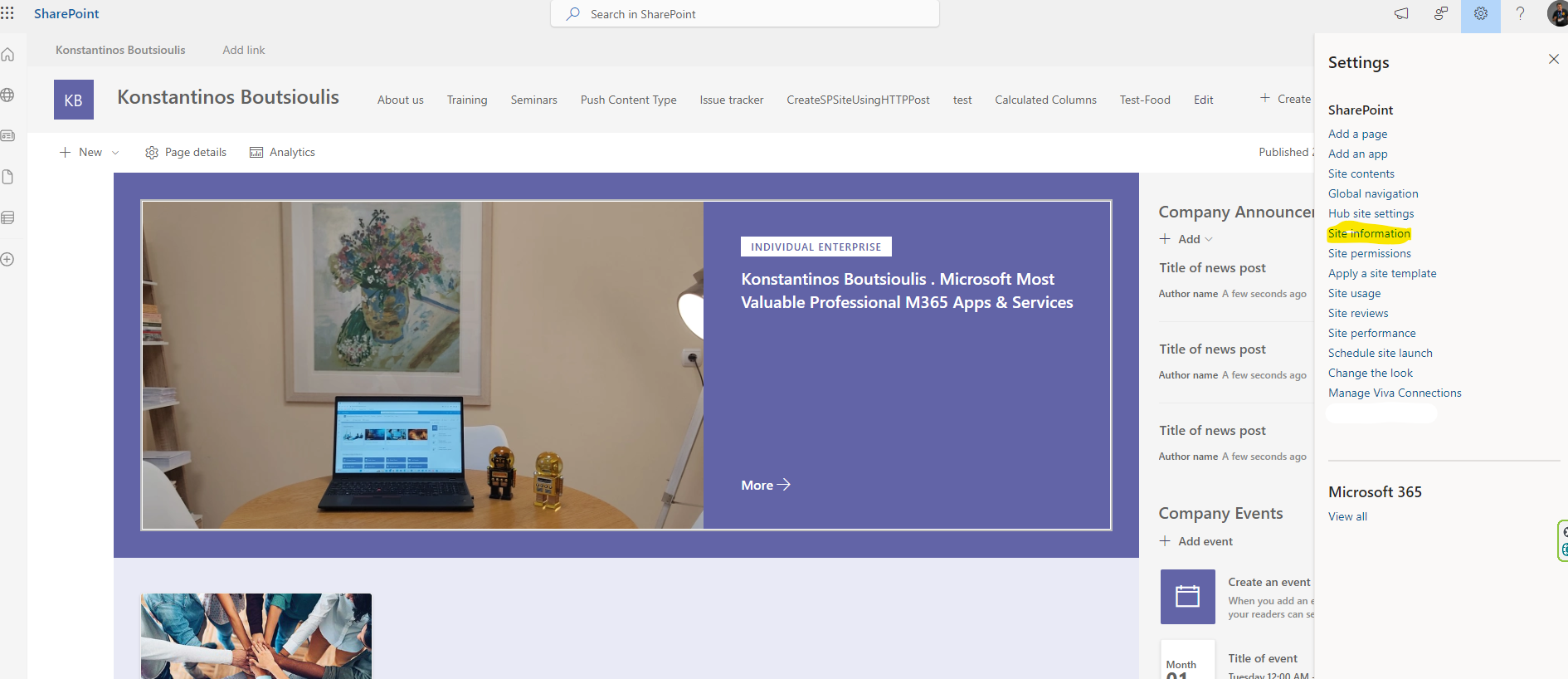
In the next side menu we will select View all site settings
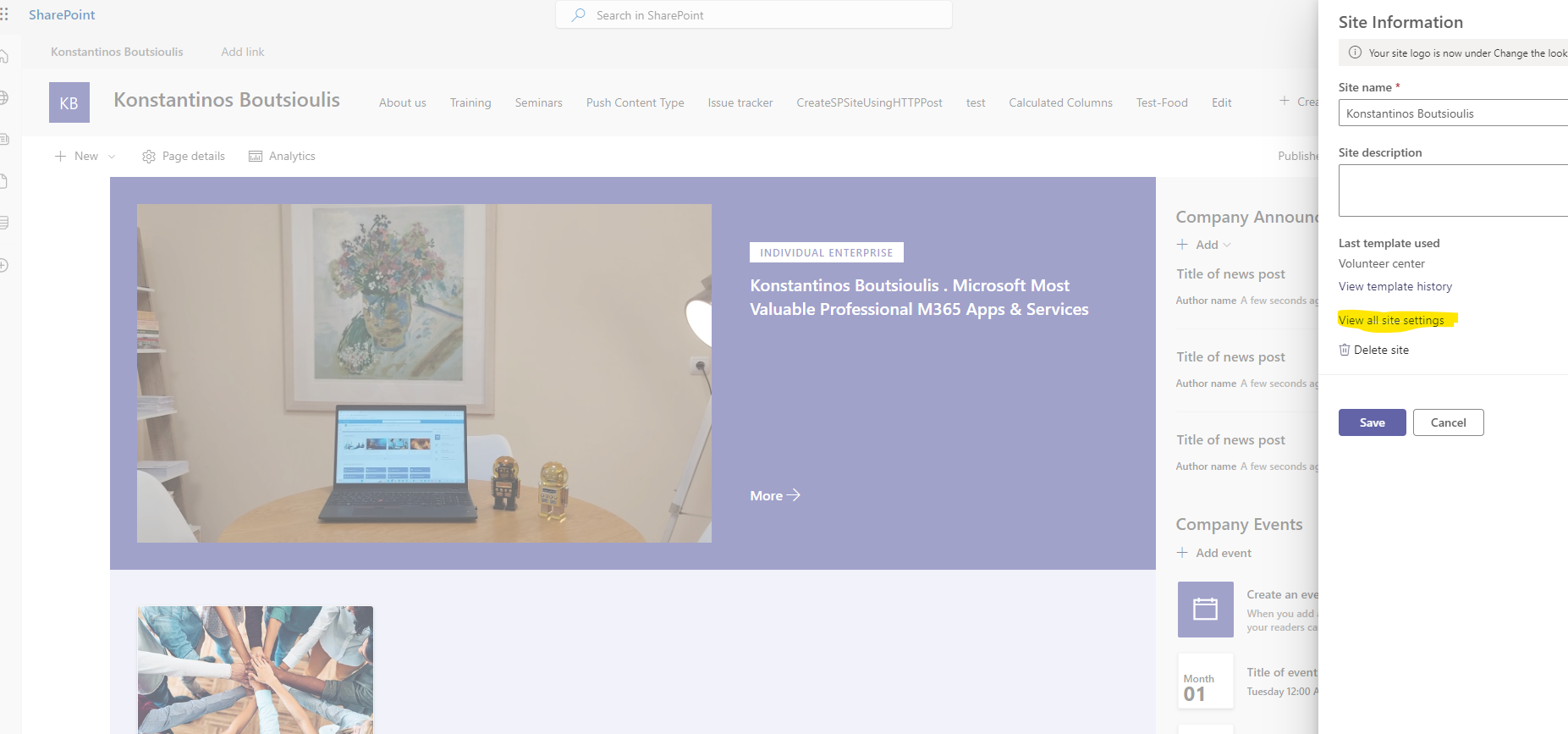
And this will take us to the SharePoint Site settings management page .There we select Regional Settings
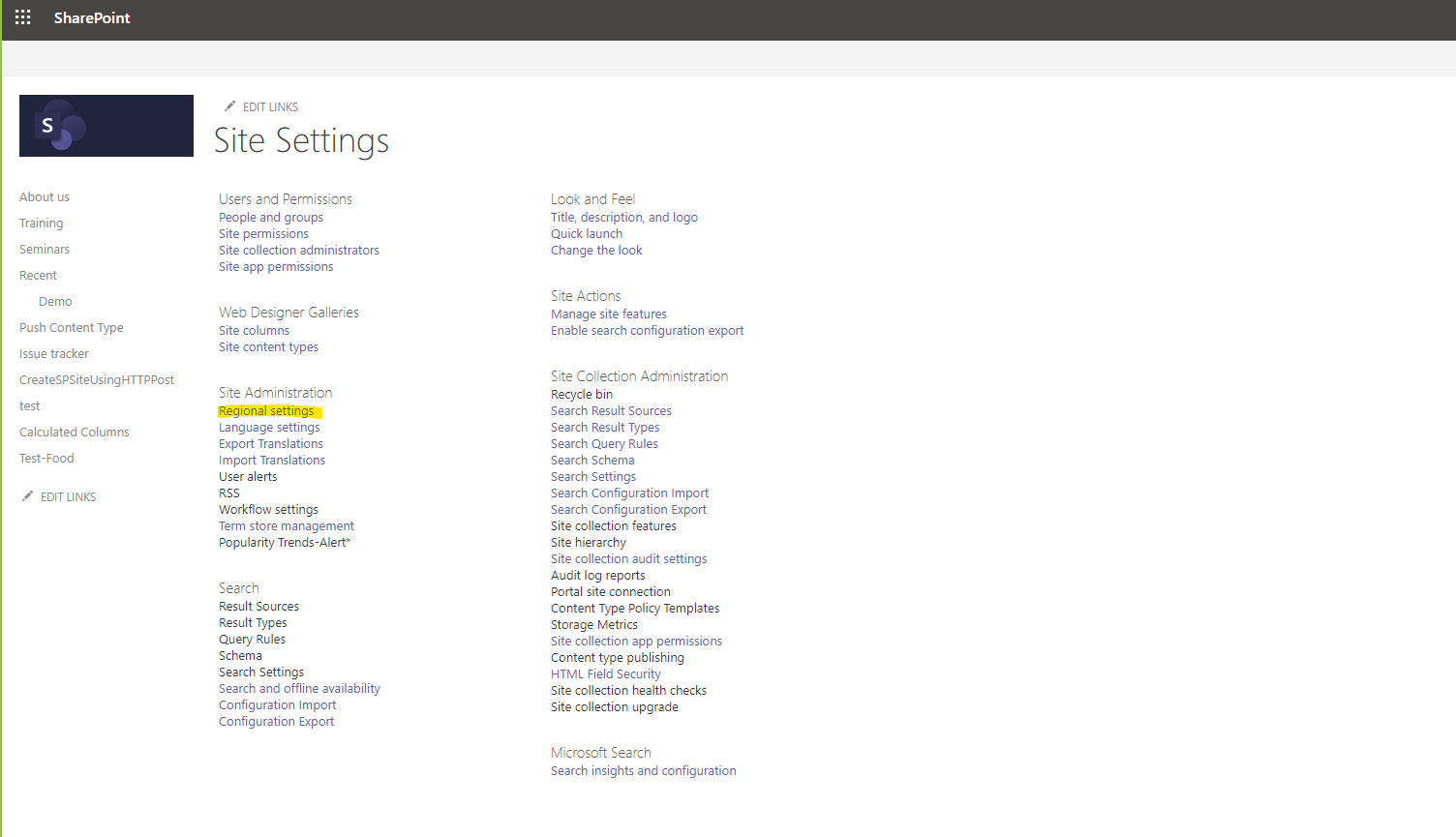
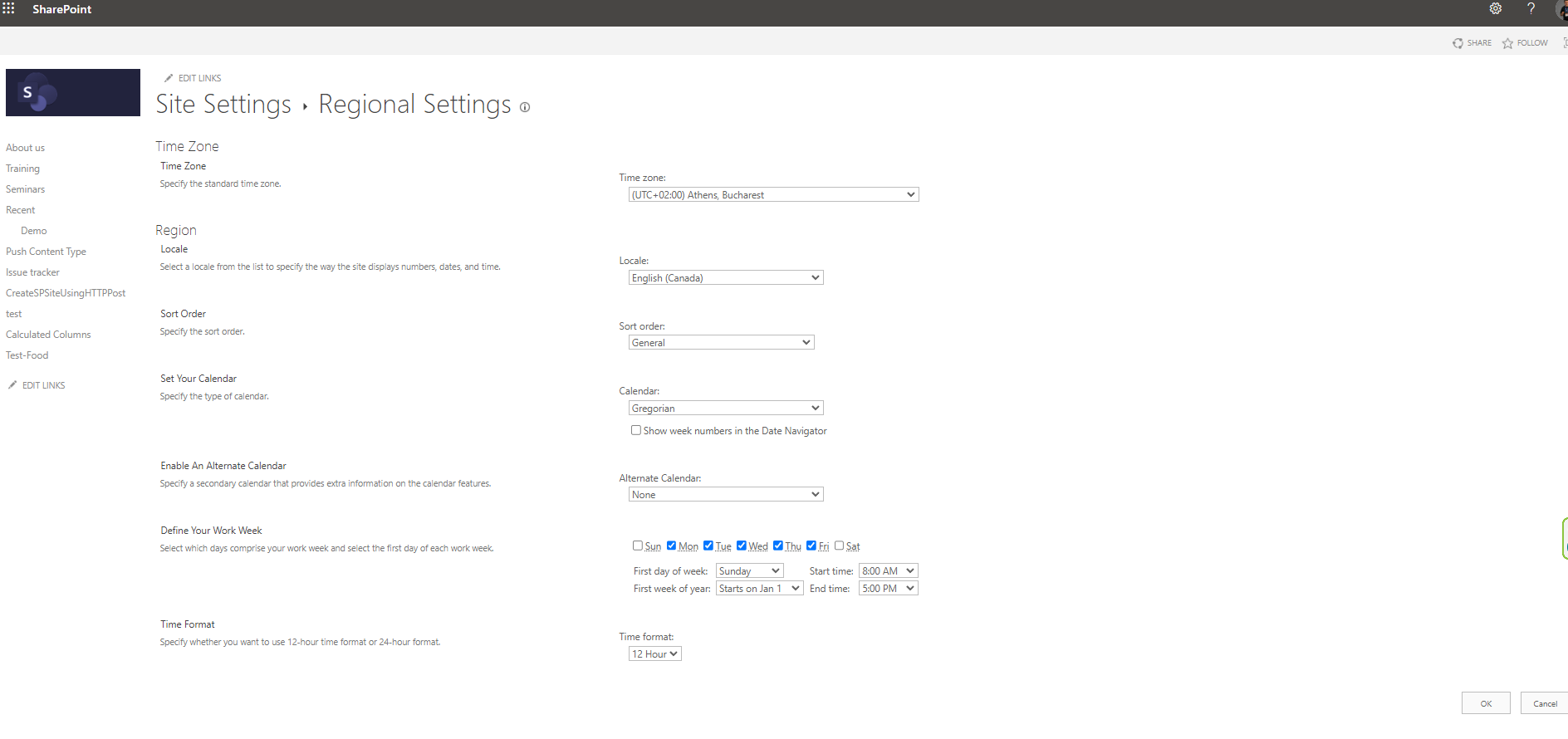
This will take us to the regional settings page where we have a series of categories First we need to select our timezone , then we need to select our locale and specify the display order .We also need to select the type of calendar we want to have on our site as well as if there is an alternative calendar . Finally we can define our work week days and specify when our work starts and also when it ends daily .Finally we will have to choose the display format of the hour if we want it to be 12 hour or 24 hour
 #ModerWork
#M365_Apps_Services
#BusinessApps
#SharePoint
#technology
#microsoft
#digitaltransformation
#cloud
#mvpbuzz
#m365
#ModerWork
#M365_Apps_Services
#BusinessApps
#SharePoint
#technology
#microsoft
#digitaltransformation
#cloud
#mvpbuzz
#m365
Visit Archives below to find more articles about Microsoft technologies on Modern Workplace