
Free Material
Find hereMore than 150 Articles about Microsoft Technologies on Modern Workplace
Official Site
Microsoft Most Valuable Professional M365 Apps & Services
Microsoft Most Valuable Professional Business Applications
Consultant & Sr Cloud Solution Architect Modern Wokrplace
Find hereMore than 150 Articles about Microsoft Technologies on Modern Workplace
07 July 2024
In today's article we will see how to manage language settings on a page in SharePoint First we select the page of which we will deal with the language settings
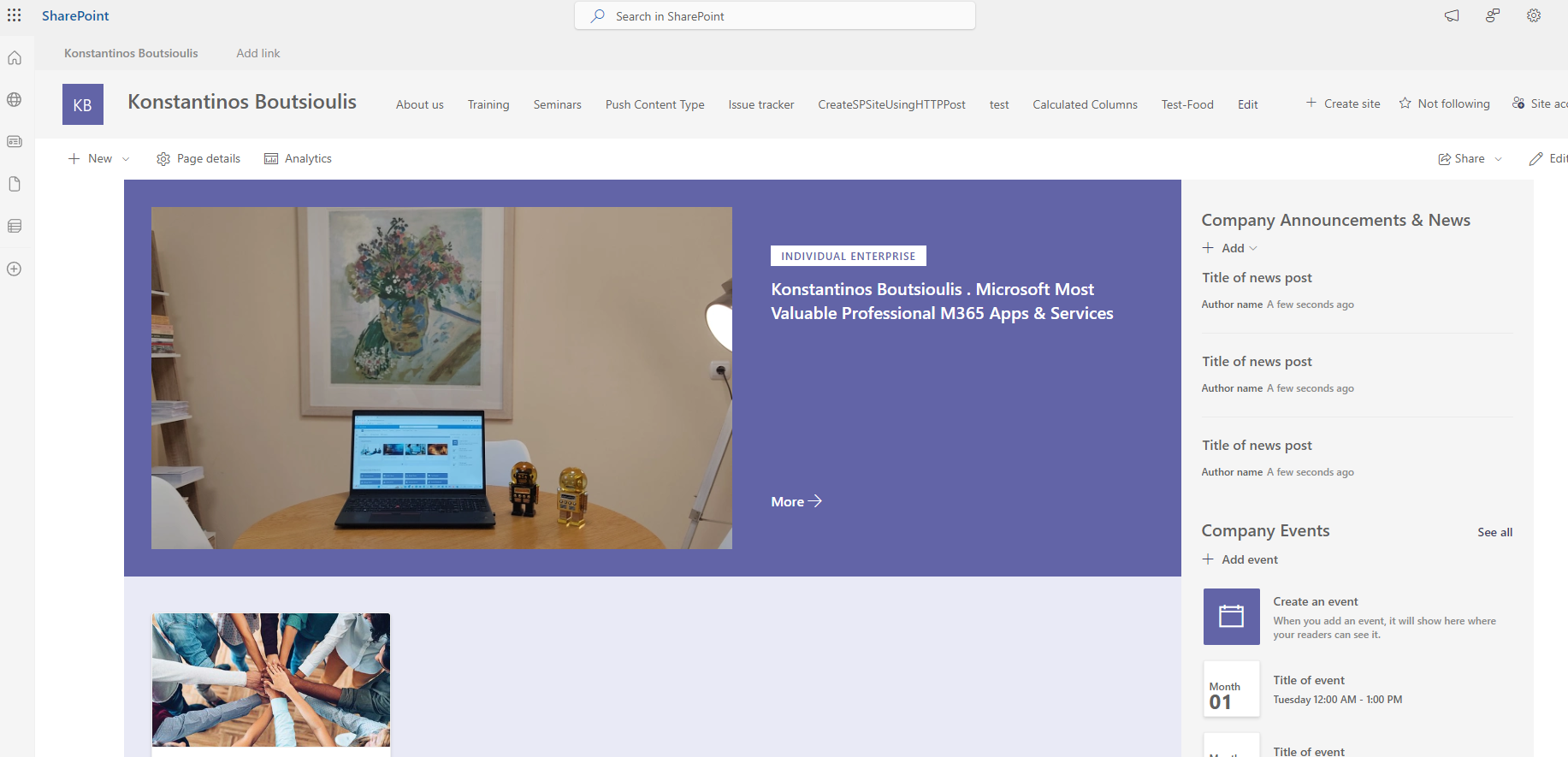
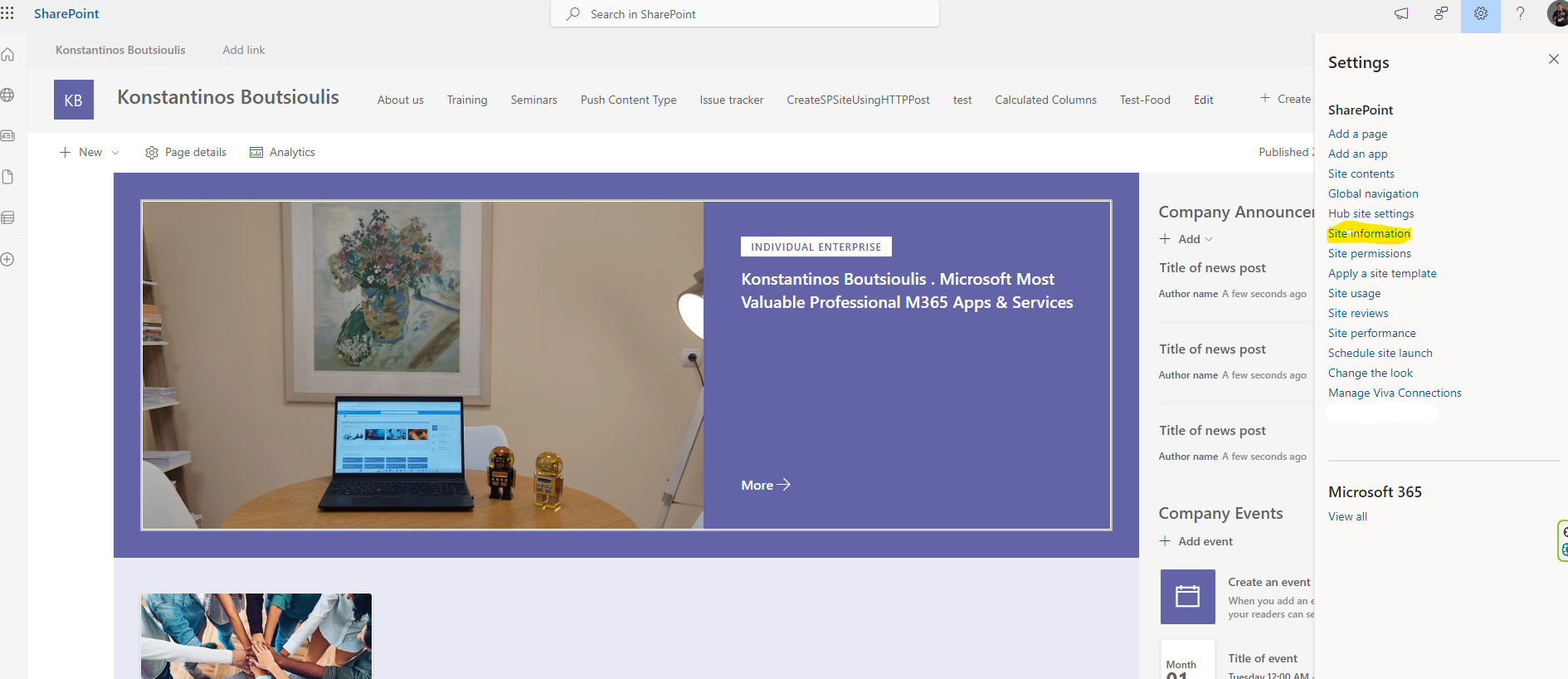
Then we select gears on the top right and in the drop down menu we select site information .
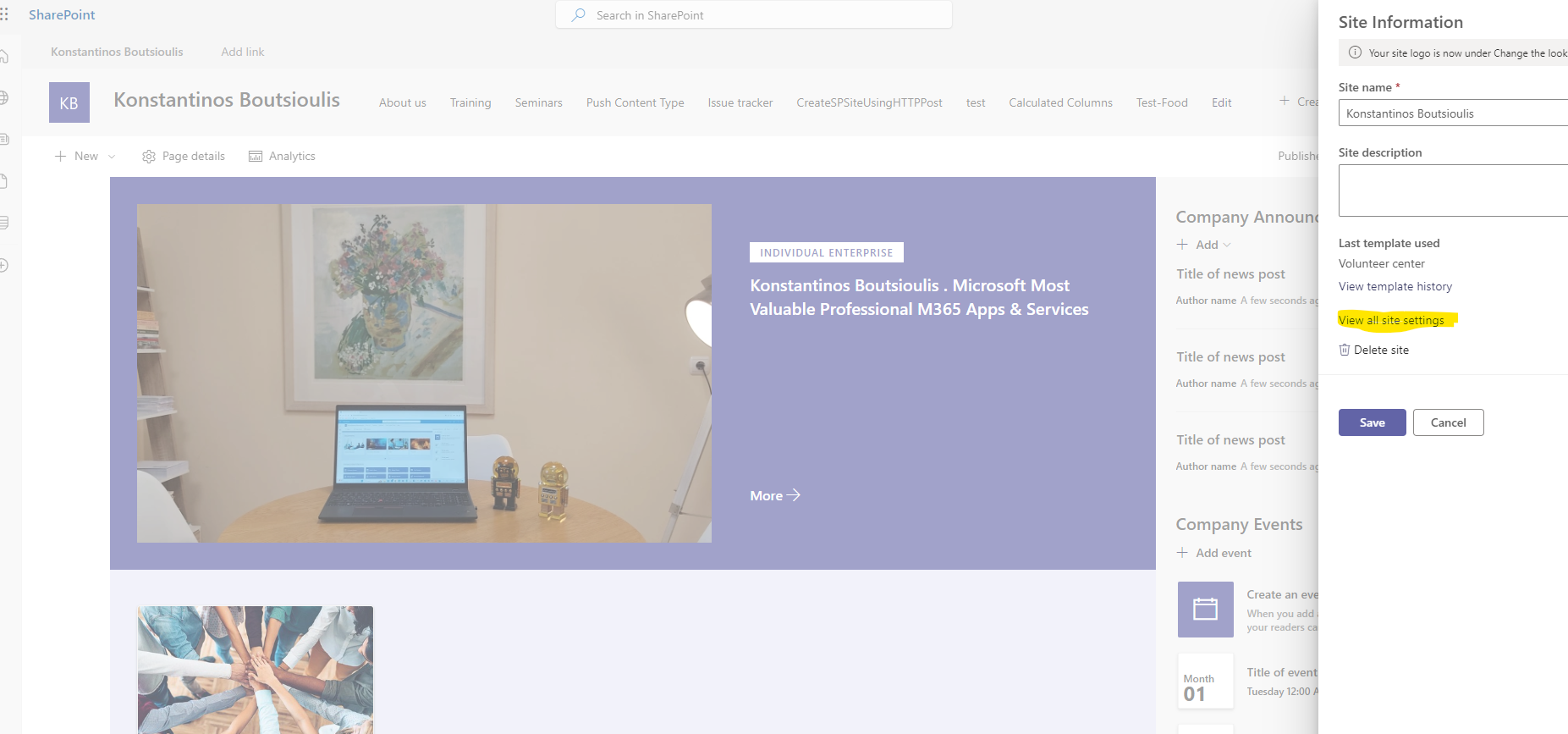
In the new pop-up menu we select view all site settings
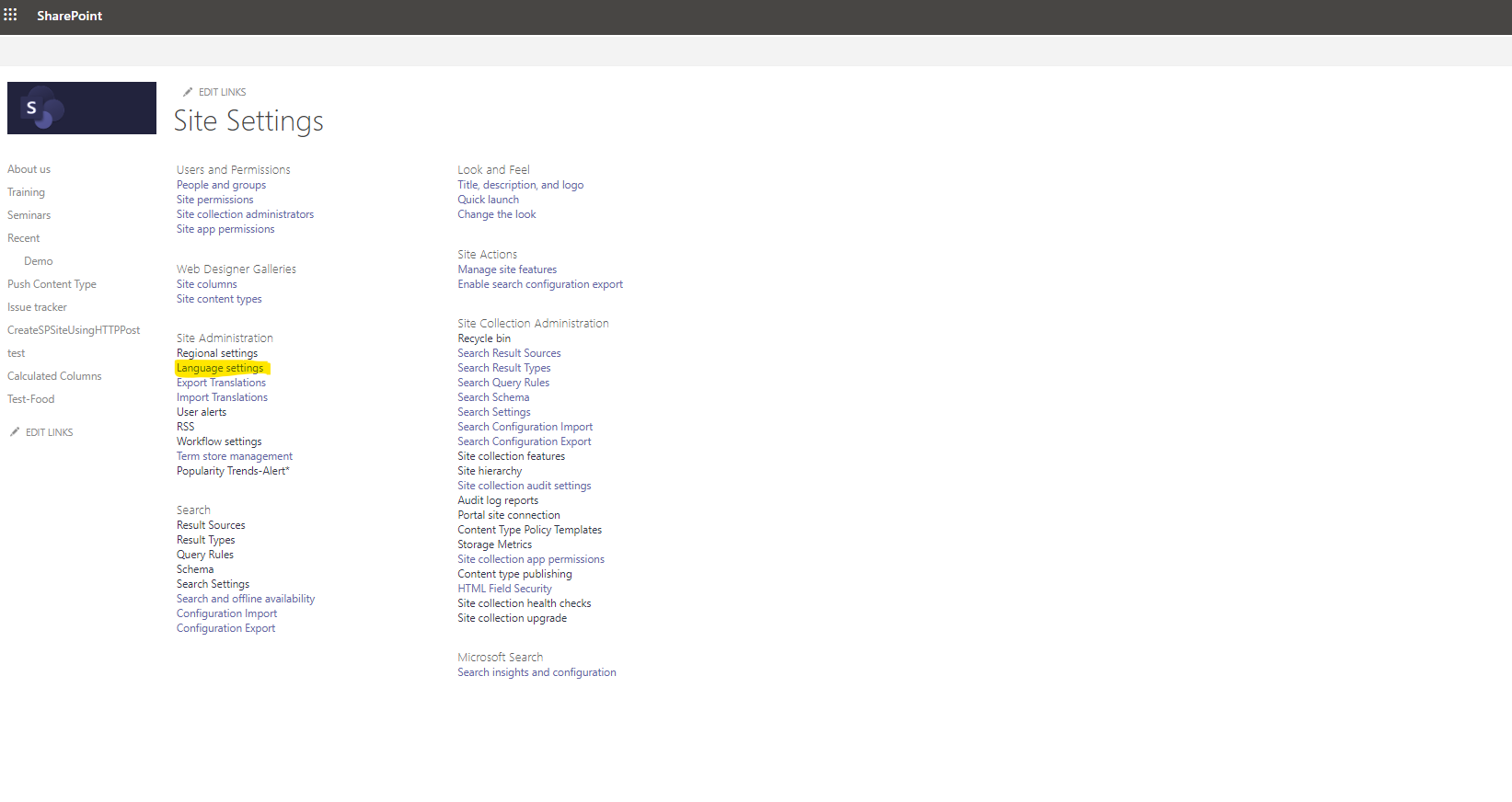
And this will take us to the page managing all the site settings . There in the first column we select Language Settings
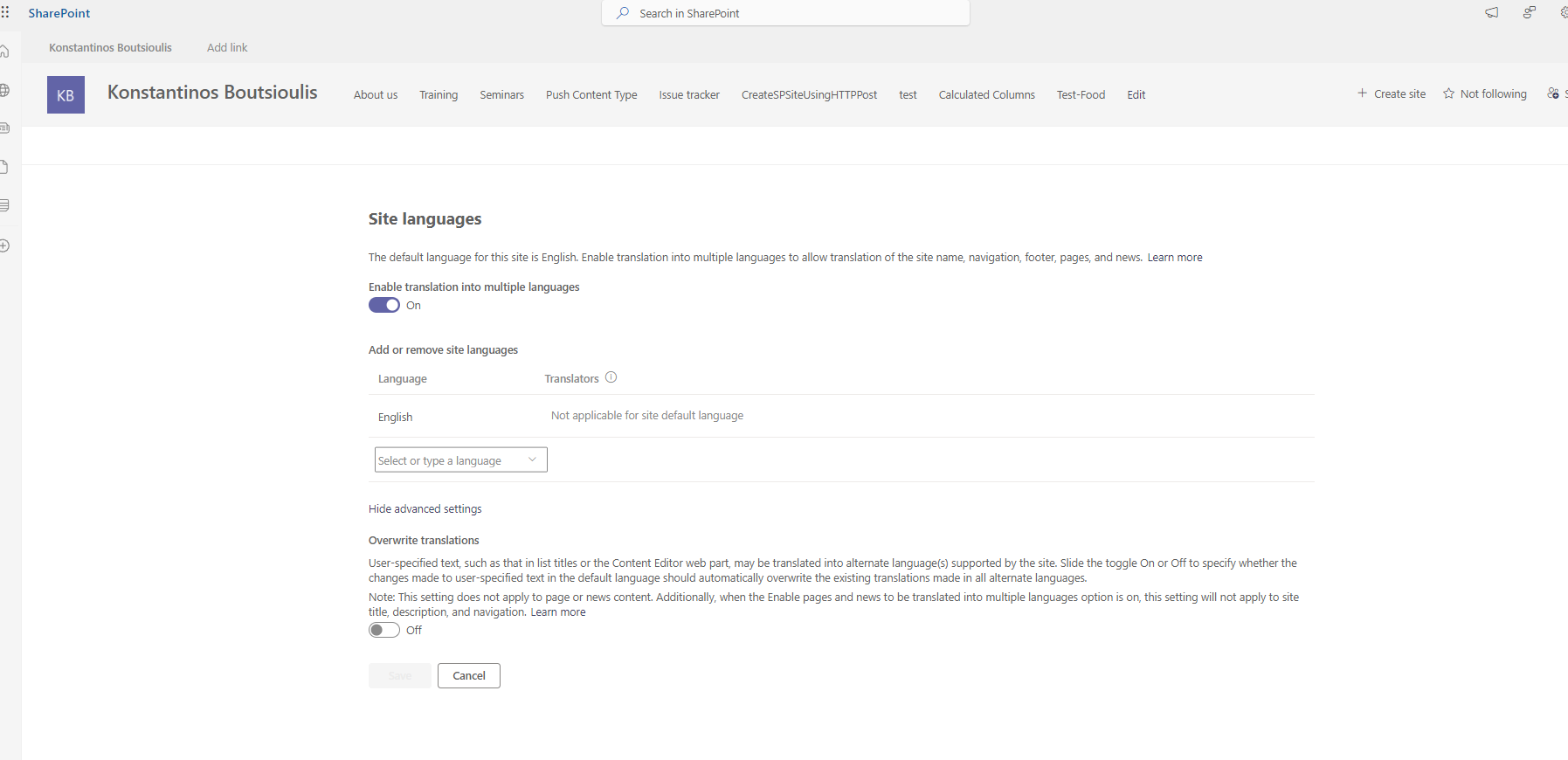
This will take us to the page for managing the site's language First it tells us what the default language is and we also see a button that allows us to translate the page into different languages. From the pop-up menu we can choose the language we want
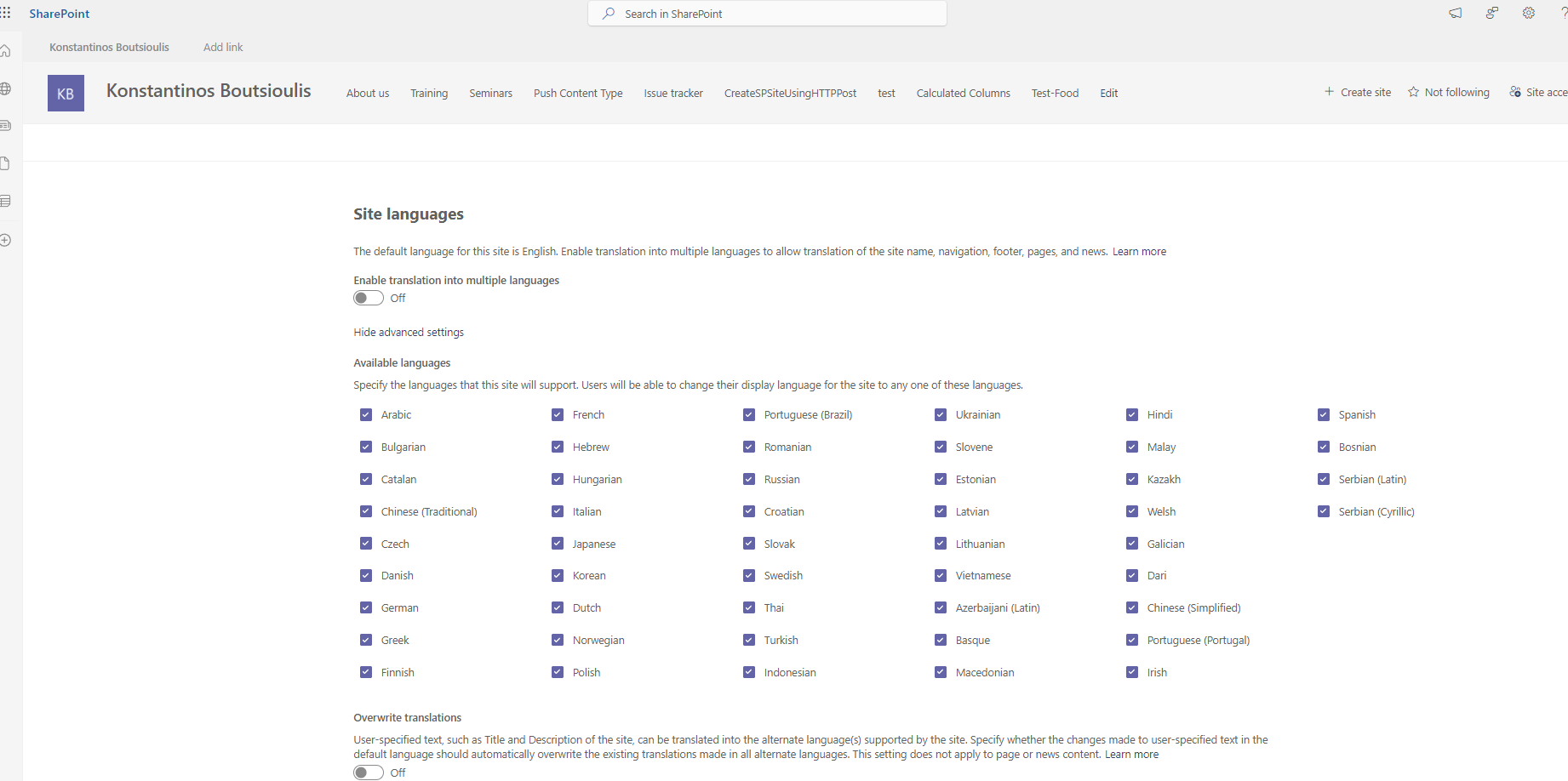
If we choose to turn off the translation in multiple languages opens a table with all the available languages that the system can translate and we select or deselect according to our preference of languages . At the end of the page we see the possibility of activating the button that will overwrite the titles on our sites in the language of our choice
 #ModerWork
#M365_Apps_Services
#BusinessApps
#SharePoint
#technology
#microsoft
#digitaltransformation
#cloud
#mvpbuzz
#m365
#ModerWork
#M365_Apps_Services
#BusinessApps
#SharePoint
#technology
#microsoft
#digitaltransformation
#cloud
#mvpbuzz
#m365
Visit Archives below to find more articles about Microsoft technologies on Modern Workplace