
Free Material
Find hereMore than 150 Articles about Microsoft Technologies on Modern Workplace
Official Site
Microsoft Most Valuable Professional M365 Apps & Services
Microsoft Most Valuable Professional Business Applications
Consultant & Sr Cloud Solution Architect Modern Wokrplace
Find hereMore than 150 Articles about Microsoft Technologies on Modern Workplace
11 July 2024
In today's article, we will see how we can copy files from OneDrive to SharePoint Library using Power Automate.
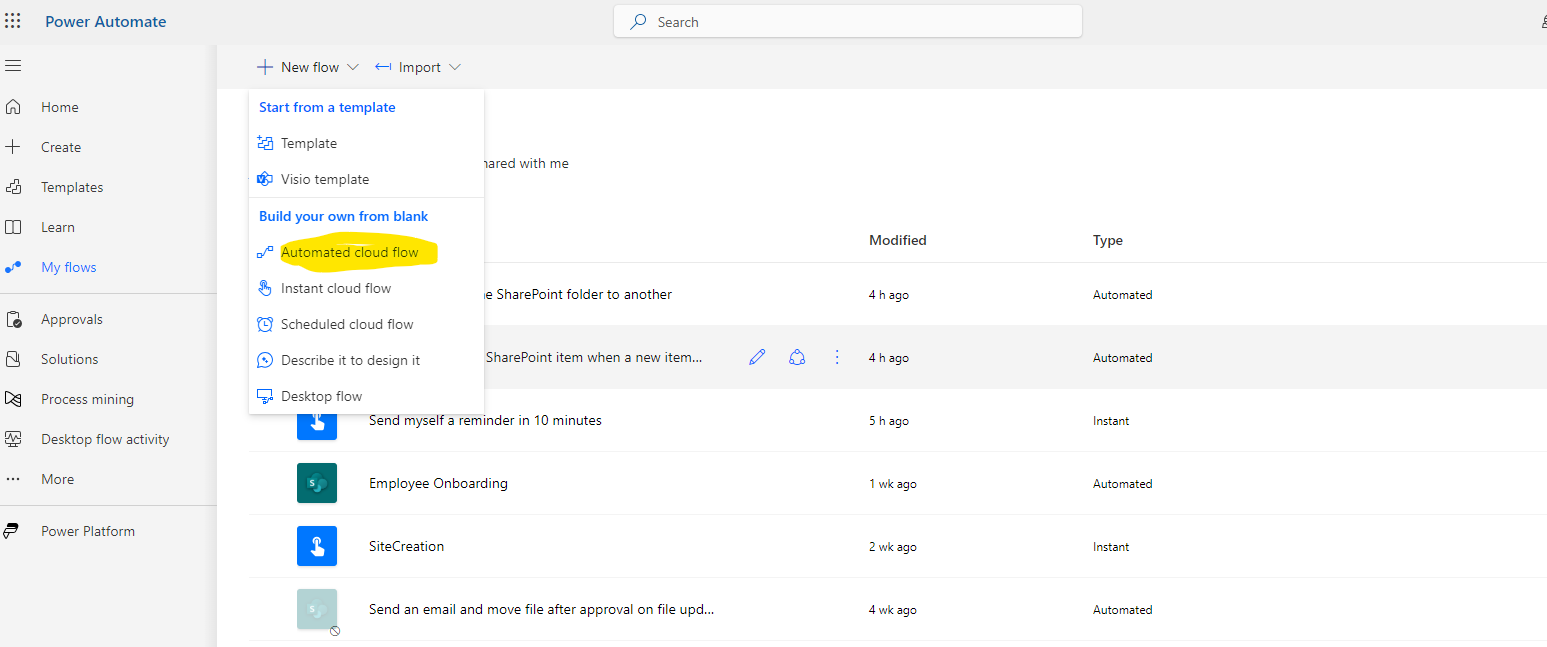
First, we need an active M365 subscription. We need to log in to the service and then select Power Automate from the available apps. On the Power Automate homepage, we select automated cloud flow.
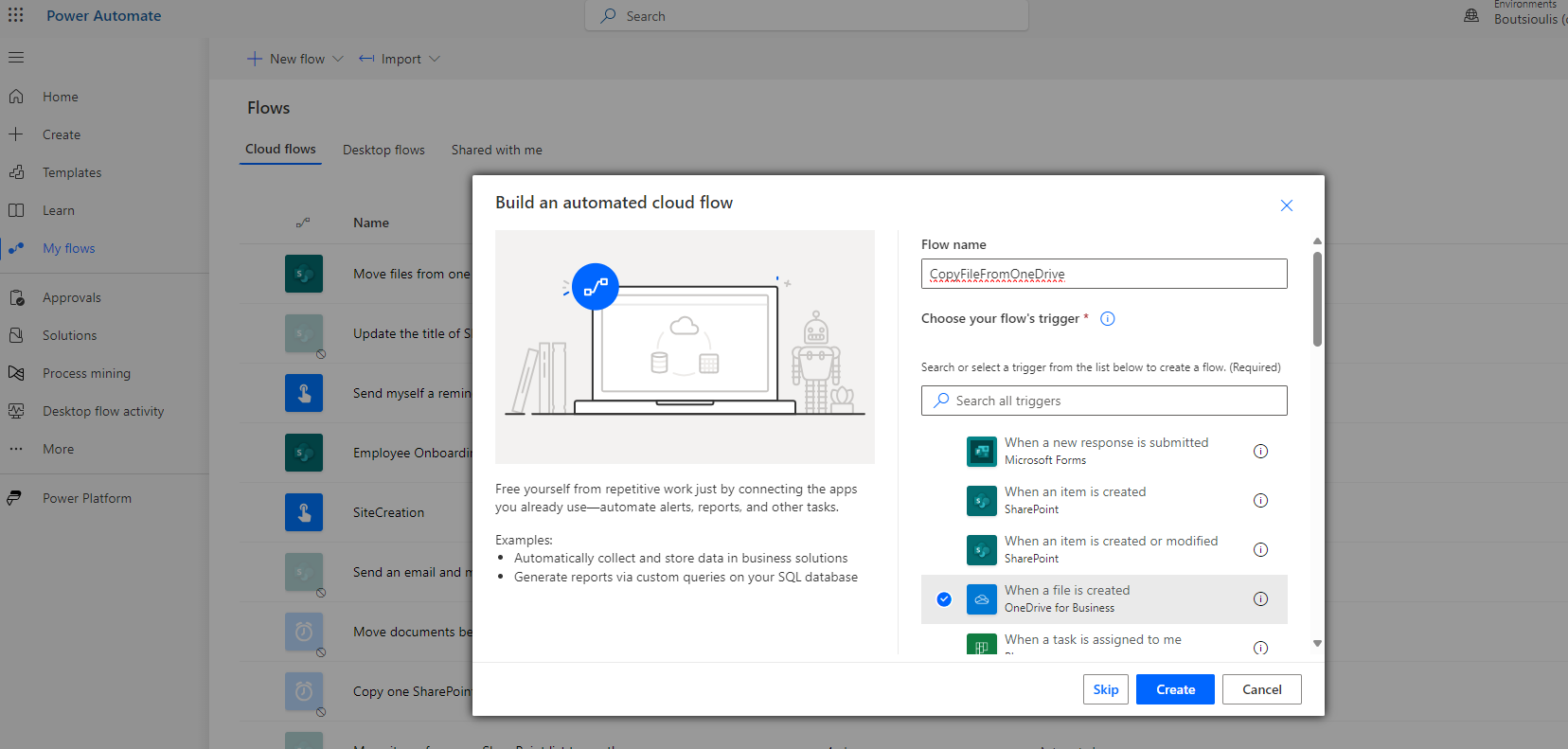
In the next step, we need to name our automate, select "when a file is created" in OneDrive for Business as the trigger action, and then choose "create."
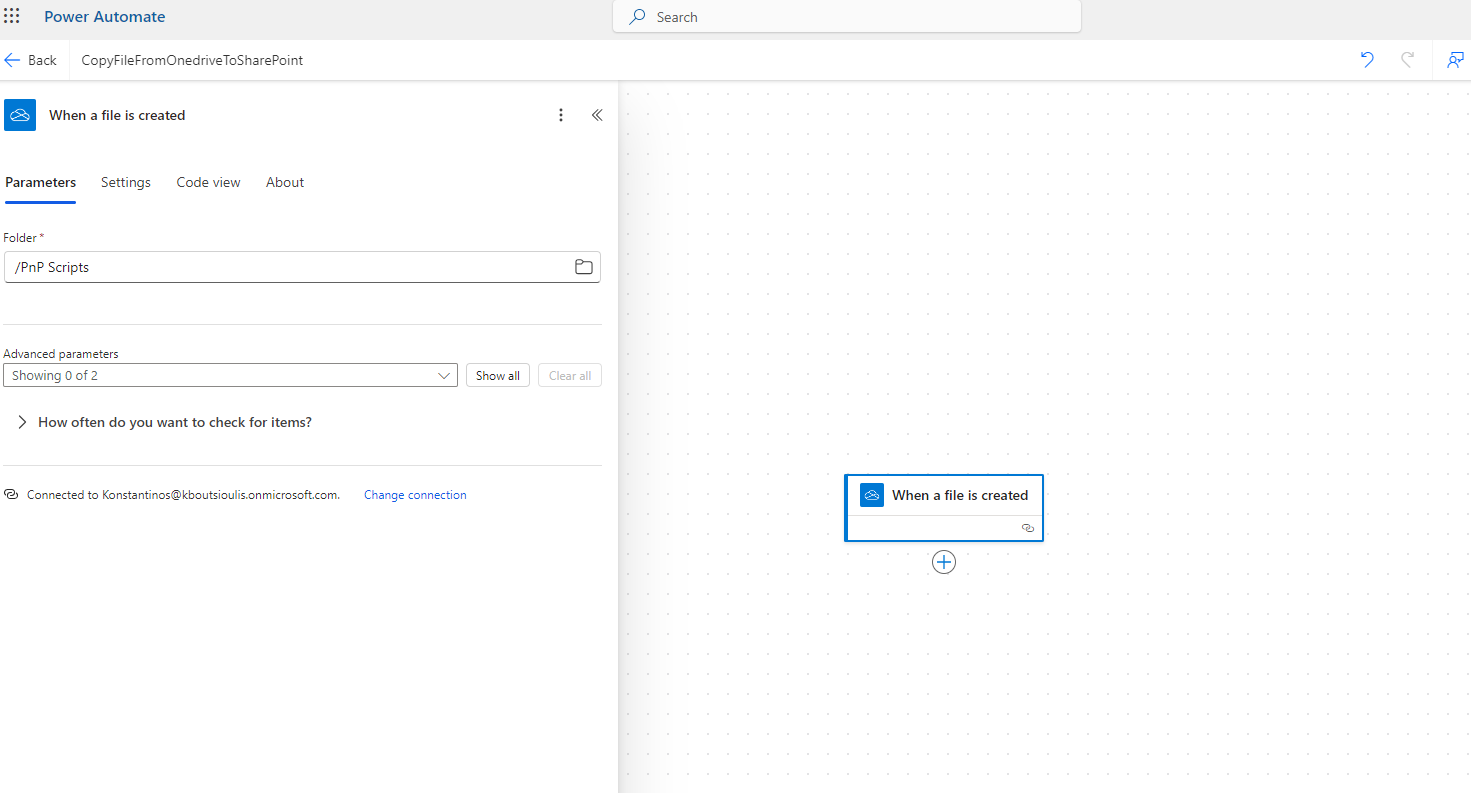
As the first action trigger, we have an action of type "when a file is created" where we need to specify the folder in OneDrive that contains the file.
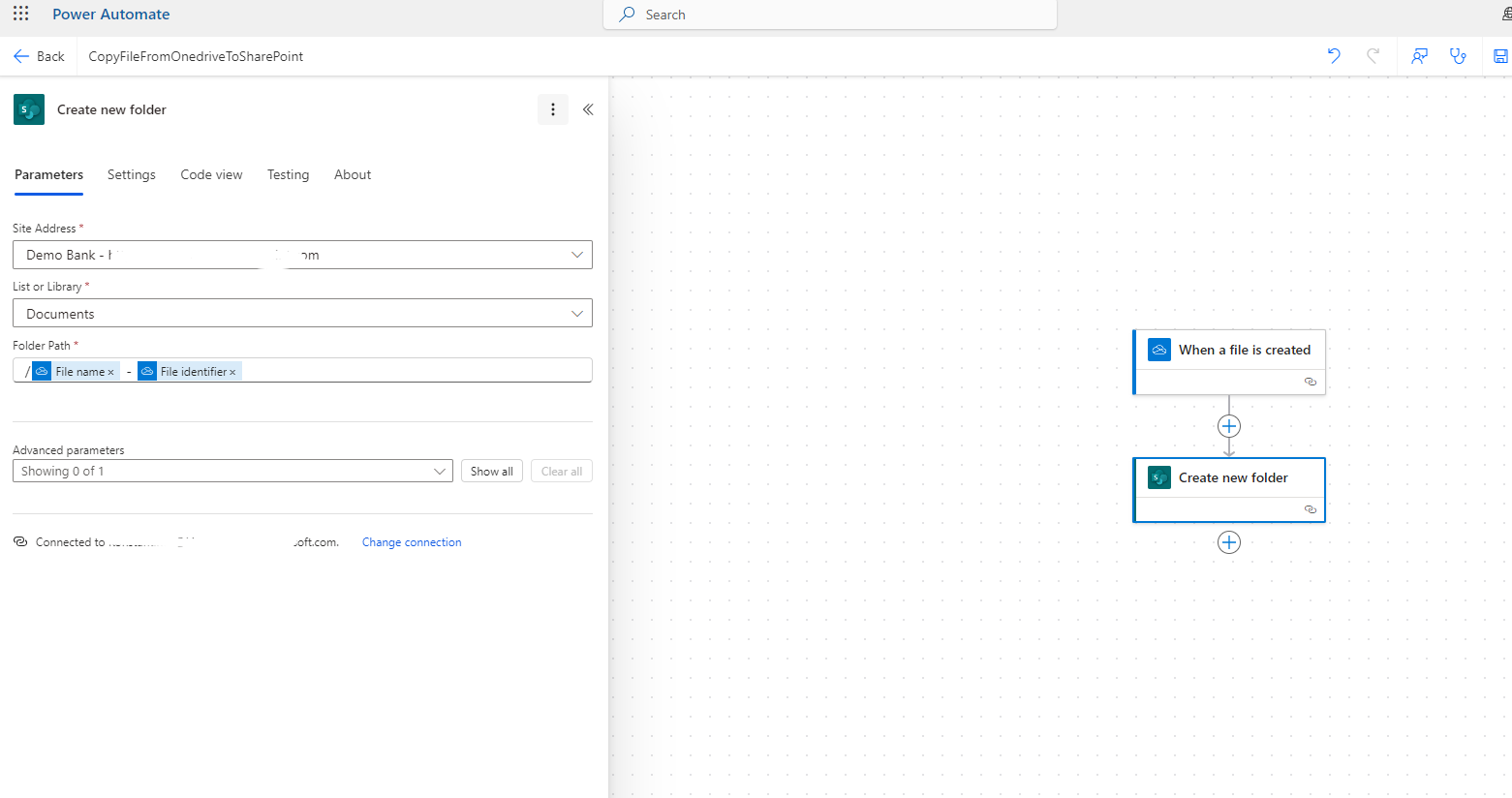
Next, we add another action of type "create new folder" where we need to specify the site that will host the library containing the file. Also, in the list or library, we need to specify the library in this case, and in the folder path, we need to enter the file name as well as the unique identifier.
Then, we select another new action of type "create file" where again in the site address, we specify the address of the site hosting the library. Then, we specify the folder path as well as the file name along with its extension (e.g., .txt). From the properties, we select the file content for creating the new file.
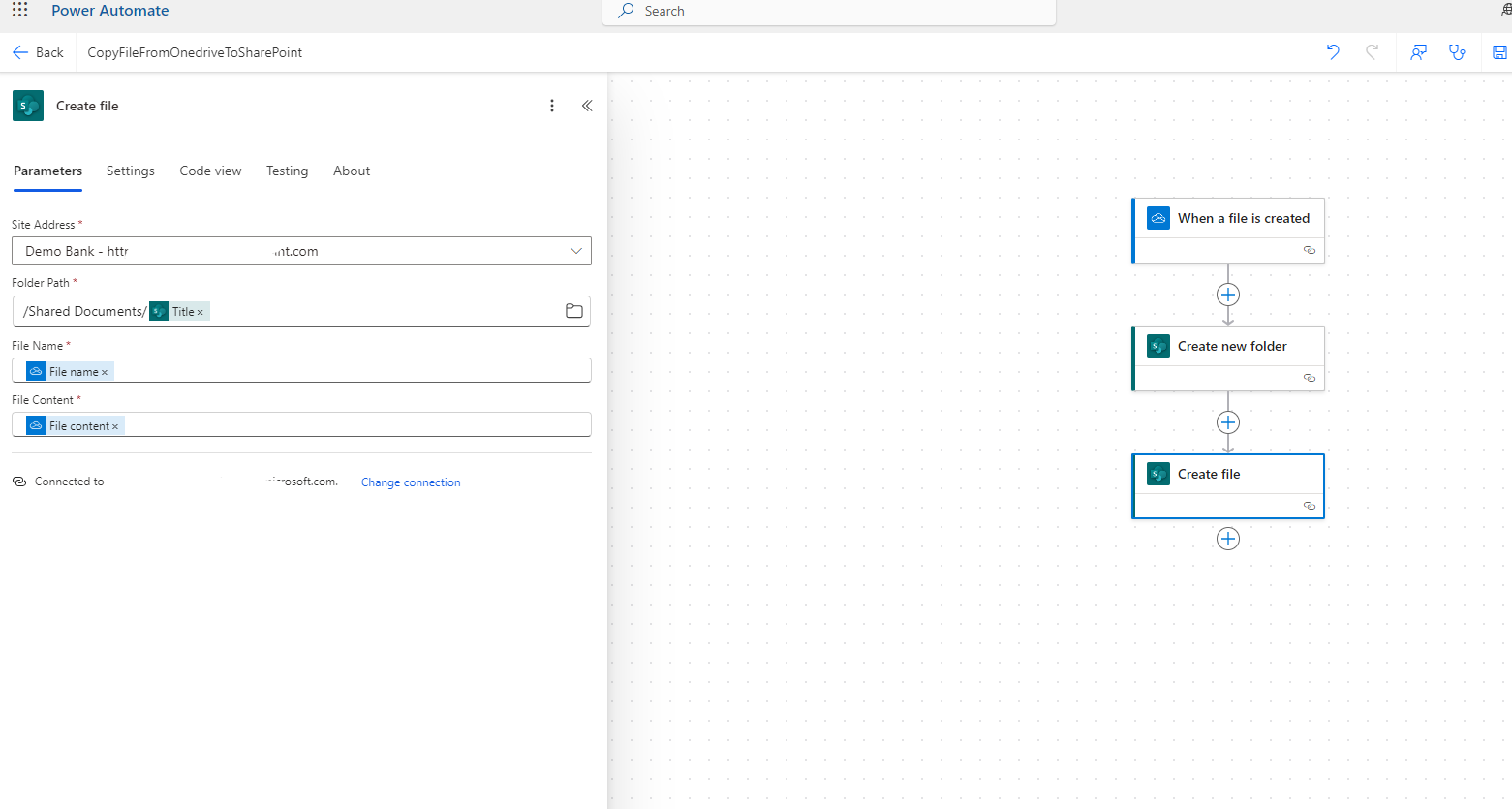
In the next step, we will save our automate.
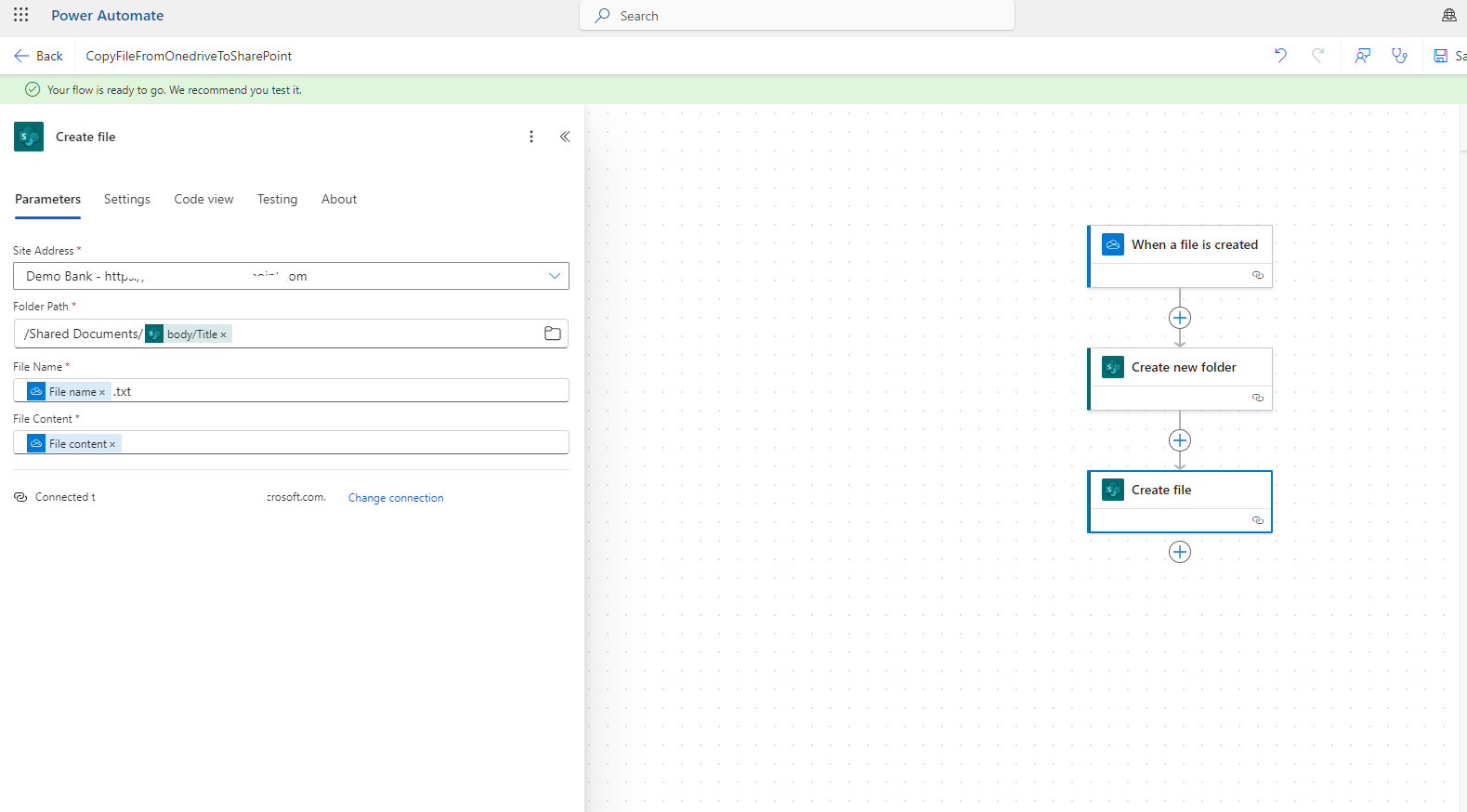
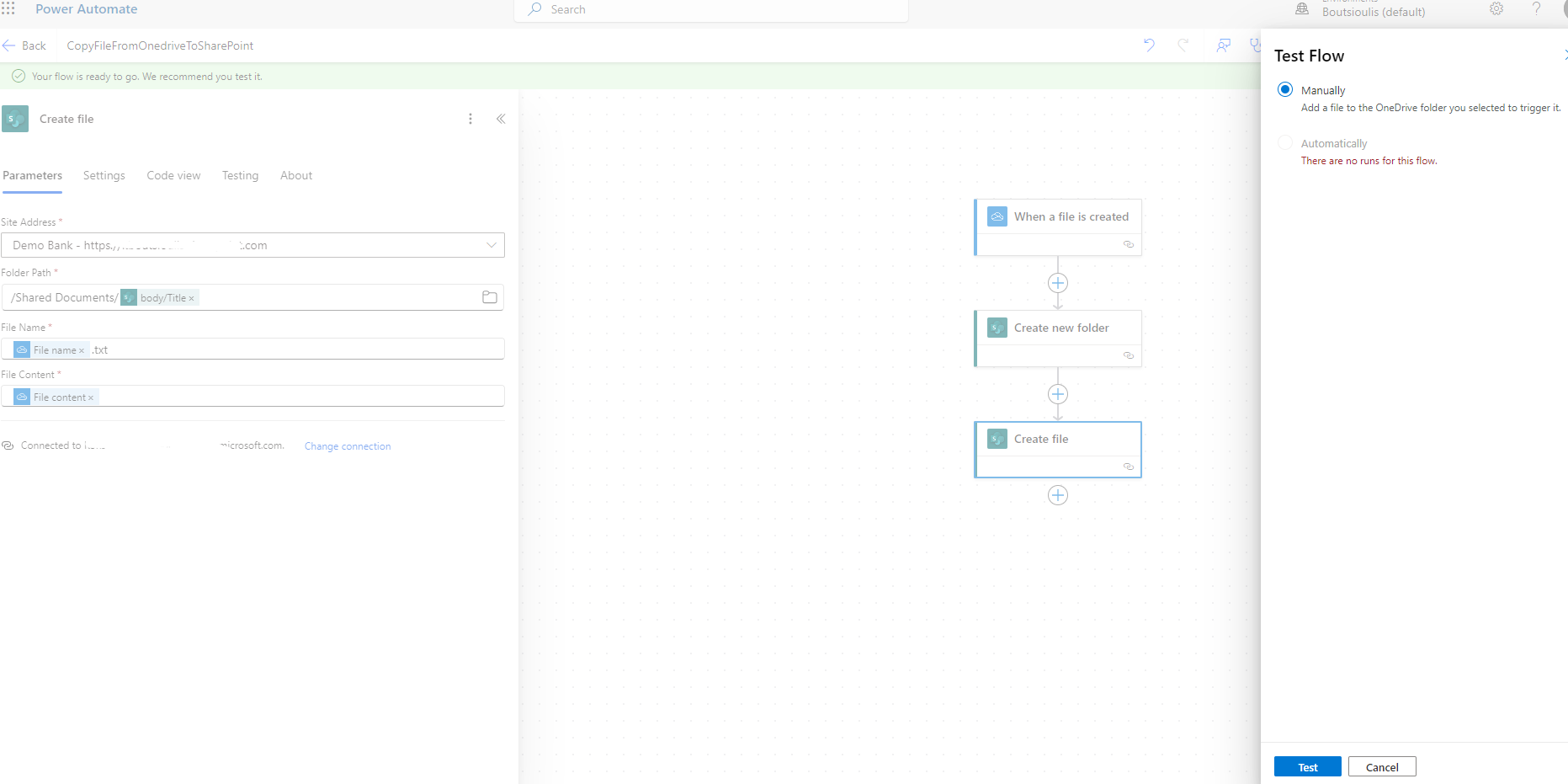
And we need to perform a manually test flow.
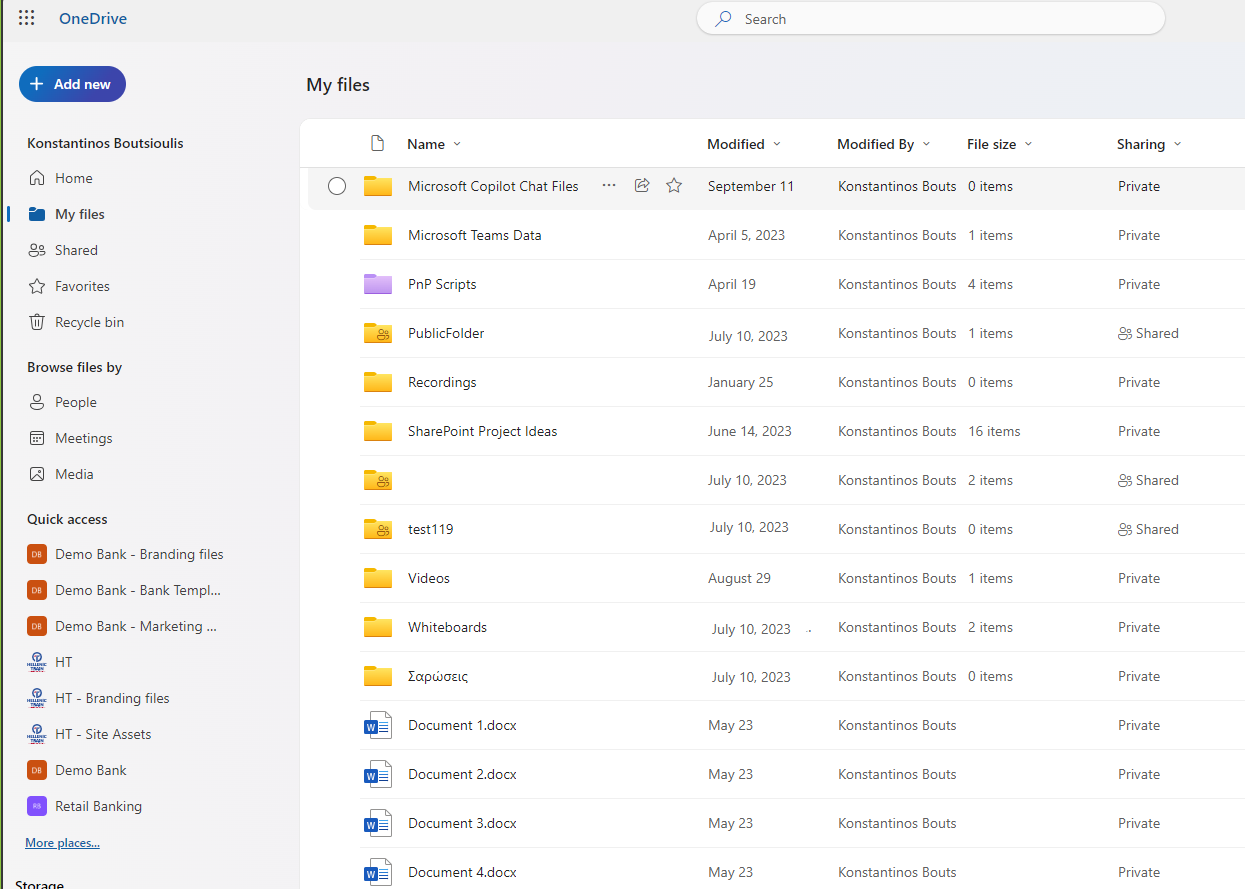
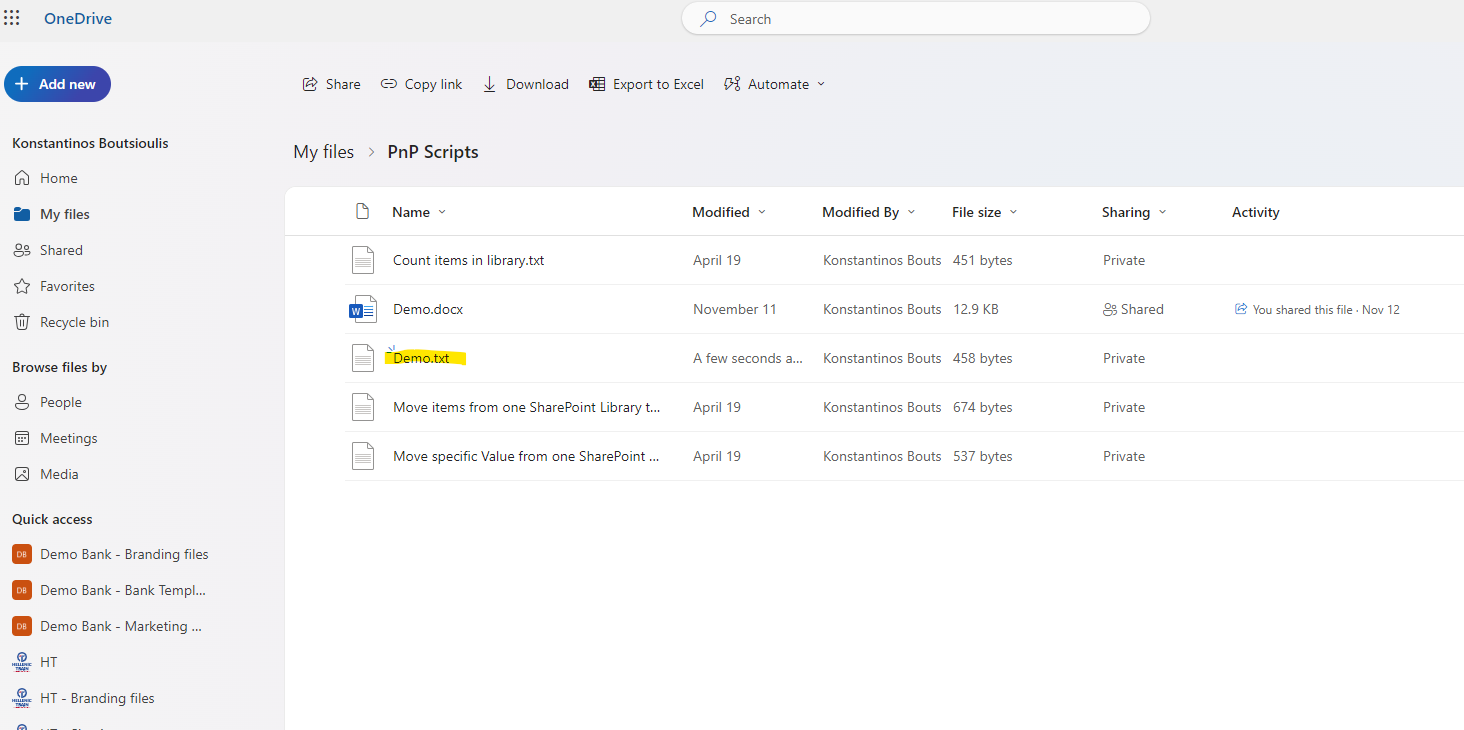
As you can see in OneDrive, in the PnP Script folder, we have a folder where one of the files will be transferred.
The file to be transferred is Demo.txt.
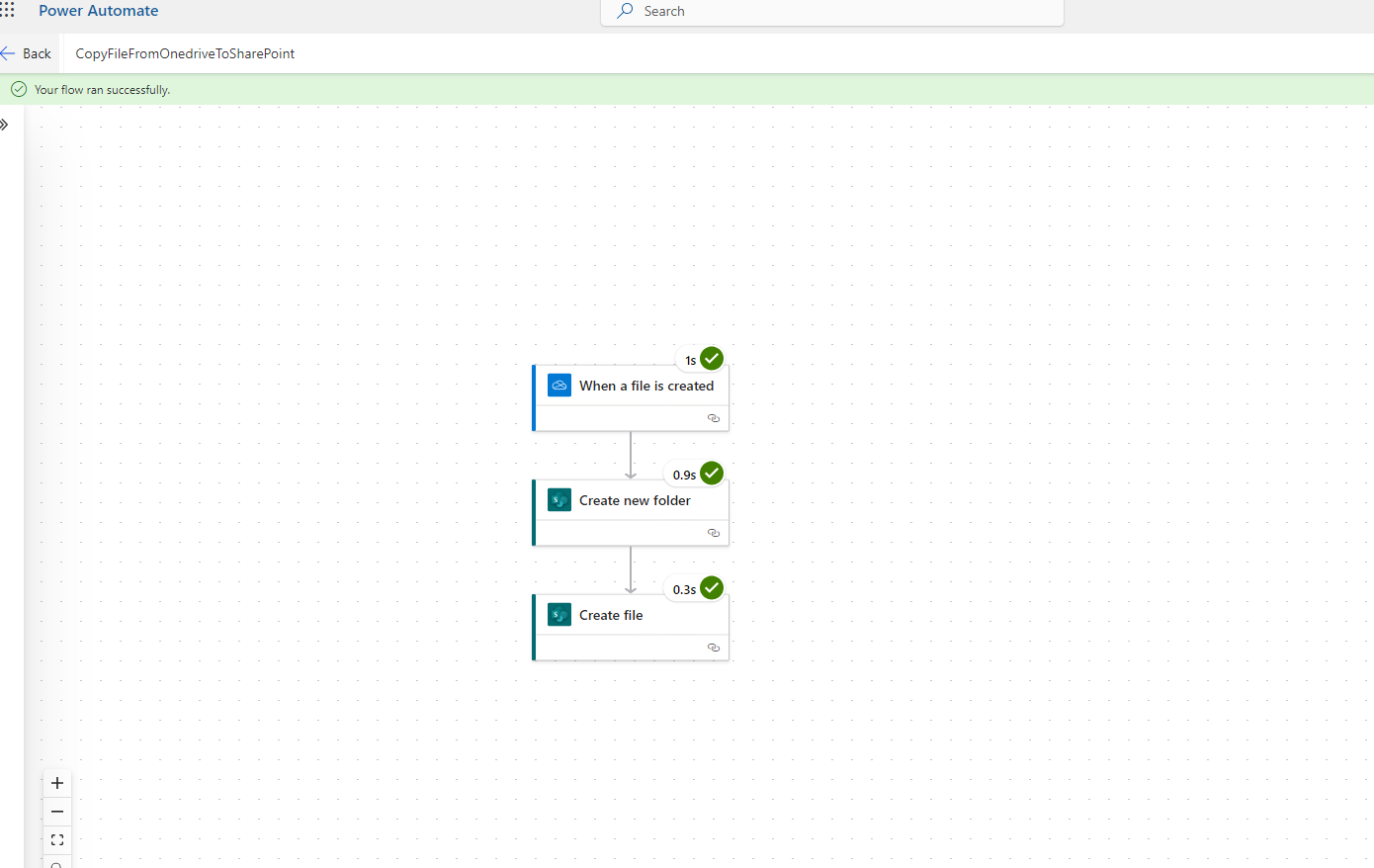
Our automate has executed successfully.
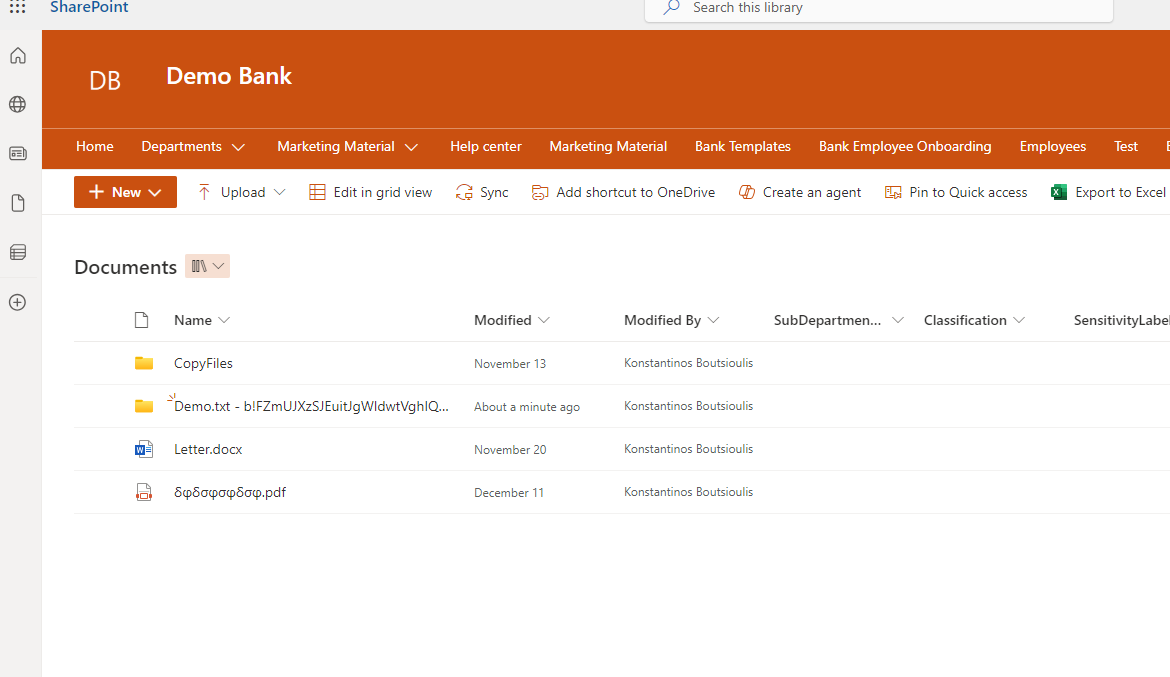
Finally, as you can see, a folder has been created with the file name, and inside it contains the specific file in the library we selected.
 #ModerWork
#M365_Apps_Services
#BusinessApps
#SharePoint
#PowerAutomate
#technology
#microsoft
#digitaltransformation
#cloud
#mvpbuzz
#m365
#ModerWork
#M365_Apps_Services
#BusinessApps
#SharePoint
#PowerAutomate
#technology
#microsoft
#digitaltransformation
#cloud
#mvpbuzz
#m365
Visit Archives below to find more articles about Microsoft technologies on Modern Workplace