
Free Material
Find hereMore than 150 Articles about Microsoft Technologies on Modern Workplace
Official Site
Microsoft Most Valuable Professional M365 Apps & Services
Microsoft Most Valuable Professional Business Applications
Consultant & Sr Cloud Solution Architect Modern Wokrplace
Find hereMore than 150 Articles about Microsoft Technologies on Modern Workplace
03 July 2023
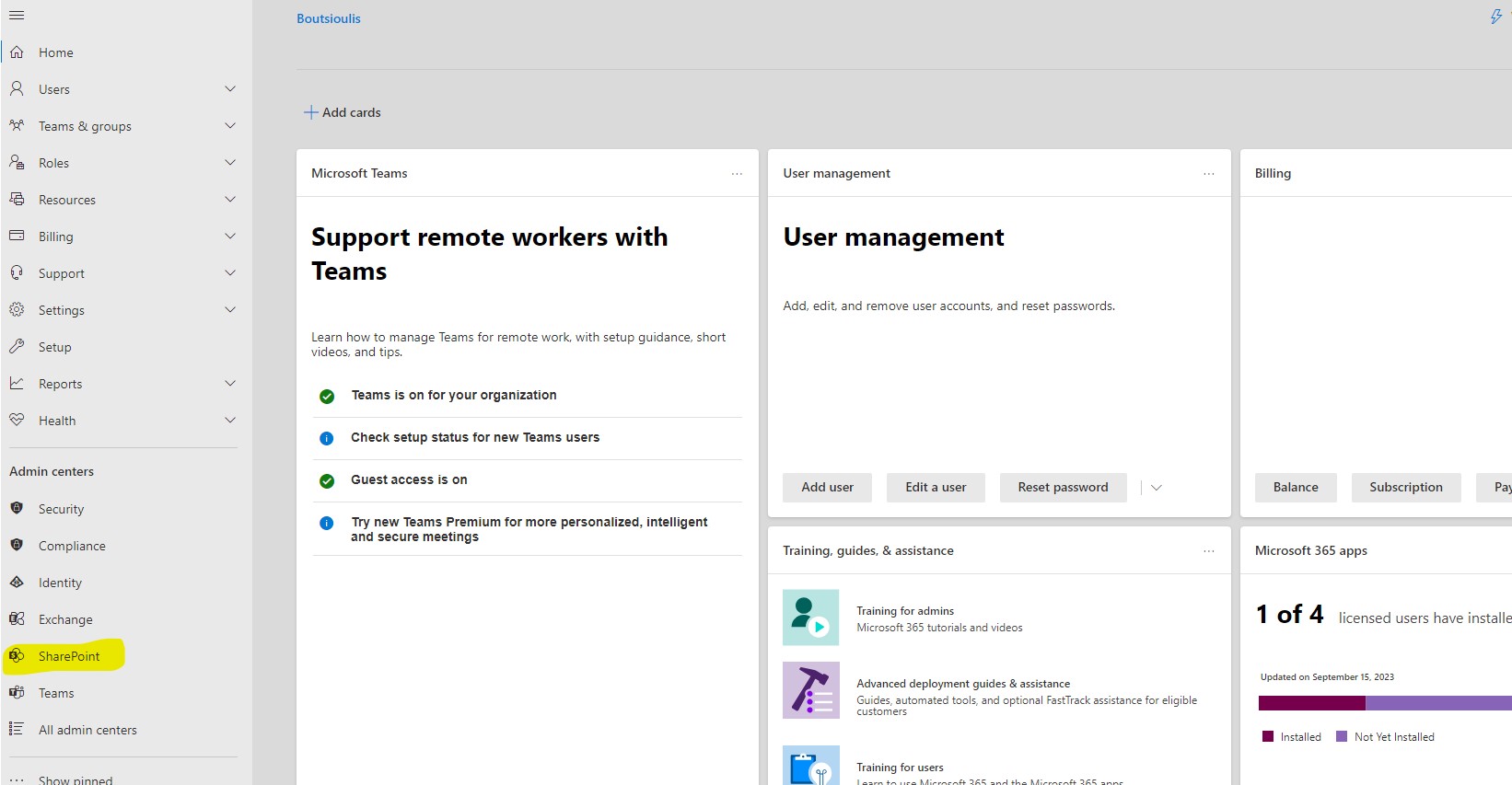
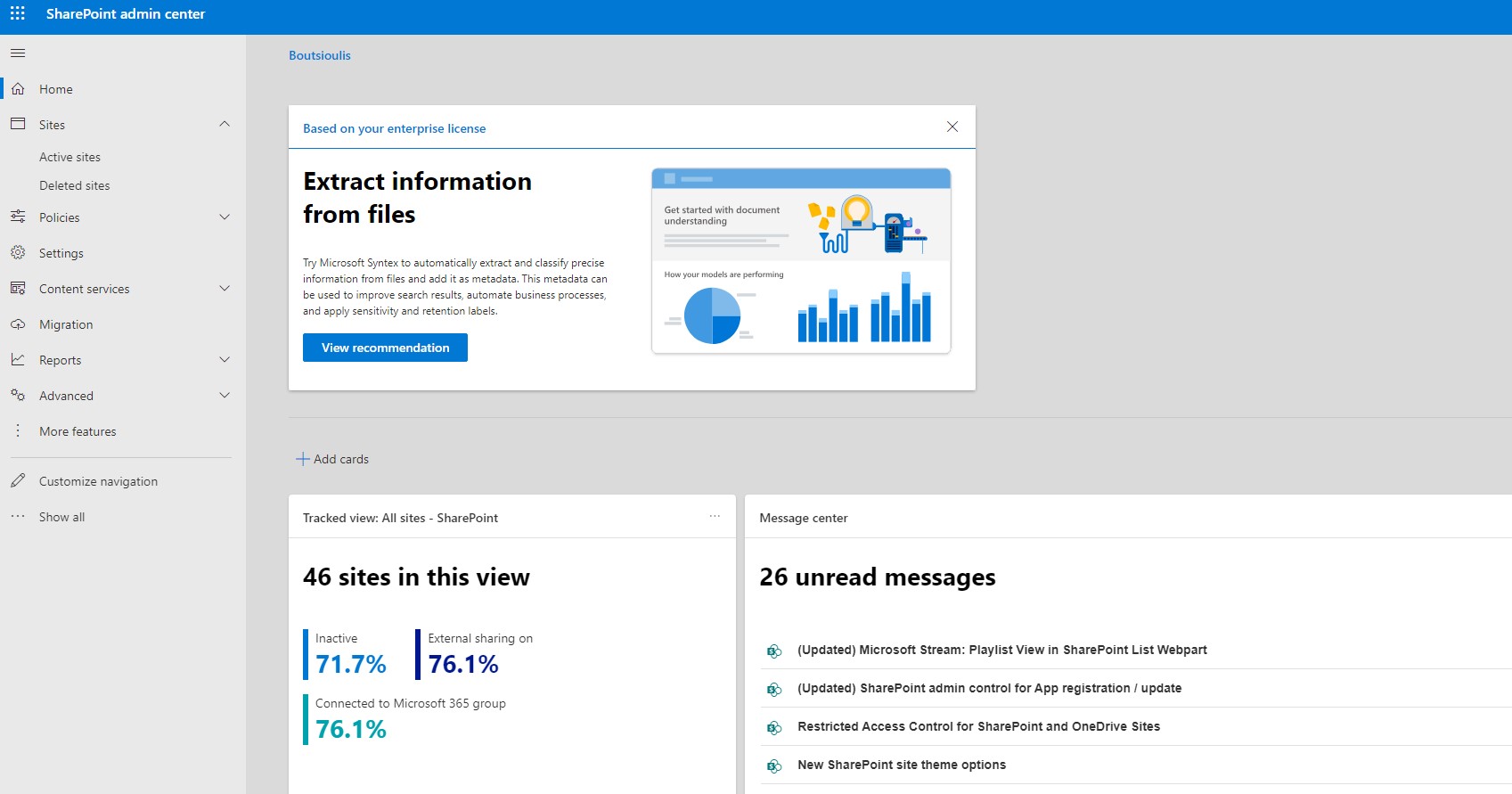
In today's article we will look together at the SharePoint admin center environment First you must have an active M365 subscription and be the tenant's Administrator or have administrator privileges in SharePoint to access the SharePoint Admin center First from the Home page of M365 on the left drop down column select Admin There you will then need to select SharePoint as seen at the bottom of the page on the left This way we have gone to the main SharePoint page
Today we will look at the first option Sites . This option has 2 sub-options First is Active Sites and second is Deleted Sites
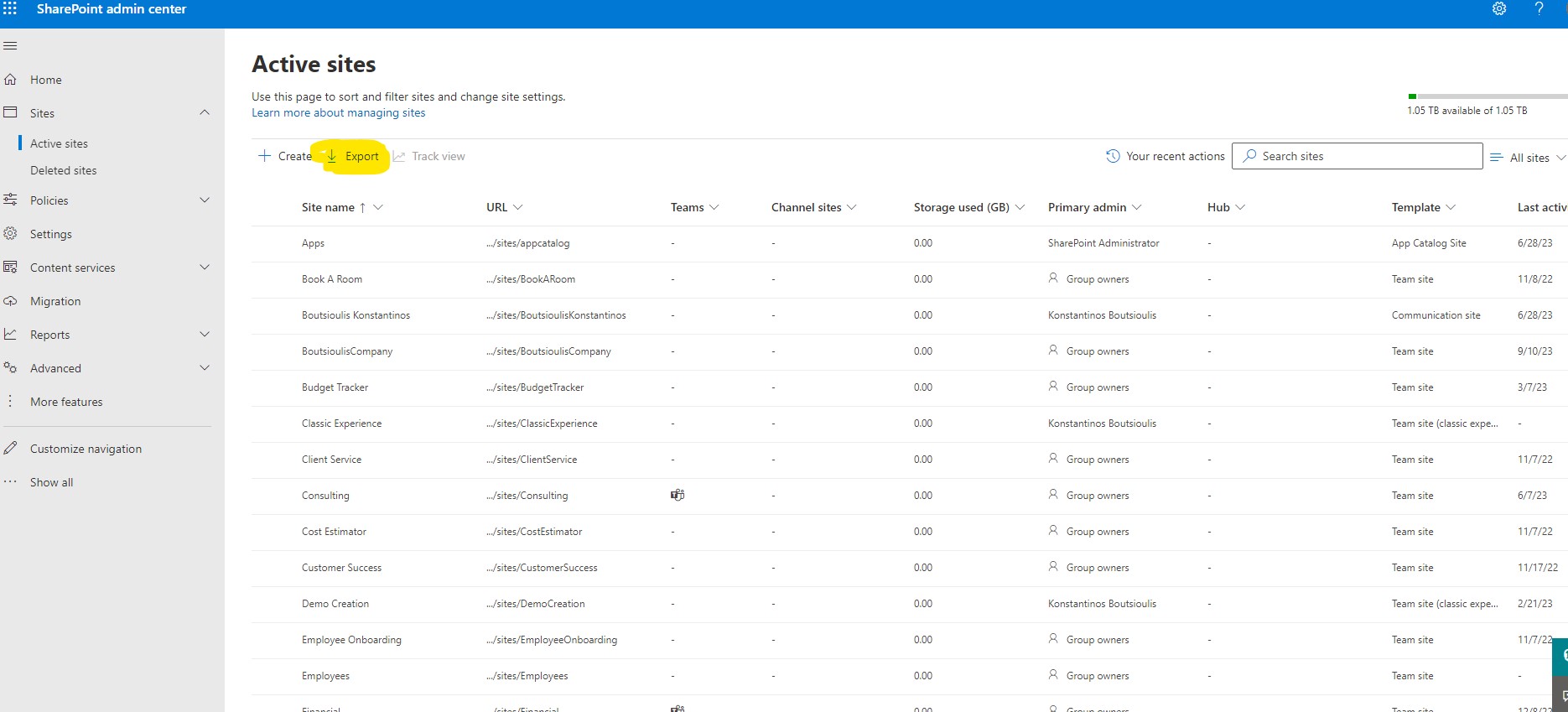
Let's see what options we have in the first sub-option As you can see the active sites gives us the ability to see all the active sites in our tenant
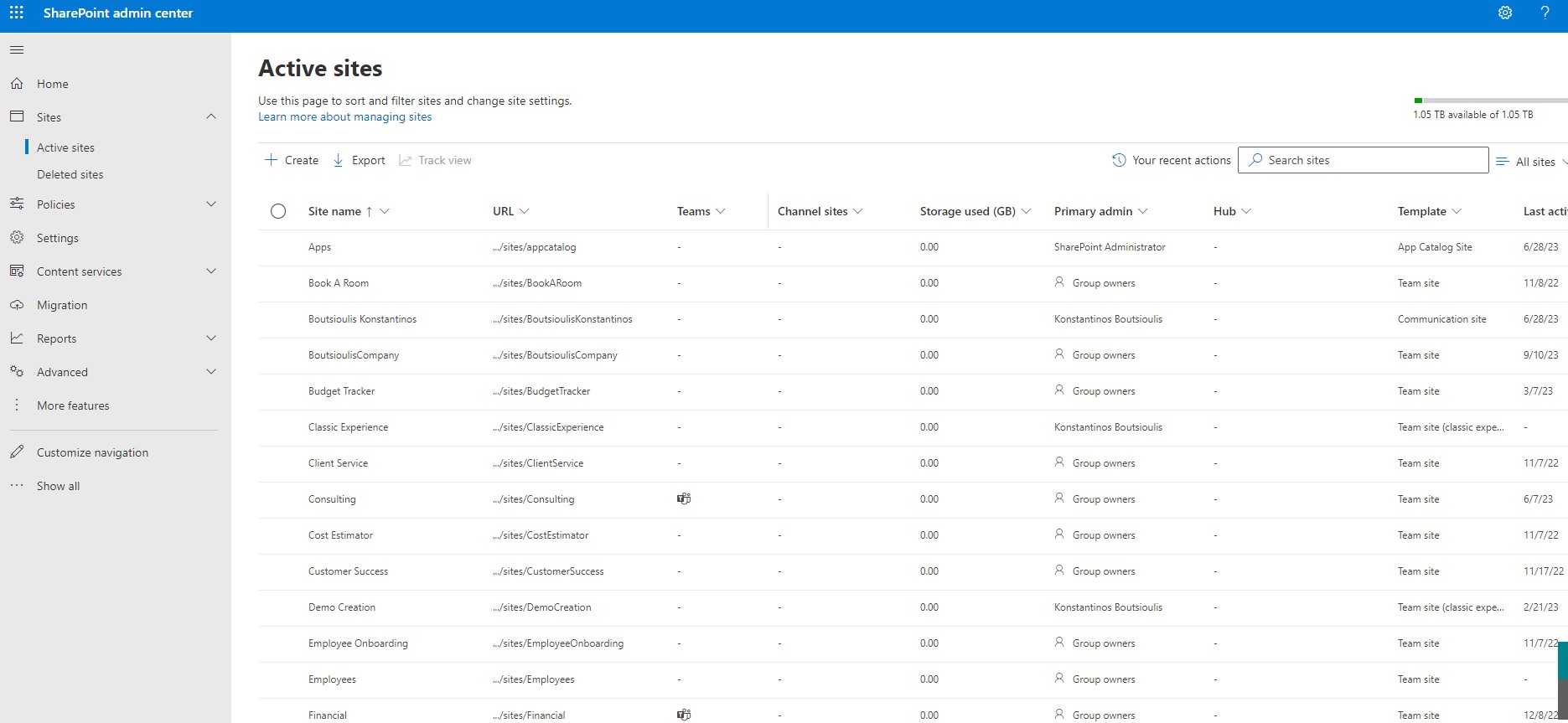
Let's see what options we have in the first sub-option As you can see the active sites gives us the ability to see all the active sites in our tenant Here I should note that you can use this tool to get a series of information about the address of each site if it is associated with a group in Teams if there are private channels in a group that lead to other sharepoint sites as well as the storage of the page. You can also find information about the primary admins of each site and if there is an association with one of the tenant's hub sites. Finally you can find information about the theme of the site that was chosen during its creation and last activity of the page
At the same time on the right there is an option to sort the sites according to the aforementioned information
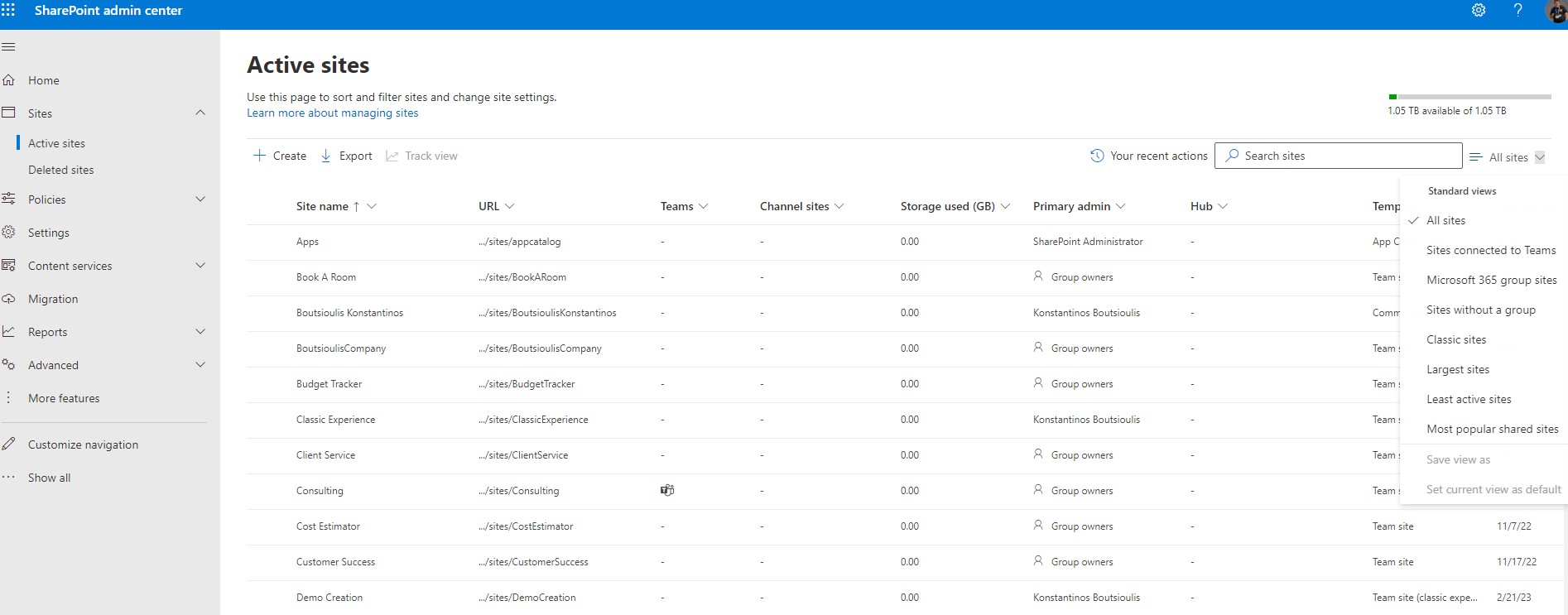
From this page you also have the possibility to create a new site a procedure that we will analyze in another post
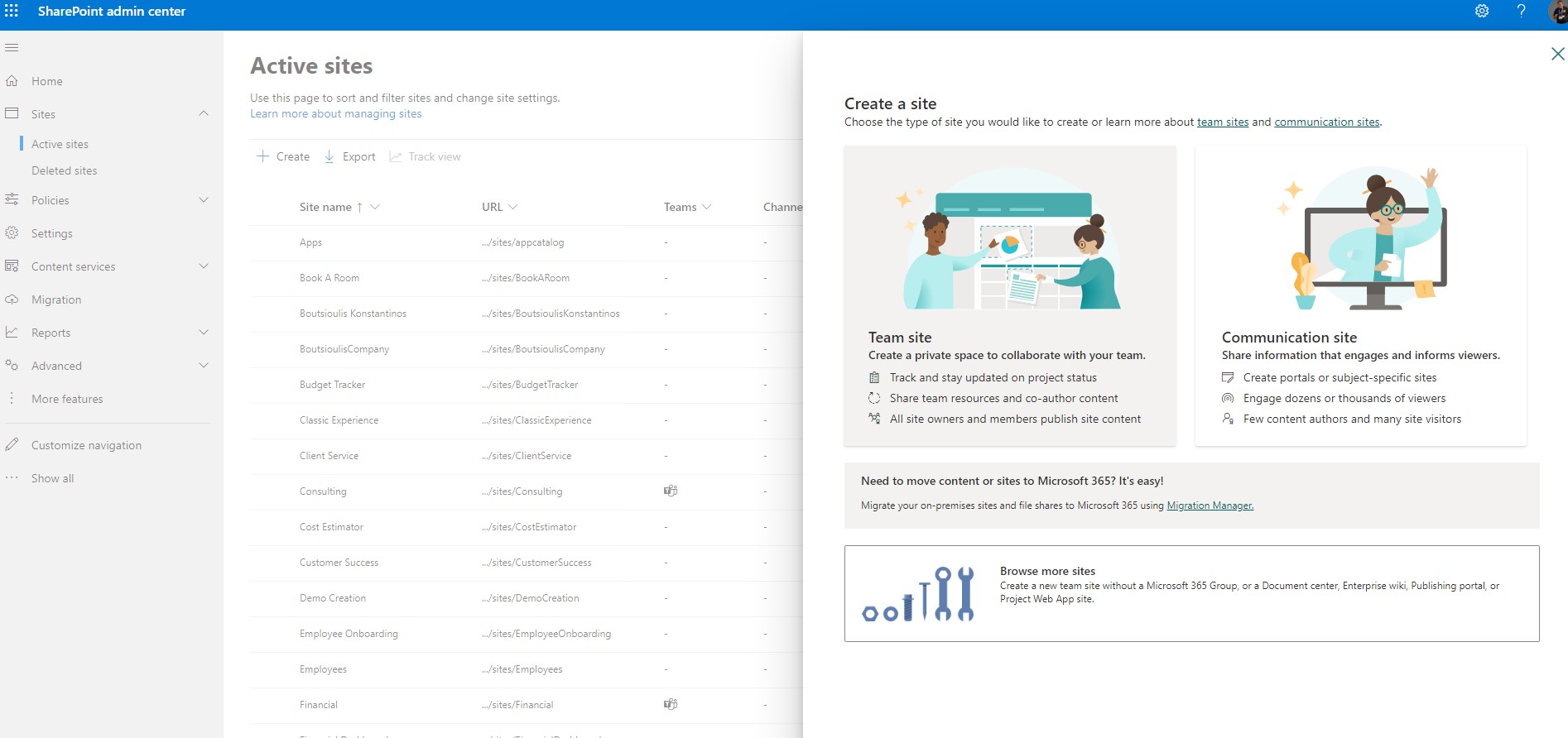
Finally you have the option to export report about the pages in excel format where you can have a summary of all the above mentioned
 #SharePoint
#technology
#microsoft
#m365
#Onedrive
#digitaltransformation
#cloud
#mvpbuzz
#m365
#SharePoint
#technology
#microsoft
#m365
#Onedrive
#digitaltransformation
#cloud
#mvpbuzz
#m365
Visit Archives below to find more articles about Microsoft technologies on Modern Workplace