
Free Material
Find hereMore than 150 Articles about Microsoft Technologies on Modern Workplace
Official Site
Microsoft Most Valuable Professional M365 Apps & Services
Microsoft Most Valuable Professional Business Applications
Consultant & Sr Cloud Solution Architect Modern Wokrplace
Find hereMore than 150 Articles about Microsoft Technologies on Modern Workplace
29 July 2023
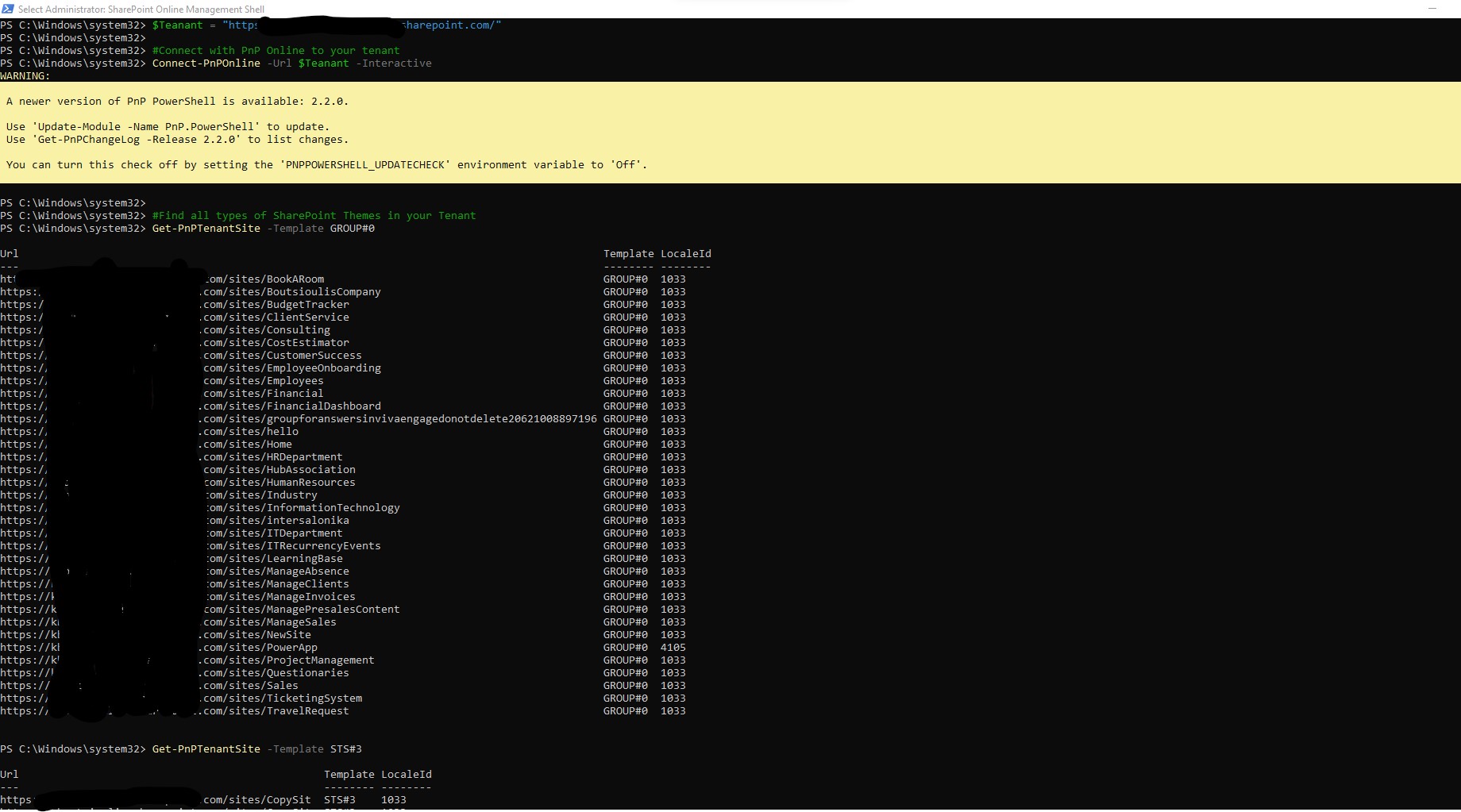
In today's article I will show you how easy it is to get data about the type of sites we have in our SharePoint Online First we need to know the general type of site themes as Microsoft defines them in SharePoint
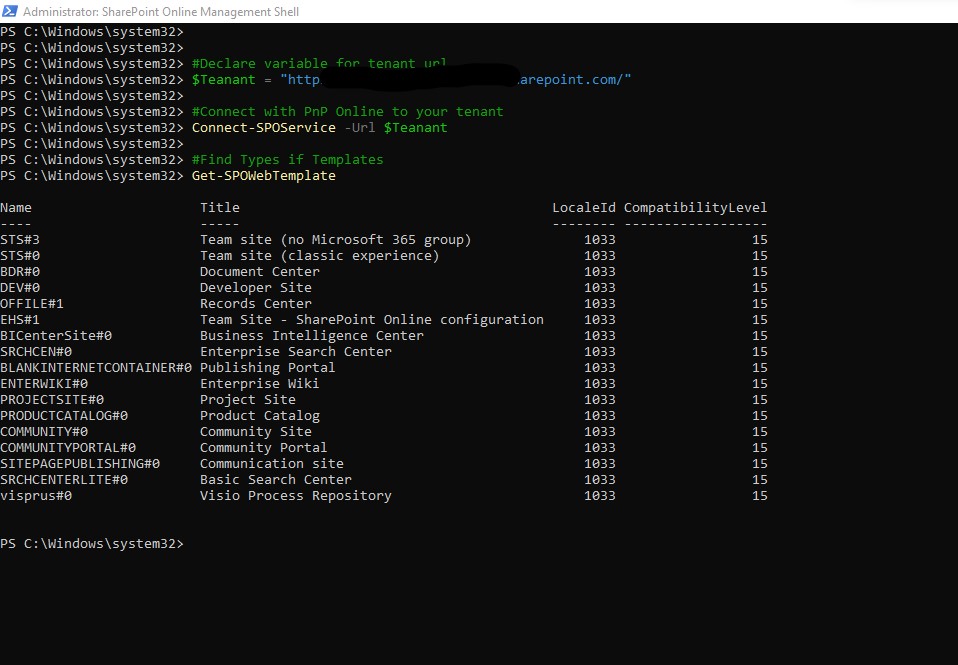
Here is a short list of the types of site themes in SharePoint STS#3 – Team site (no Microsoft 365 group) STS#0 – Team site (classic experience) BDR#0 – Document Center DEV#0 – Developer Site OFFILE#1 – Records Center EHS#1 – Team Site – SharePoint Online configuration BICenterSite#0 – Business Intelligence Center SRCHCEN#0 – Enterprise Search Center BLANKINTERNETCONTAINER#0 – Publishing Portal ENTERWIKI#0 – Enterprise Wiki PROJECTSITE#0 – Project Site PRODUCTCATALOG#0 – Product Catalog COMMUNITY#0 – Community Site COMMUNITYPORTAL#0 – Community Portal SITEPAGEPUBLISHING#0 – Communication site SRCHCENTERLITE#0 – Basic Search Center visprus#0 – Visio Process Repository# Declare Variables
$Tenant = "https://mytenant-admin.sharepoint.com/
#Connect with SharePoint Online to your tenant
Connect-PnPOnline -Url $Tenant -Interactive
#Find all types of SharePoint Themes in your Tenant
Get-PnPTenantSite -Template GROUP#0
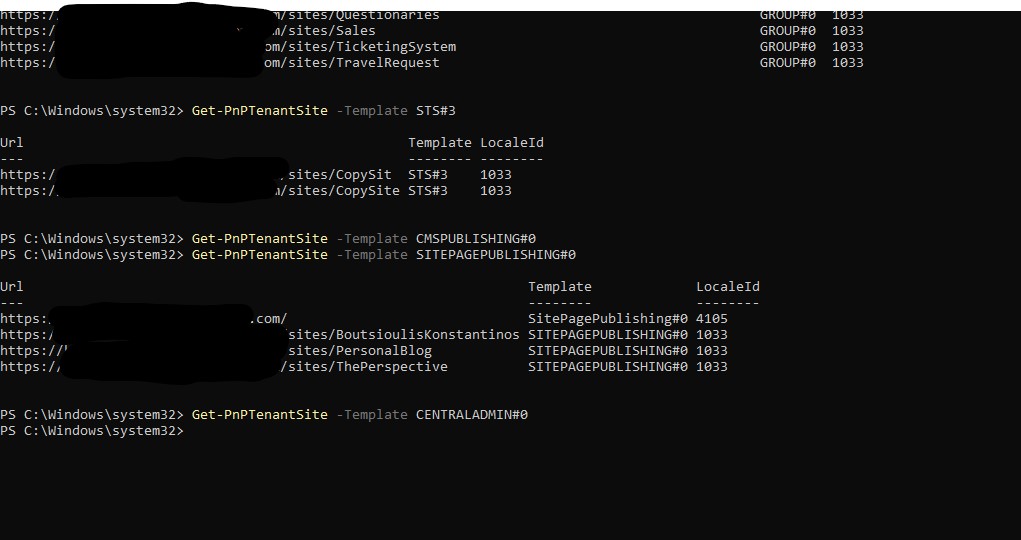
Get-PnPTenantSite -Template STS#3
Get-PnPTenantSite -Template CMSPUBLISHING#0
Get-PnPTenantSite -Template SITEPAGEPUBLISHING#0
Get-PnPTenantSite -Template CENTRALADMIN#0
For general themes type discovery we run the following PowerShell with administrator privileges
# Declare Variables
$Tenant = "https://mytenant-admin.sharepoint.com/
#Connect with SharePoint Online to your tenant
Connect-PnPOnline -Url $Tenant -Interactive
#Find all types of SharePoint Themes in your Tenant
Get-SPOWebTemplate
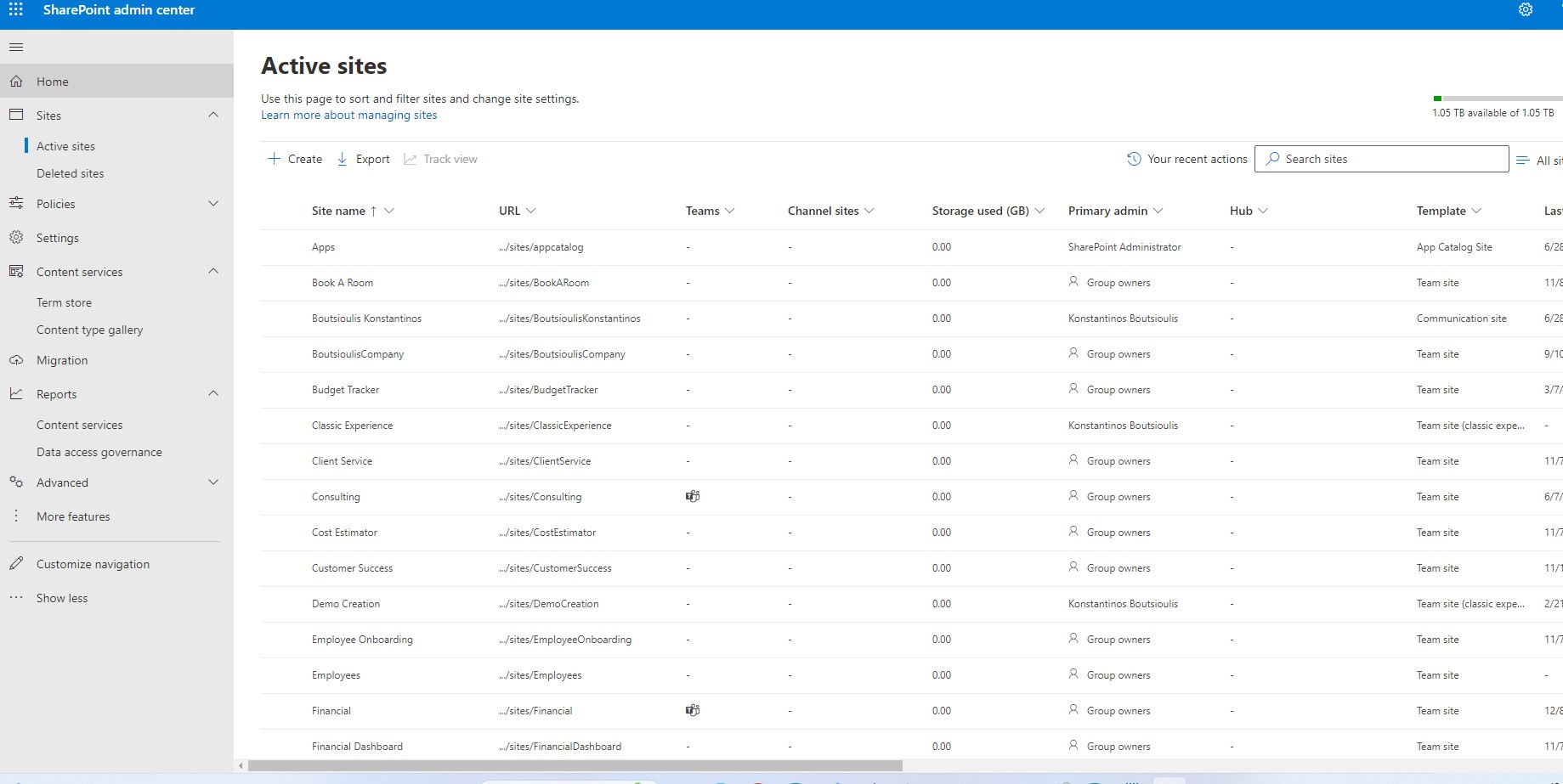
and as you can see from the SharePoint admin center it has brought back all the sites and the template which has been applied to each site when it was created For more information about the run commands to connect to SharePoint and find the themes you can find on the official Microsoft page and the official PnP - PowerShell page at
Microsoft Learn - Documentation - Connect-SPOService PowerShell - Documentation - Get-PnPTenantSite #SharePoint #technology #microsoft #PowerShell #PnP #digitaltransformation #cloud #mvpbuzz #m365Visit Archives below to find more articles about Microsoft technologies on Modern Workplace