
Free Material
Find hereMore than 150 Articles about Microsoft Technologies on Modern Workplace
Official Site
Microsoft Most Valuable Professional M365 Apps & Services
Microsoft Most Valuable Professional Business Applications
Consultant & Sr Cloud Solution Architect Modern Wokrplace
Find hereMore than 150 Articles about Microsoft Technologies on Modern Workplace
27 January 2024
In today's article we will see how to create a list with custom columns of my choice using PowerShell. As I have stressed in the past it is very important to have automated procedures so that we can call them whenever we need them. I should also note that it is very important to understand simple procedures first so that we can end up creating a complex script that will execute a complex procedure. I should also remind you that it is possible to save these procedures in a runbook in Azure so that you can execute them from there or create iterative procedures. As always you will need to have administrator privileges to run the SharePoint Online Management Shell. We run the following PowerShell and we have.
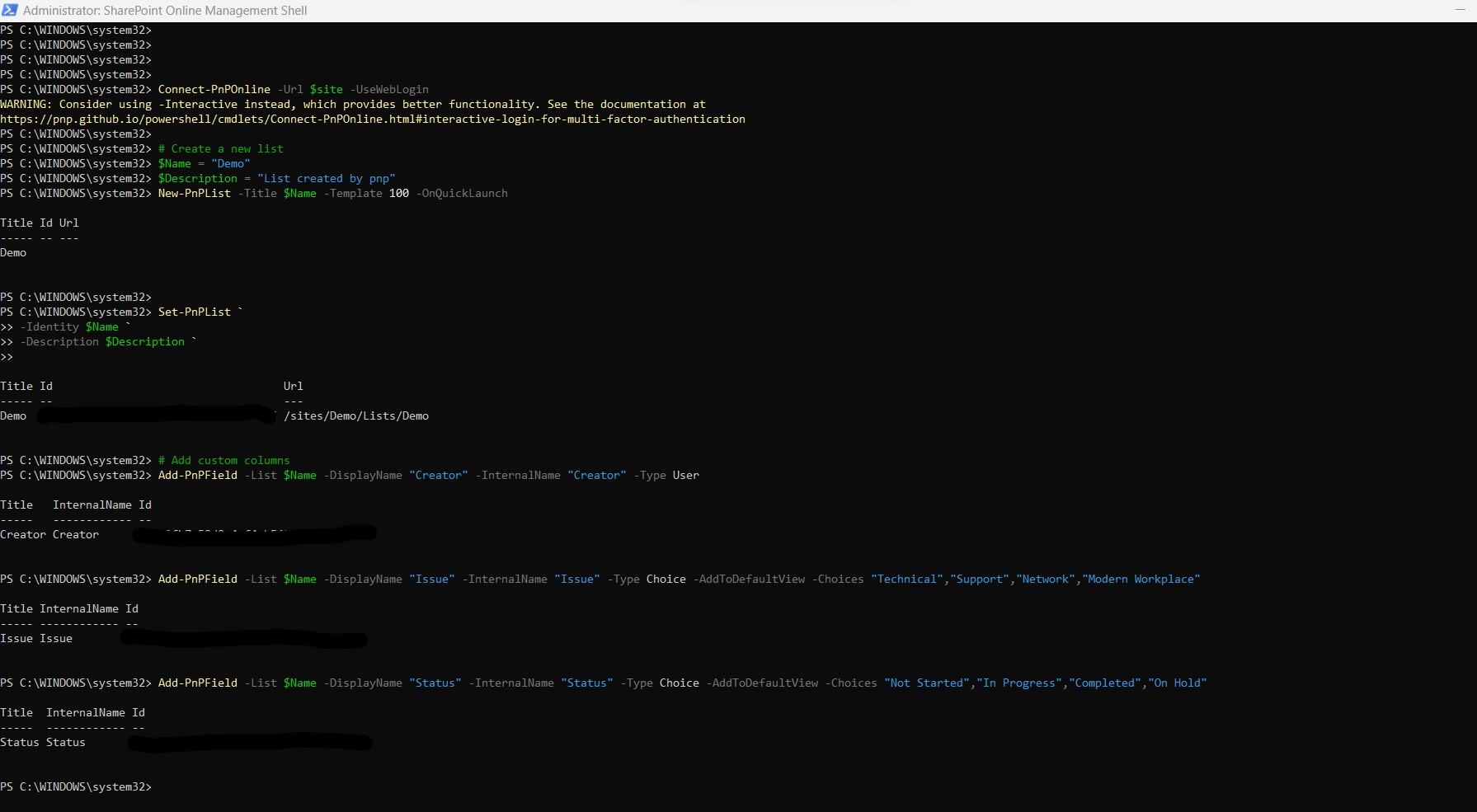
#Declare variable of site url
$site = "https://mytenant.sharepoint.com/sites/demo"
#Connect with SharePoint Online
Connect-PnPOnline -Url $site -UseWebLogin
# Create a new list
$Name = "Demo"
$Description = "List created by pnp"
New-PnPList -Title $Name -Template 100 -OnQuickLaunch
Set-PnPList -Identity $Name -Description $Description
# Add custom columns
Add-PnPField -List $Name -DisplayName "Creator" -InternalName "Creator" -Type User
Add-PnPField -List $Name -DisplayName "Issue" -InternalName "Issue" -Type Choice -AddToDefaultView -Choices "Technical","Support","Network","Modern Workplace"
Add-PnPField -List $Name -DisplayName "Status" -InternalName "Status" -Type Choice -AddToDefaultView -Choices "Not Started","In Progress","Completed","On Hold"
# Rename the default Title column
Set-PnPField -Identity "Title" -List $Name -Values at{Title = "Creator"}
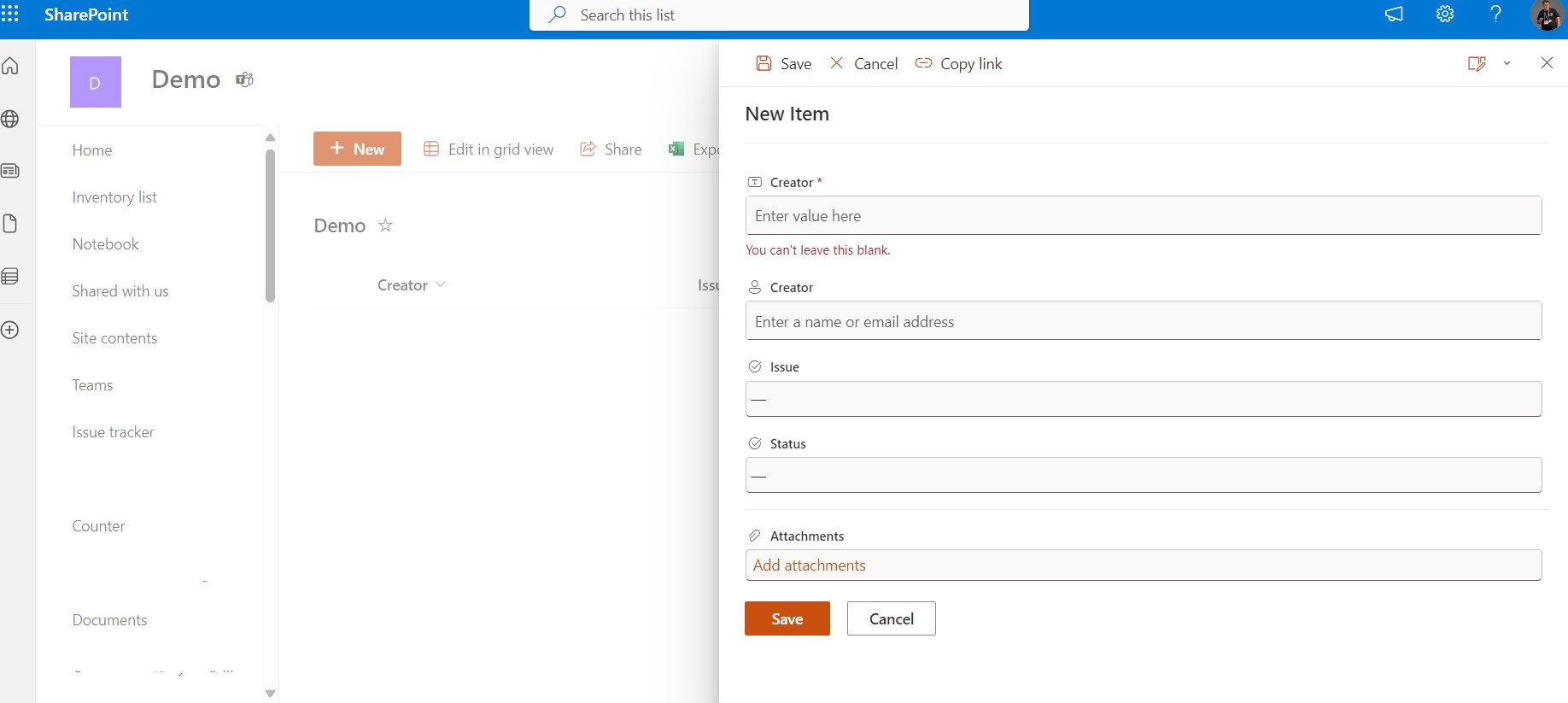
As you can see it has created a new list of columns with the fields we have indicated in the script
 #SharePoint
#technology
#microsoft
#PowerShell
#PnP
#digitaltransformation
#cloud
#mvpbuzz
#m365
#SharePoint
#technology
#microsoft
#PowerShell
#PnP
#digitaltransformation
#cloud
#mvpbuzz
#m365
Visit Archives below to find more articles about Microsoft technologies on Modern Workplace