
Free Material
Find hereMore than 150 Articles about Microsoft Technologies on Modern Workplace
Official Site
Microsoft Most Valuable Professional M365 Apps & Services
Microsoft Most Valuable Professional Business Applications
Consultant & Sr Cloud Solution Architect Modern Wokrplace
Find hereMore than 150 Articles about Microsoft Technologies on Modern Workplace
30 January 2024
In today's article we will see how to create a group of libraries using PowerShell . As I have emphasized in the past it is very important to have automated procedures so that we can call them whenever we need them. I should also note that it is very important to understand simple procedures first so that we can end up creating a complex script that will execute a complex procedure. So here we import a form of bulk import libraries into a SharePoint site. I should also note that there is another way to do bulc import with a simpler procedure when it comes to a much larger number of libraries or lists but I will present it in a future article . I should also remind you that it is possible to save these procedures in a runbook in Azure so that you can run them from there or create recurring procedures . As always you will need to have administrator privileges to run the SharePoint Online Management Shell . We run the following PowerShell and we have .
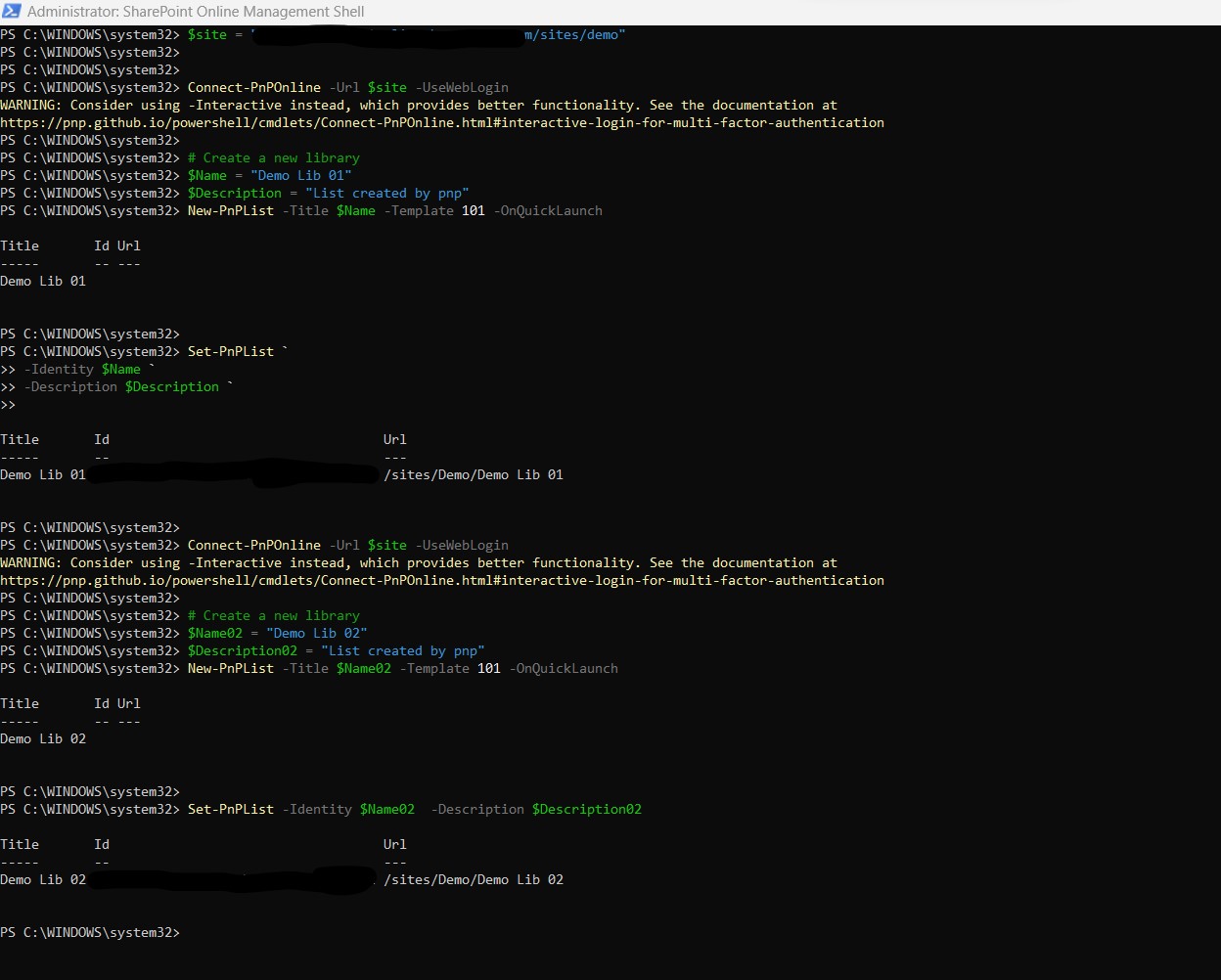
#Declare variable of site url
$site = "https://mytenant.sharepoint.com/sites/demo"
#Connect with SharePoint Online site 01
Connect-PnPOnline -Url $site -UseWebLogin
# Create a new library
$Name = "Demo Lib 01"
$Description = "Library created by pnp"
New-PnPList -Title $Name -Template 101 -OnQuickLaunch
Set-PnPList -Identity $Name -Description $Description
#Connect with SharePoint Online site 02
Connect-PnPOnline -Url $site -UseWebLogin
# Create a new library
$Name02 = "Demo Lib 02"
$Description02 = "Library created by pnp"
New-PnPList -Title $Name02 -Template 101 -OnQuickLaunch
Set-PnPList -Identity $Name02 -Description $Description02
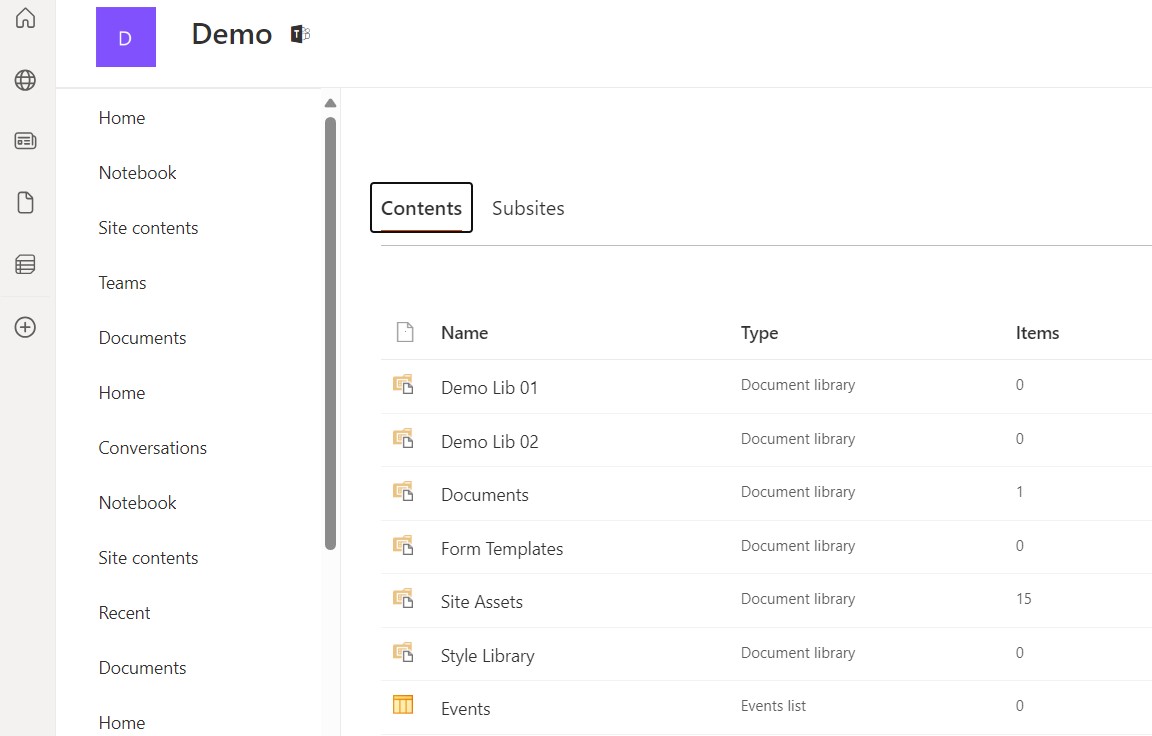
As you can see it has created two new libraries with names as we have indicated in the script
 #SharePoint
#technology
#microsoft
#PowerShell
#PnP
#digitaltransformation
#cloud
#mvpbuzz
#m365
#SharePoint
#technology
#microsoft
#PowerShell
#PnP
#digitaltransformation
#cloud
#mvpbuzz
#m365
Visit Archives below to find more articles about Microsoft technologies on Modern Workplace