
Free Material
Find hereMore than 150 Articles about Microsoft Technologies on Modern Workplace
Official Site
Microsoft Most Valuable Professional M365 Apps & Services
Microsoft Most Valuable Professional Business Applications
Consultant & Sr Cloud Solution Architect Modern Wokrplace
Find hereMore than 150 Articles about Microsoft Technologies on Modern Workplace
04 February 2024
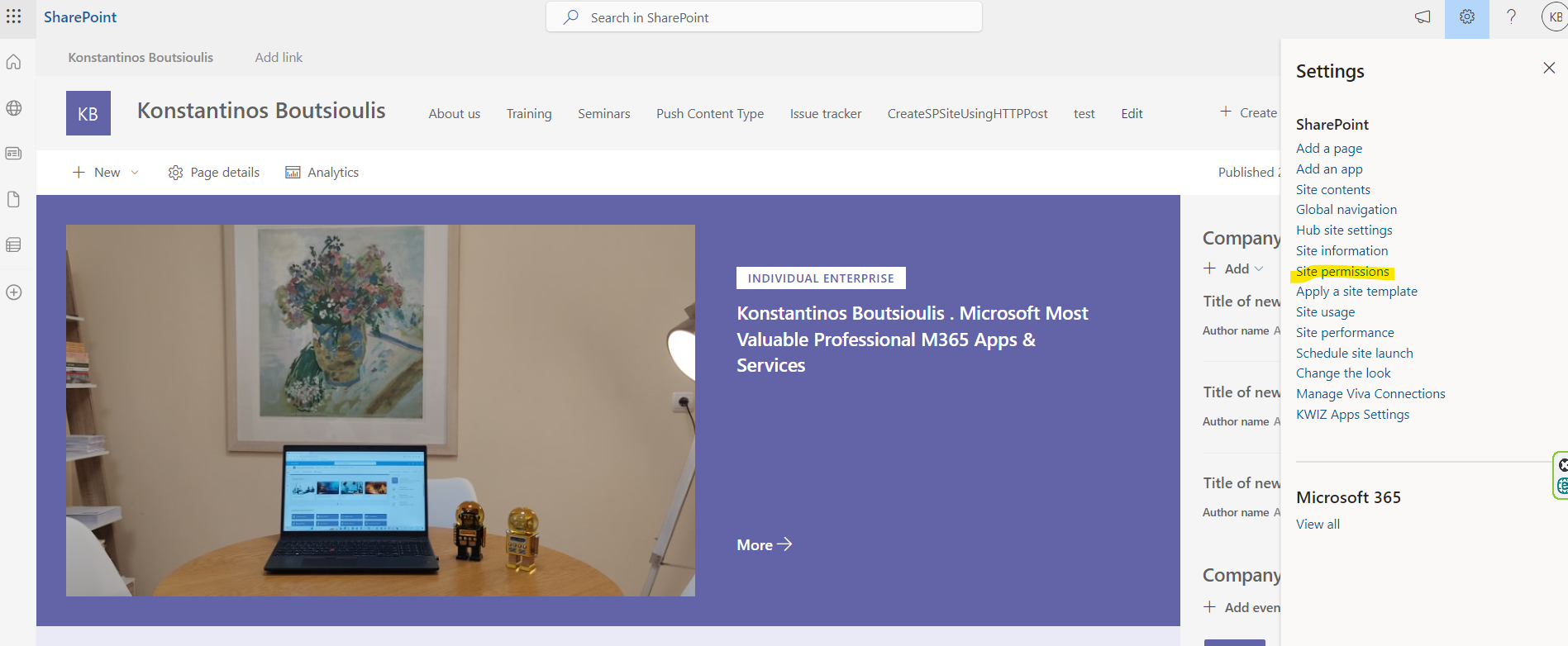
In today's article we will see how we can assign permissions to a page in SharePoint First we select the page on which we want to assign permissions to users Then we left click on the top right of the gear and select site permissions
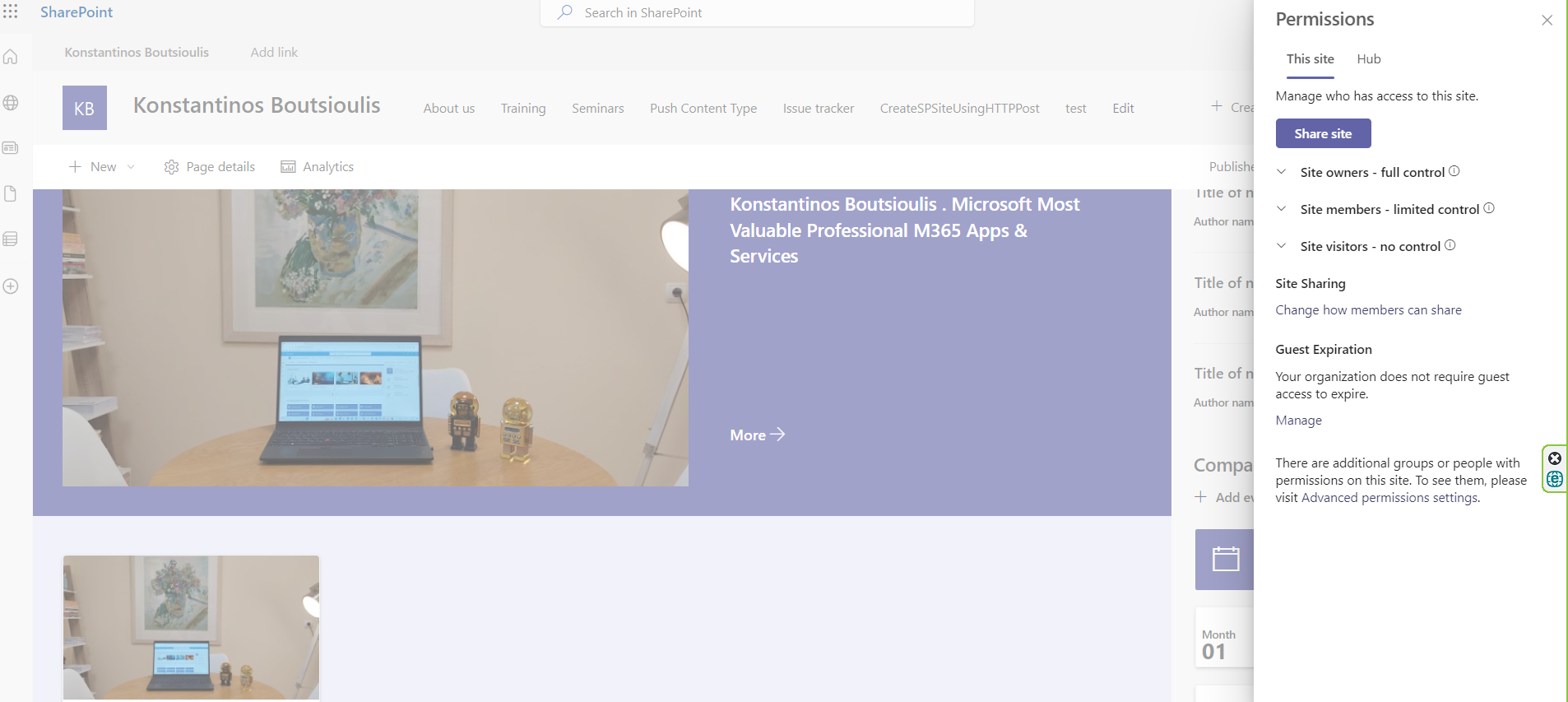
The next step opens a new pop-up right-hand sidebar which has a series of options where one can identify the owners, visitors and members of the site as well as the type of permissions each group has
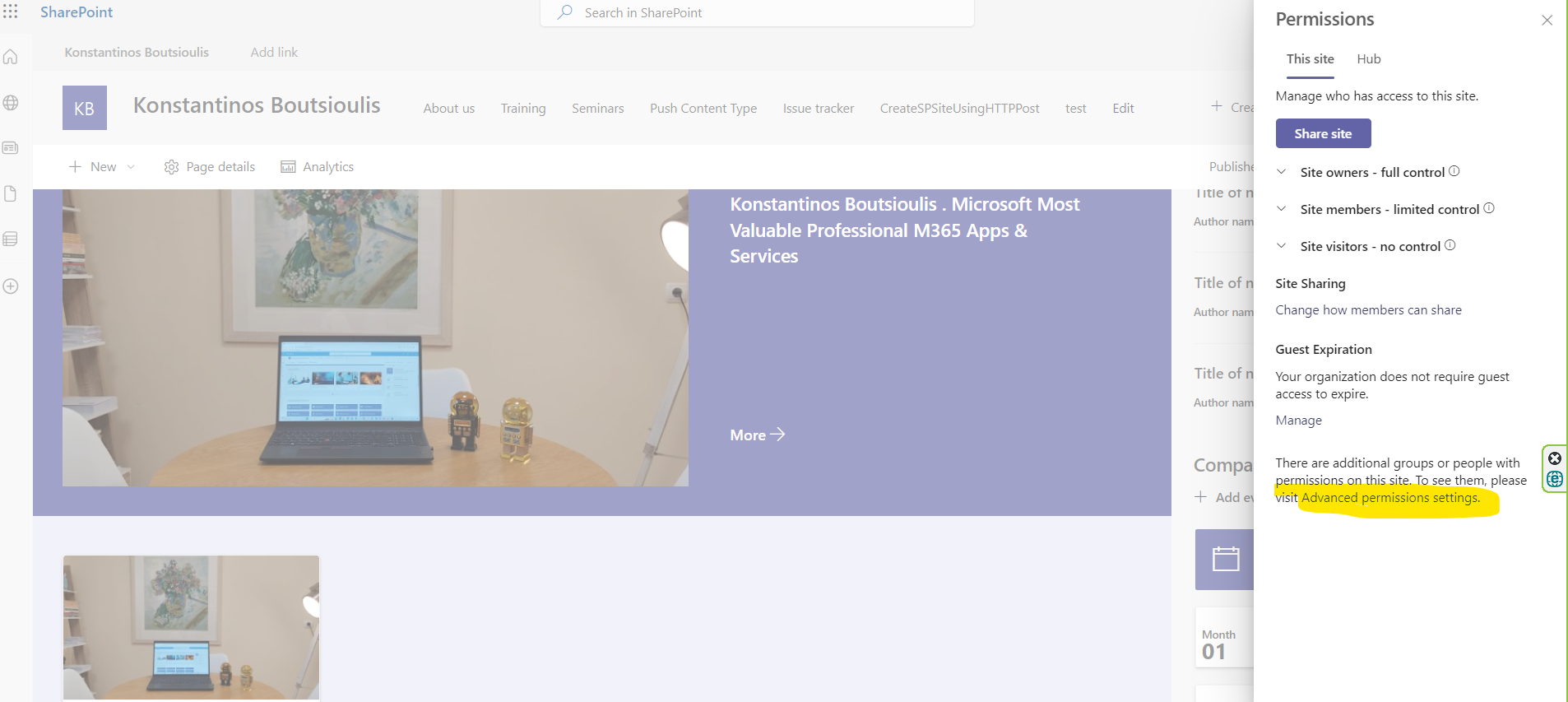
If one selects Advanced Permission Settings at the bottom right
This takes you to the permissions page of the classic SharePoint
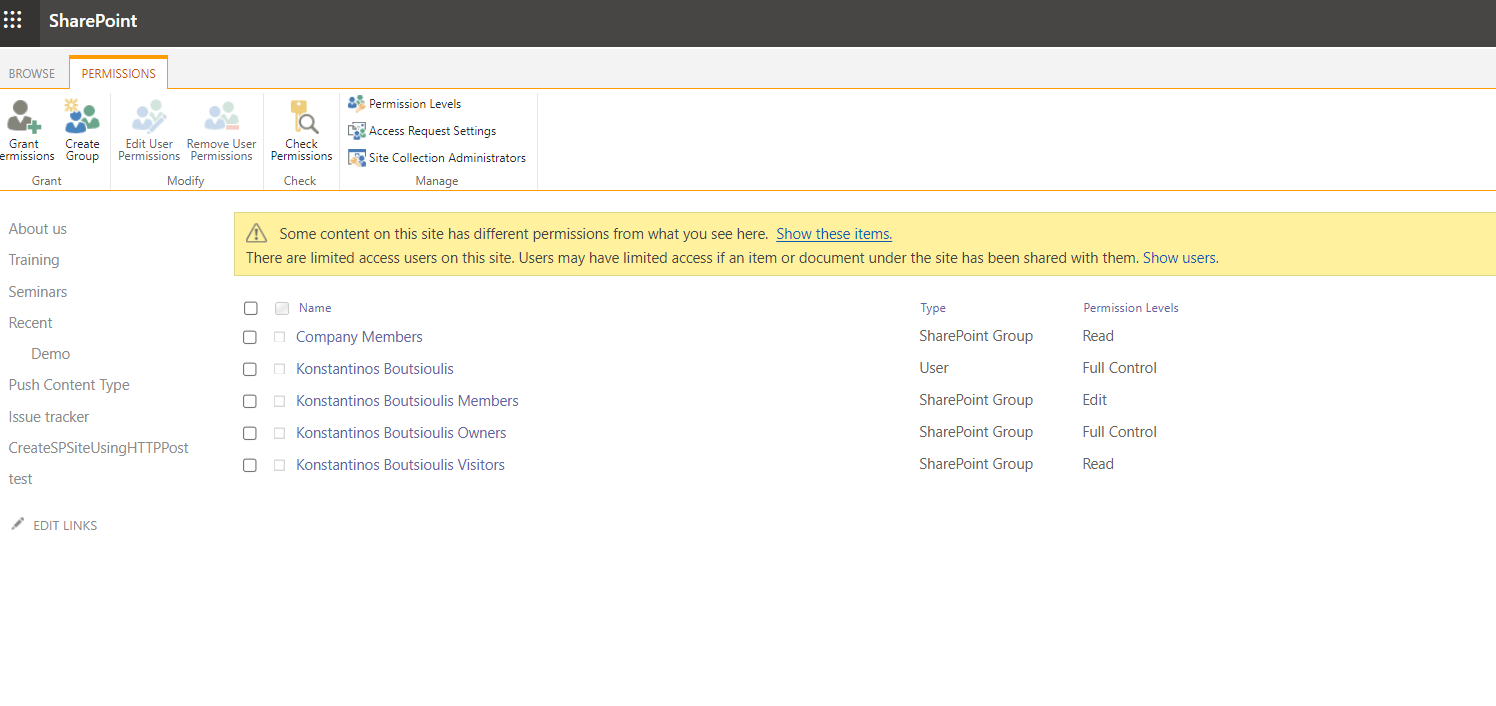
With the Grand Permission option you have the possibility to add a new person or group to your page
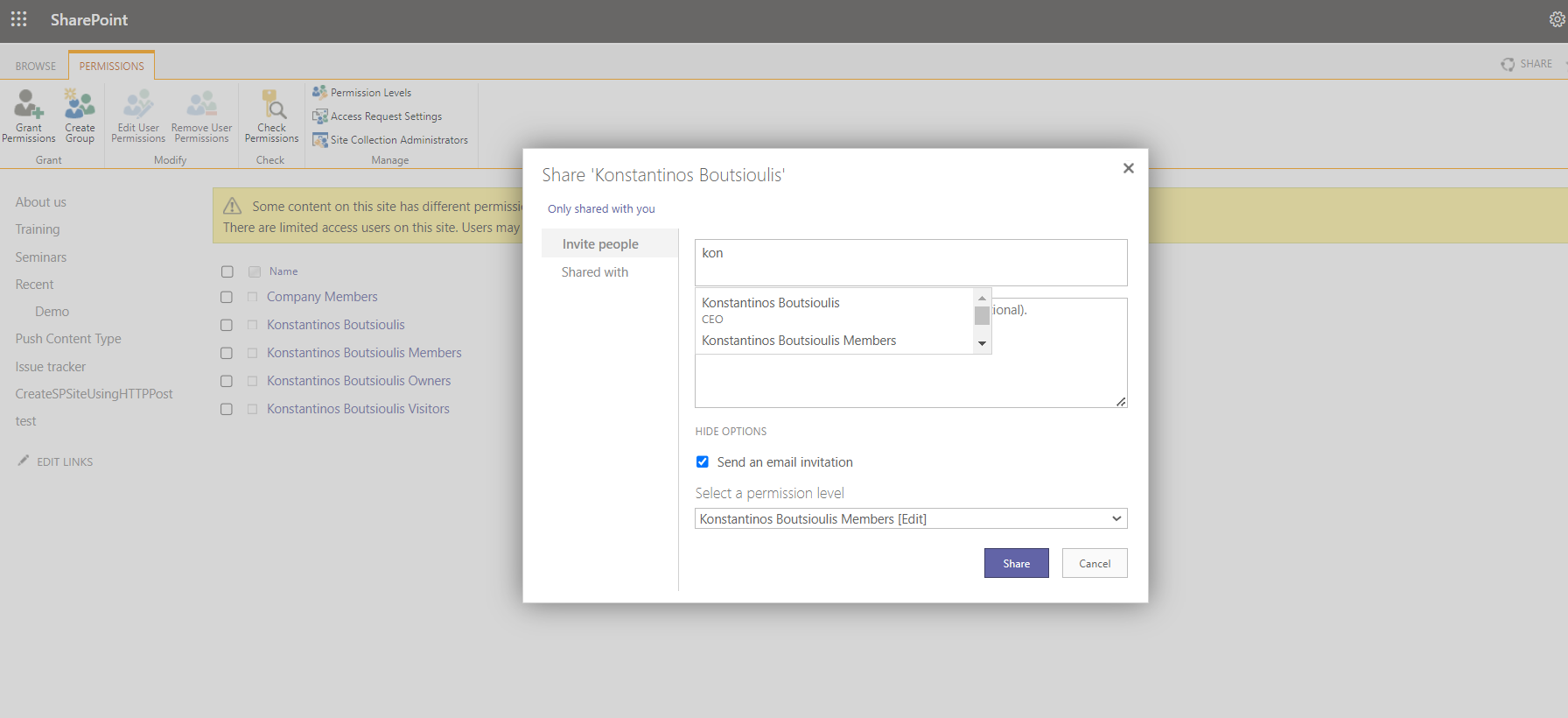
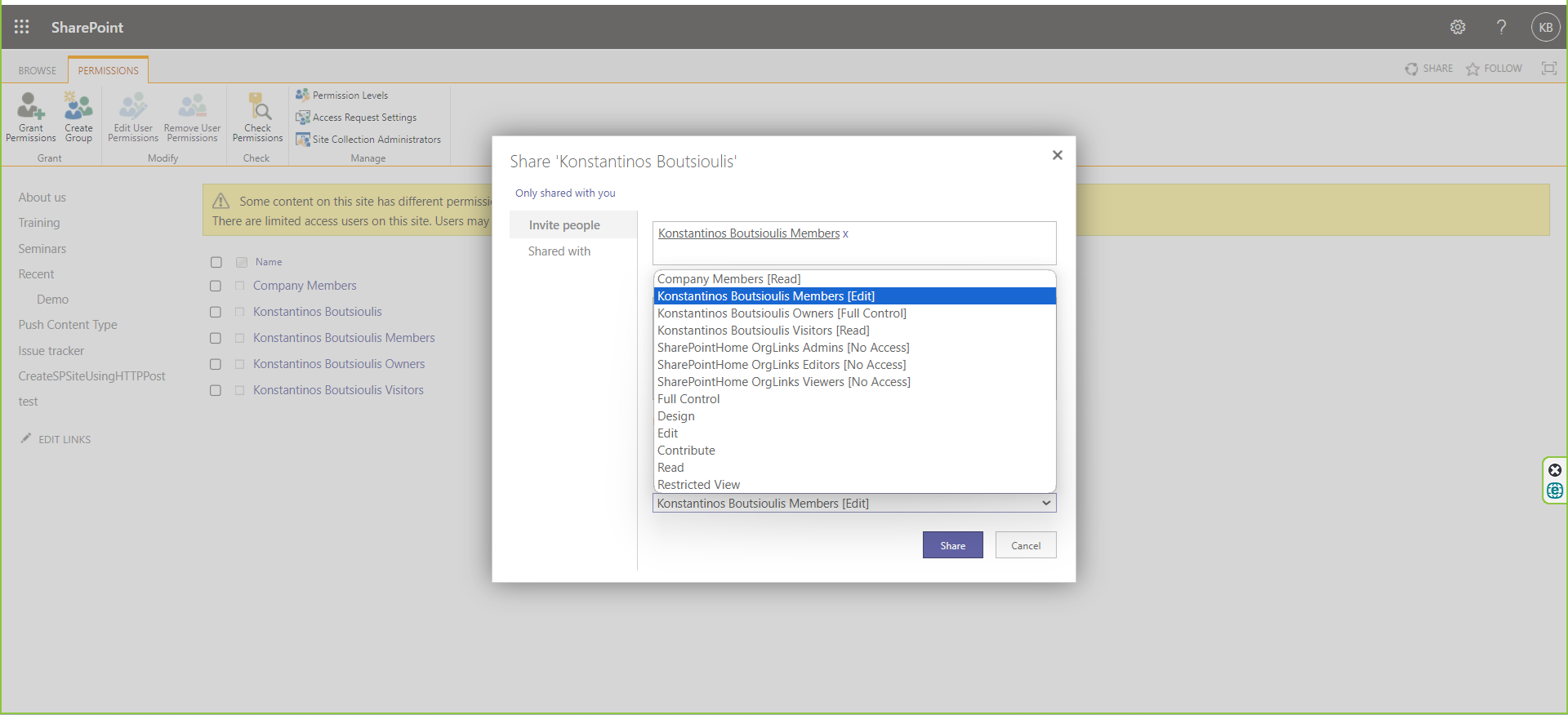
You also have the possibility to choose the type of permission you want to assign to the user or group and whether you want to be informed by mail about this addition
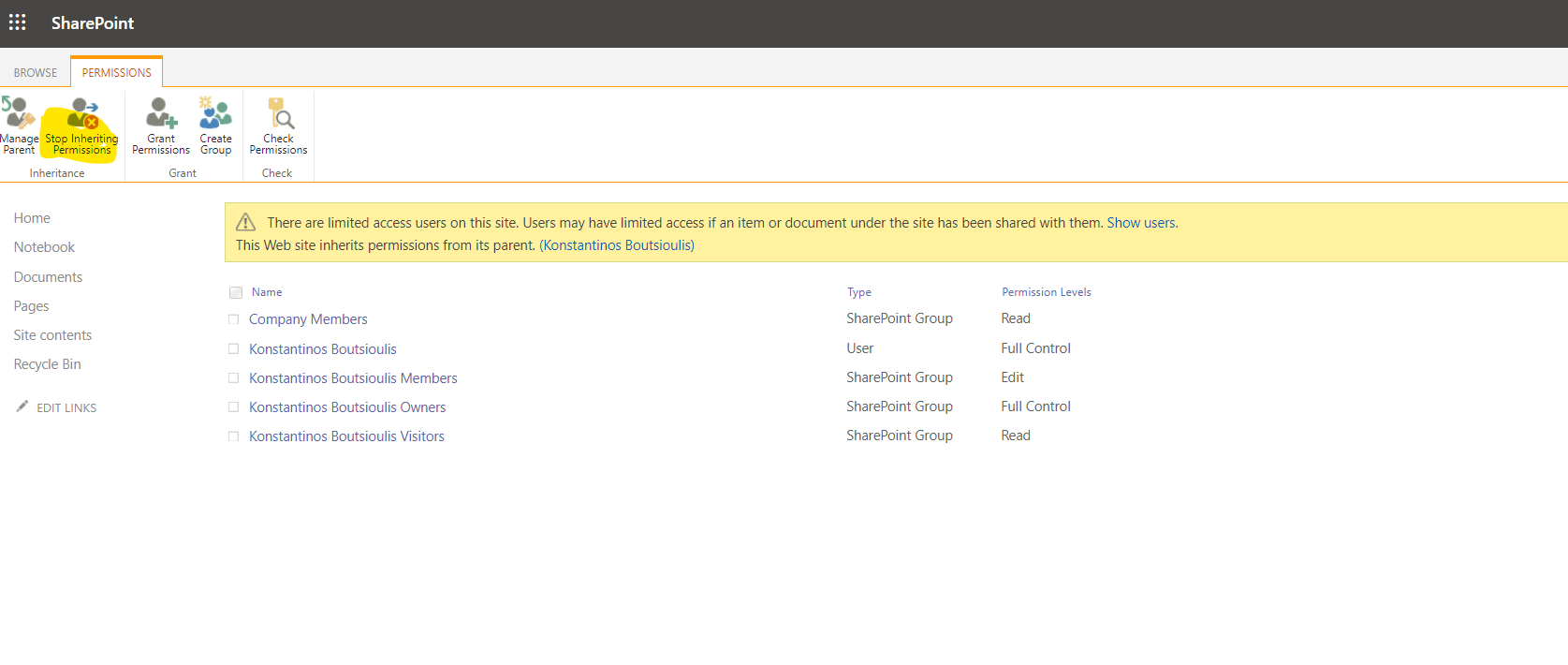
In case you are on a subsite and you want to break inherited permissions select Stop Inheriting Permission
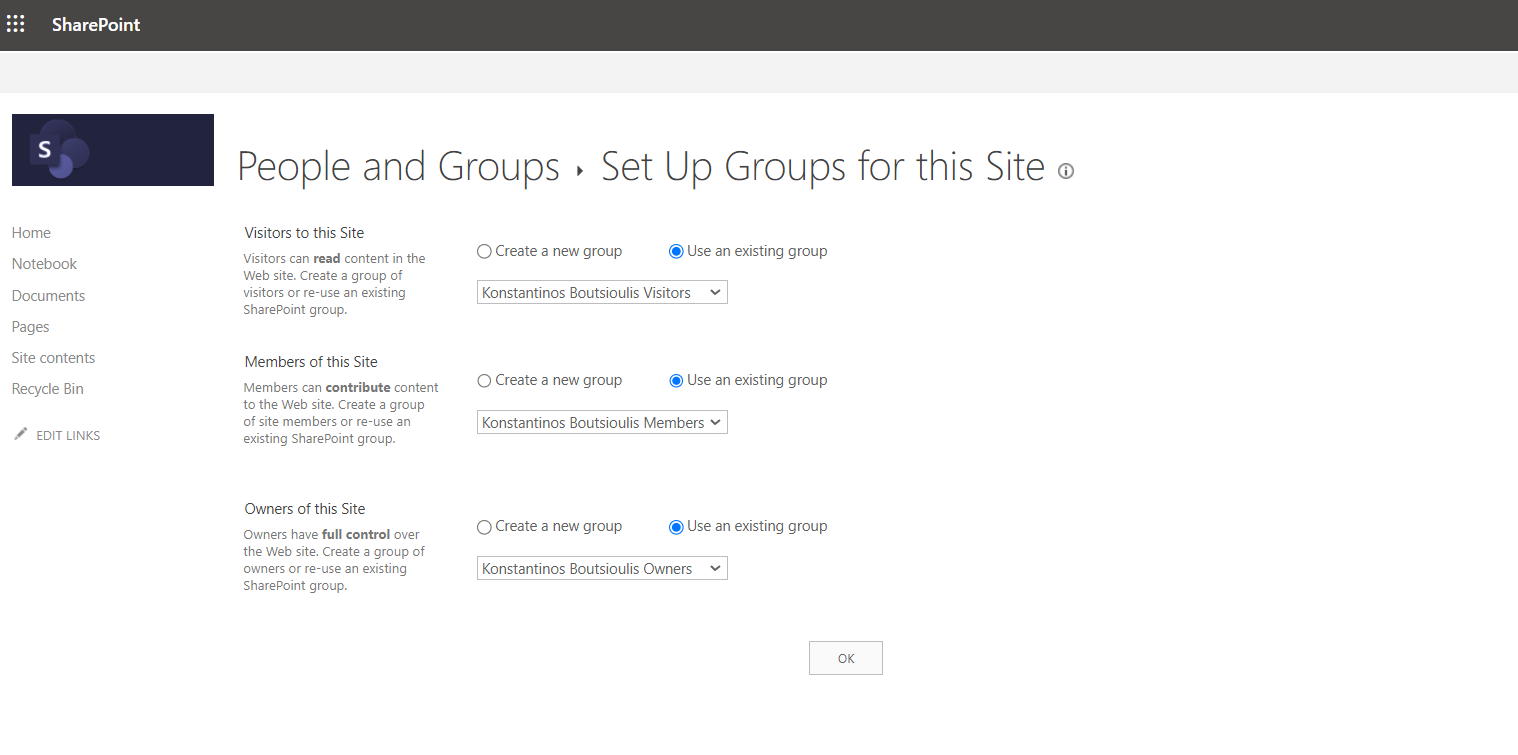
In case you want to revert to the original state to inherit from the parent site select
#ModerWork #M365_Apps_Services #BusinessApps #SharePoint #technology #microsoft #digitaltransformation #cloud #mvpbuzz #m365Visit Archives below to find more articles about Microsoft technologies on Modern Workplace