
Free Material
Find hereMore than 150 Articles about Microsoft Technologies on Modern Workplace
Official Site
Microsoft Most Valuable Professional M365 Apps & Services
Microsoft Most Valuable Professional Business Applications
Consultant & Sr Cloud Solution Architect Modern Wokrplace
Find hereMore than 150 Articles about Microsoft Technologies on Modern Workplace
02 February 2024
In today's article we will see how we can create content in SharePoint and have it be visible only to specific users. This action is audience targeting for SharePoint. I will describe a short scenario to make this action easier to understand. Suppose we have A company and in this company there are different departments such as IT, HR, Sales, Consulting etc. We want then when we enter the Home Page of SharePoint to display the quick link in tile format for each department but it should be visible only to the employees of the department. of that particular department. So we will have to to use audience targeting. First we need to login to SharePoint and locate our home page
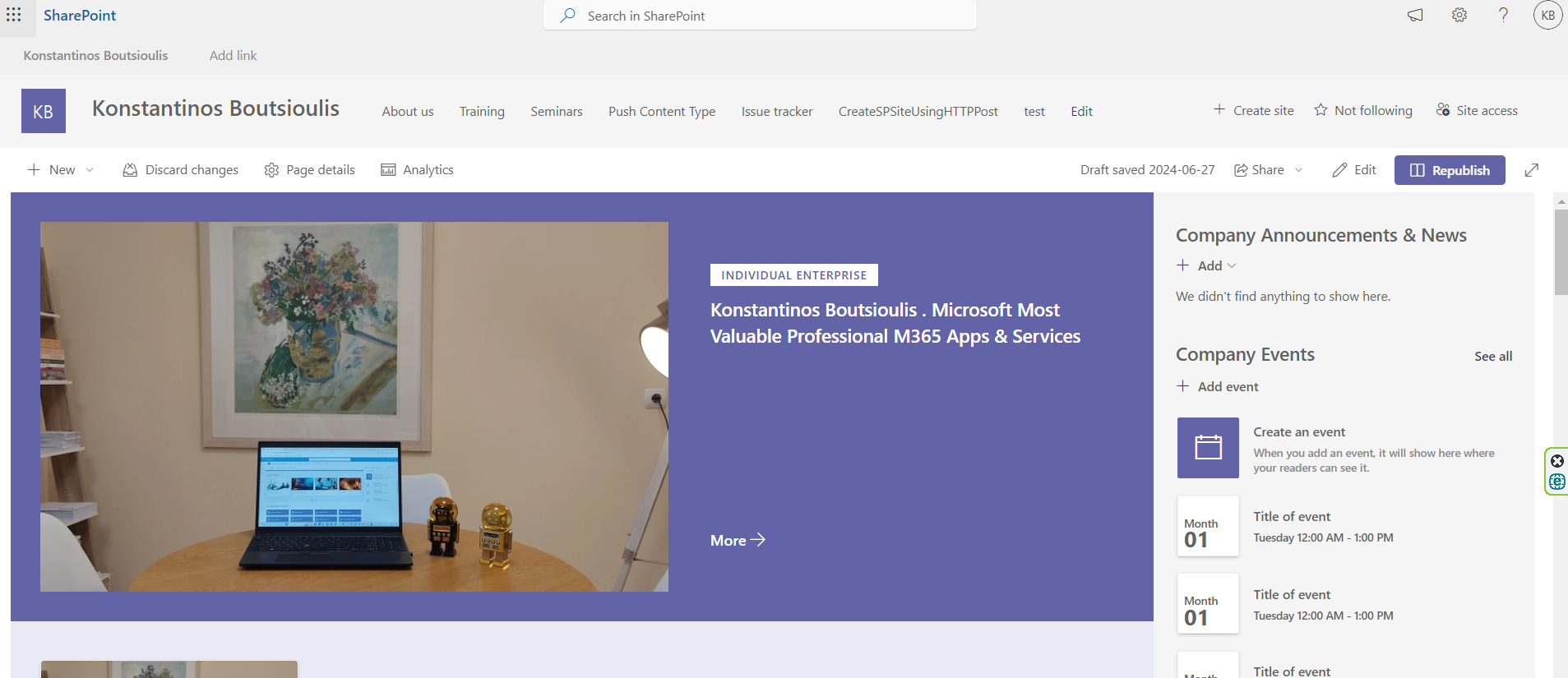
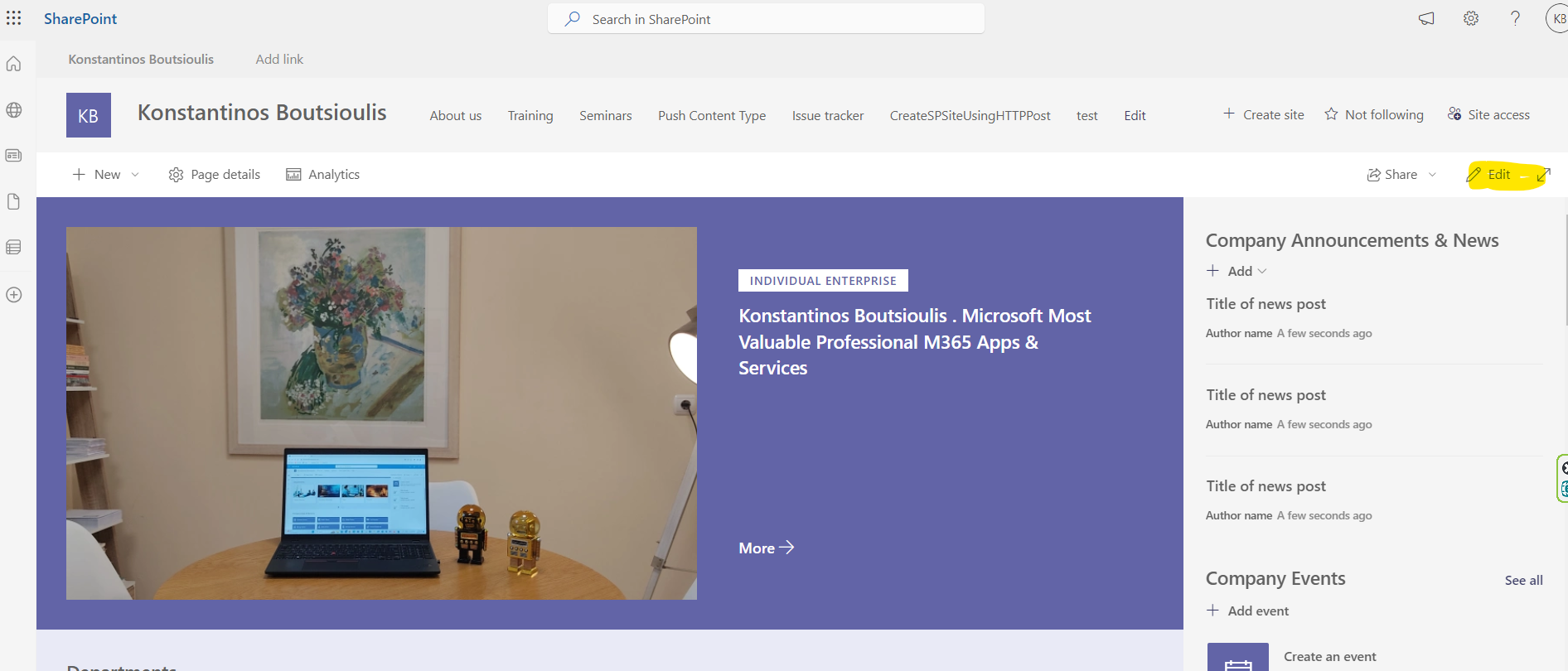
In the next step we have to click on the edit button above right
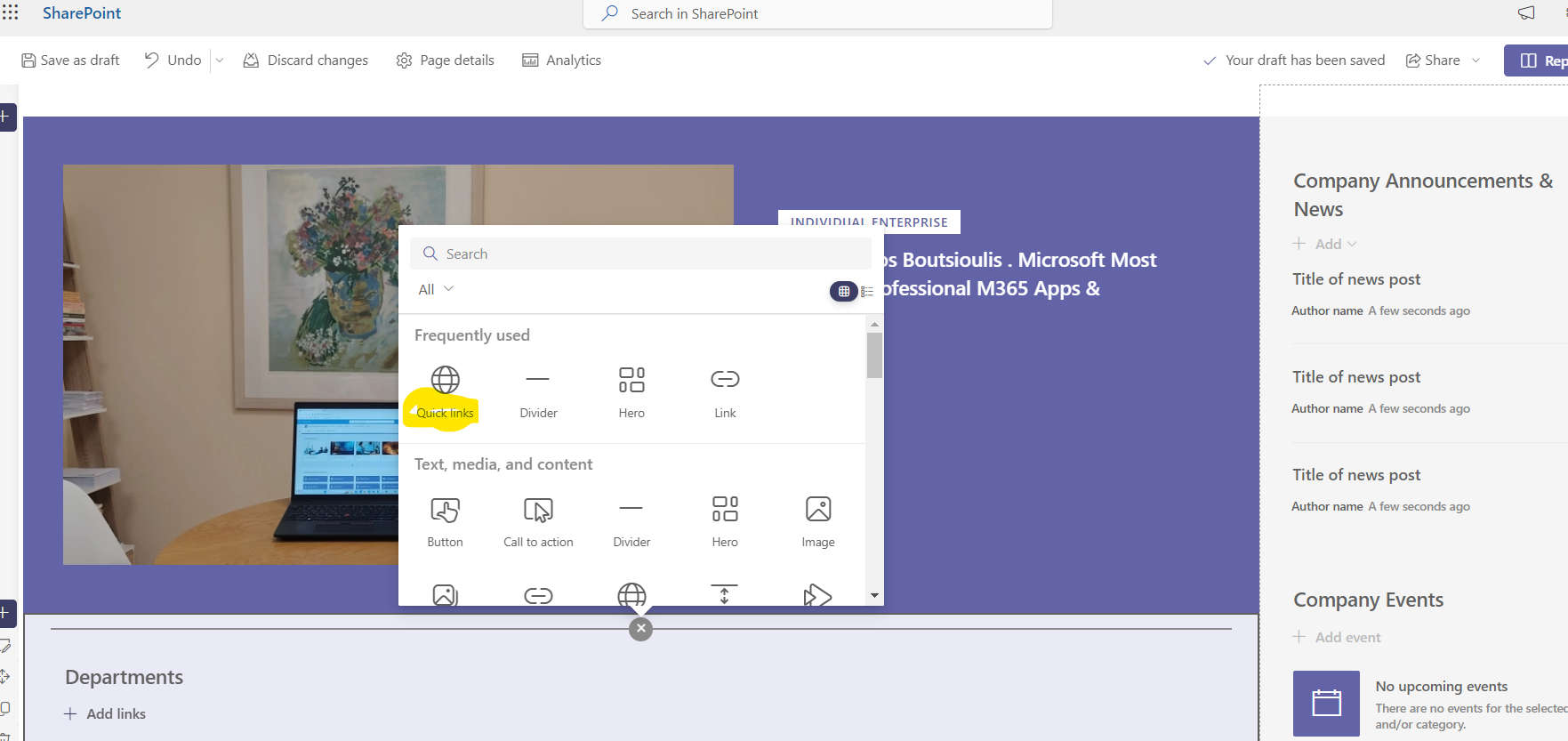
And then on in the frame of the page we want to add a new web part of the Quick Link type
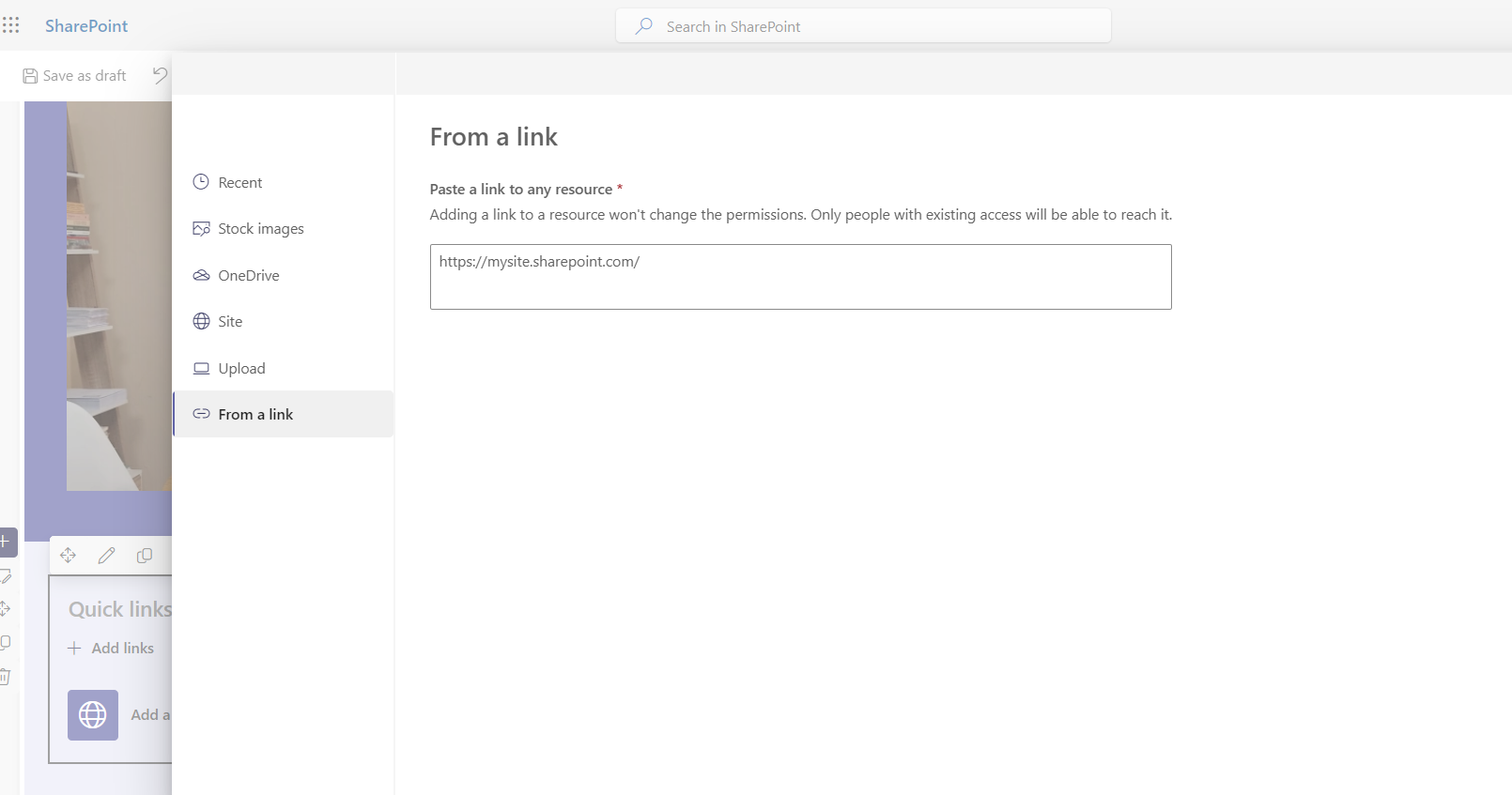
Press on the first quick link and enter the address of the site we want to redirect the tile to
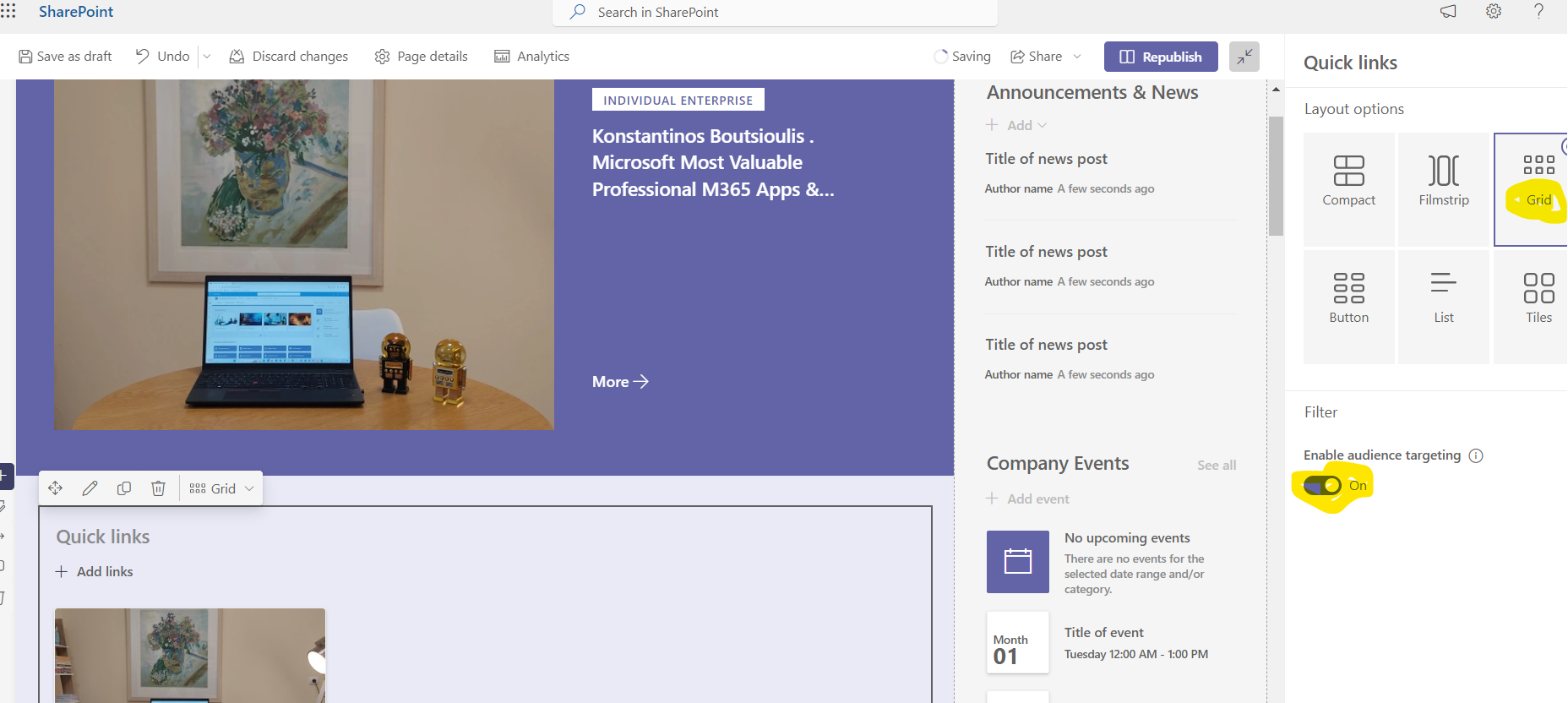
Change the format of the link to grid and select enable audience targeting and then repupbish
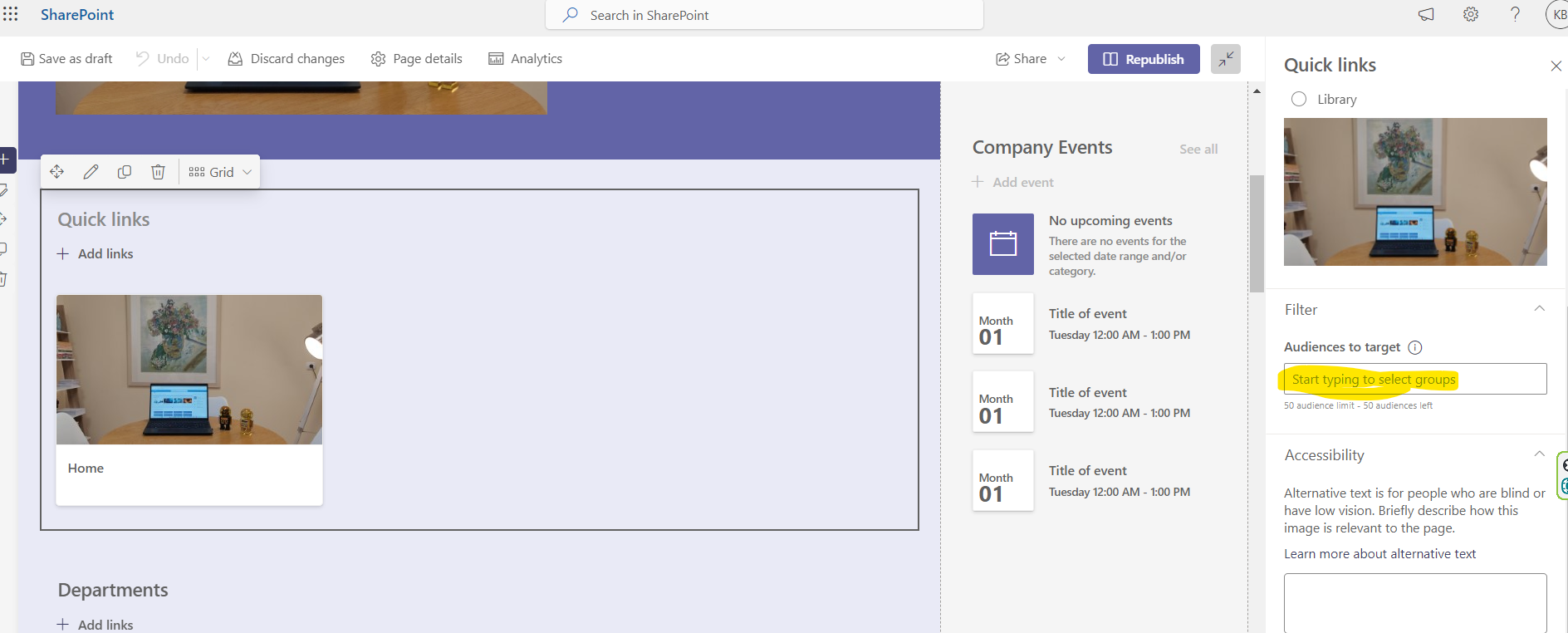
Then again with edit in the audoences to target option we select the group of users we want our tile to be visible to
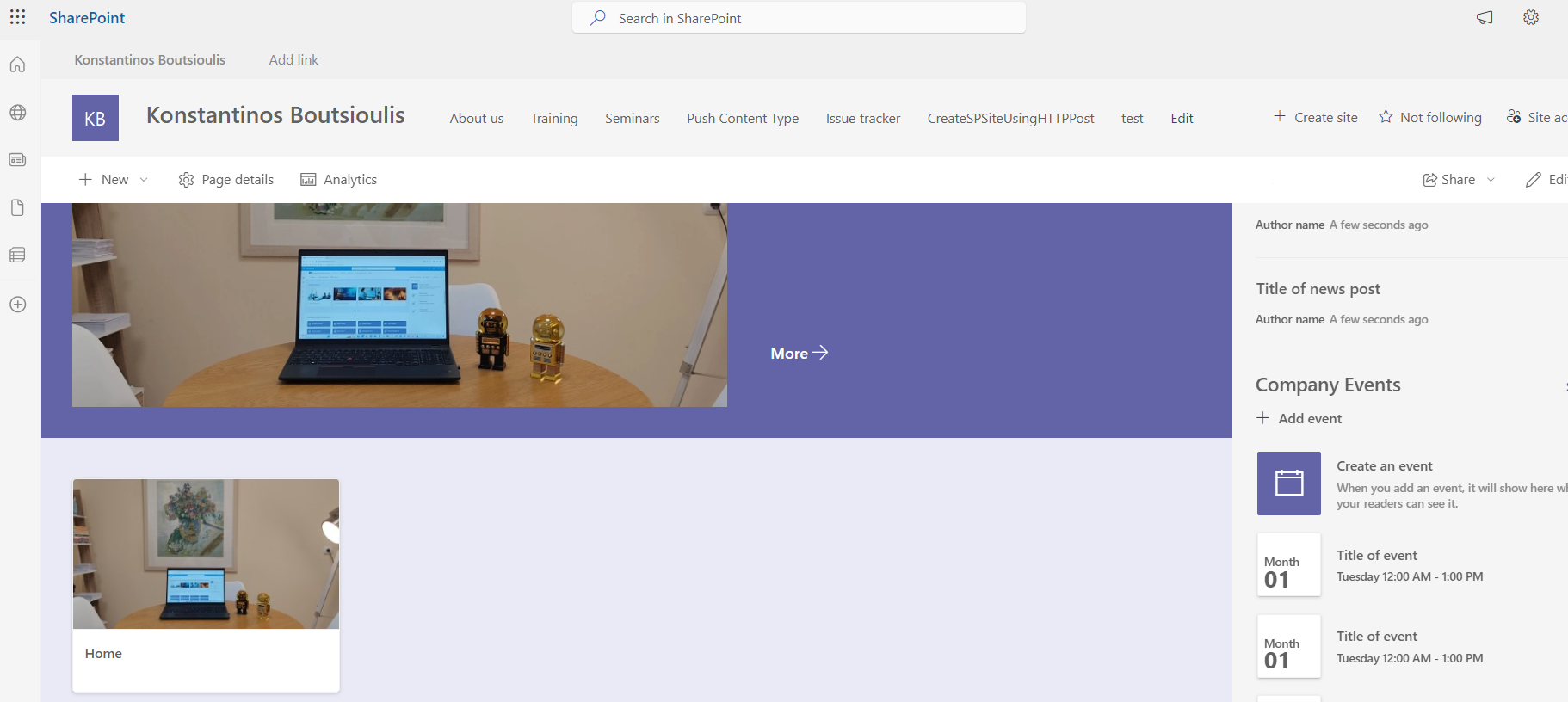
So as you can see I belong to the IT department I have access and can see the tile
 #ModerWork
#M365_Apps_Services
#BusinessApps
#SharePoint
#technology
#microsoft
#digitaltransformation
#cloud
#mvpbuzz
#m365
#ModerWork
#M365_Apps_Services
#BusinessApps
#SharePoint
#technology
#microsoft
#digitaltransformation
#cloud
#mvpbuzz
#m365
Visit Archives below to find more articles about Microsoft technologies on Modern Workplace