
Free Material
Find hereMore than 150 Articles about Microsoft Technologies on Modern Workplace
Official Site
Microsoft Most Valuable Professional M365 Apps & Services
Microsoft Most Valuable Professional Business Applications
Consultant & Sr Cloud Solution Architect Modern Wokrplace
Find hereMore than 150 Articles about Microsoft Technologies on Modern Workplace
12 December 2024
In today's article, I will show you how to Delete OneDrive(Business) files older than five days and send email daily using Power Automate.
First, we need to have an active M365 subscription and from the home page, we select Power Automate from the apps. On the Power Automate home page, we select Templates from the left menu.
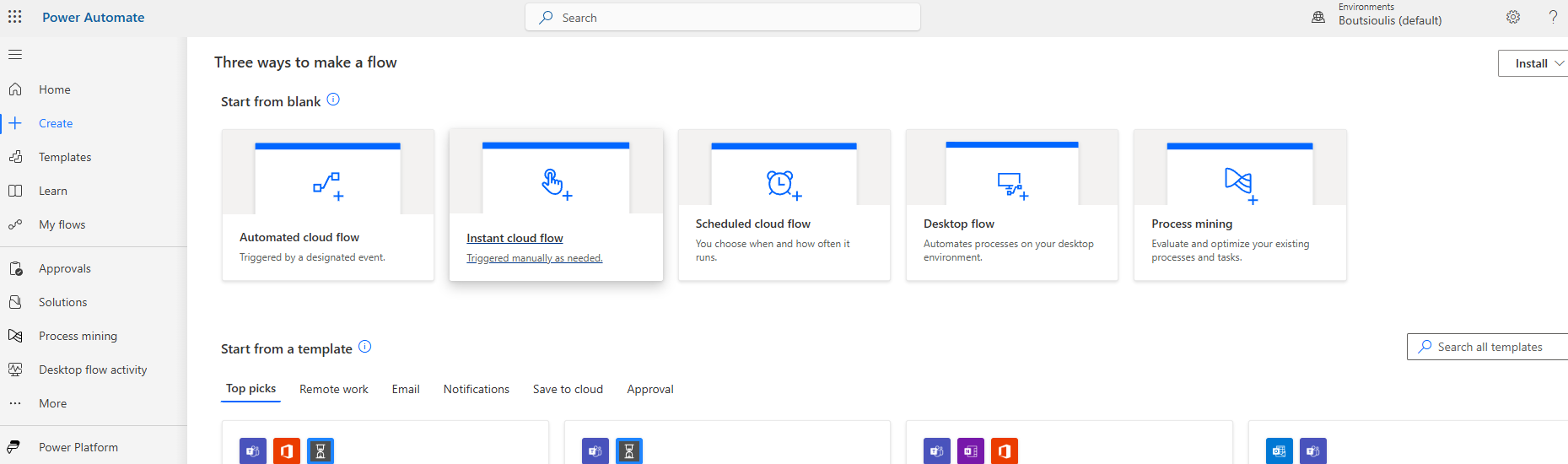
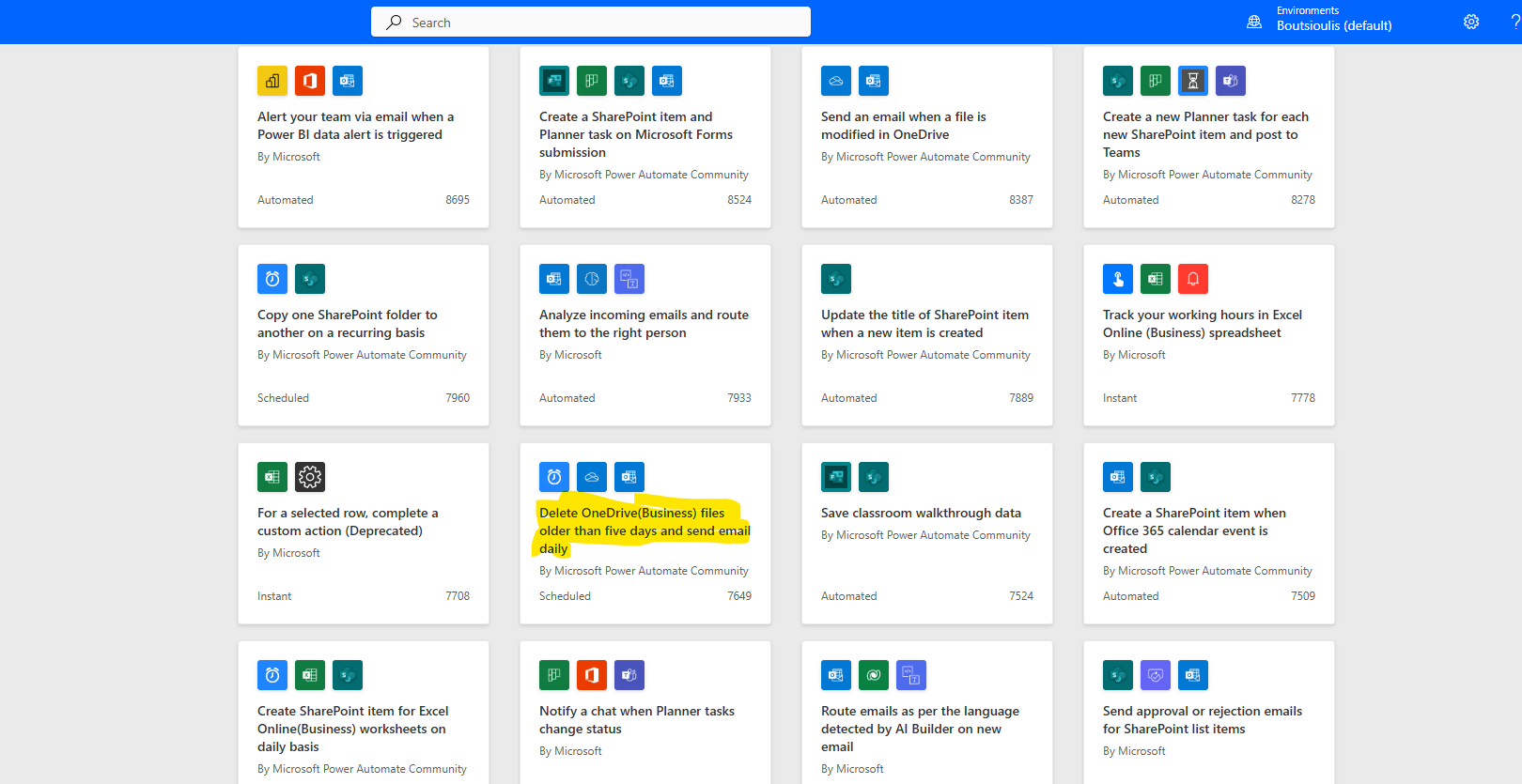
We locate the available template named "Delete OneDrive(Business) files older than five days and send email daily."
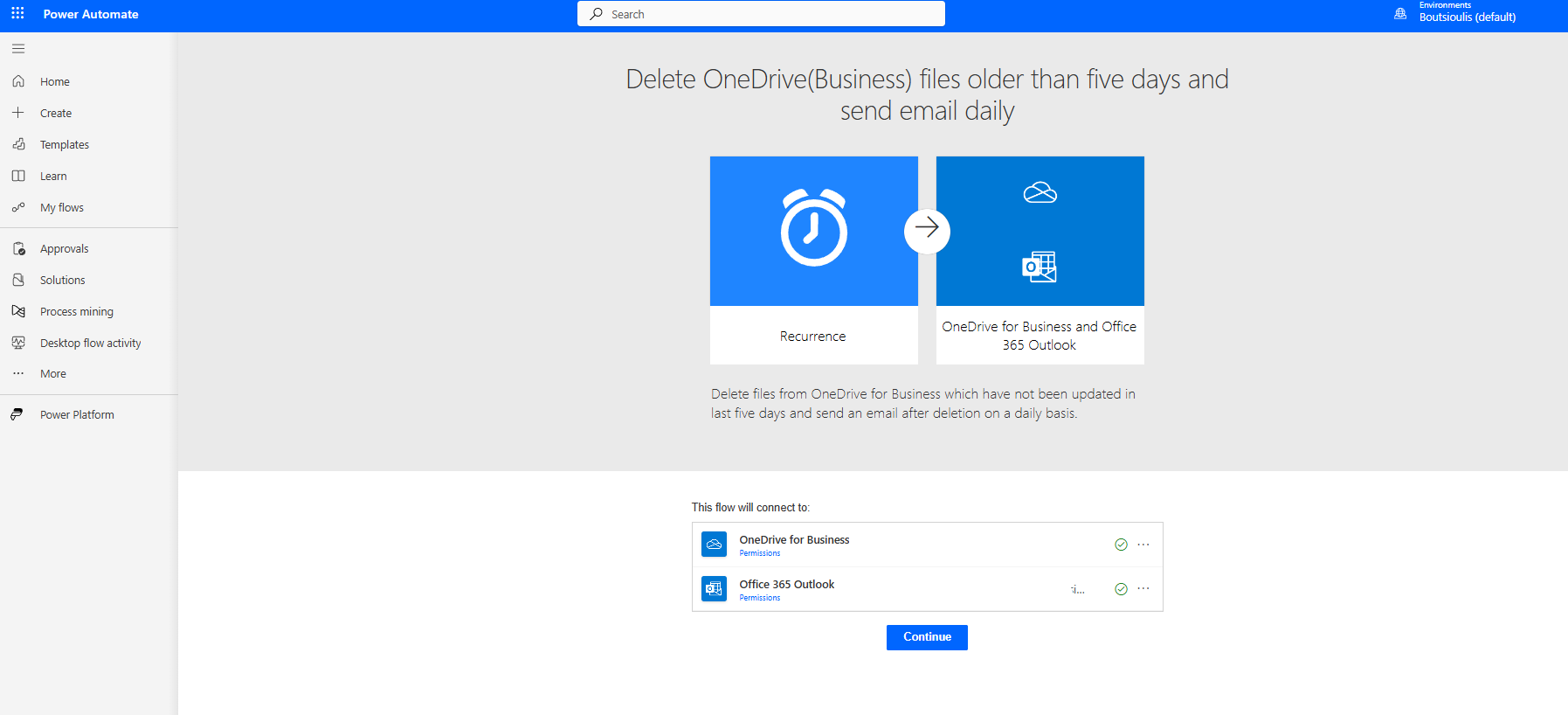
In the next screen, we allow all necessary connections and select continue.
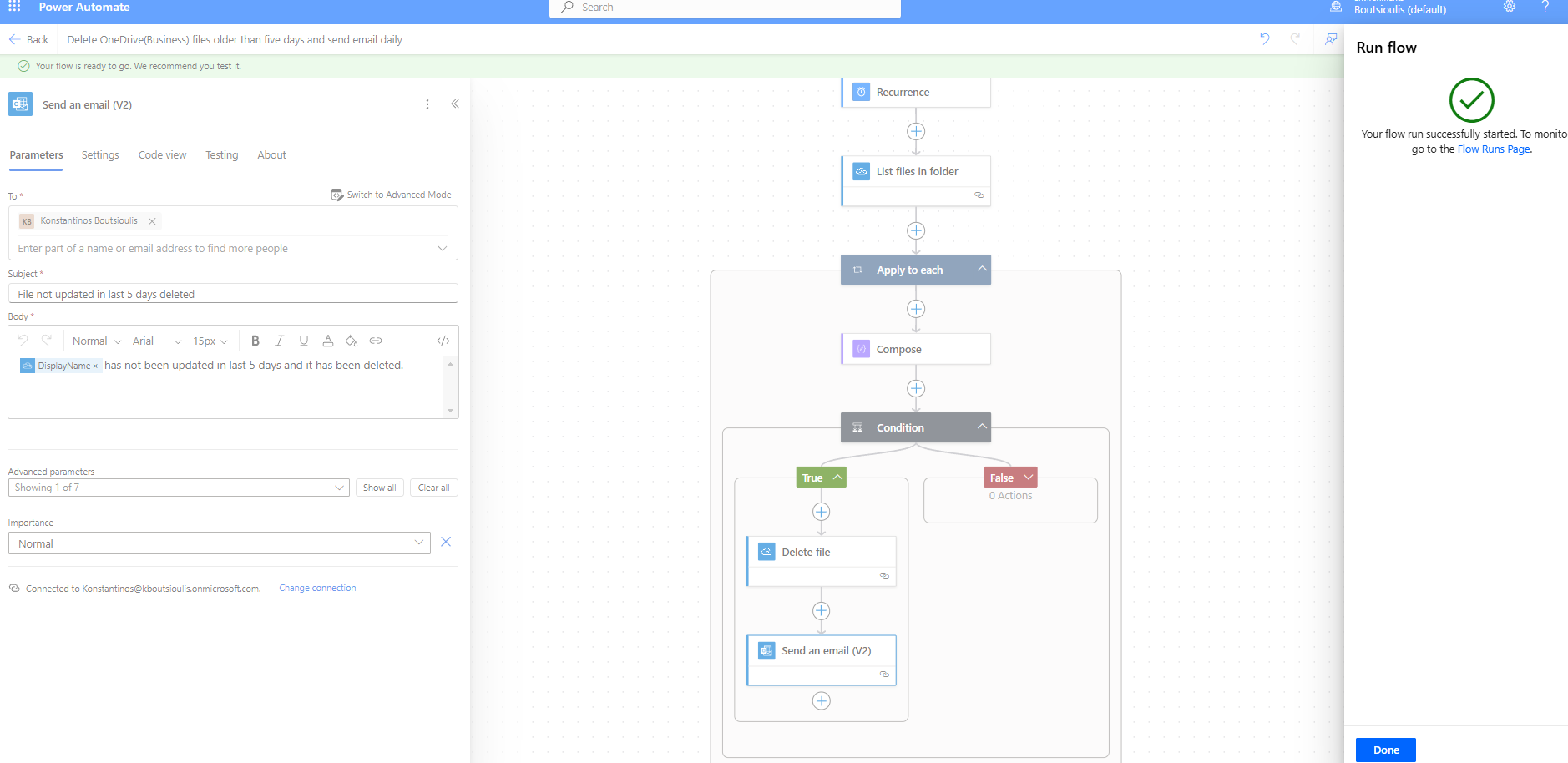
On the main page of the automate, we see the first trigger action, which is of the recurrence type, where we need to specify the execution frequency.
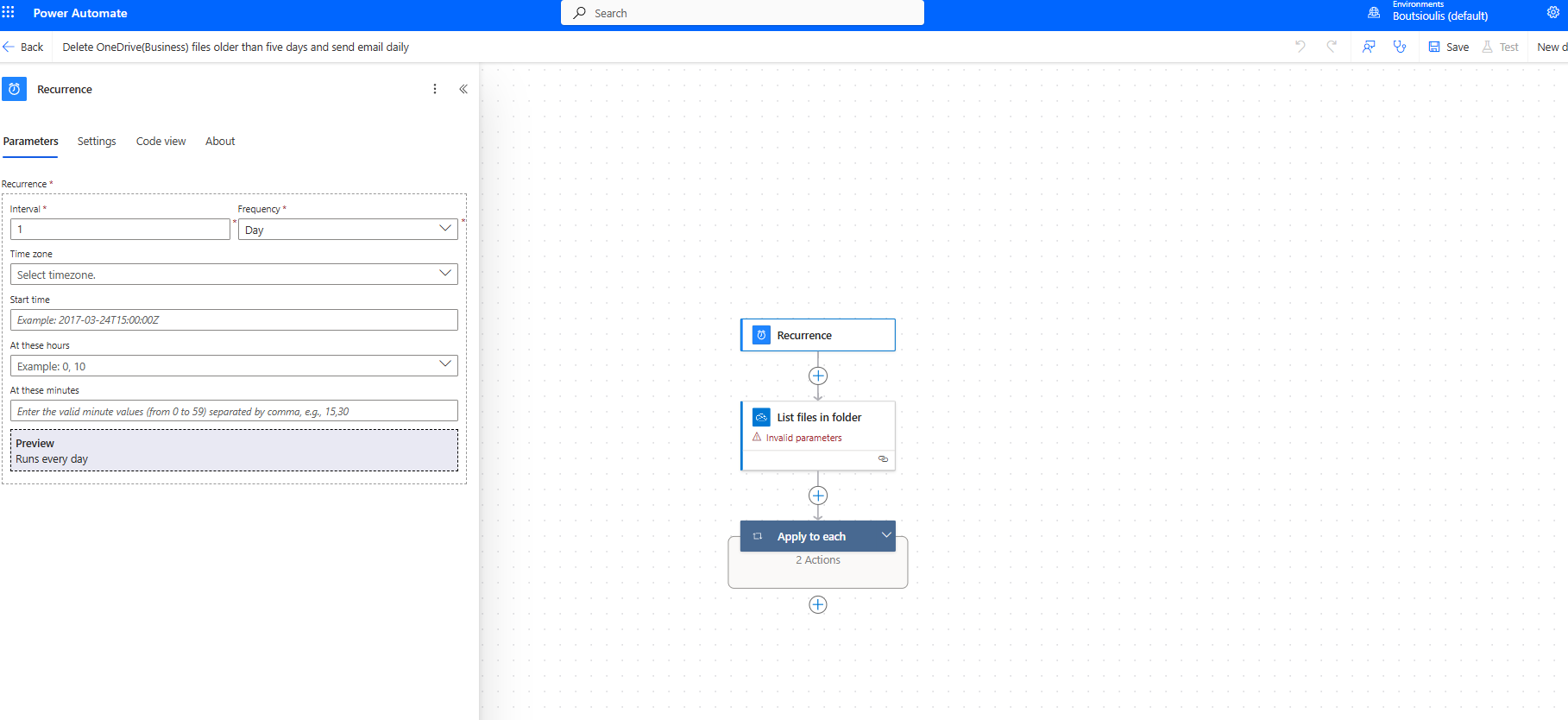
In the next action, we specify the folder where we will apply our rule, which resembles a retention policy. We select the specific folder where files older than 5 days will be deleted.
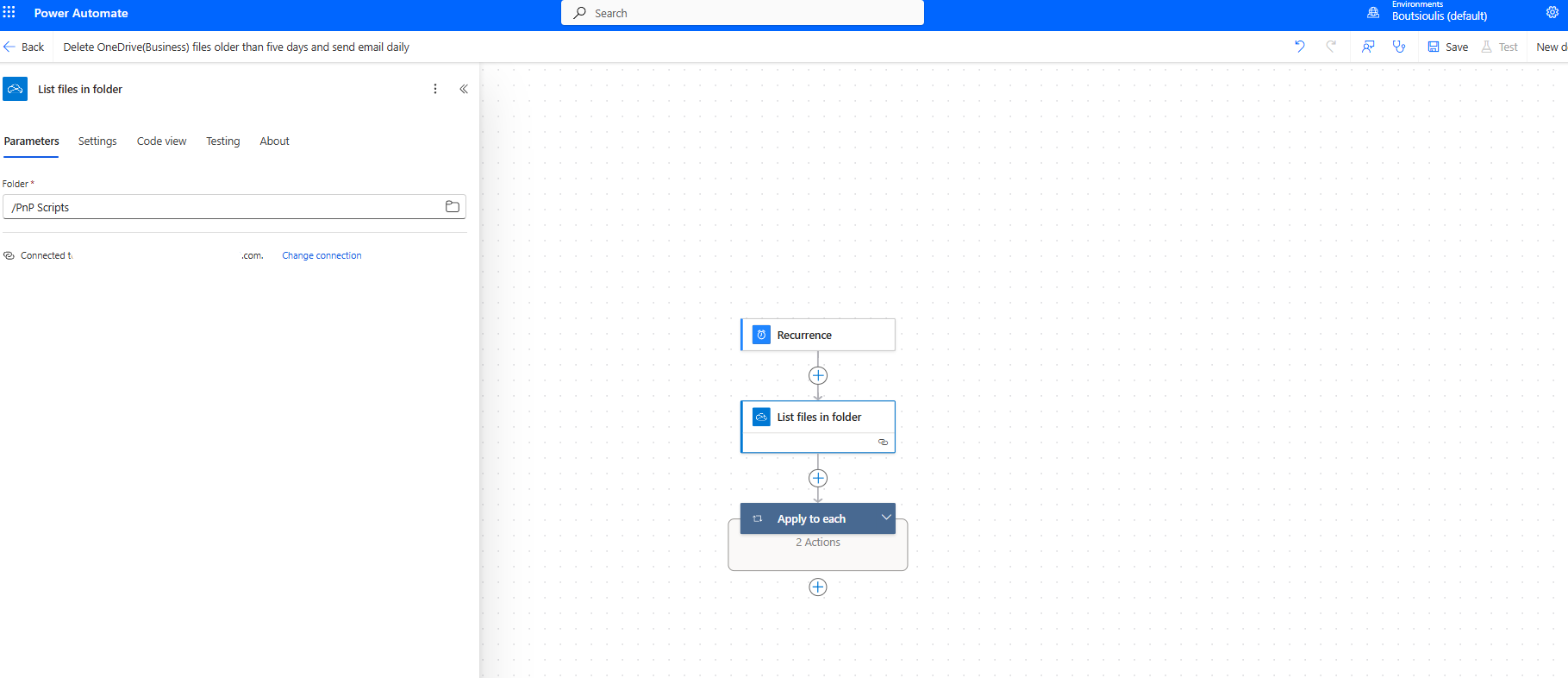
Next, there is an apply to each condition for all items in the folder.
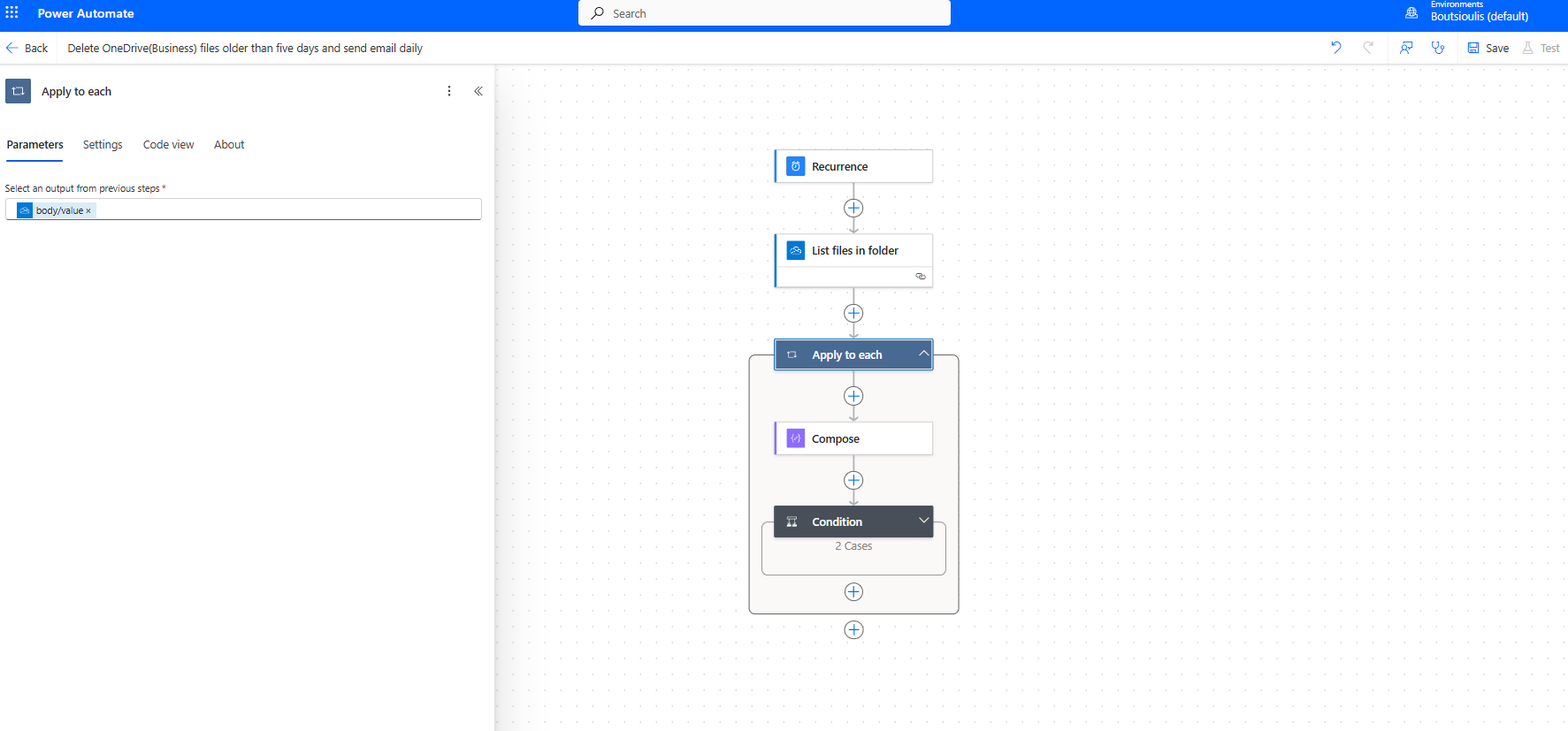
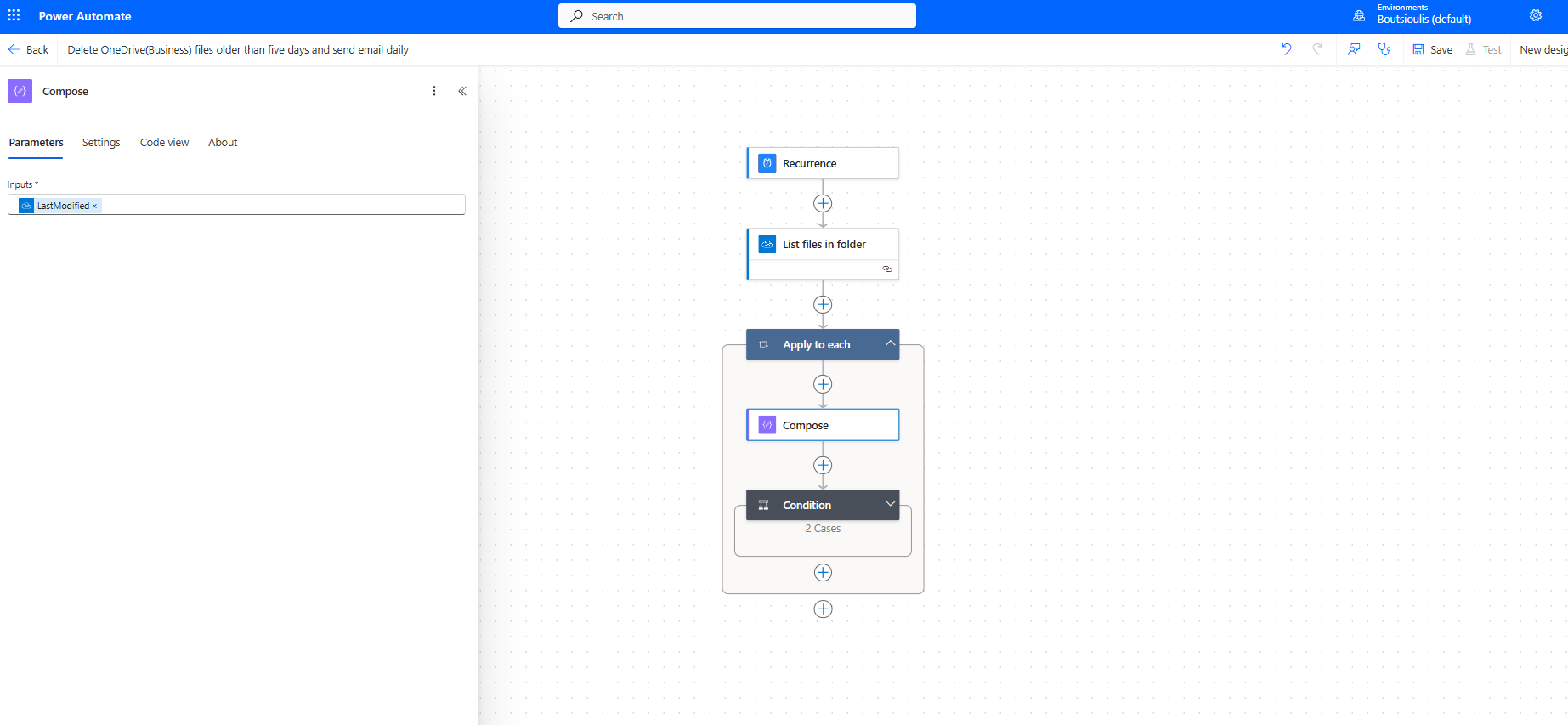
This is followed by a compose action, where we essentially parameterize it with the last modified date.
Then, we check the output of the condition and verify if the modified date is older than 5 days using utcNow()-5.
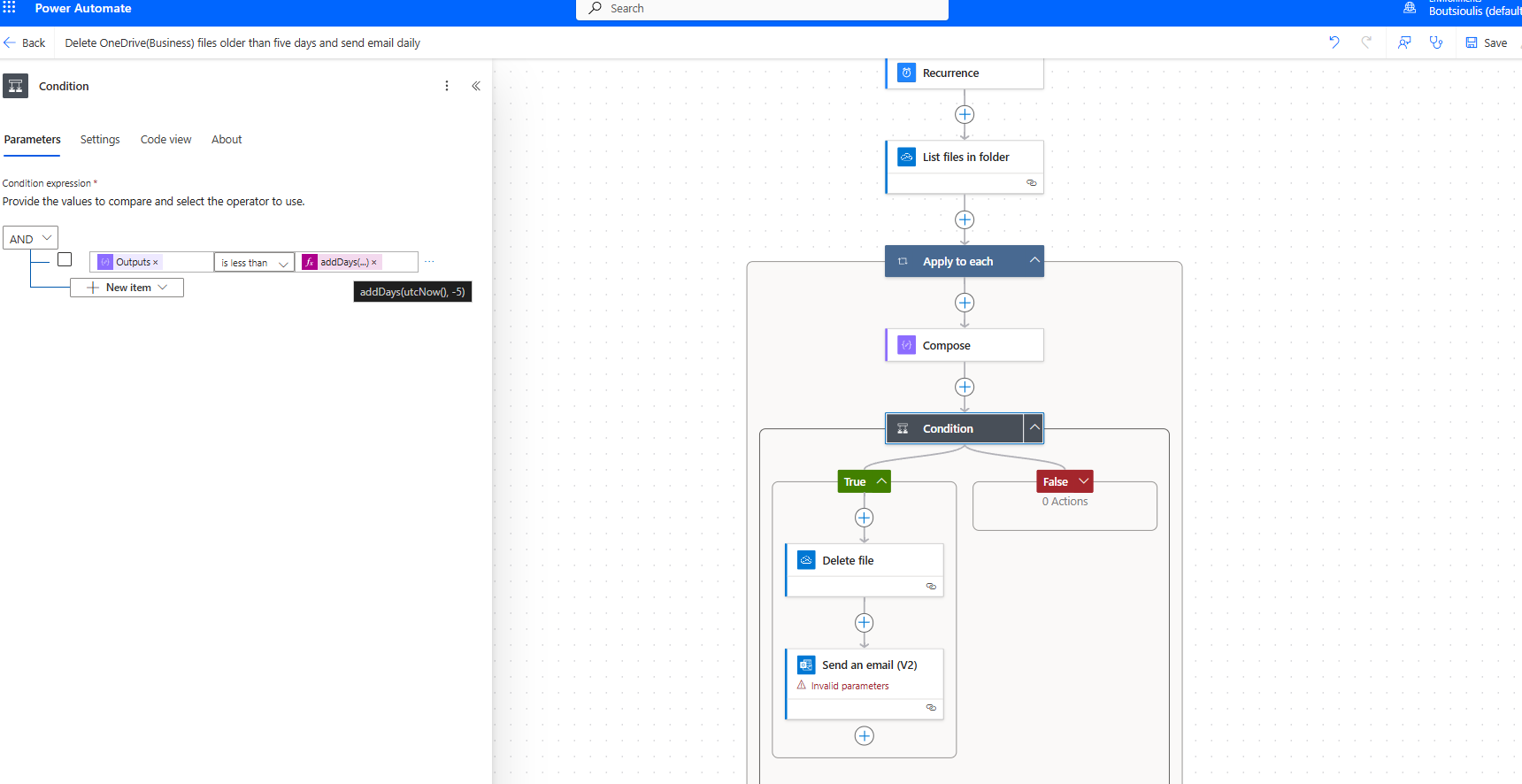
If the condition is true, we have a delete file action, and we request the deletion using the item ID.
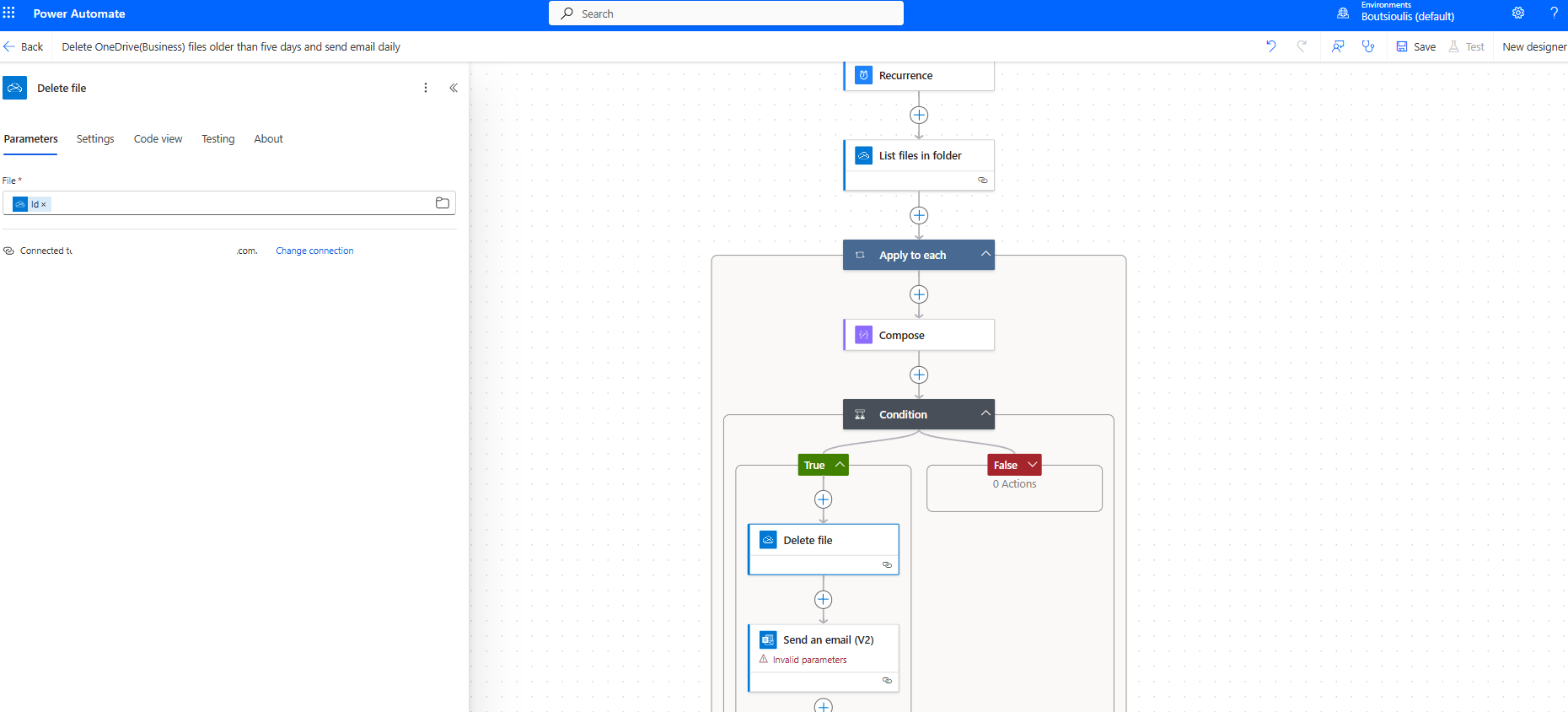
In the next action, an email is sent to inform us about the deletion.
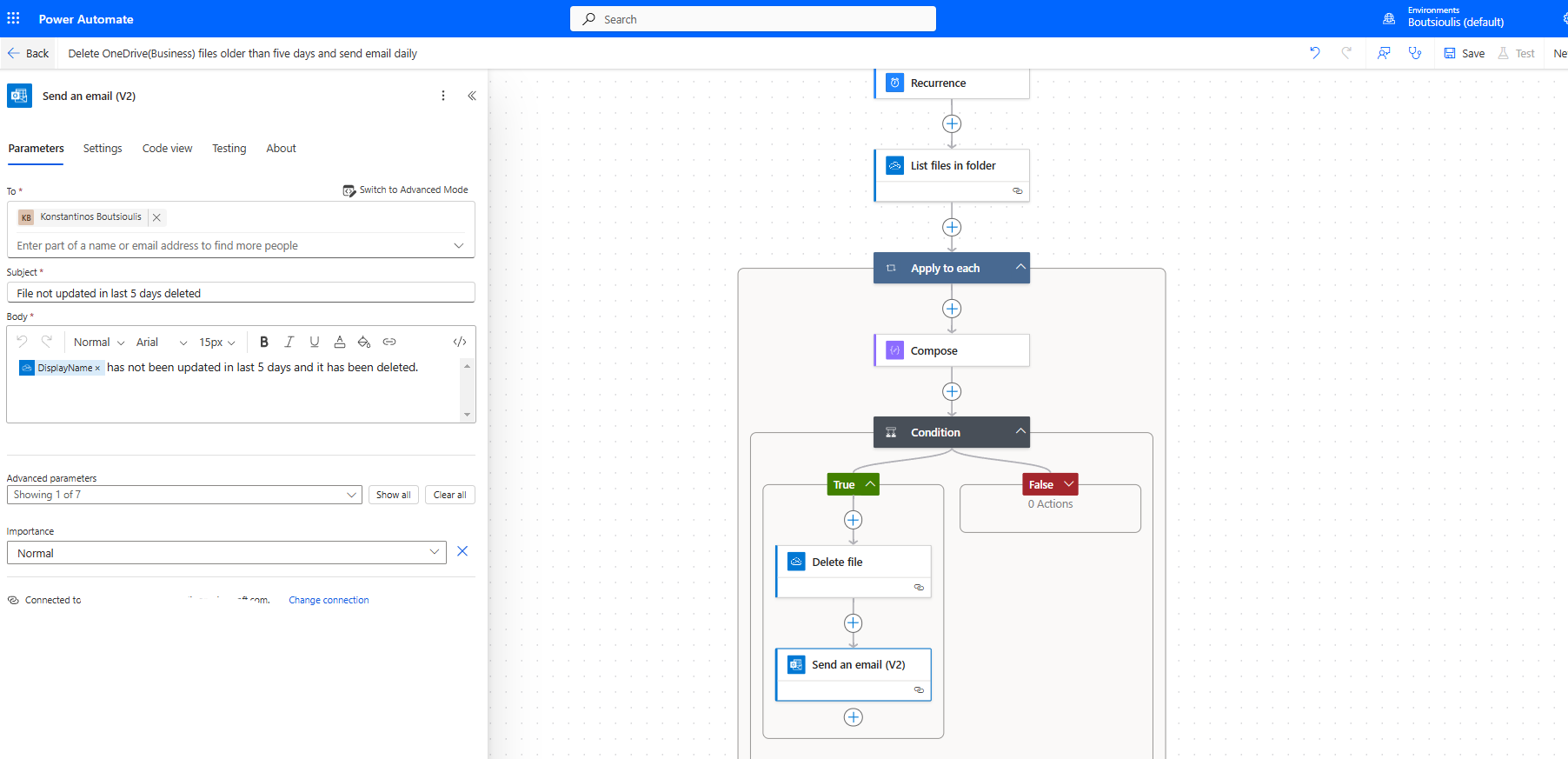
If the condition is false, the automate is terminated.
The next step is to save the automate.
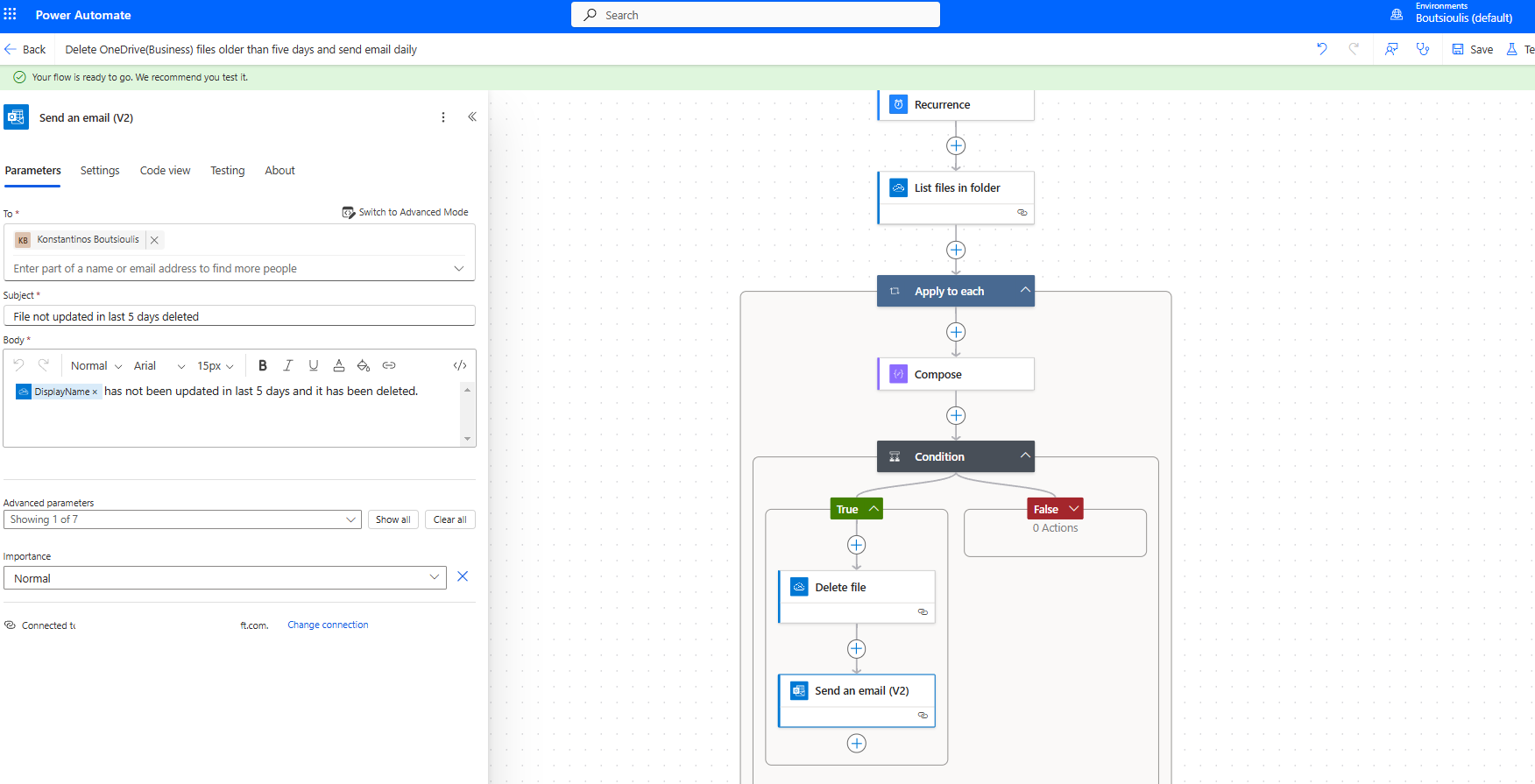
Then, we need to perform a manually test flow.
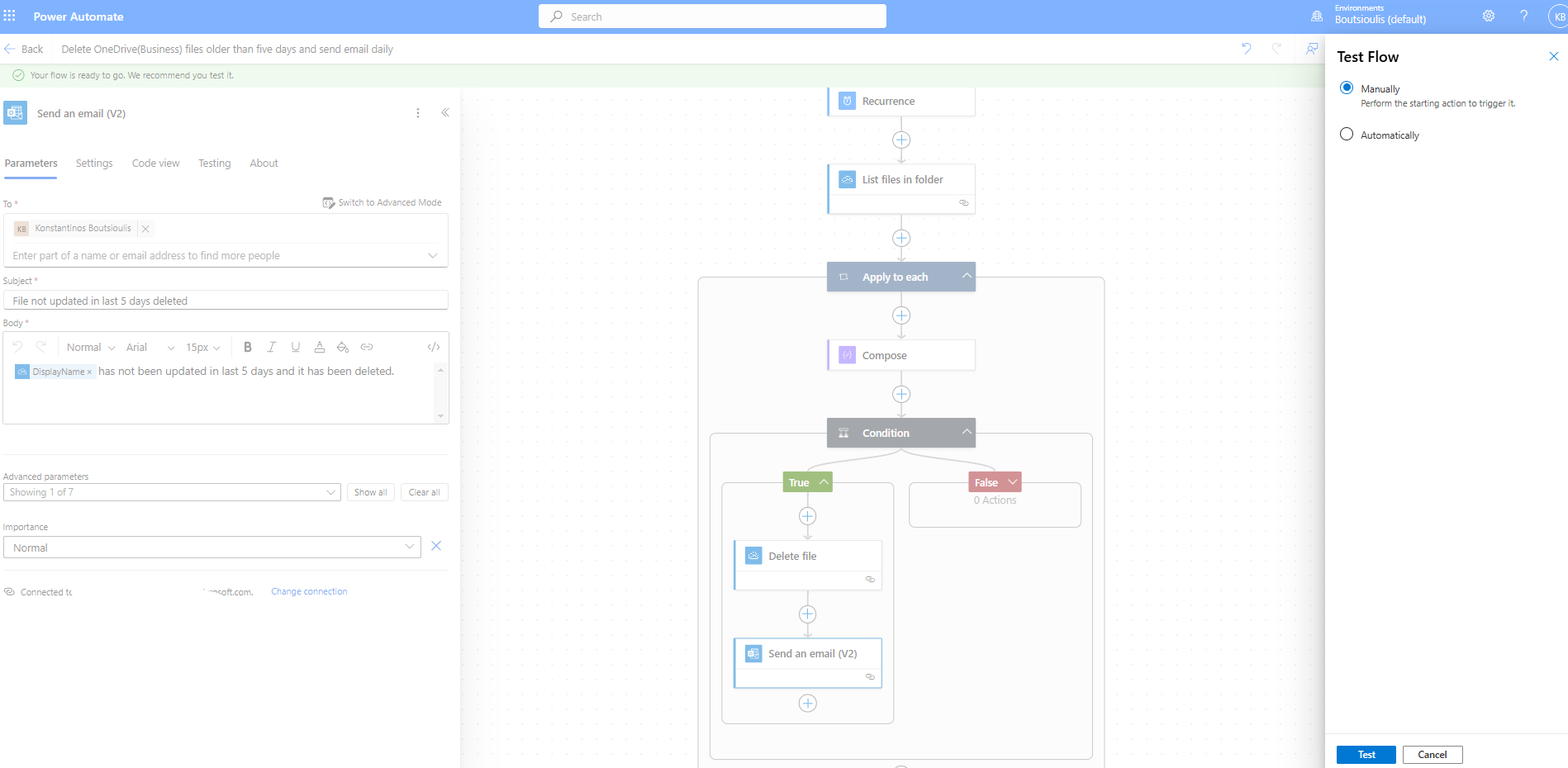
We select run flow on the next screen.
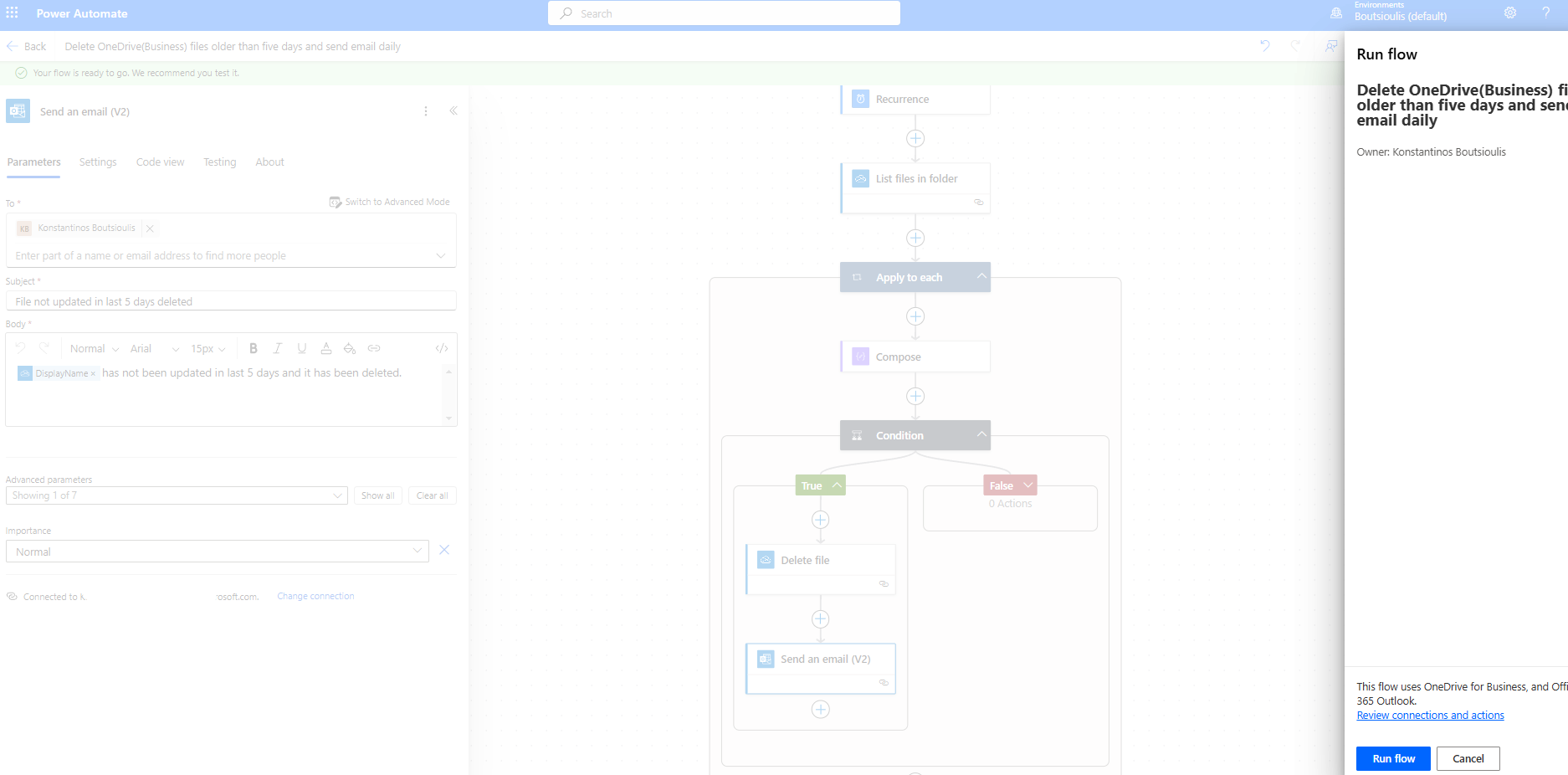
And so, the automate execution begins.
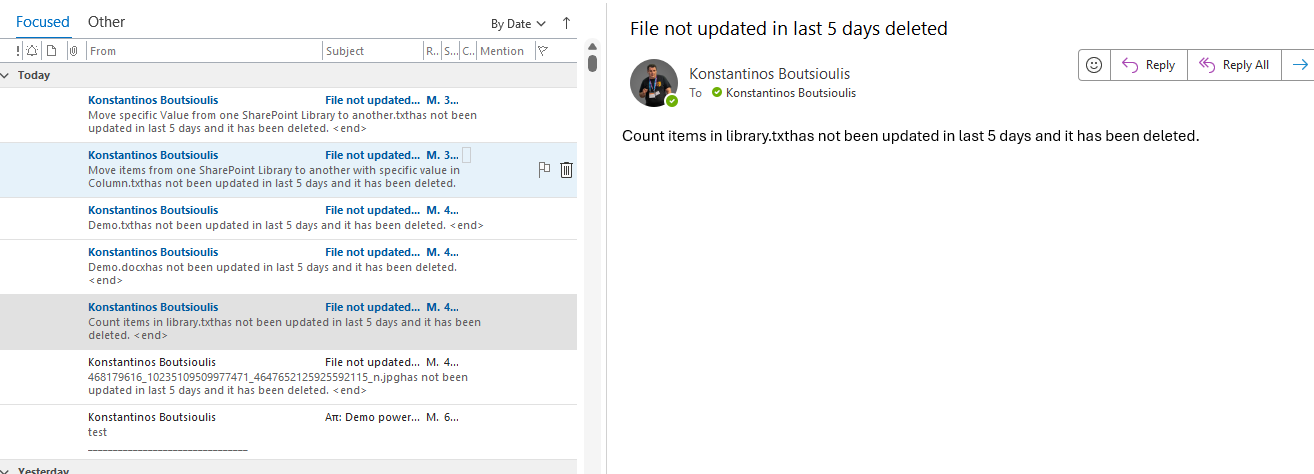
As expected, the automate deleted all files older than 5 days and sent us an email for each one, informing us about the deletion.
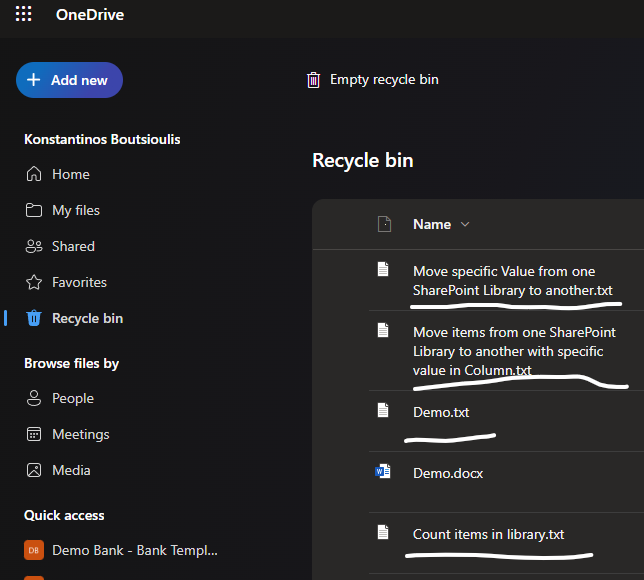
Indeed, if we go to the recycle bin in OneDrive, we will find all these files.
 #ModerWork
#M365_Apps_Services
#BusinessApps
#SharePoint
#PowerAutomate
#technology
#microsoft
#digitaltransformation
#cloud
#mvpbuzz
#m365
#ModerWork
#M365_Apps_Services
#BusinessApps
#SharePoint
#PowerAutomate
#technology
#microsoft
#digitaltransformation
#cloud
#mvpbuzz
#m365
Visit Archives below to find more articles about Microsoft technologies on Modern Workplace