
Free Material
Find hereMore than 150 Articles about Microsoft Technologies on Modern Workplace
Official Site
Microsoft Most Valuable Professional M365 Apps & Services
Microsoft Most Valuable Professional Business Applications
Consultant & Sr Cloud Solution Architect Modern Wokrplace
Find hereMore than 150 Articles about Microsoft Technologies on Modern Workplace
29 December 2023
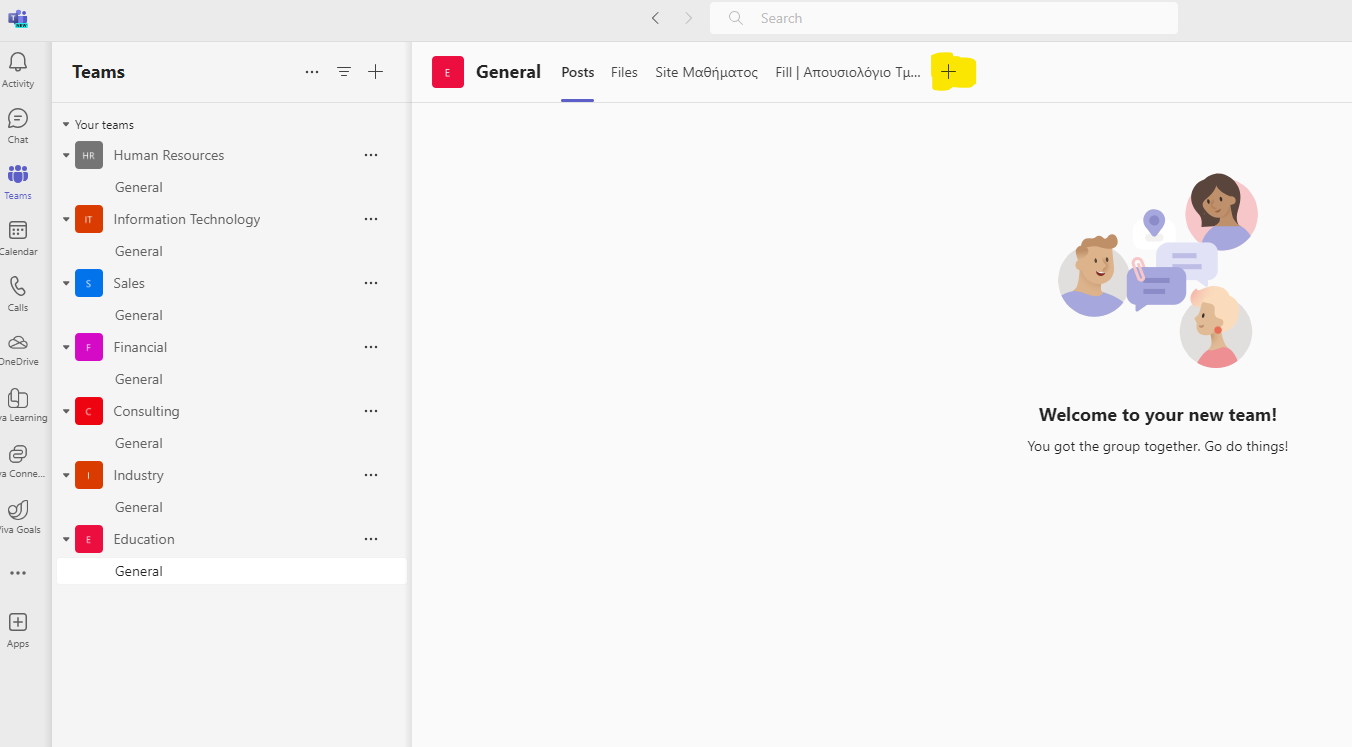
In today's article I will show you how easily we can use PowerShell to introduce a new web-type tab to a channel in one of our teams in Microsoft Teams. First of all, I should inform you that this can be done by first clicking on +
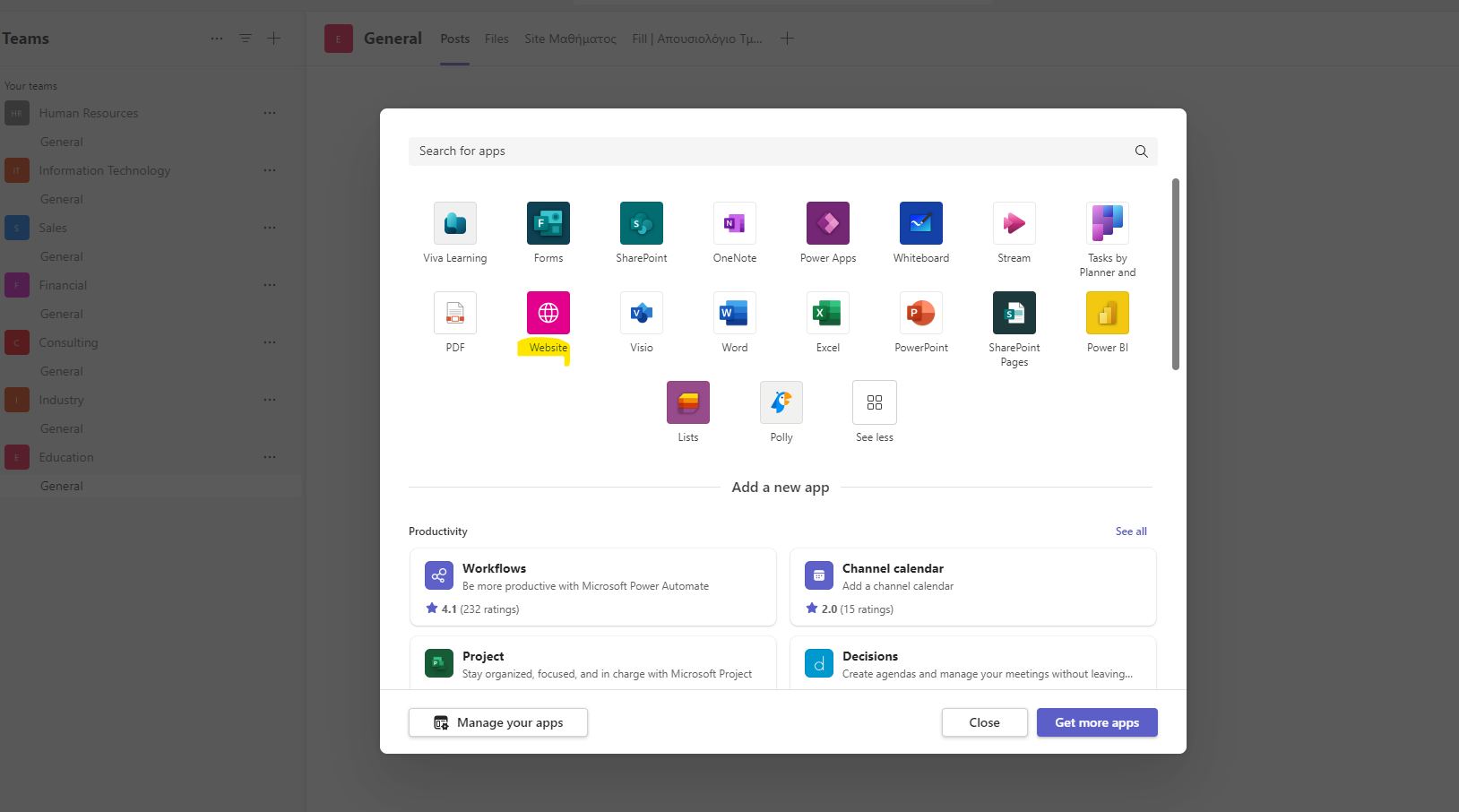
Then we select website
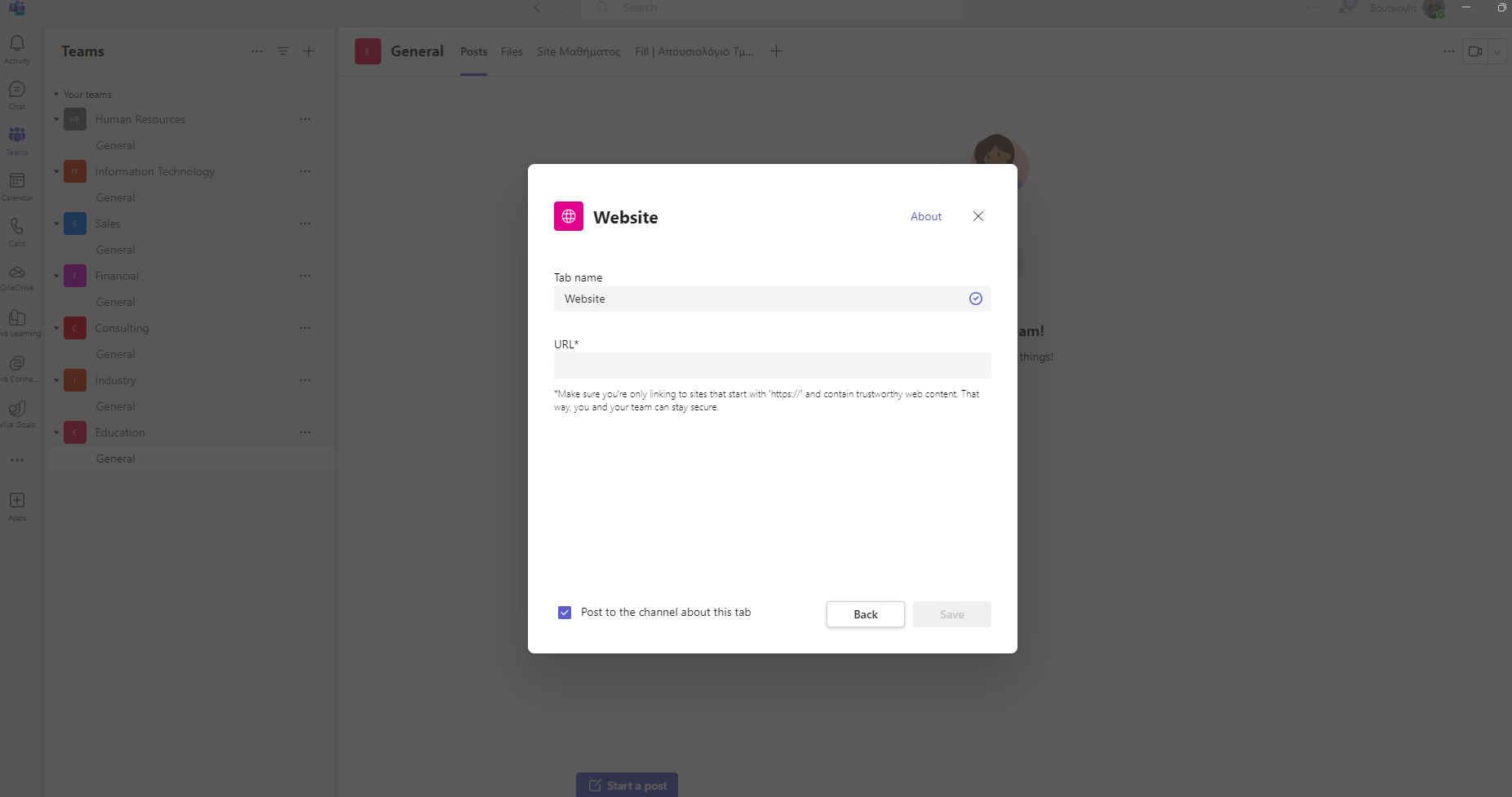
And then enter display name and url for our new tab
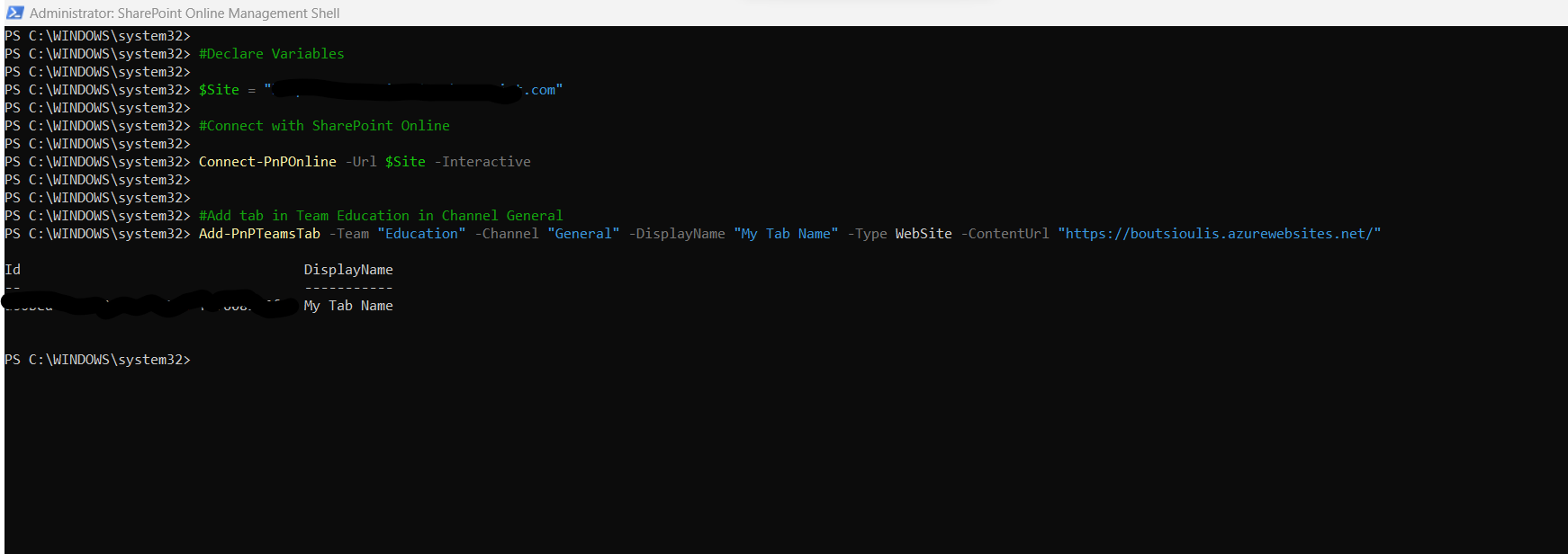
But this can be done very easily using PowerShell and with a simple command As I have mentioned in the past, scripts may be small in size but they simulate important processes and if saved they can very easily provide automated solutions to fixed and regular needs We run with administrator privileges from SharePoint Online Management Shell the following PowerShell Script and we have
#Declare variable of site url
$spsiteurl = "https://mytenant.sharepoint.com"
#Connect with SharePoint Online
Connect-PnPOnline -Url $spsiteurl -Interactive
#Create Tab in Channel in Microsoft Teams
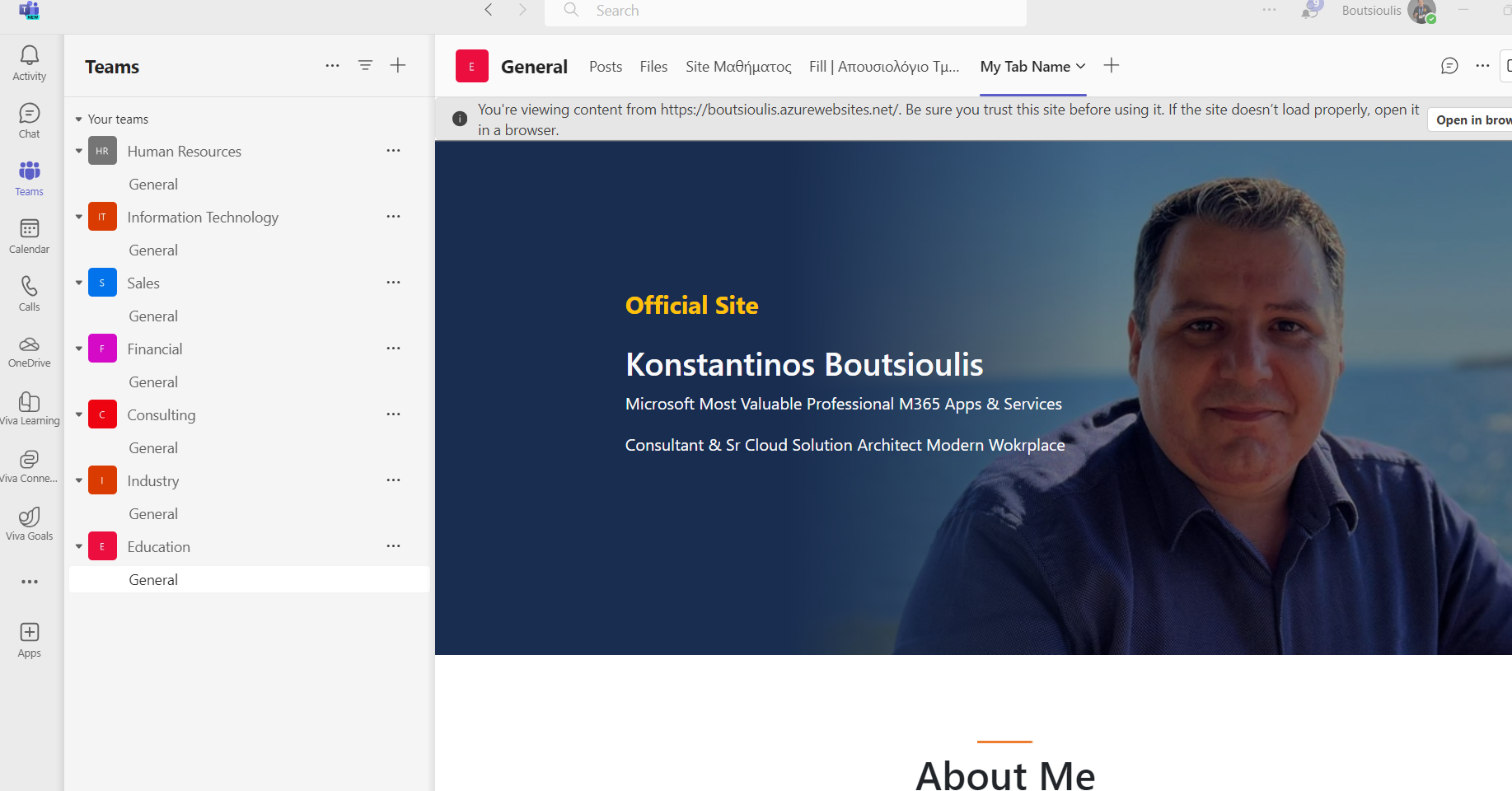
Add-PnPTeamsTab -Team "Education" -Channel "General" -DisplayName "My Tab Name" -Type WebSite -ContentUrl "https://boutsioulis.azurewebsites.net/"
As you can see our new tab has finally been added which shows My official site in one of the channels of one of my teams on Teams
 #PowerAutomate
#technology
#microsoft
#PowerShell
#PnP
#digitaltransformation
#cloud
#mvpbuzz
#m365
#PowerAutomate
#technology
#microsoft
#PowerShell
#PnP
#digitaltransformation
#cloud
#mvpbuzz
#m365
Visit Archives below to find more articles about Microsoft technologies on Modern Workplace