
Free Material
Find hereMore than 150 Articles about Microsoft Technologies on Modern Workplace
Official Site
Microsoft Most Valuable Professional M365 Apps & Services
Microsoft Most Valuable Professional Business Applications
Consultant & Sr Cloud Solution Architect Modern Wokrplace
Find hereMore than 150 Articles about Microsoft Technologies on Modern Workplace
15 August 2023
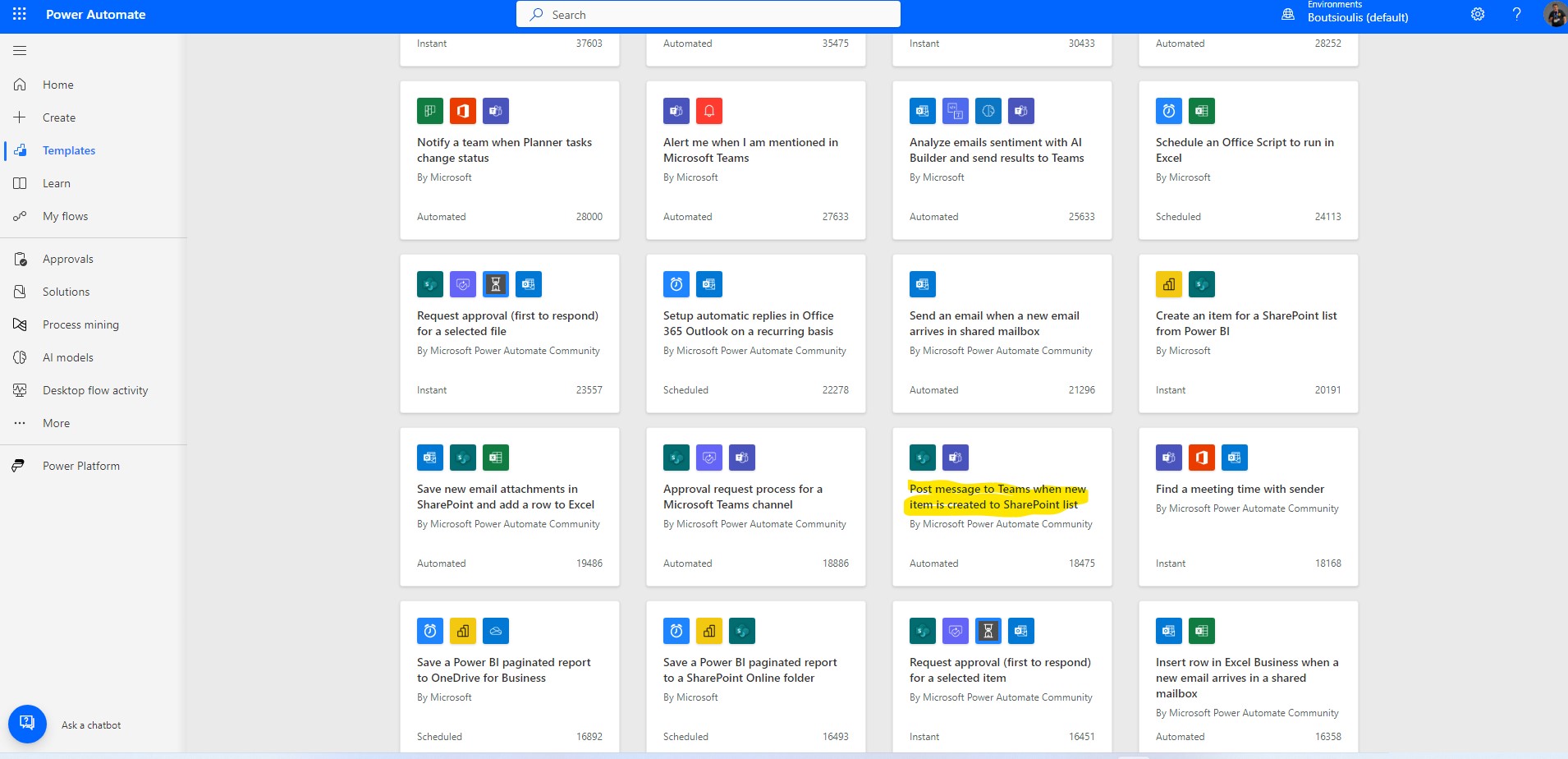
In today's article we will see how we can create a message in a team every time a new item is created by someone in a SharePoint List For those who have used SharePoint in the past will remember that there was a similar feature ( which still exists ) alert me in some SharePoint libraries . So here we have a similar function or one that can be used in more complicated scenarios First from our active M365 subscription we select in the left popup column Power Automates There from the available template automates we need to locate Post message to Teams when new item is created to SharePoint List
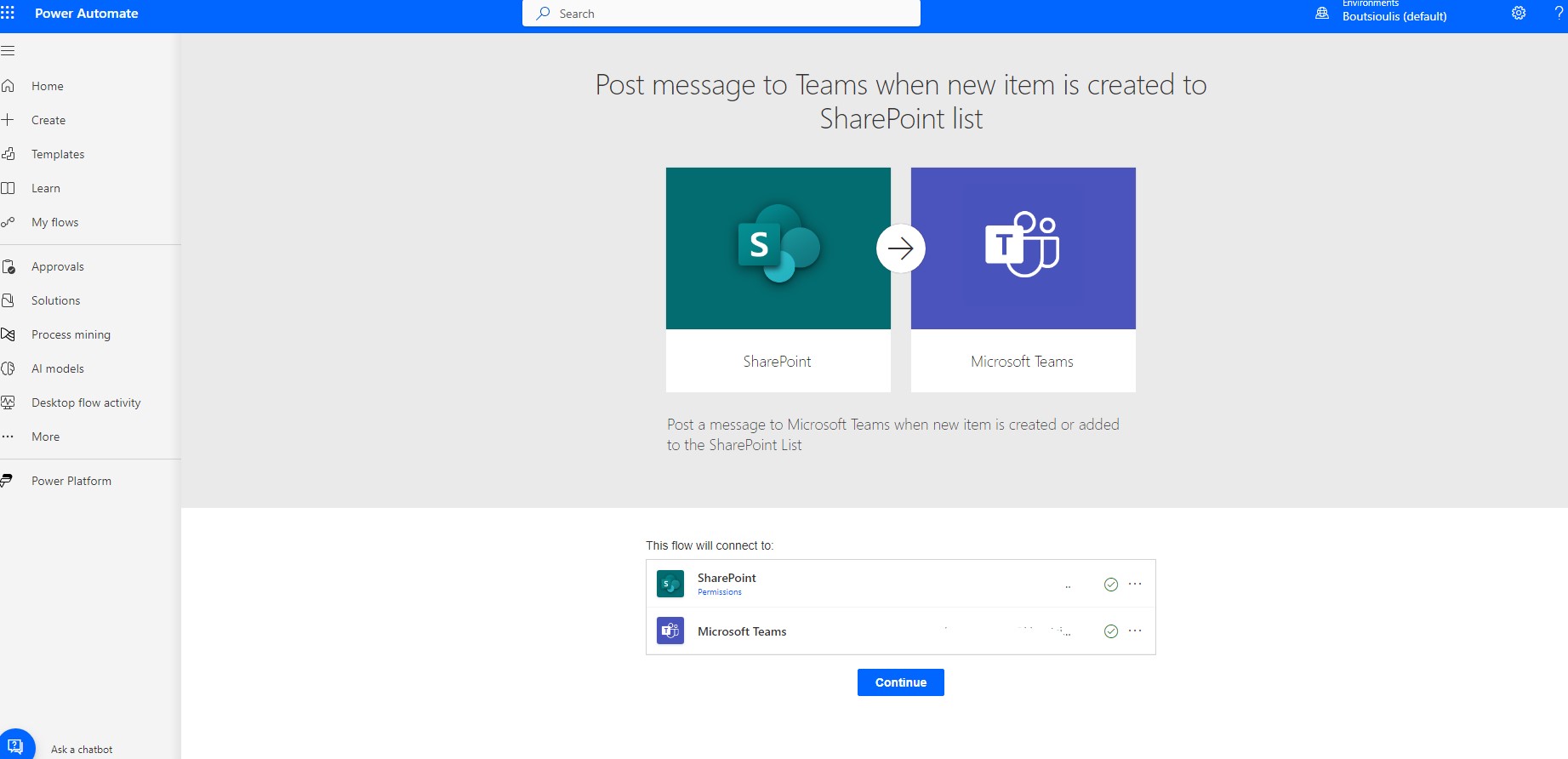
In the next step we should allow all connections and click continue
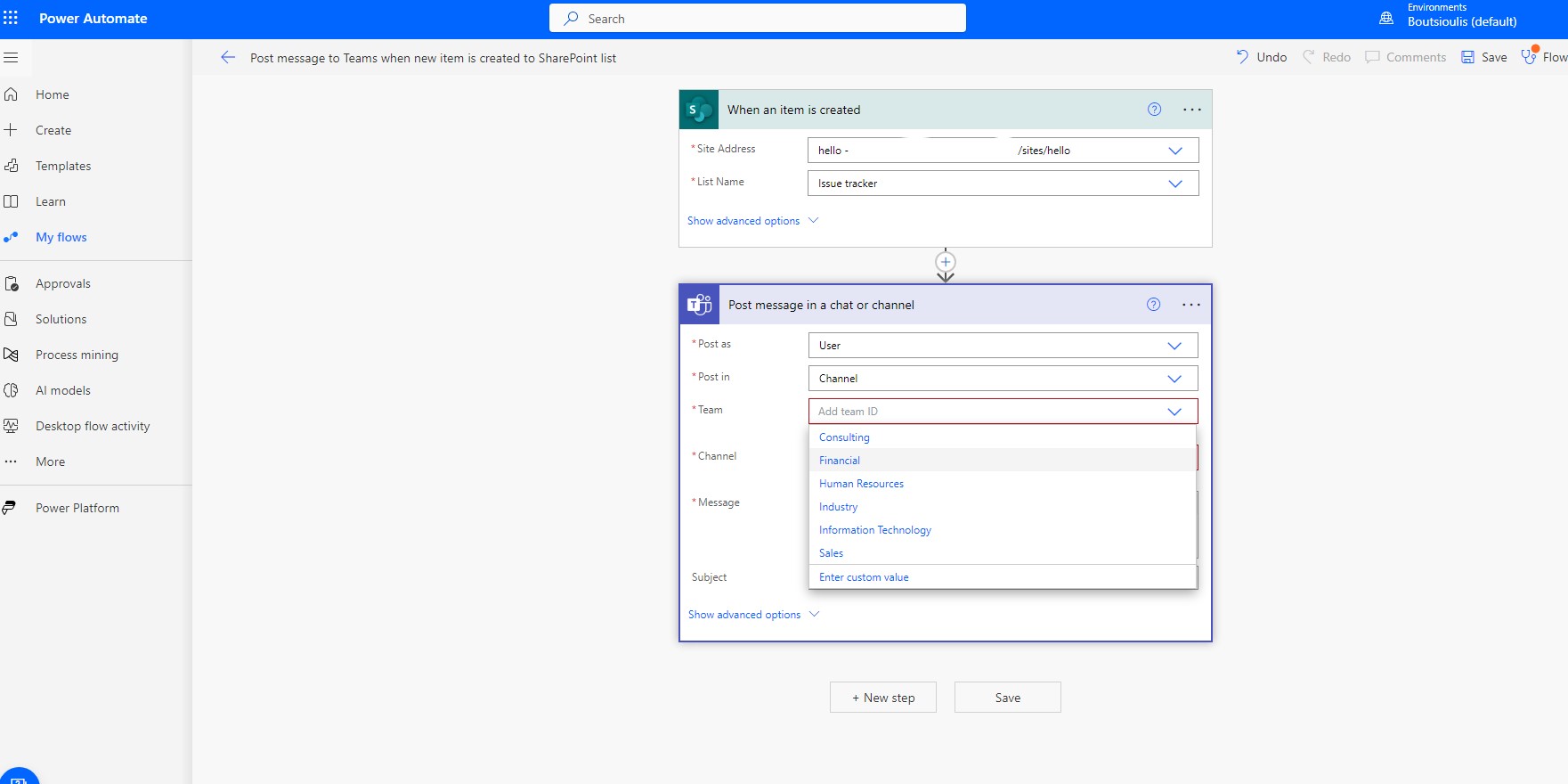
In the next step in the body of automate we will have to fill in first the site and then the list in which every time a new item is added it will send a message to the teams.
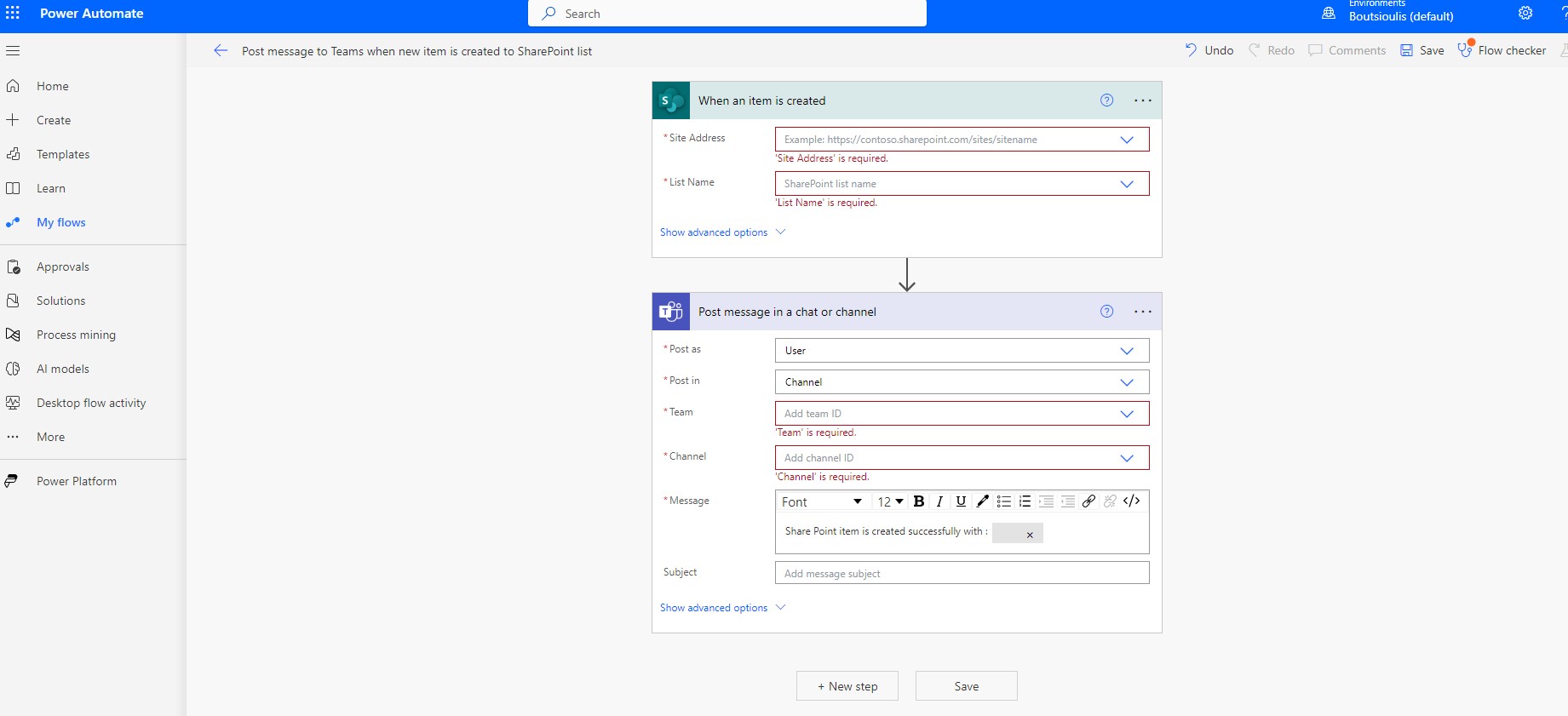
The next elements to fill in are the team and the channel within it that will be created
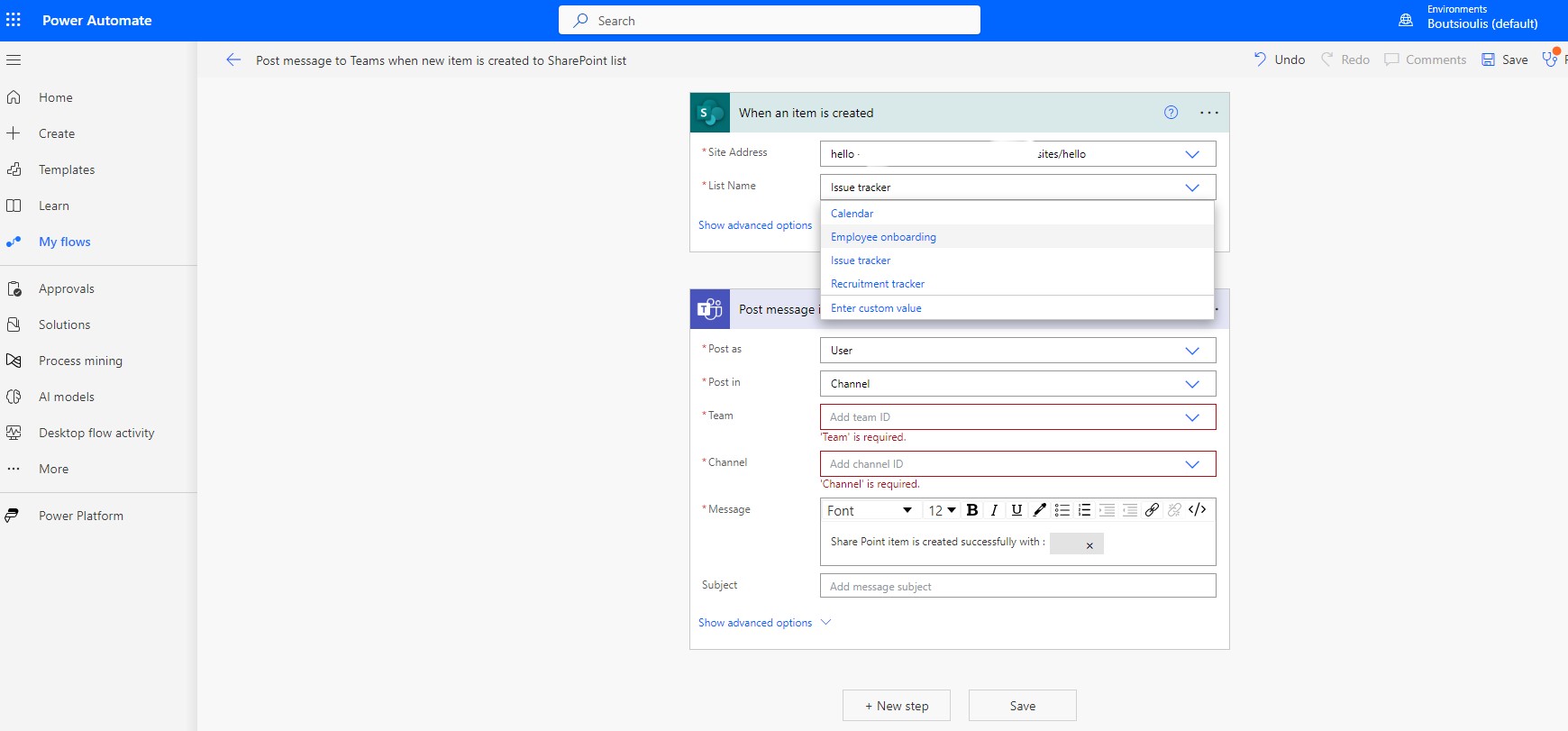
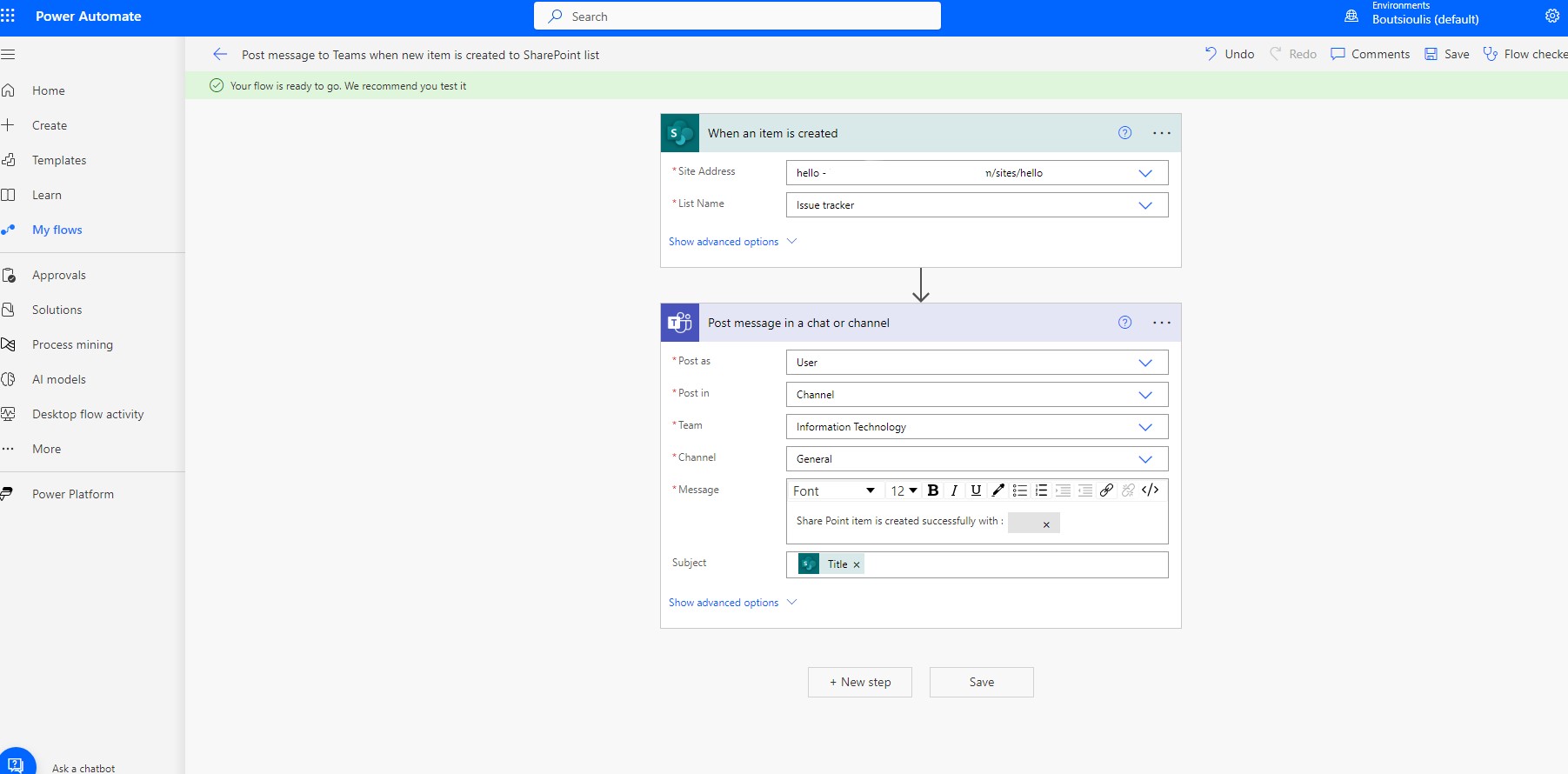
As you can see in the body in the first box we have added the site and the list And in the second box we have the creation of the message .At the same time inside the body of message you can make additions and changes according to your liking
In the next step we have to save the Power automate.
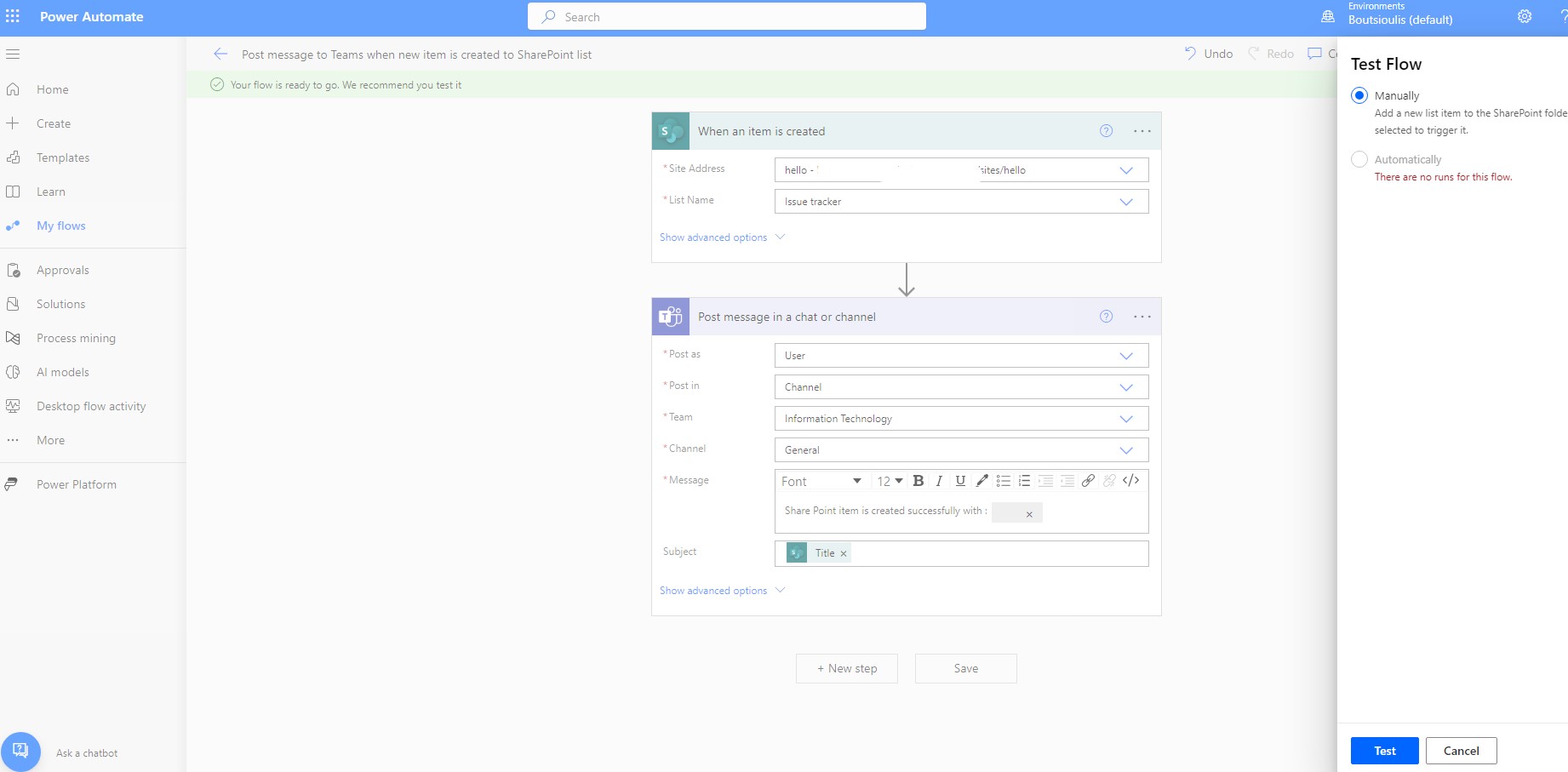
In the next step we have to do a check for the correct operation of the automate manually.
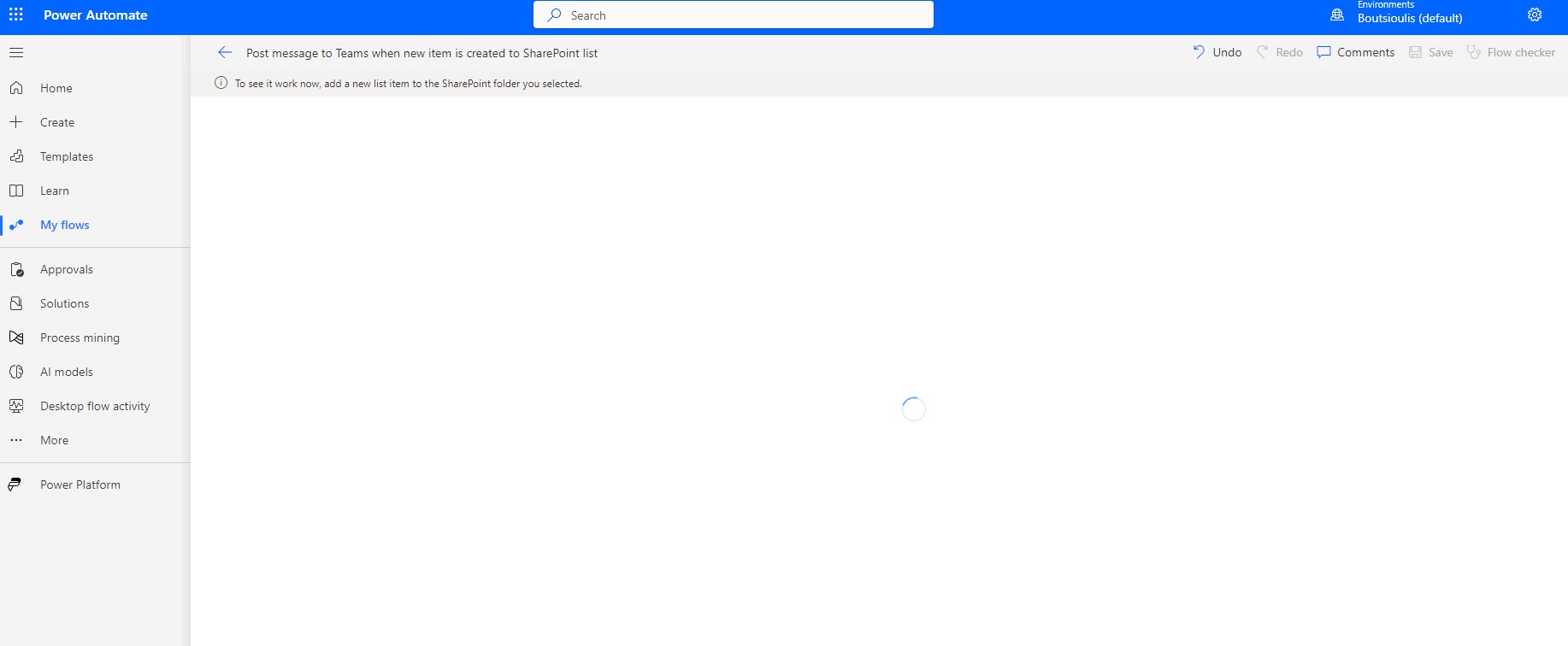
We go to the list we've chosen and create an new item from new button
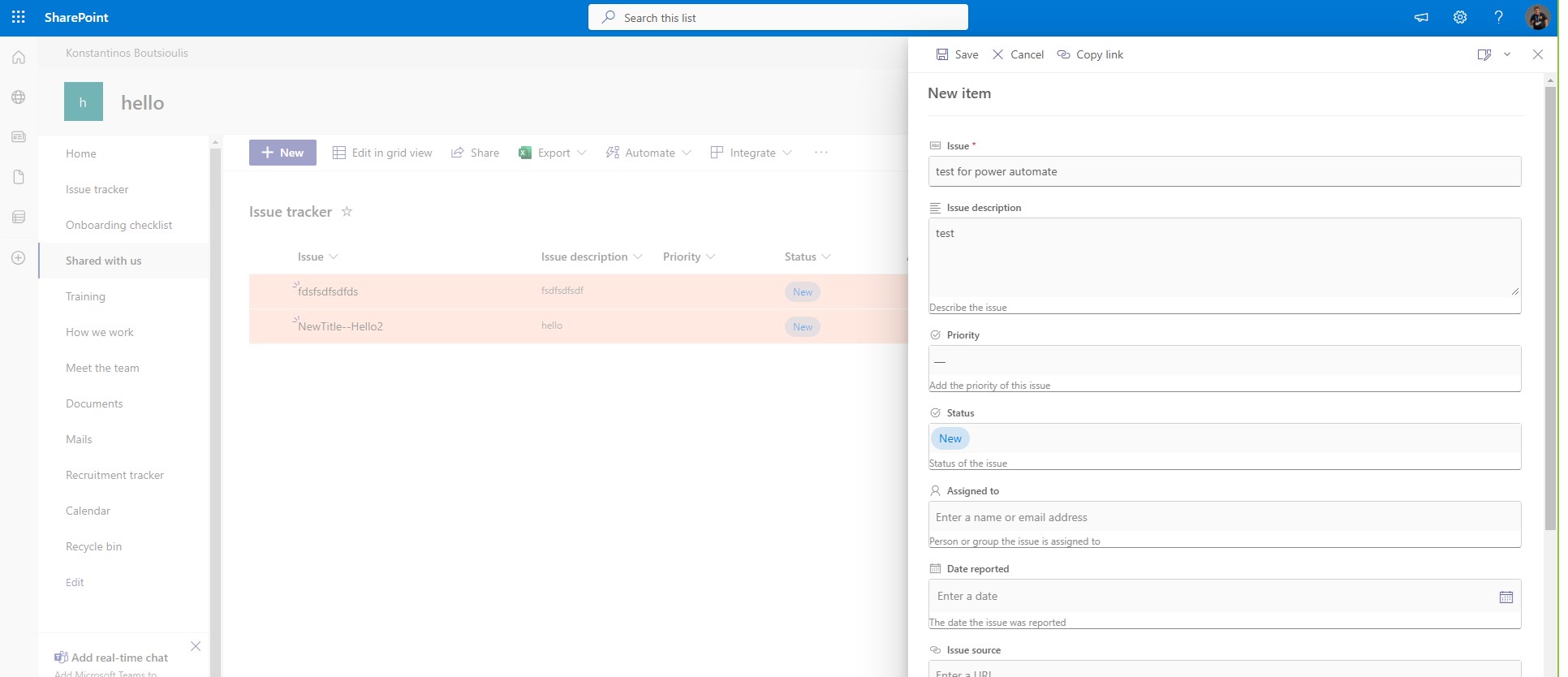
We go to the list we've chosen and create an new item from new button
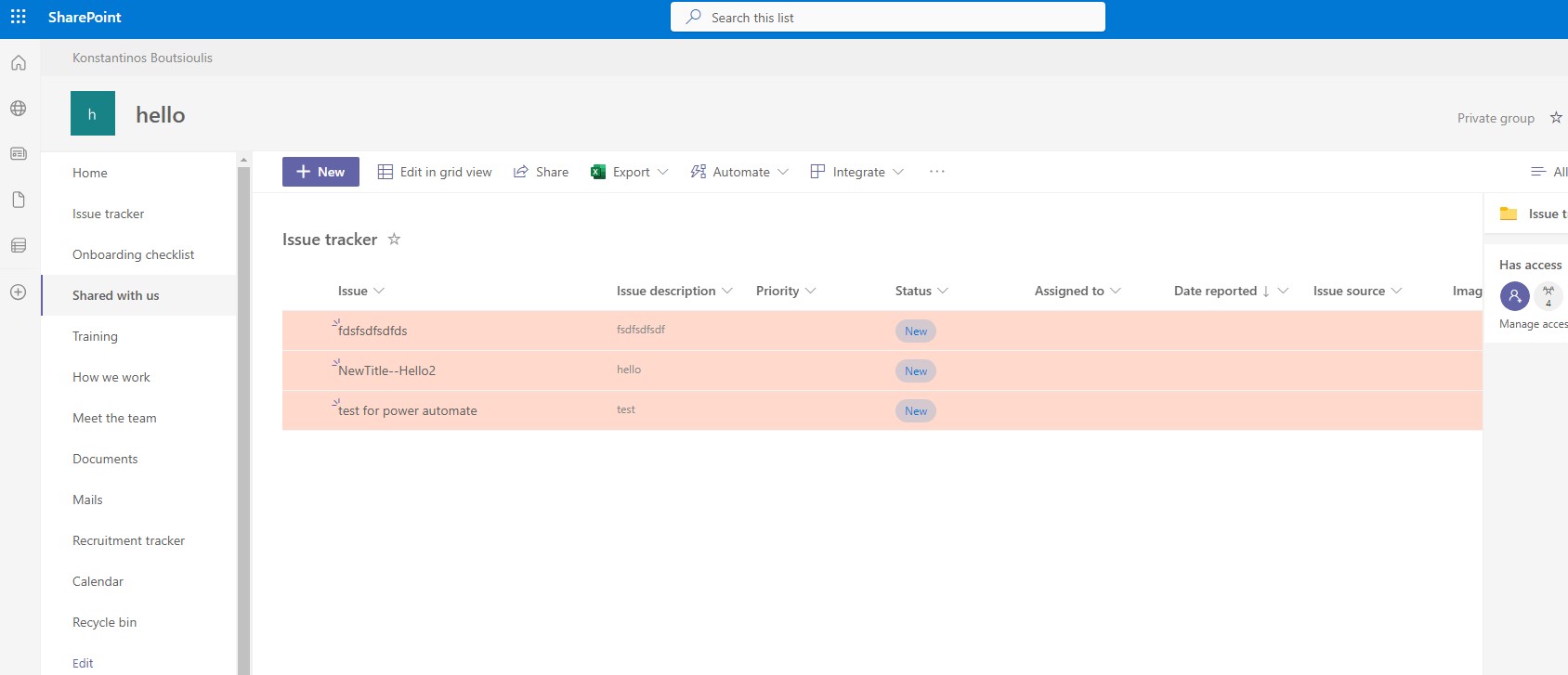
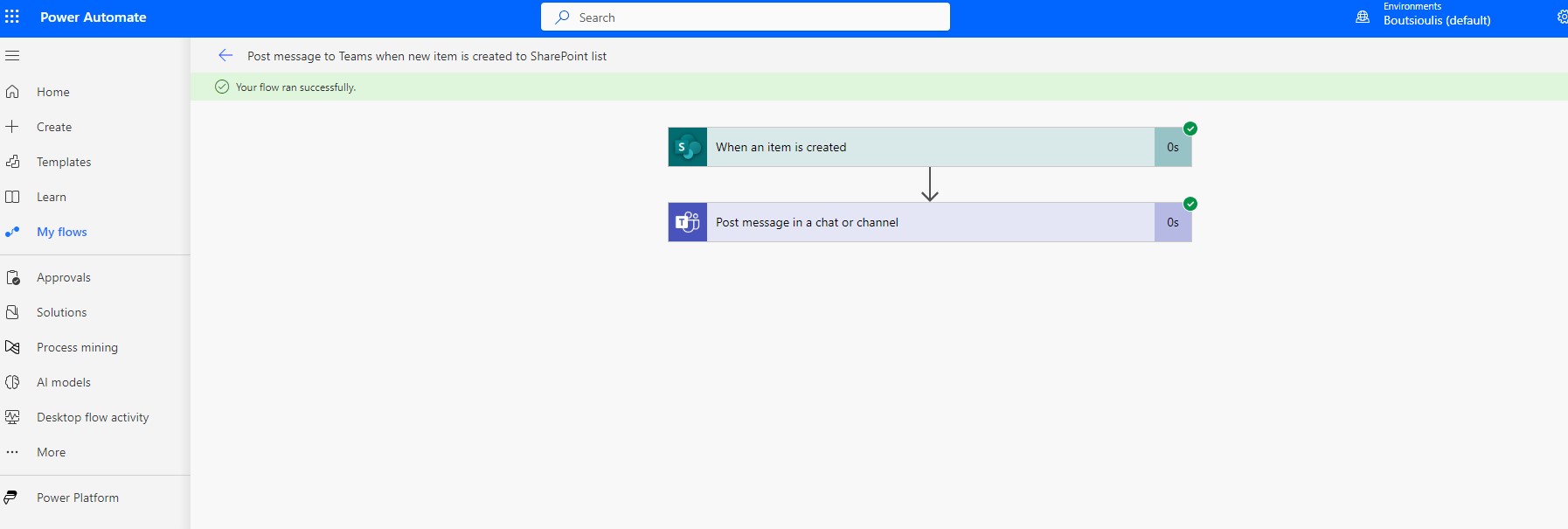
As you can see, automate is running without any problems.
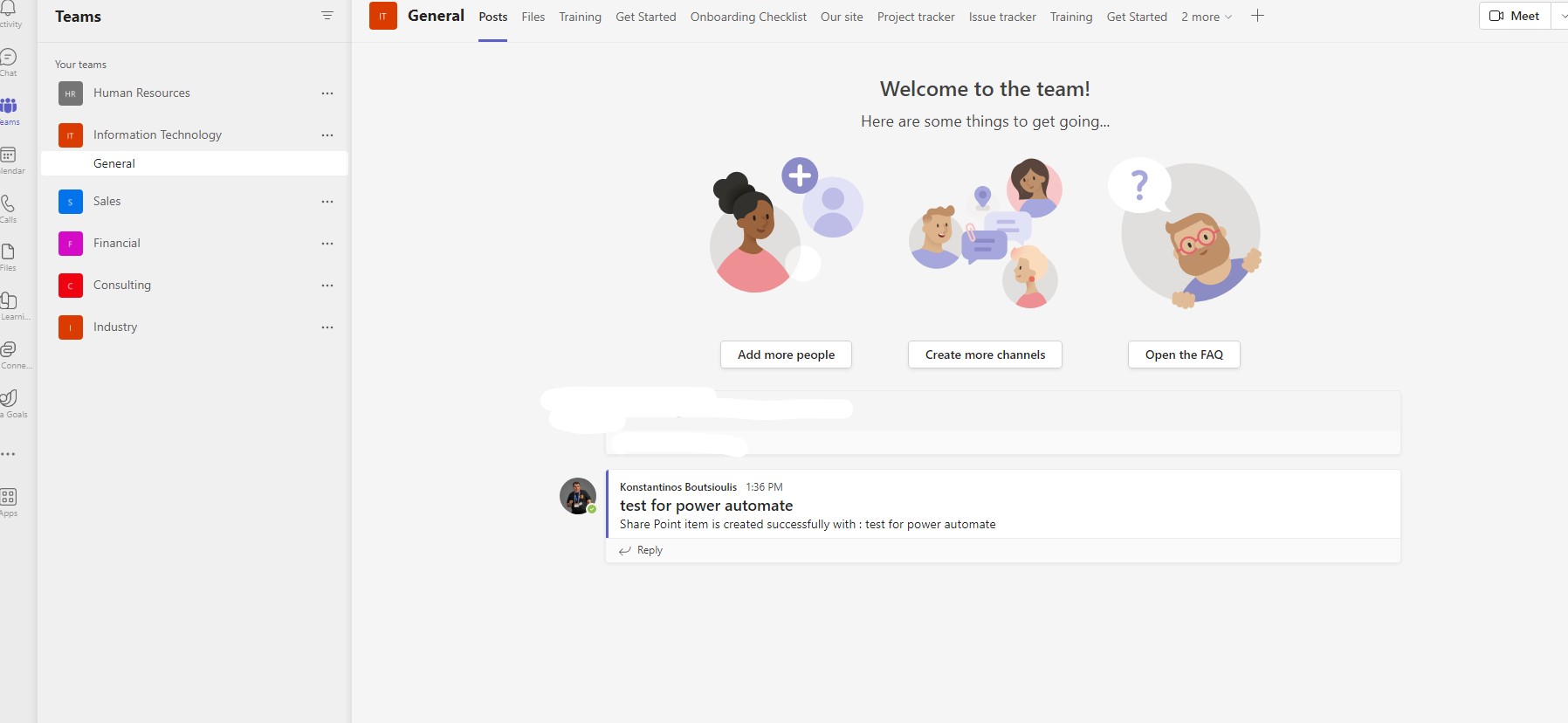
And finally, if we go to the IT Department, we see that Power automate has created a message where you can see the name of the new item
 #technology
#microsoft
#PowerApps
#PowerAutomates
#digitaltransformation
#cloud
#mvpbuzz
#m365
#SharePoint
#technology
#microsoft
#PowerApps
#PowerAutomates
#digitaltransformation
#cloud
#mvpbuzz
#m365
#SharePoint
Visit Archives below to find more articles about Microsoft technologies on Modern Workplace