
Free Material
Find hereMore than 150 Articles about Microsoft Technologies on Modern Workplace
Official Site
Microsoft Most Valuable Professional M365 Apps & Services
Microsoft Most Valuable Professional Business Applications
Consultant & Sr Cloud Solution Architect Modern Wokrplace
Find hereMore than 150 Articles about Microsoft Technologies on Modern Workplace
04 August 2023
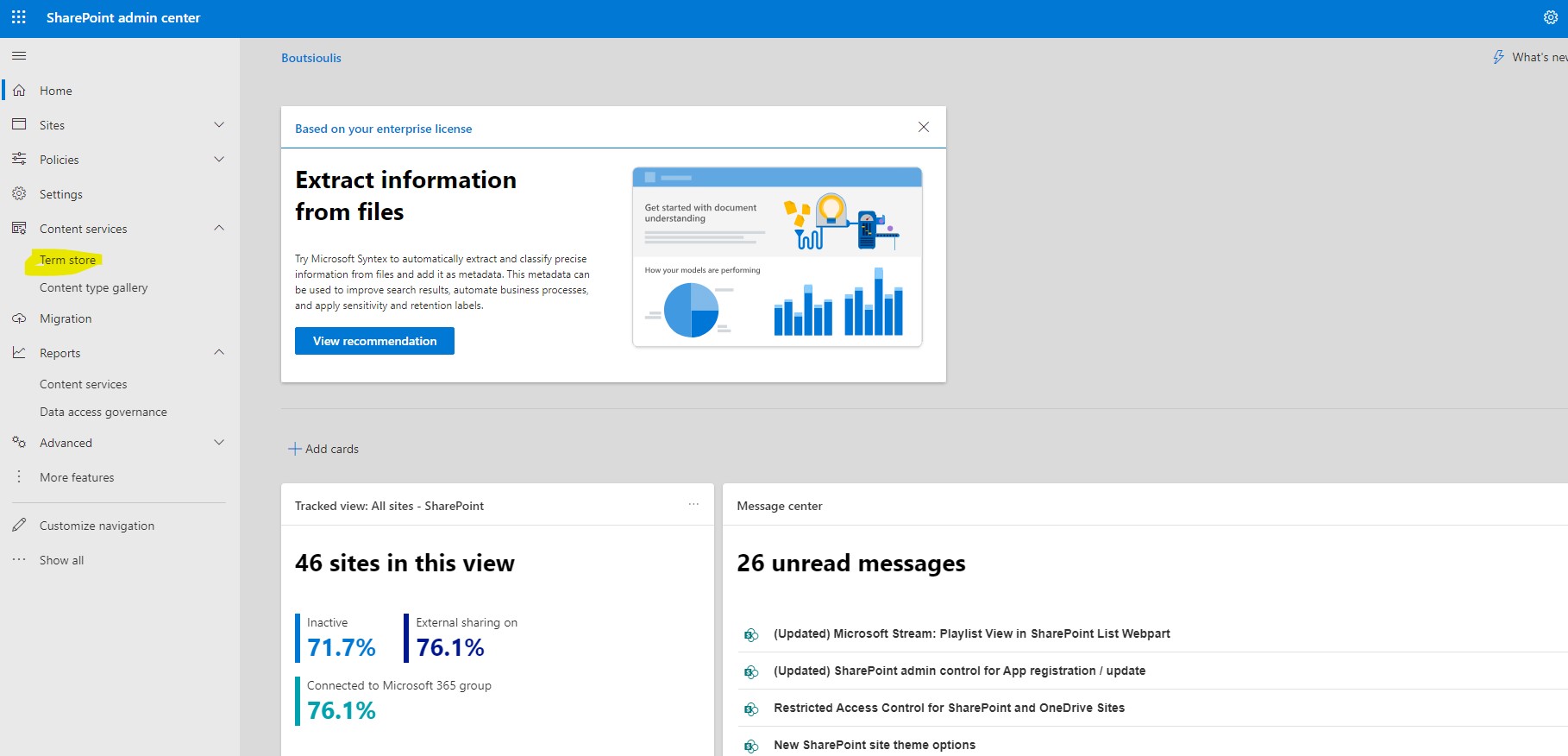
In today's article we will mainly focus on the Term Store feature from the SharePoint admin center First from the active subscription to M365 we login to the home page and then from the left side pop-up column we select admin There we have to select SharePoint again from the left column As I have mentioned in other articles in the past in order for all this to be visible to us we will need to have SharePoint administrator privileges There in the left column we locate Content Services as the fourth option and below that as a sub-option we have Term Store
Once we go to the term store page we have the possibility to see the Taxonomy of our organization
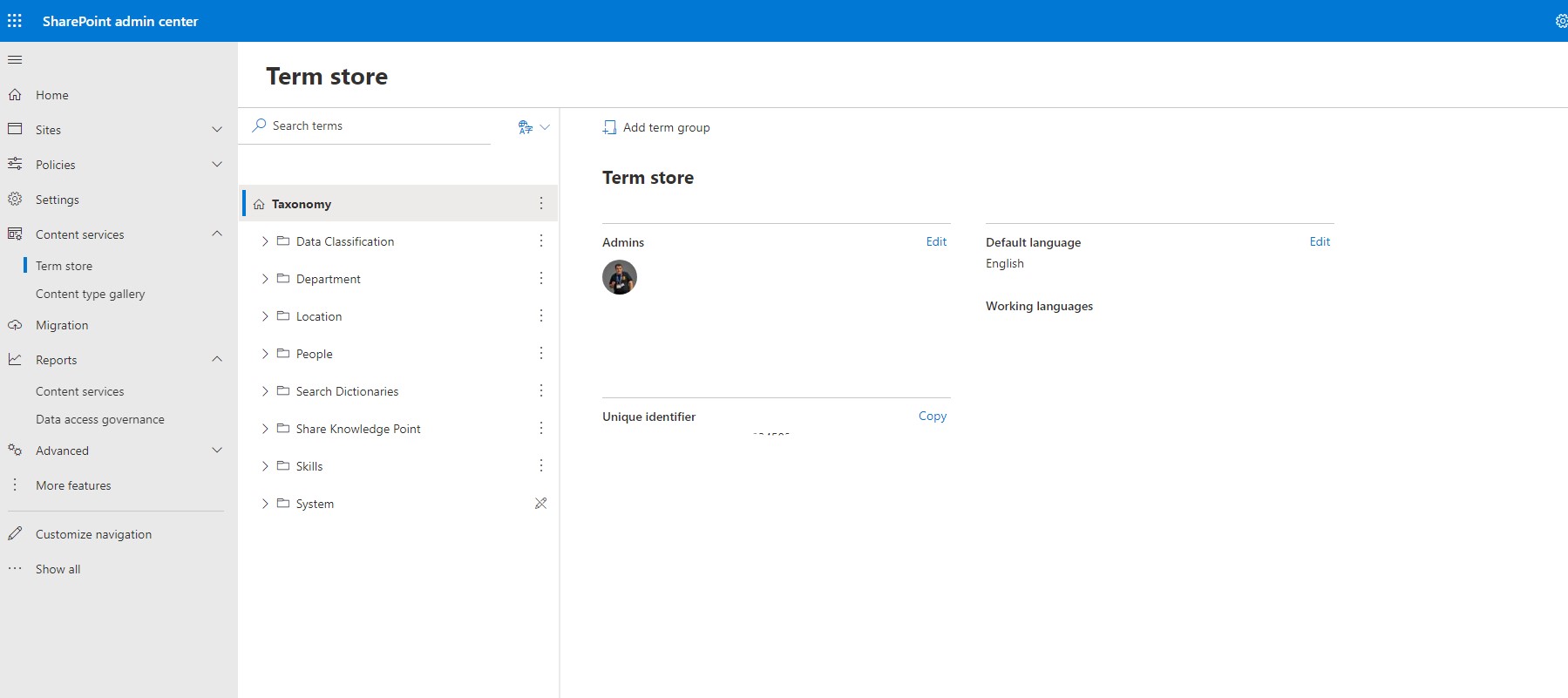
On the right hand side you can see some information about the language of the admins and some ids while on the left hand side is the Taxonomy of the whole organization We have the possibility to create a new term group either by clicking on the button in the center of the page or by right clicking on the 3 dots next to the taxonomy
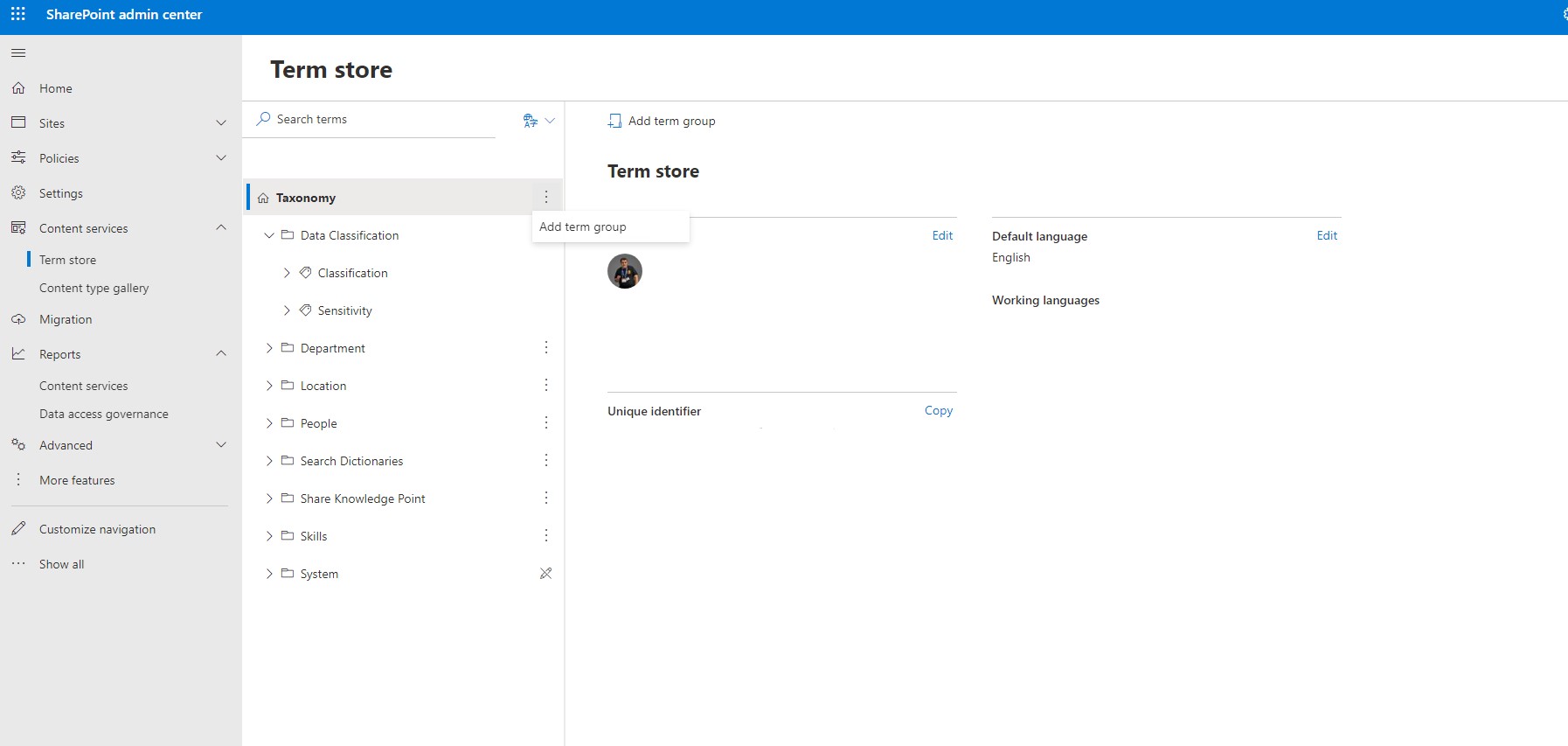
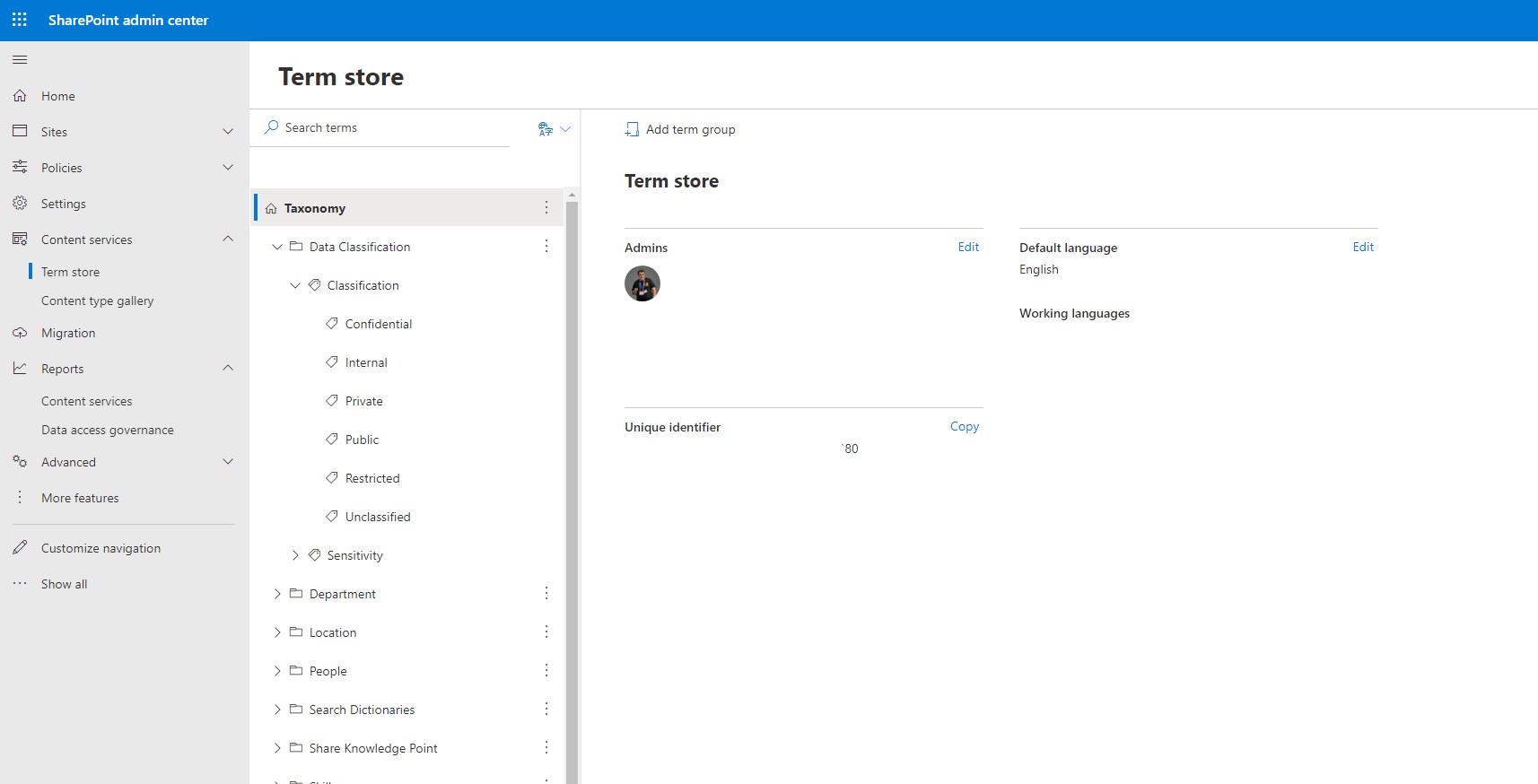
Next step is to create terms in any of the existing term groups or change the name or delete or copy any of the existing terms by right clicking on the 3 dots next to the term group
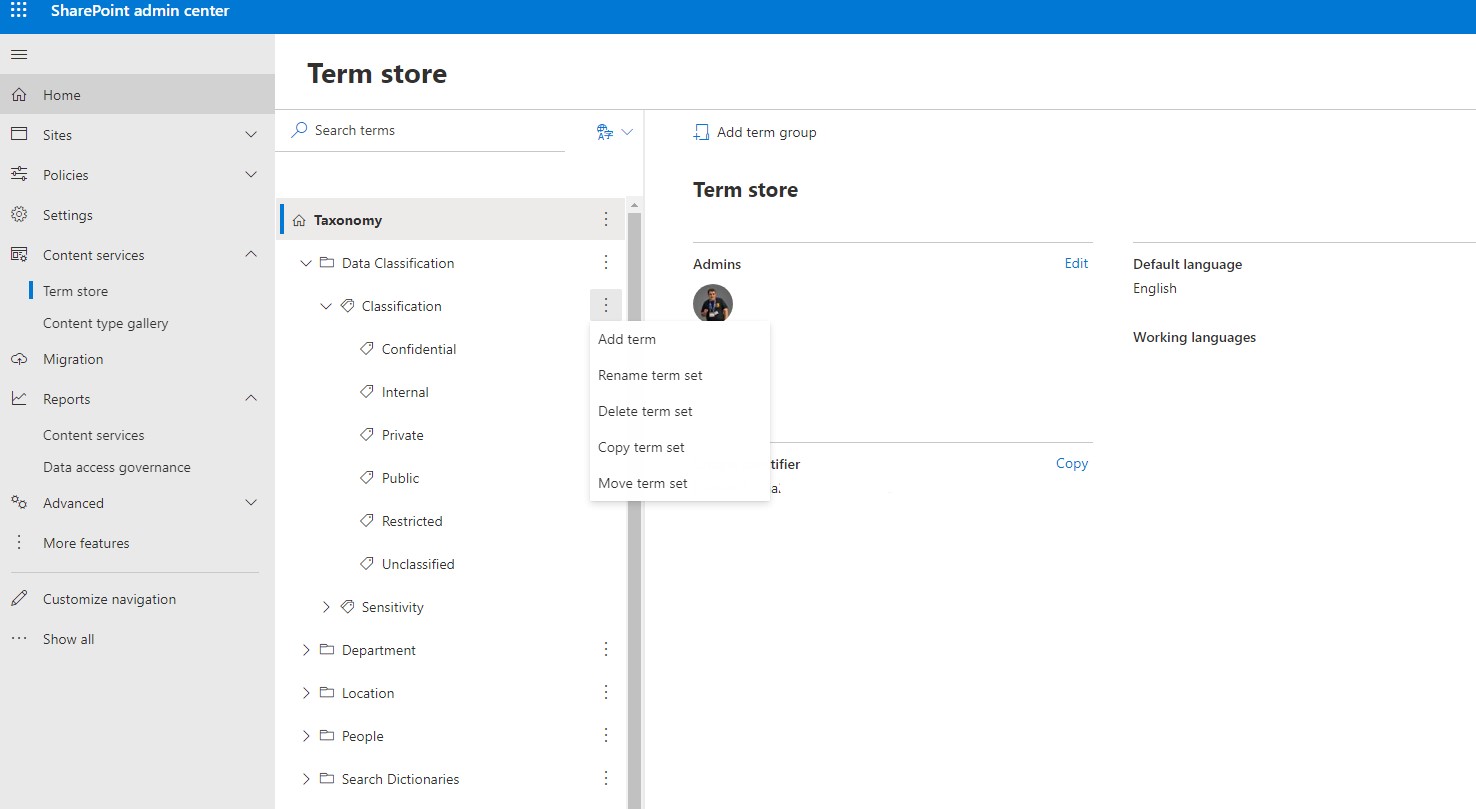
Once we create this new term we have again as you can see the ability to edit delete move and rename it this time from the right hand side of our page
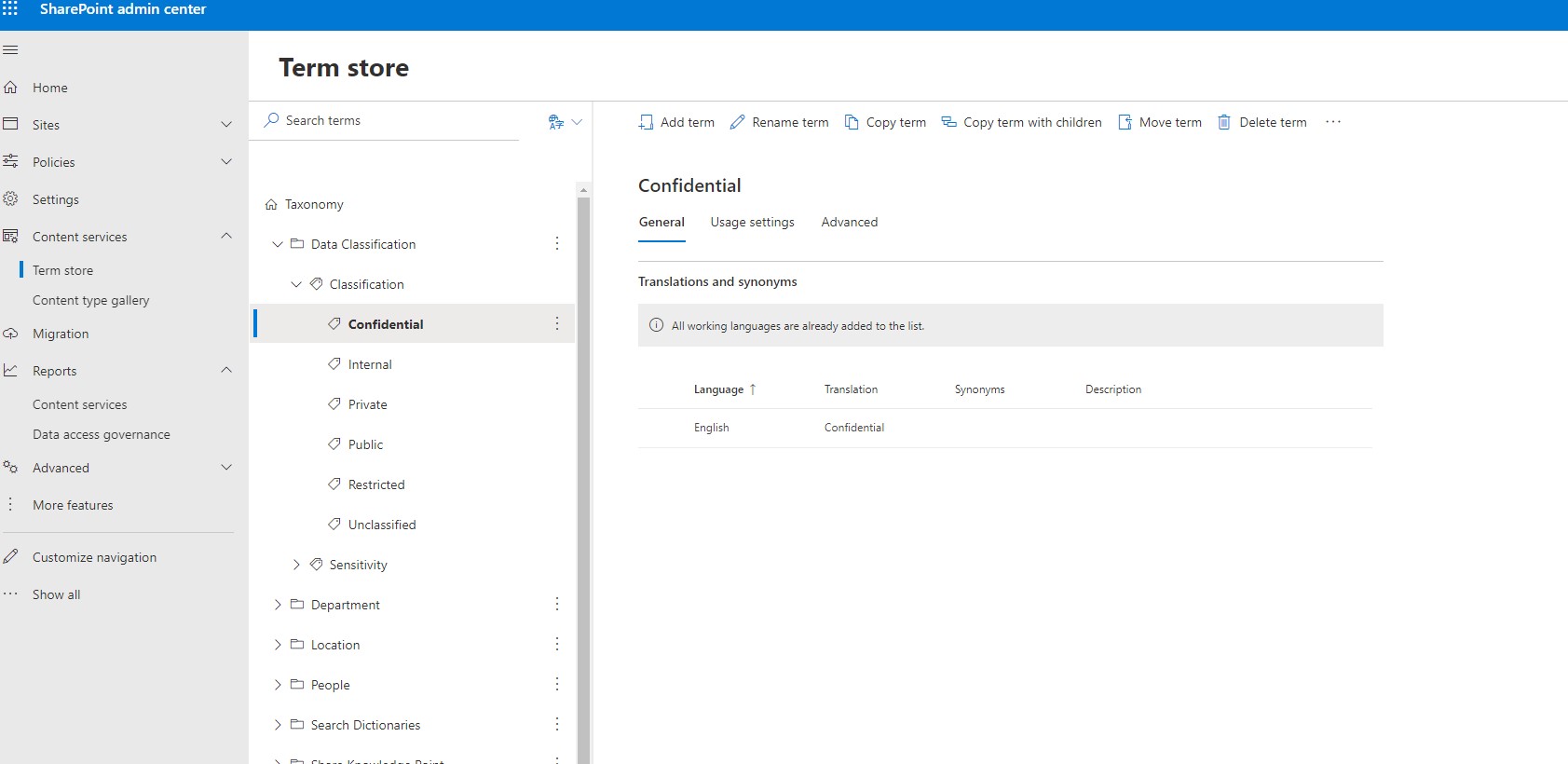
The term store is a module very important in using SharePoint because here we can build taxonomy that we will use in custom columns within List and libraries as well as managed meta data type columns in SharePoint
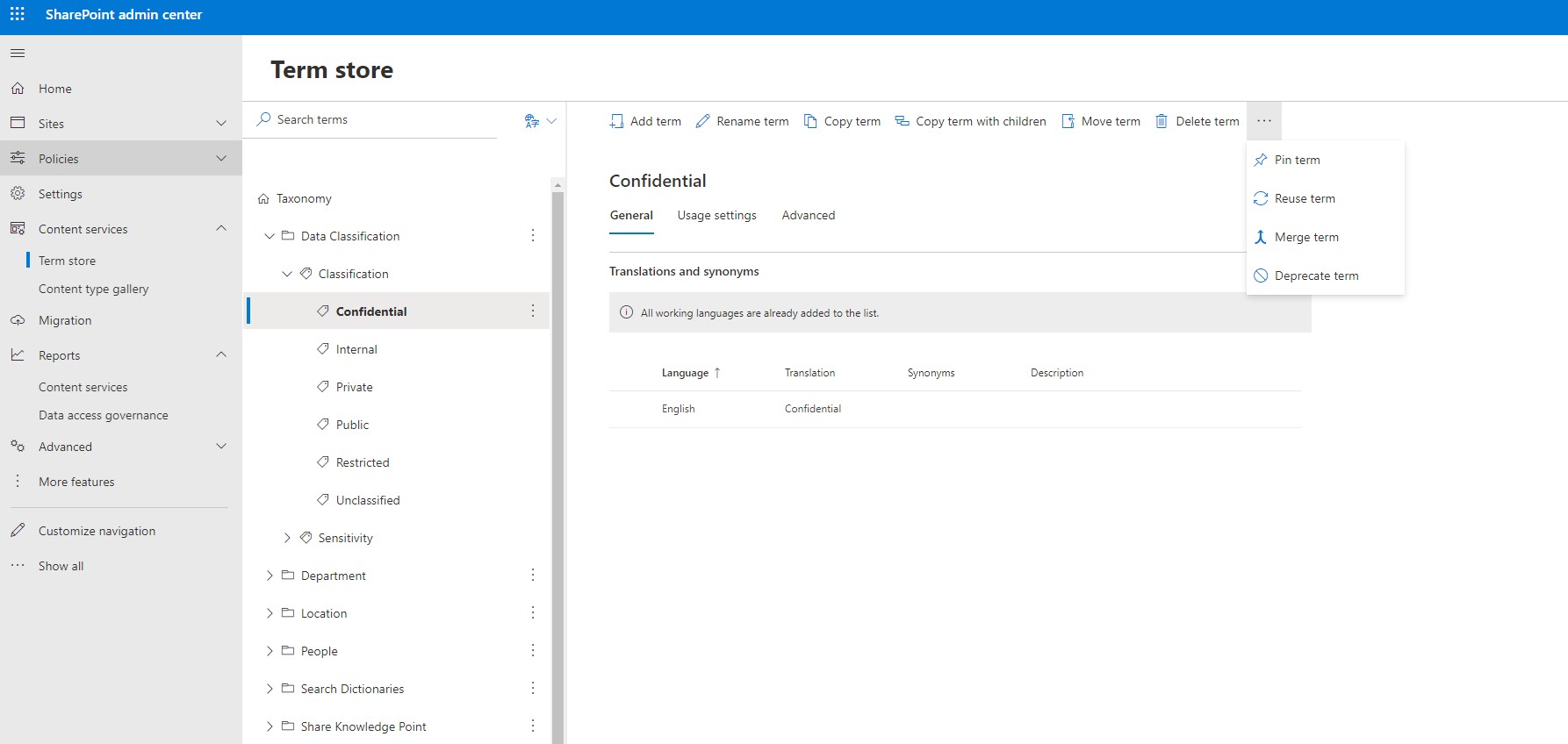
Note also that based on the characterization of an item or file in SharePoint by a term in the term store, policies such as security and compliance could be applied
#SharePoint #technology #microsoft #m365 #Onedrive #digitaltransformation #cloud #mvpbuzz #m365Visit Archives below to find more articles about Microsoft technologies on Modern Workplace