
Free Material
Find hereMore than 150 Articles about Microsoft Technologies on Modern Workplace
Official Site
Microsoft Most Valuable Professional M365 Apps & Services
Microsoft Most Valuable Professional Business Applications
Consultant & Sr Cloud Solution Architect Modern Wokrplace
Find hereMore than 150 Articles about Microsoft Technologies on Modern Workplace
02 August 2023
In today's article we will mainly focus on the Term Store feature from the SharePoint admin center First from the active subscription to M365 we login to the home page and then from the left side pop-up column we select admin There we have to select SharePoint again from the left column As I have mentioned in other articles in the past in order for all this to be visible to us we will need to have SharePoint administrator privileges There in the left column we locate Content Services as the fourth option and below that as a sub-option we have Content type gallery
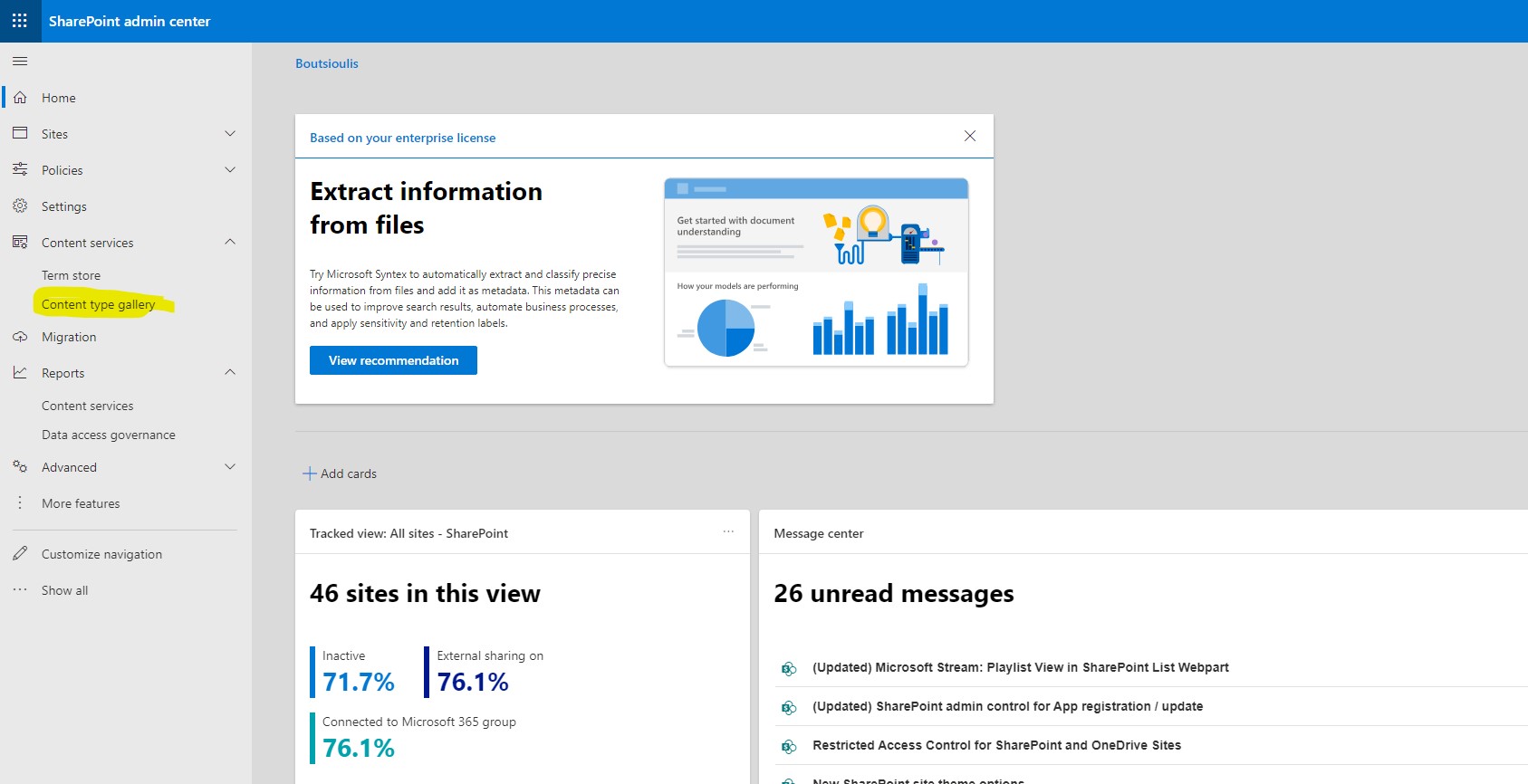
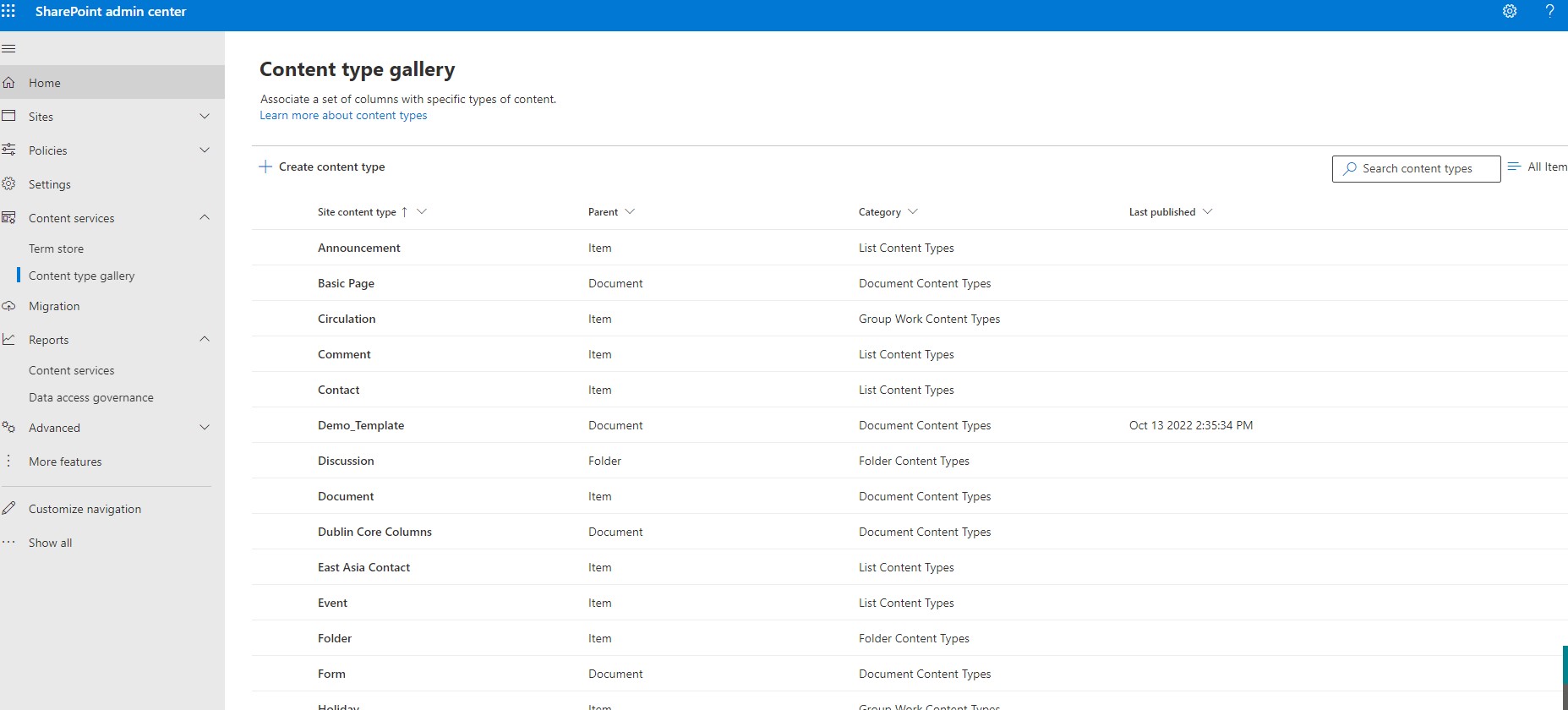
By going to the content type gallery we can search and find all the templates that are by default in SharePoint or that we have created at some point
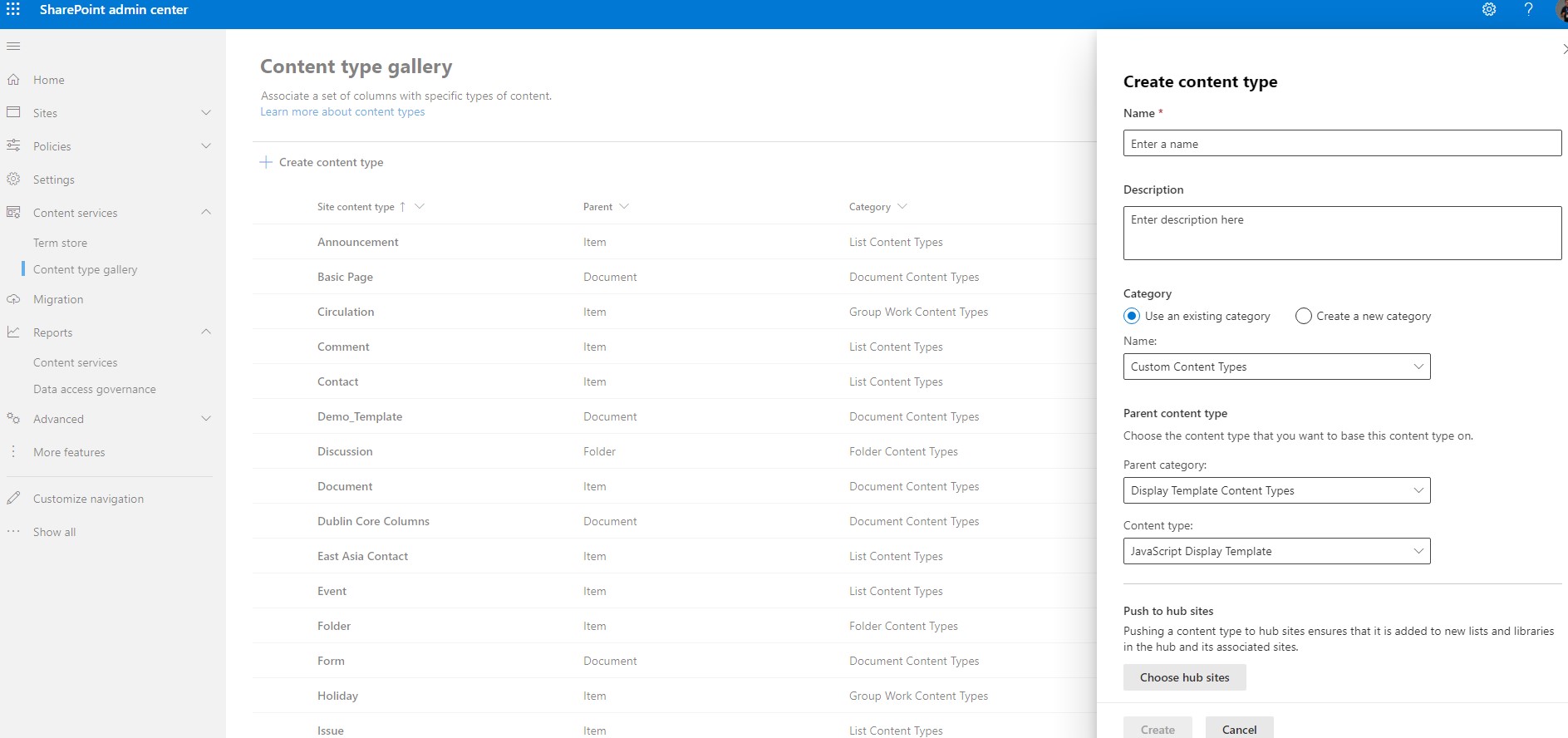
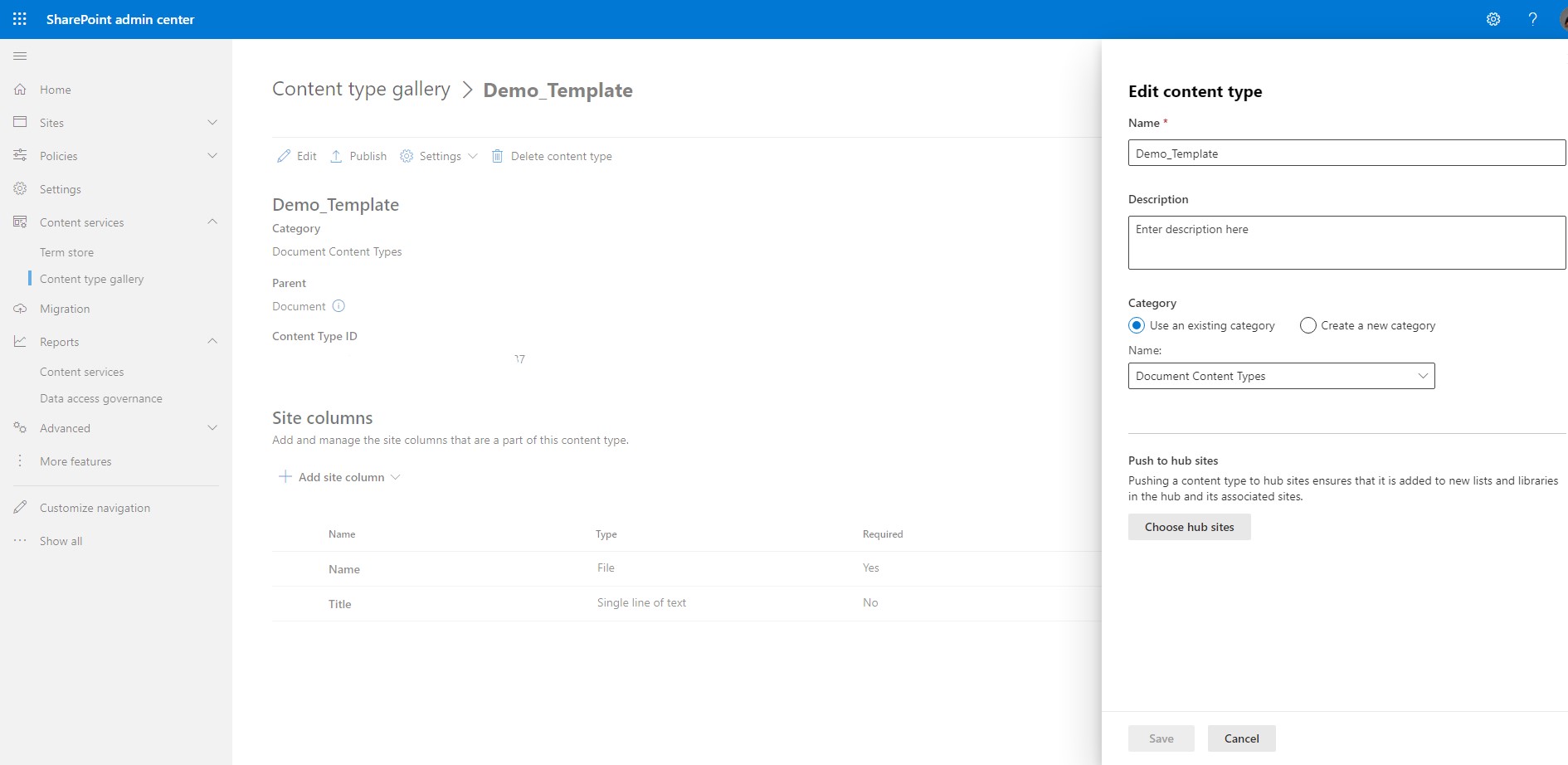
To create a new template we select create content type from the + and in the old right popup menu we have to enter name and description for the new content type .Then we select category existing or not and of course details for the Parent content type like the category of the parent and its type .We also have the possibility to push to hub sites the specific content type
Once we create it we have the possibility to edit it from the edit.
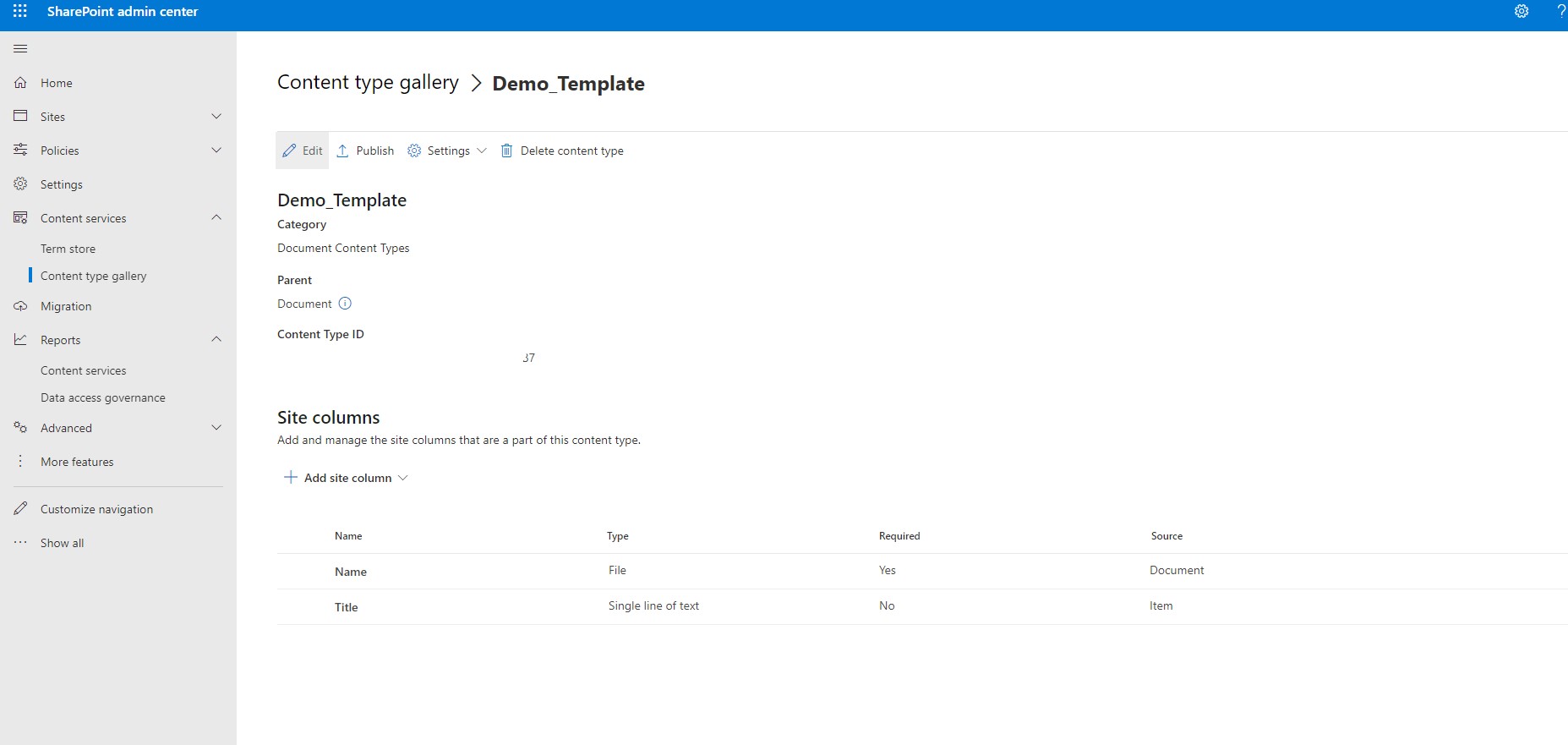
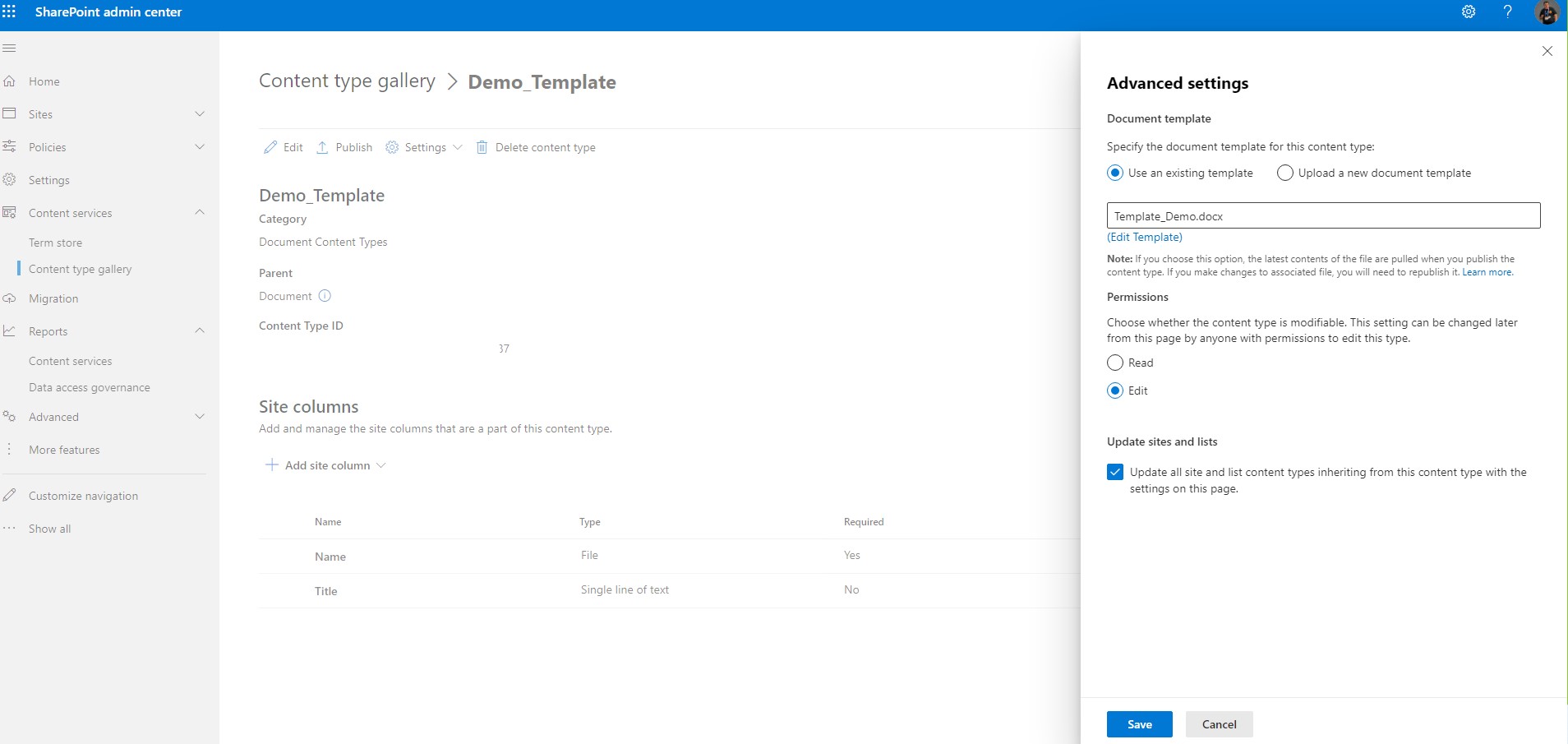
Or from advanced settings to set a template for the specific content type. We do this for content ytpes that we apply to SharePoint libraries.
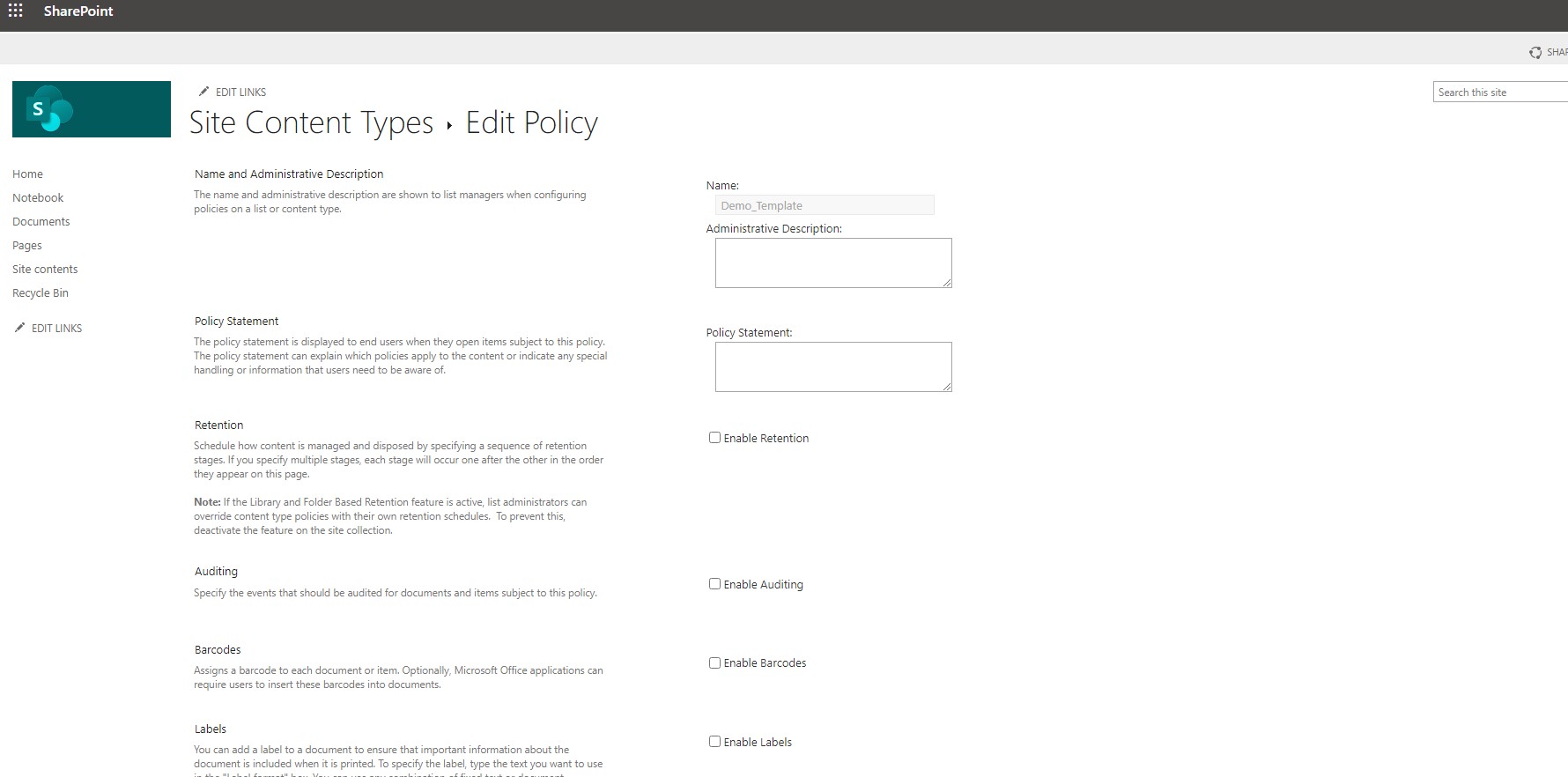
Finally there is the possibility to go to the old site of the content types where we can edit the Policies if for example we allow a retention policy or if we allow auditing , Labels or barcodes
Content types is a category that will be extensively discussed in another post on how we can create a content type and make it apply in a SharePoint library
#SharePoint #technology #microsoft #m365 #Onedrive #digitaltransformation #cloud #mvpbuzz #m365Visit Archives below to find more articles about Microsoft technologies on Modern Workplace